



Step by Step Guide for Creating Fancy Facebook Fan Pages by Olaf Nitz | olafnitz.net
About this Facebook Guide Since the social networking site Facebook is about to become one of the largest and most visited websites globally, you should think about expanding your online presence to Facebook. That’s what everybody tells you these days – but no one tells you how to create an outstanding Facebook Fan Page. As a corporation you can engage in Facebook in different ways, and creating a fan page is the most powerful one. Although it is easy to set up the page, creating a fancy fan page is a little tricky.  There are tons of applications on Facebook from which I selected a few which proved to be useful.  This guide is not exhaustive, but it can help you to create and enhance your Facebook presence.
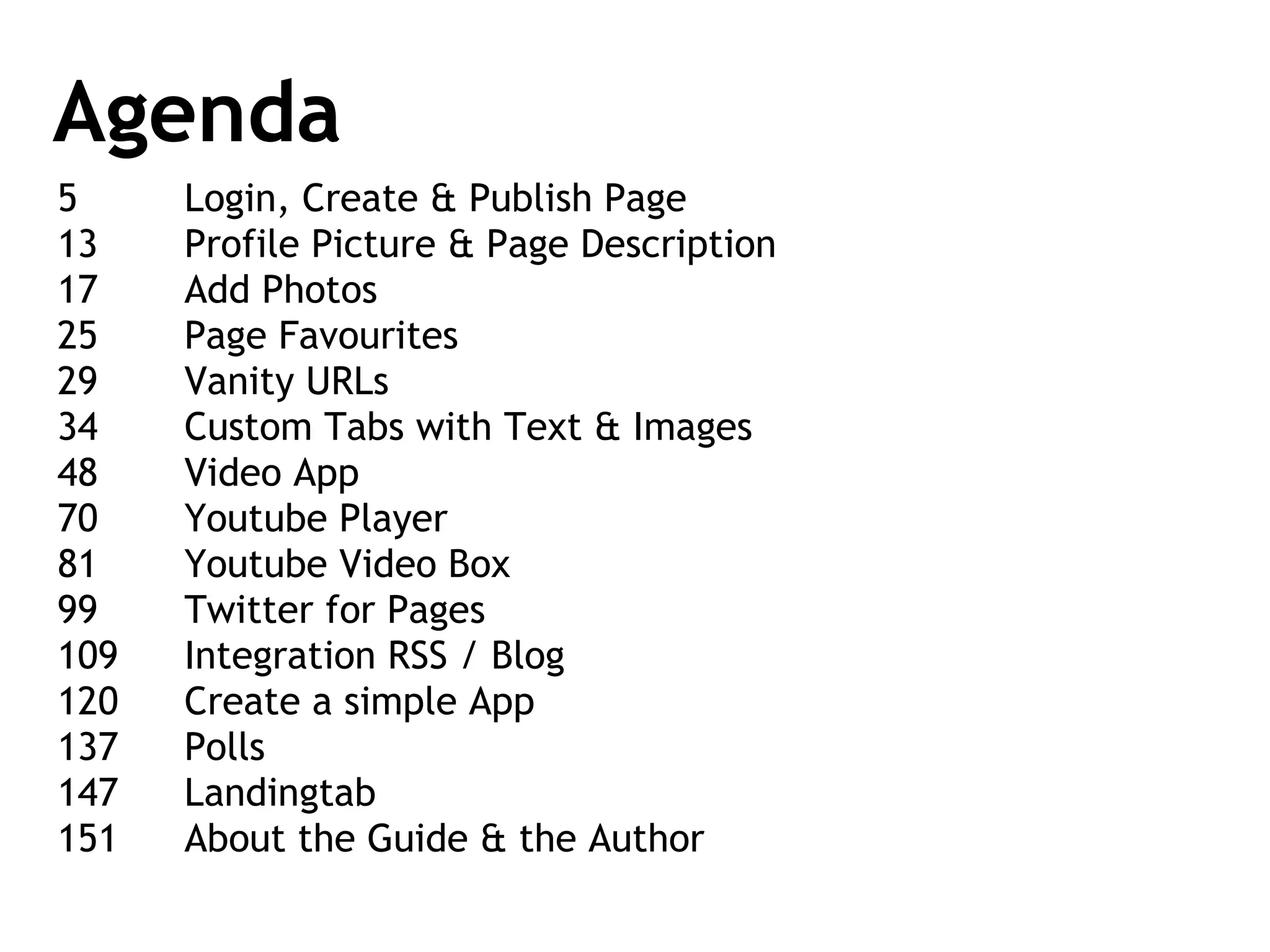
Agenda 5 Login, Create & Publish Page 13 Profile Picture & Page Description 17 Add Photos 25 Page Favourites 29 Vanity URLs 34 Custom Tabs with Text & Images 48 Video App 70 Youtube Player 81 Youtube Video Box 99 Twitter for Pages 109 Integration RSS / Blog 120 Create a simple App 137 Polls 147  Landingtab 151 About the Guide & the Author
GET STARTED Login, Creating & Publishing a Page
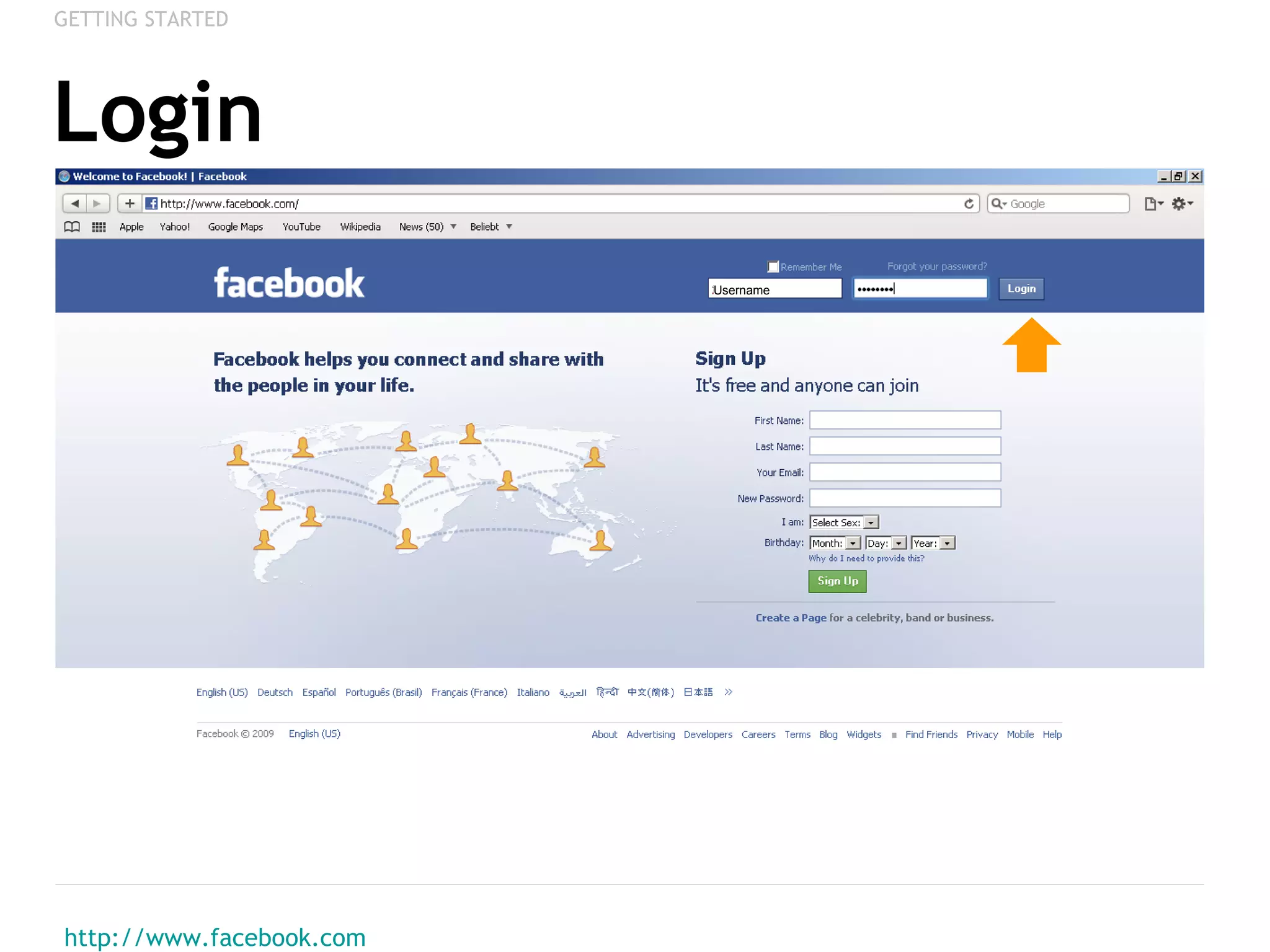
Login http://www.facebook.com   GETTING STARTED Username
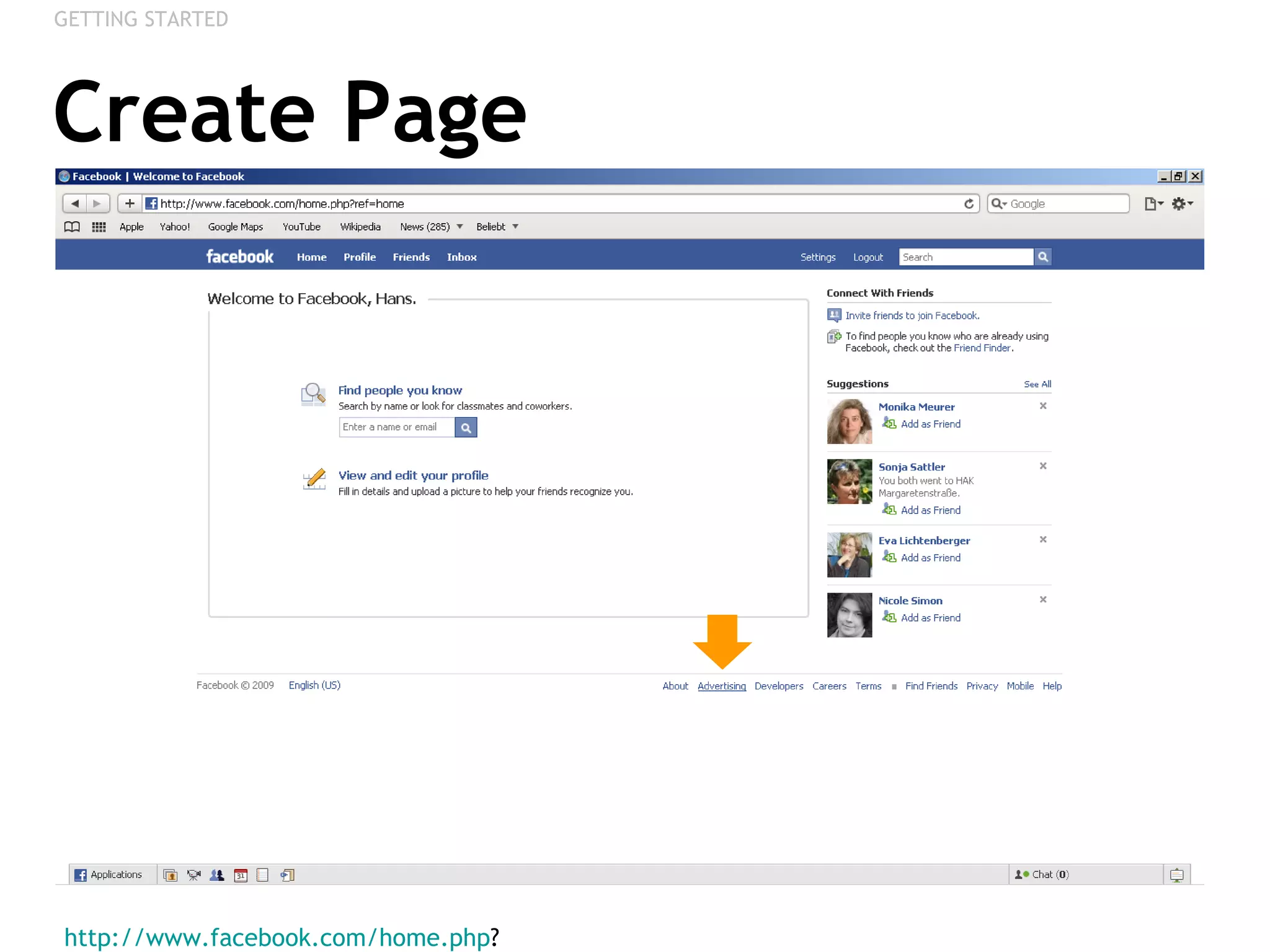
Create Page http://www.facebook.com/home.php ?  GETTING STARTED
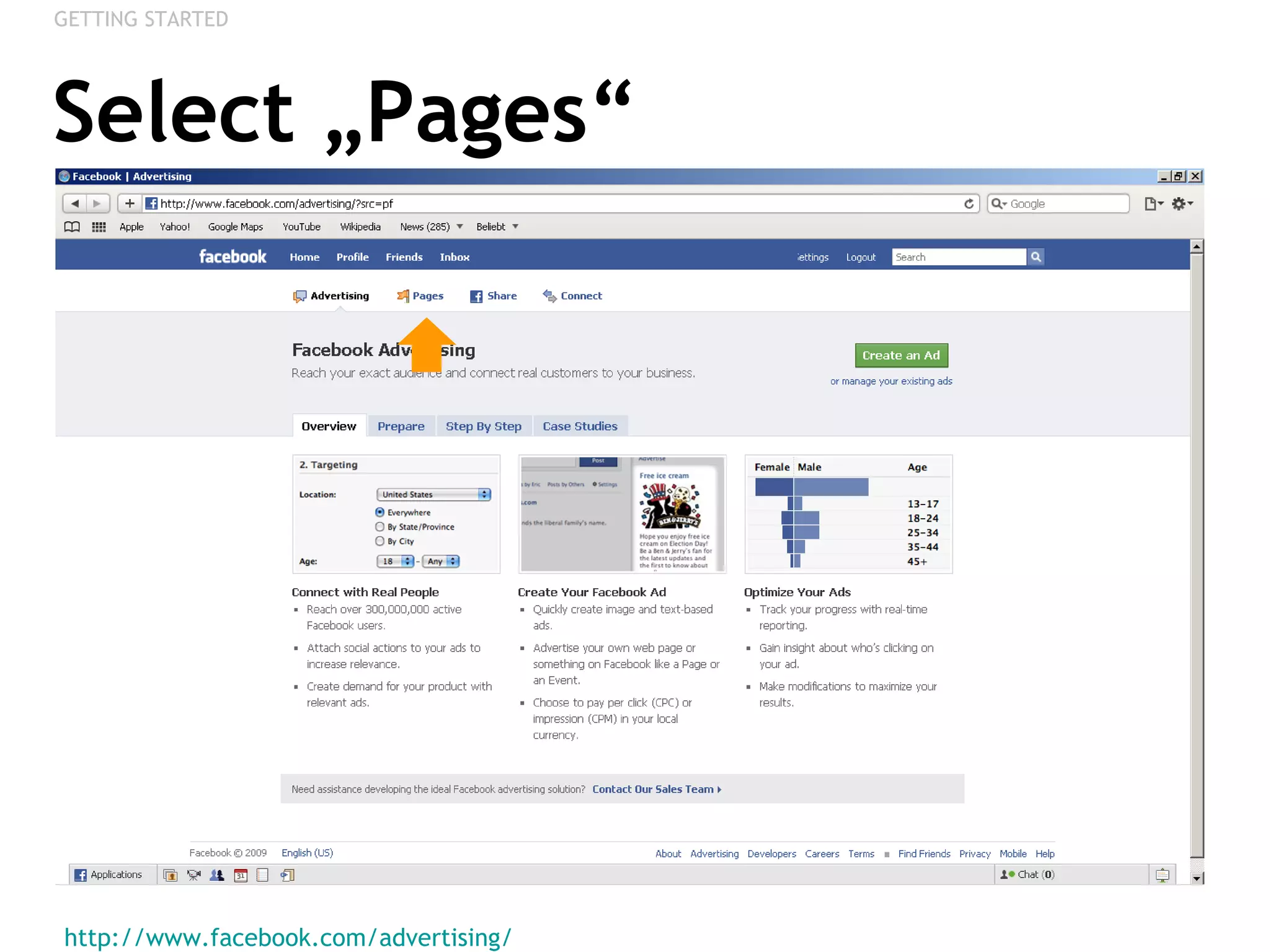
Select „Pages“ http://www.facebook.com/advertising/   GETTING STARTED
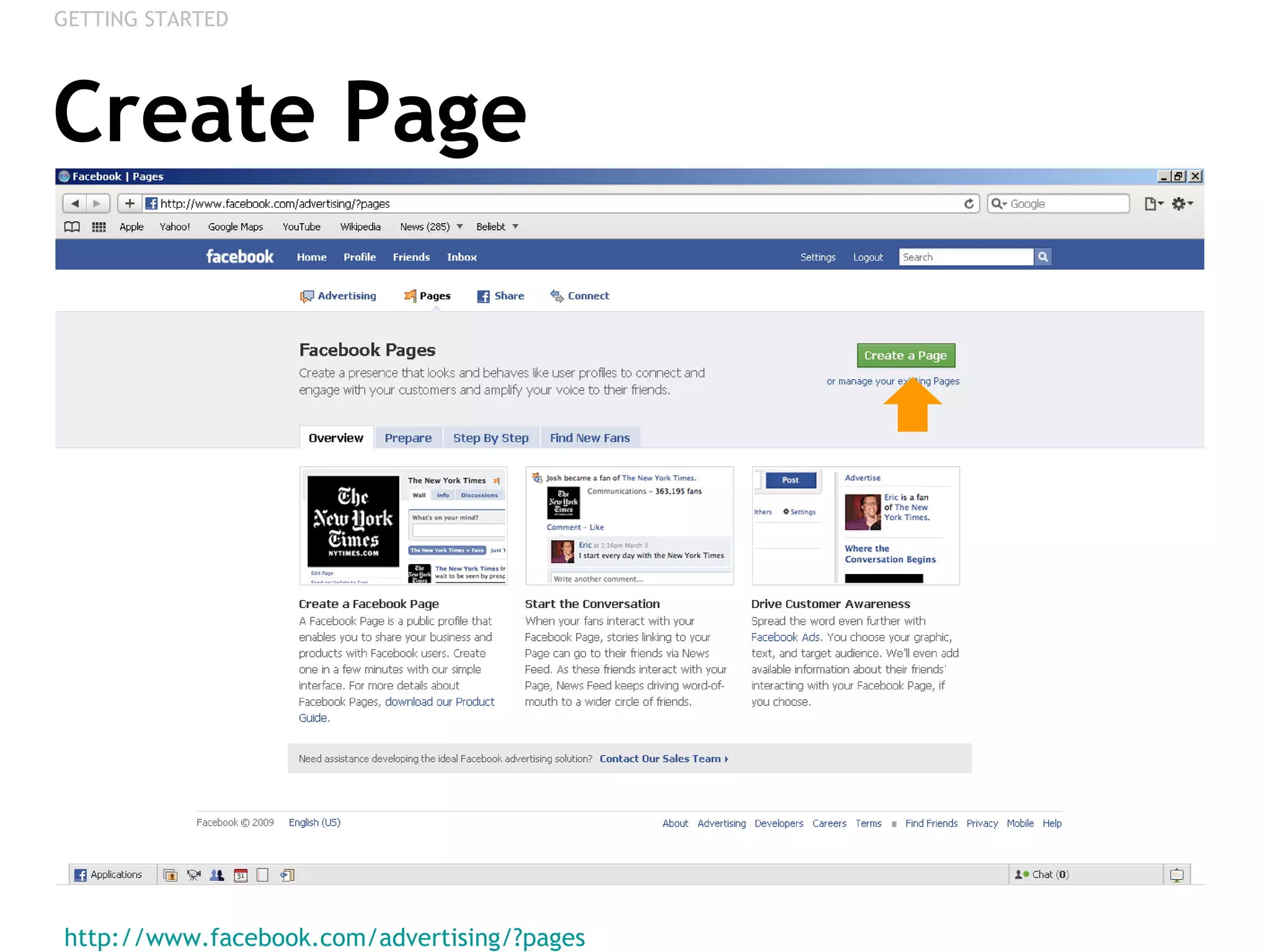
Create Page http://www.facebook.com/advertising/?pages   GETTING STARTED
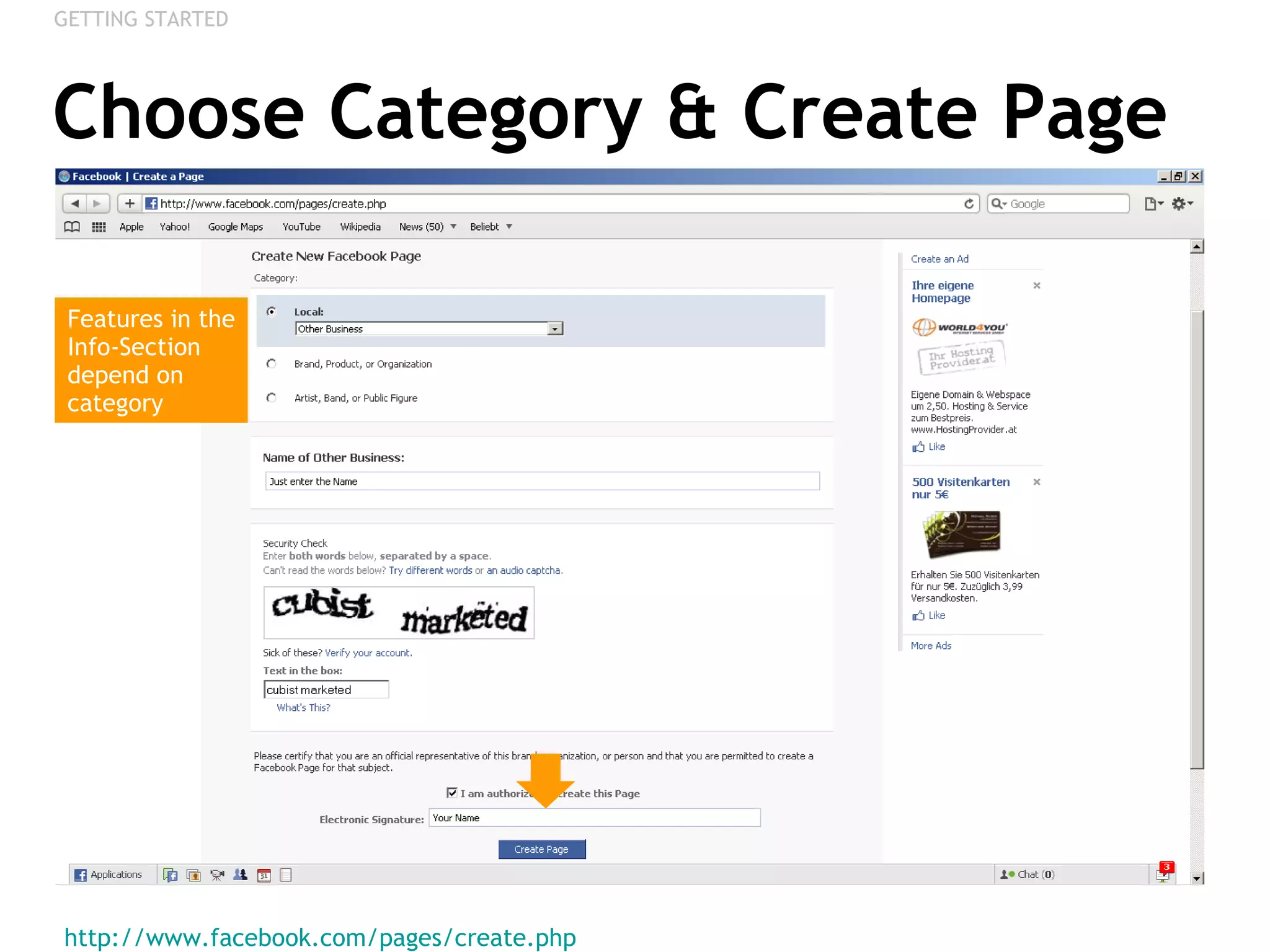
Choose Category & Create Page http://www.facebook.com/pages/create.php   GETTING STARTED Features in the Info-Section depend on category
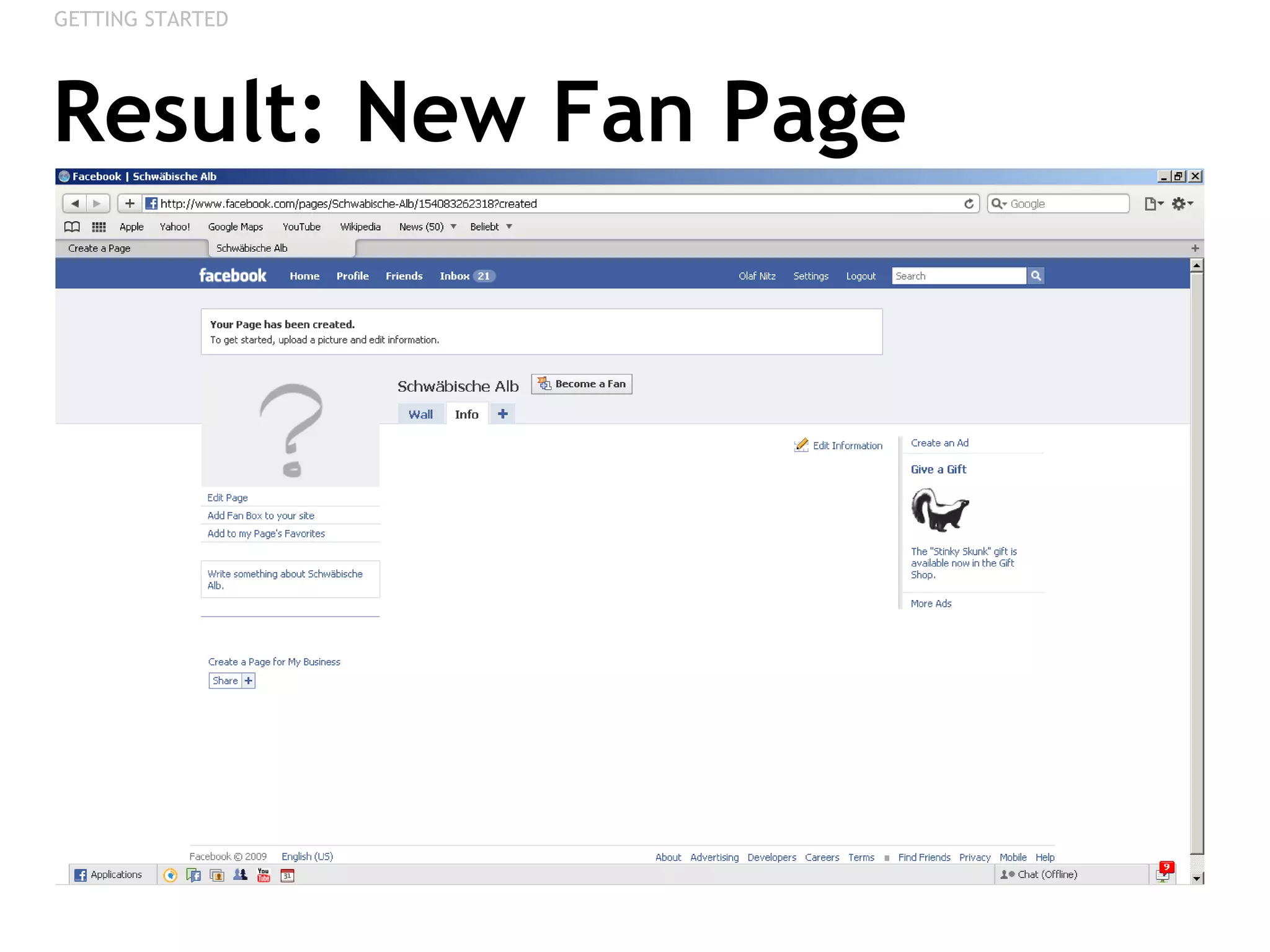
Result: New Fan Page GETTING STARTED
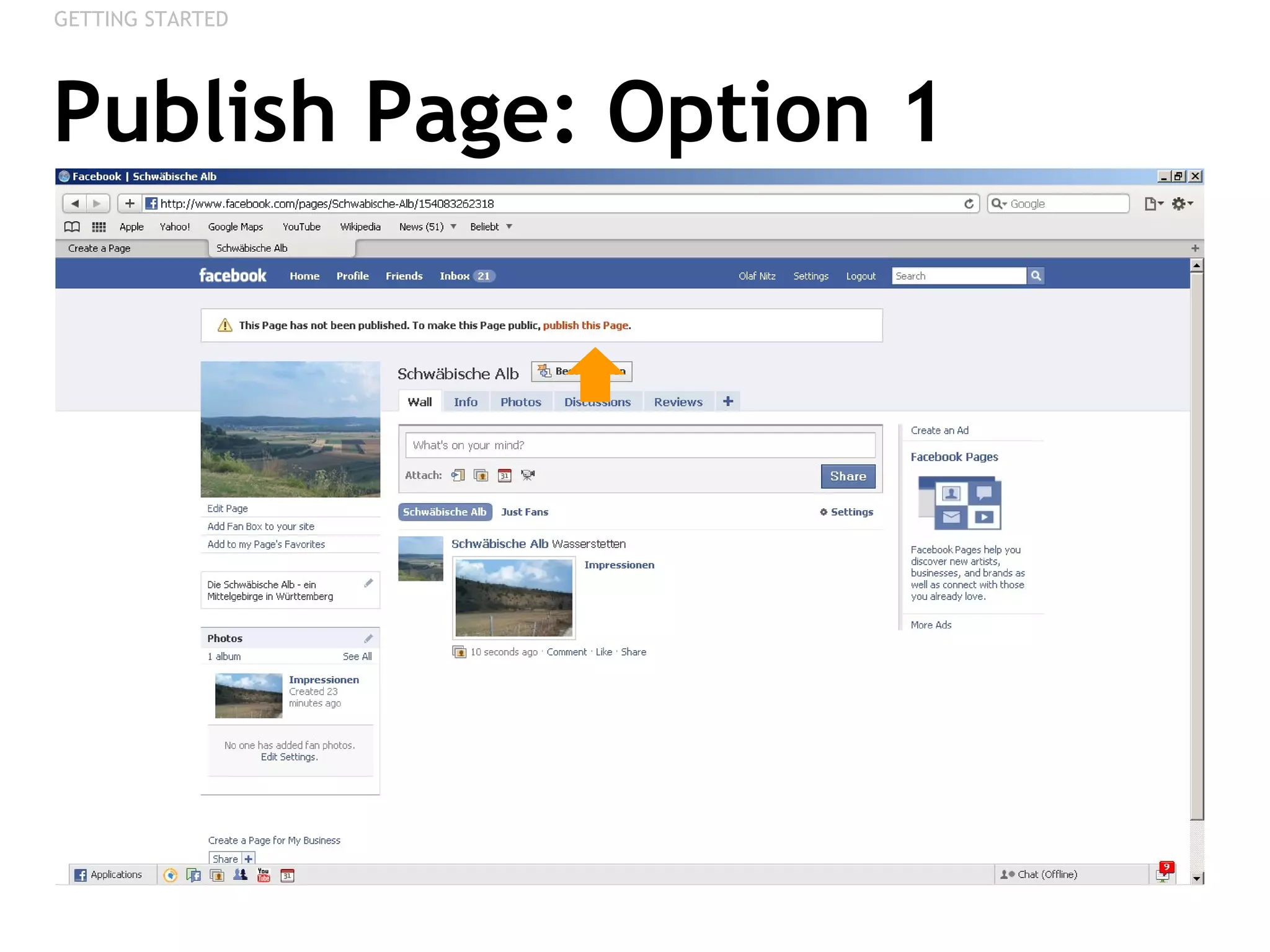
Publish Page: Option 1 GETTING STARTED
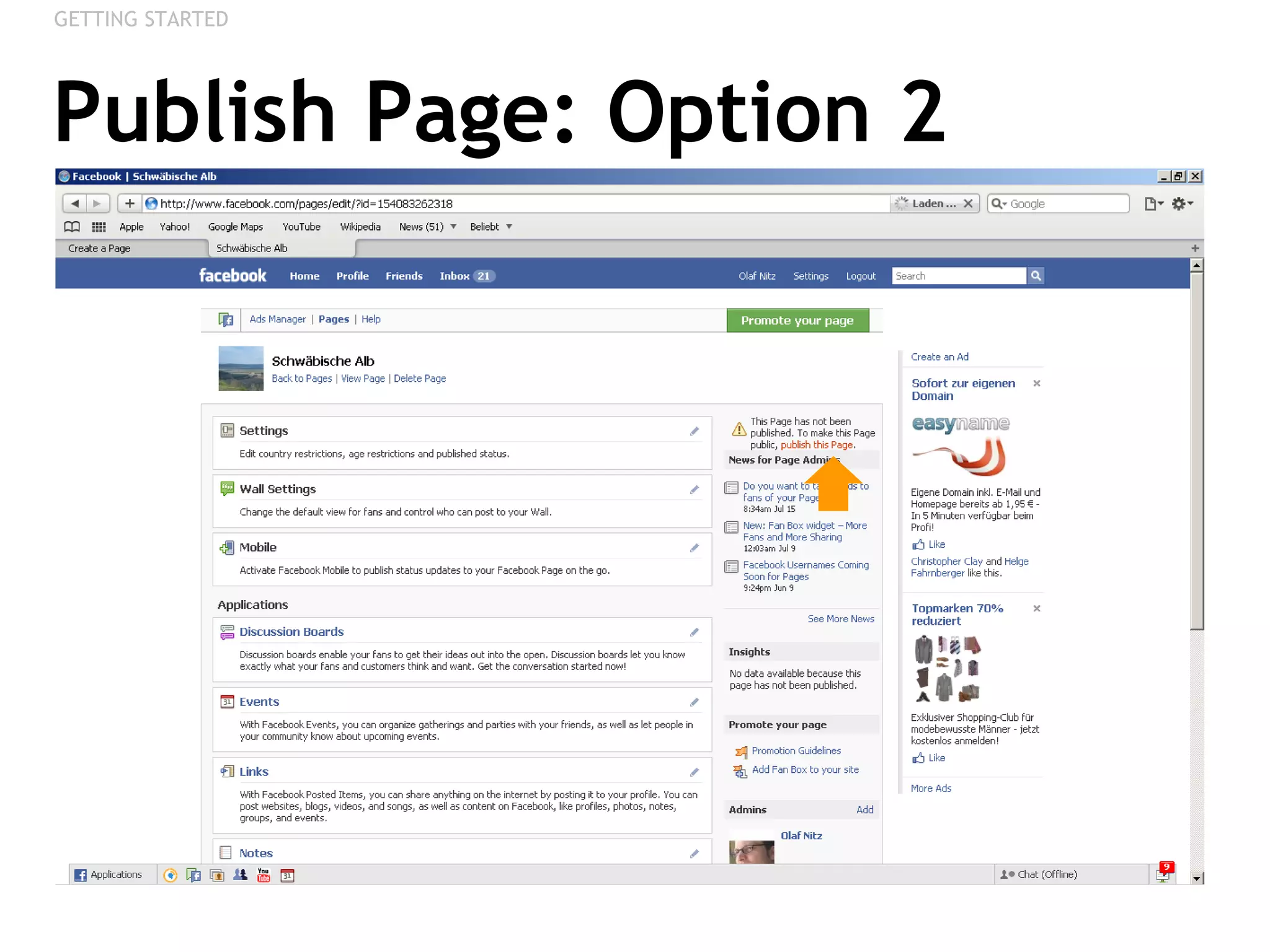
Publish Page: Option 2 GETTING STARTED
FIRST ADAPTATIONS Profile Picture & Description
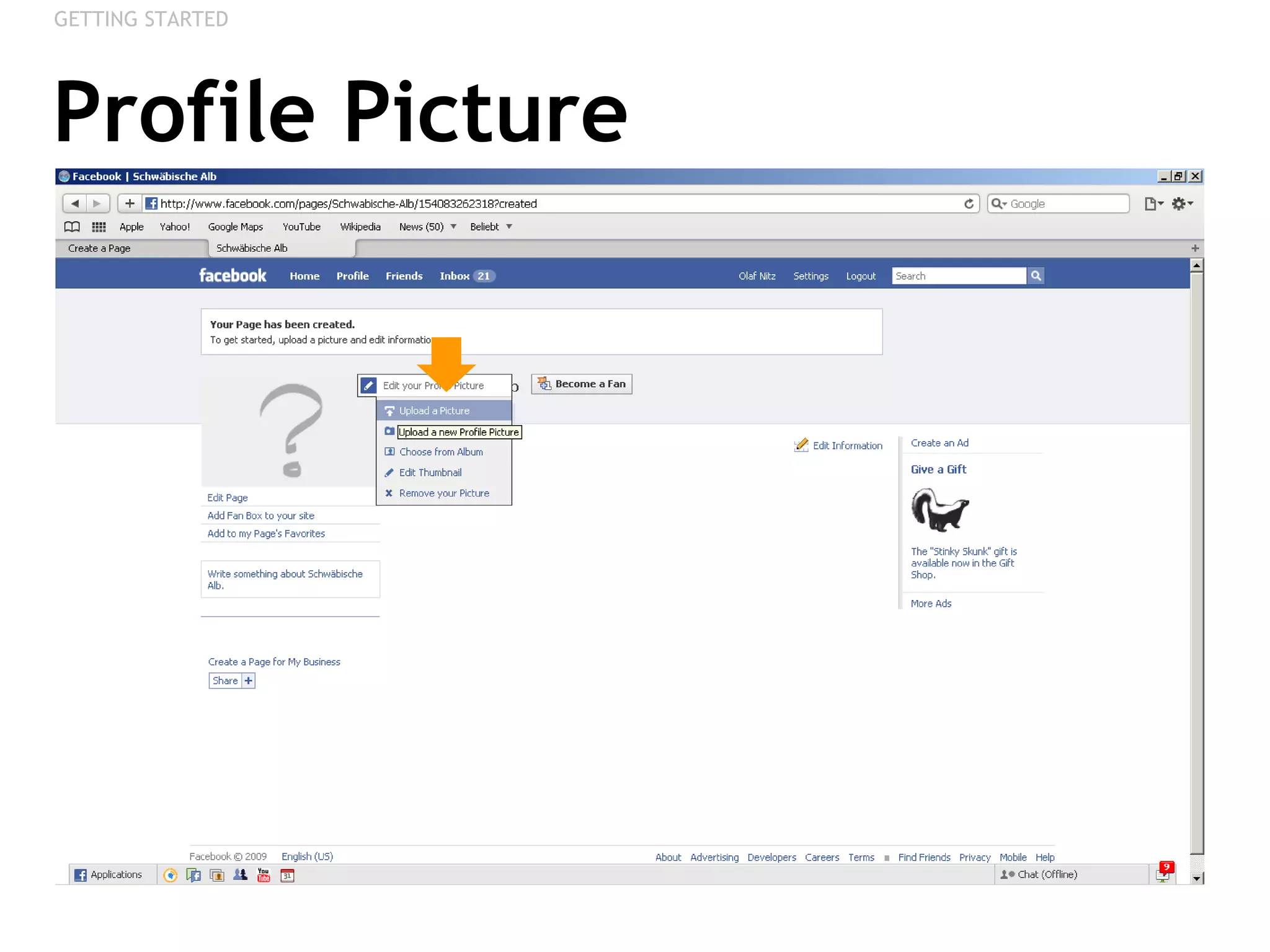
Profile Picture GETTING STARTED
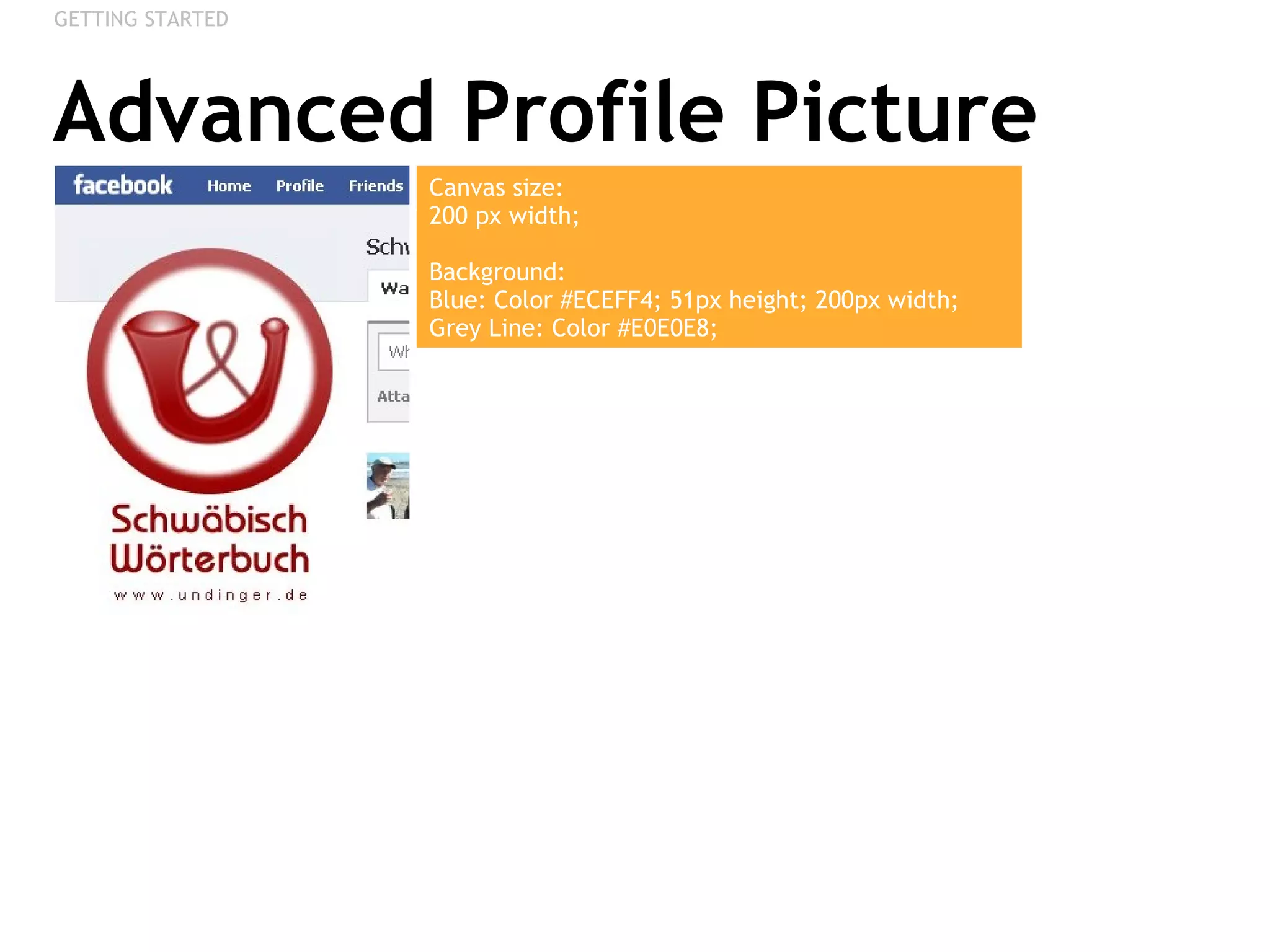
Advanced Profile Picture GETTING STARTED Canvas size:  200 px width;  Background: Blue: Color #ECEFF4; 51px height; 200px width;  Grey Line: Color #E0E0E8;
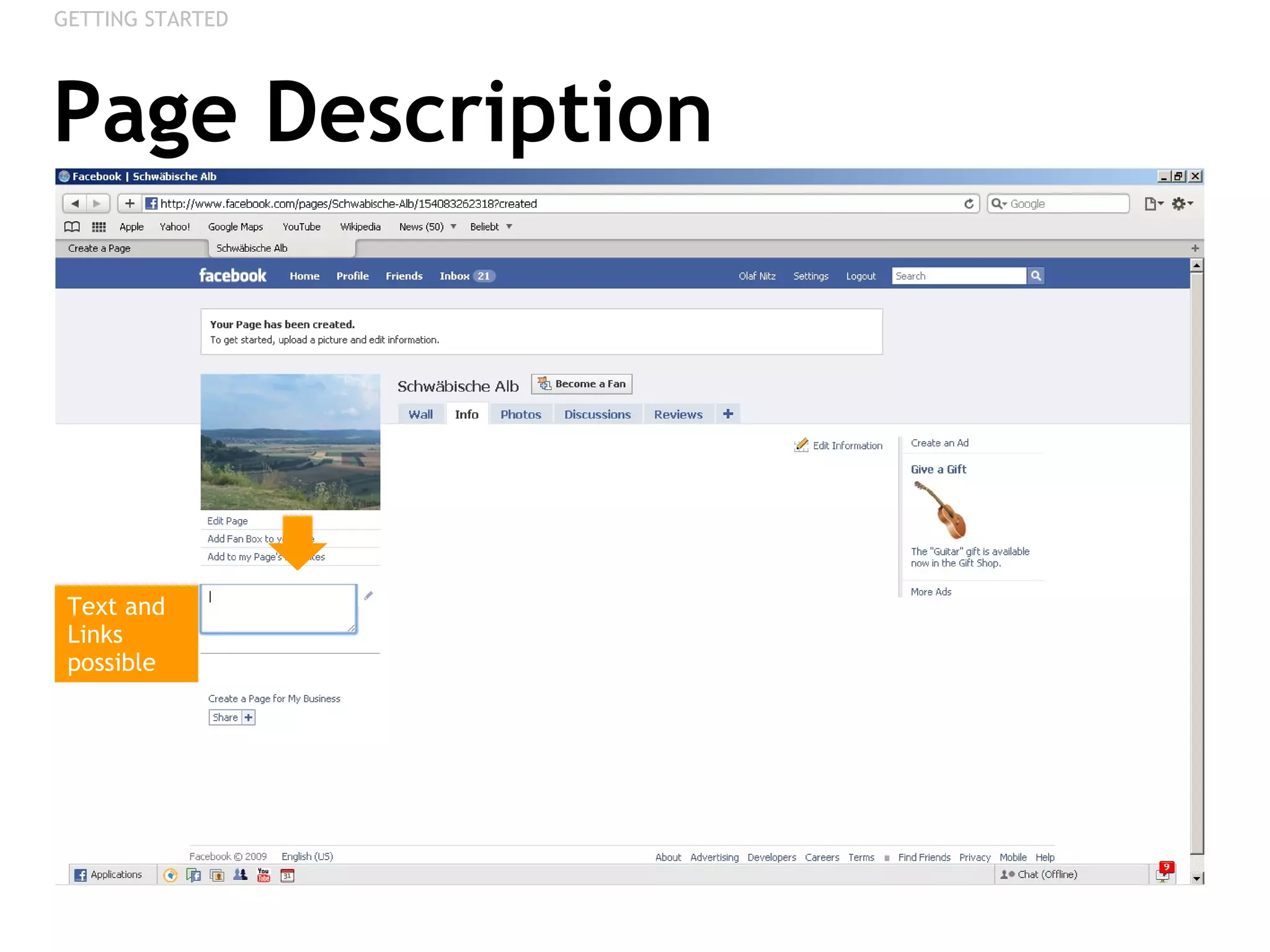
Page Description GETTING STARTED Text and Links possible
ADD PHOTOS Creating Albums, Uploading, Publishing
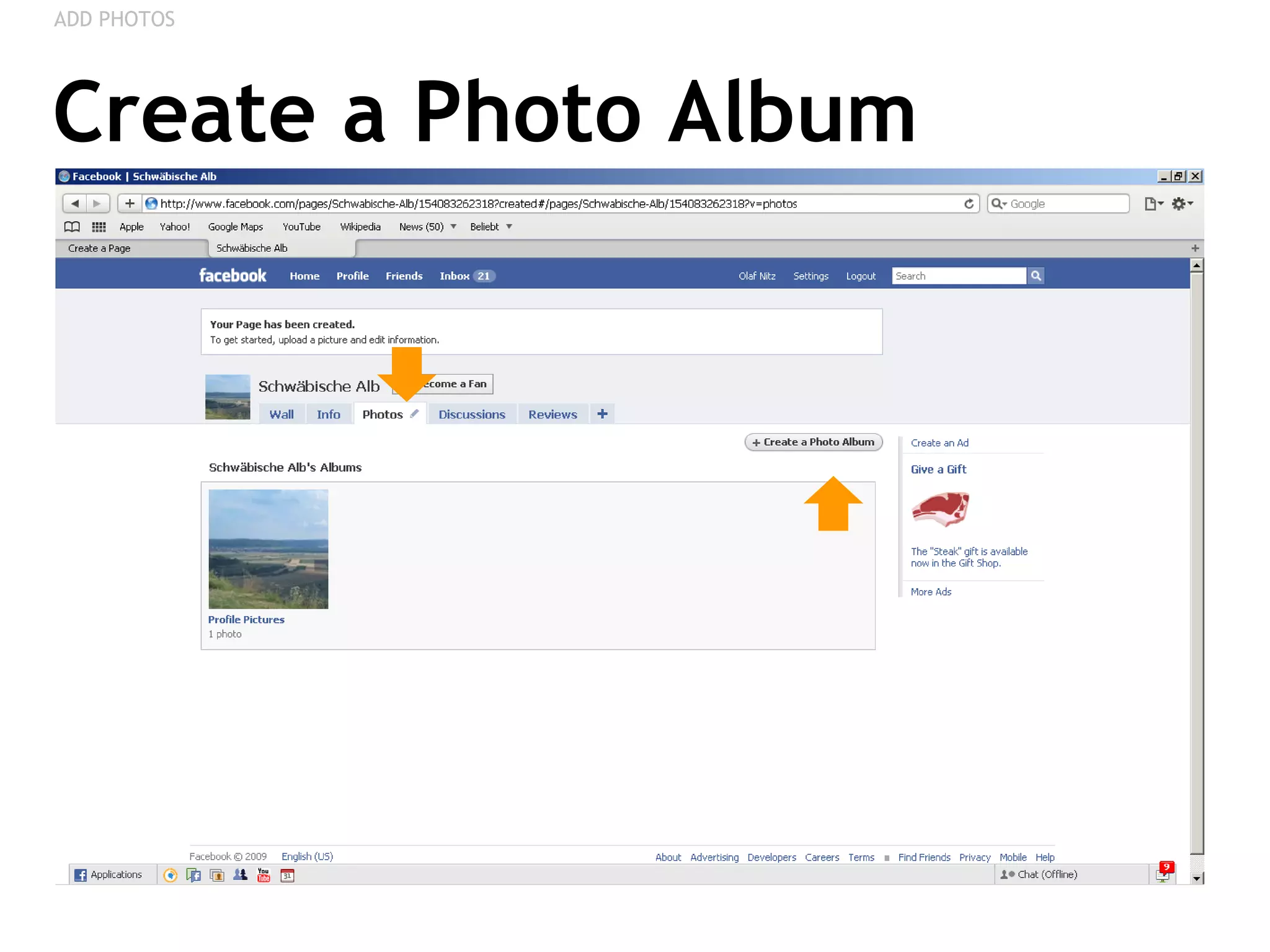
Create a Photo Album ADD PHOTOS
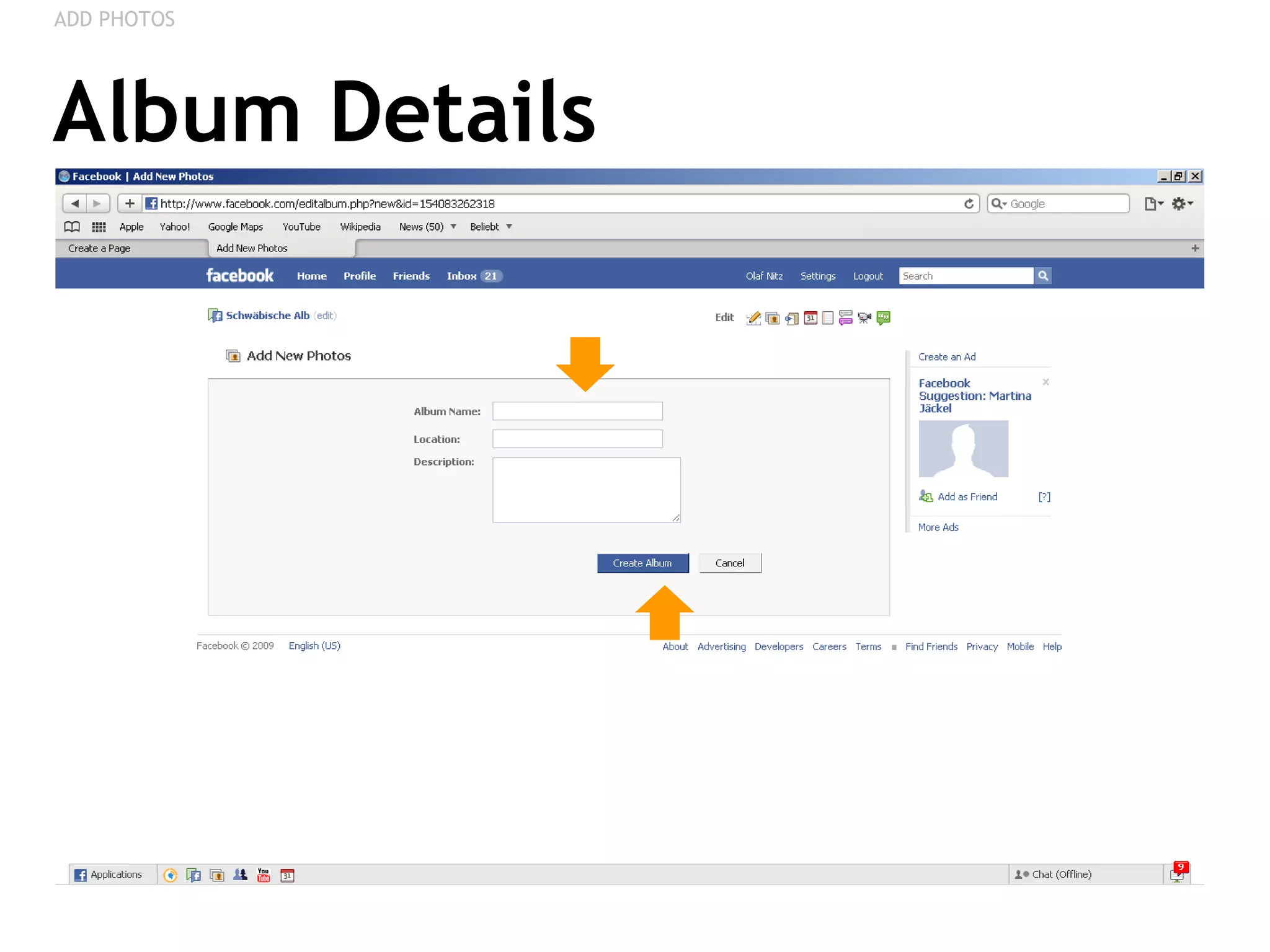
Album Details ADD PHOTOS
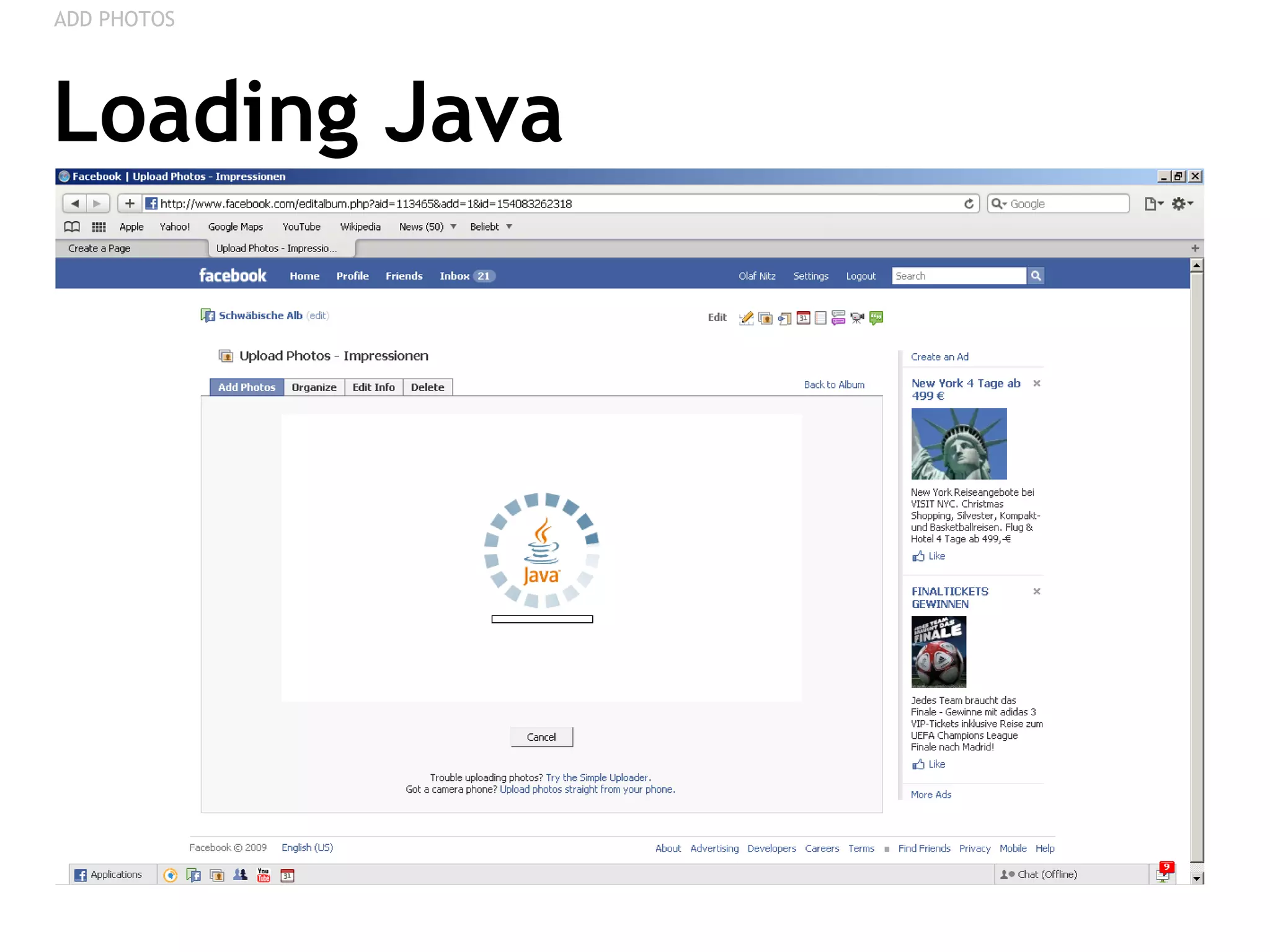
Loading Java ADD PHOTOS
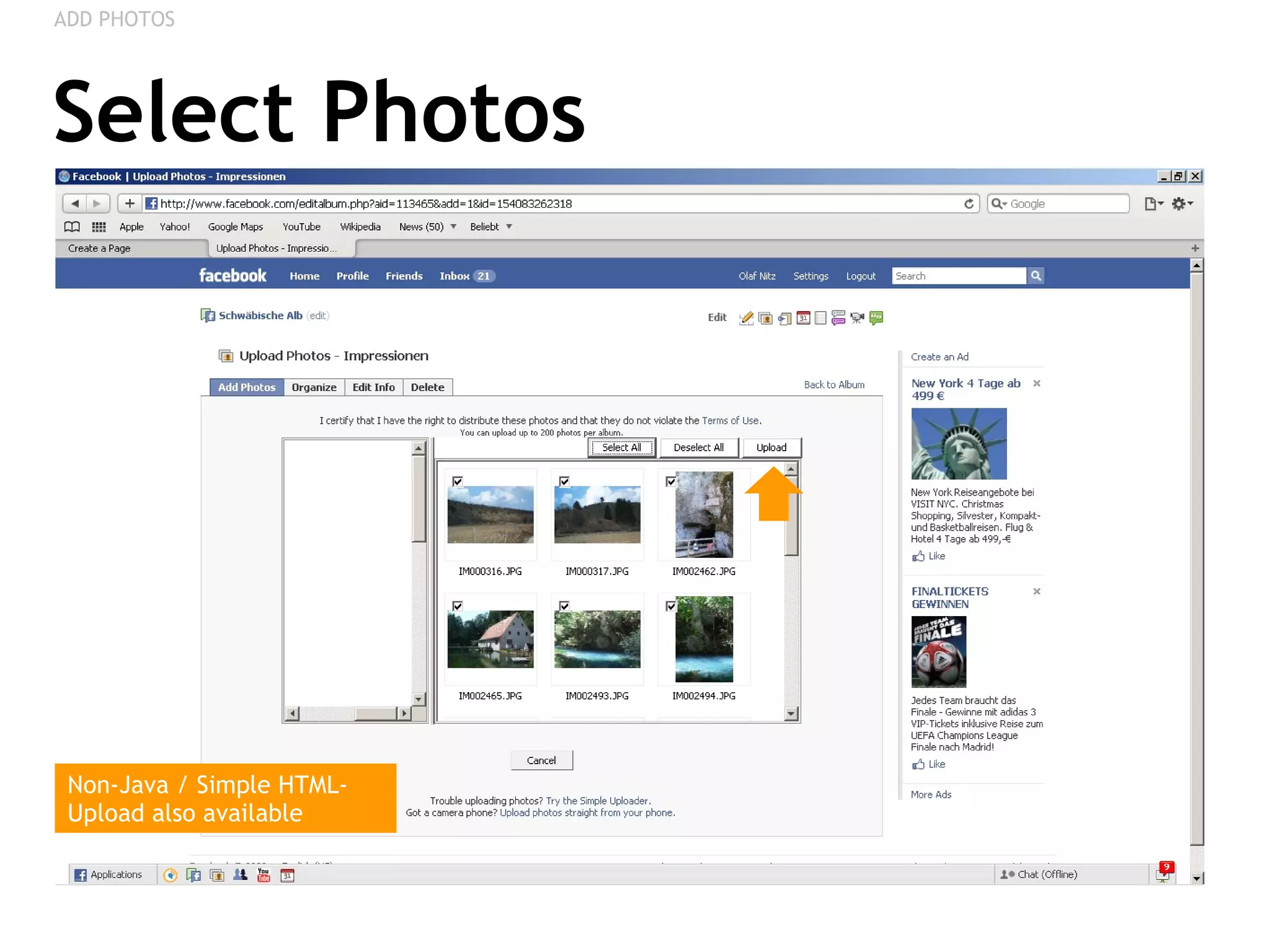
Select Photos ADD PHOTOS Non-Java / Simple HTML-Upload also available
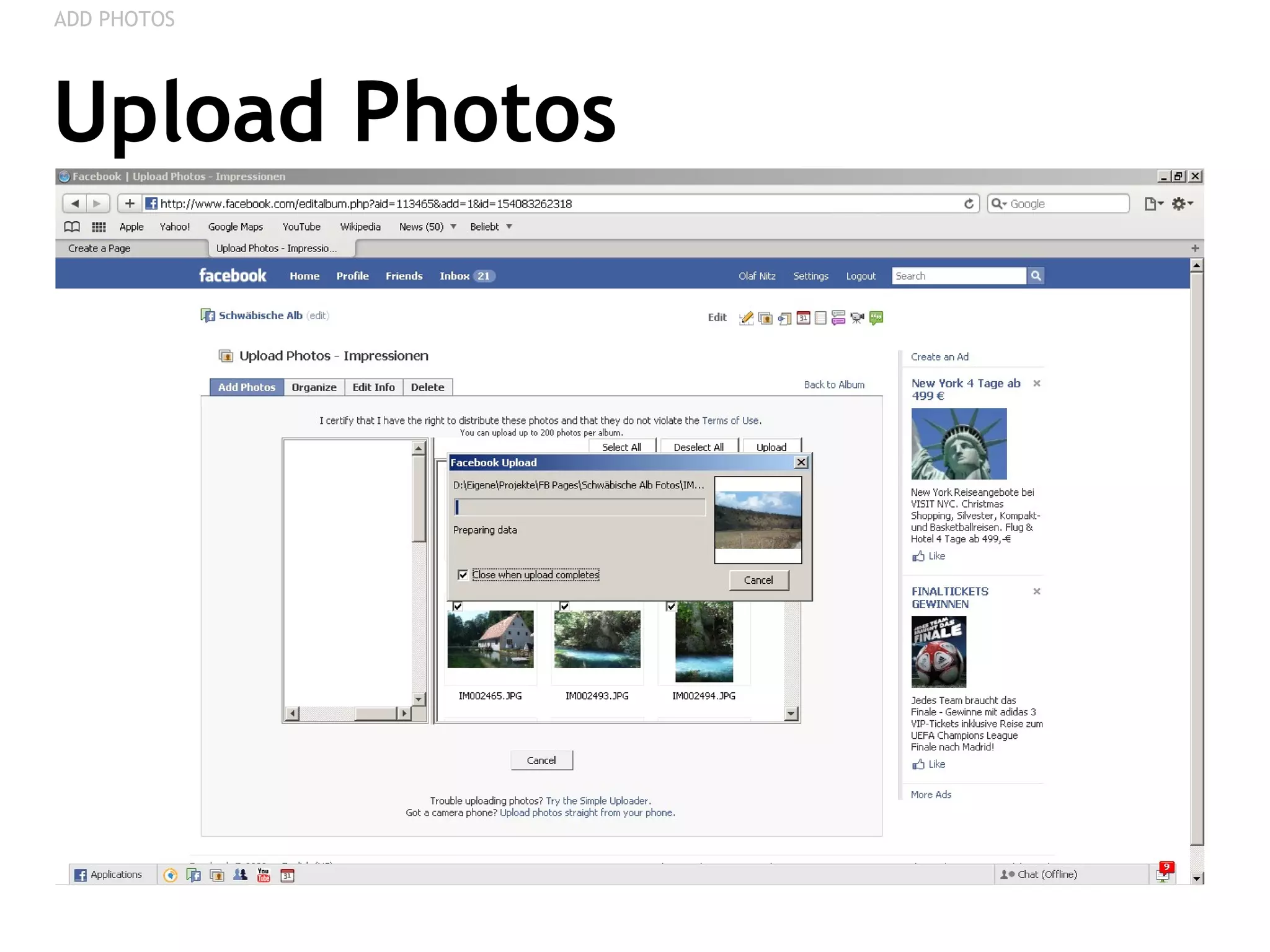
Upload Photos ADD PHOTOS
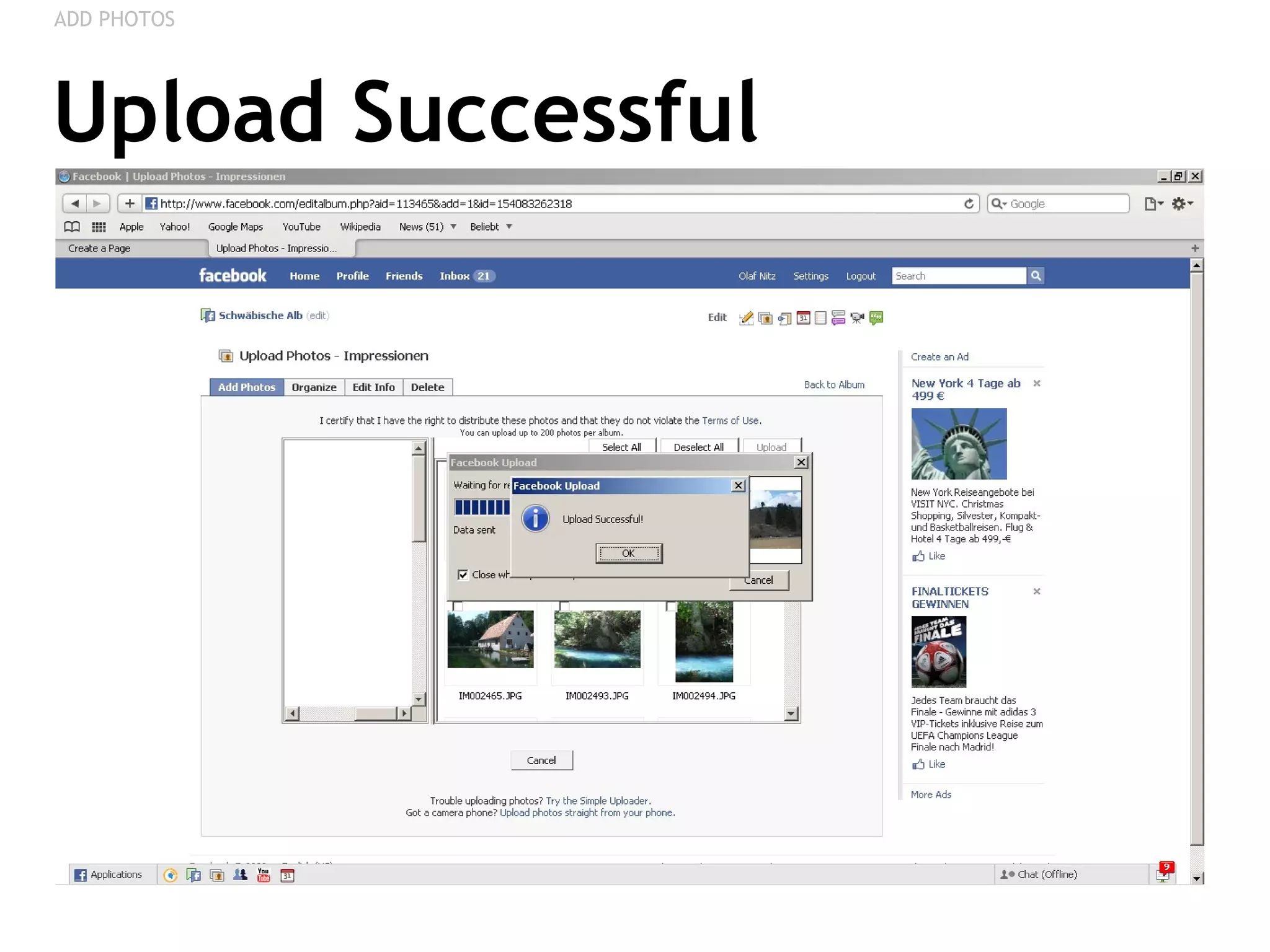
Upload Successful ADD PHOTOS
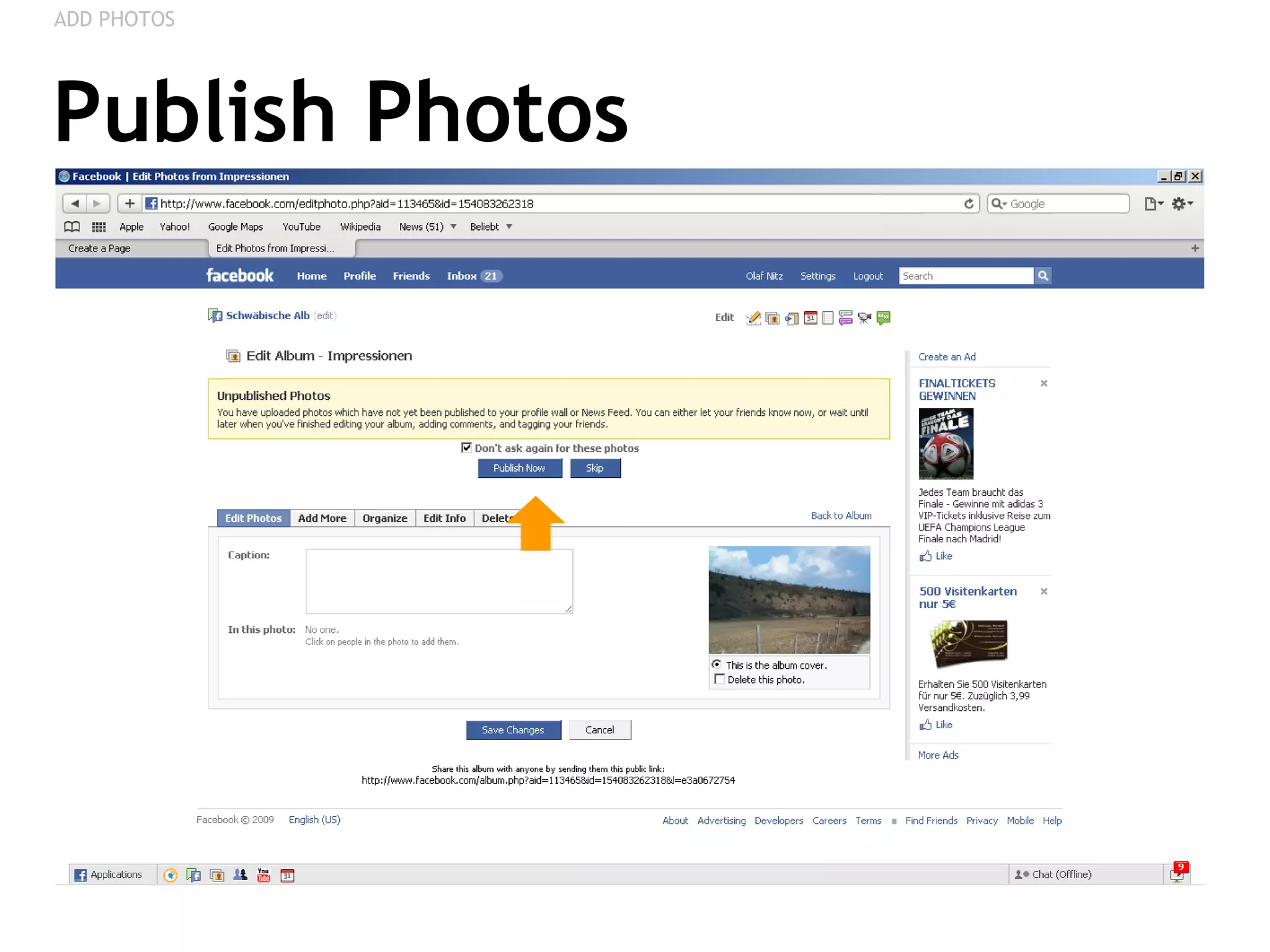
Publish Photos ADD PHOTOS
PAGE FAVOURITES Linking other Pages from your Fan Page,  Creating a Network of Fan Pages
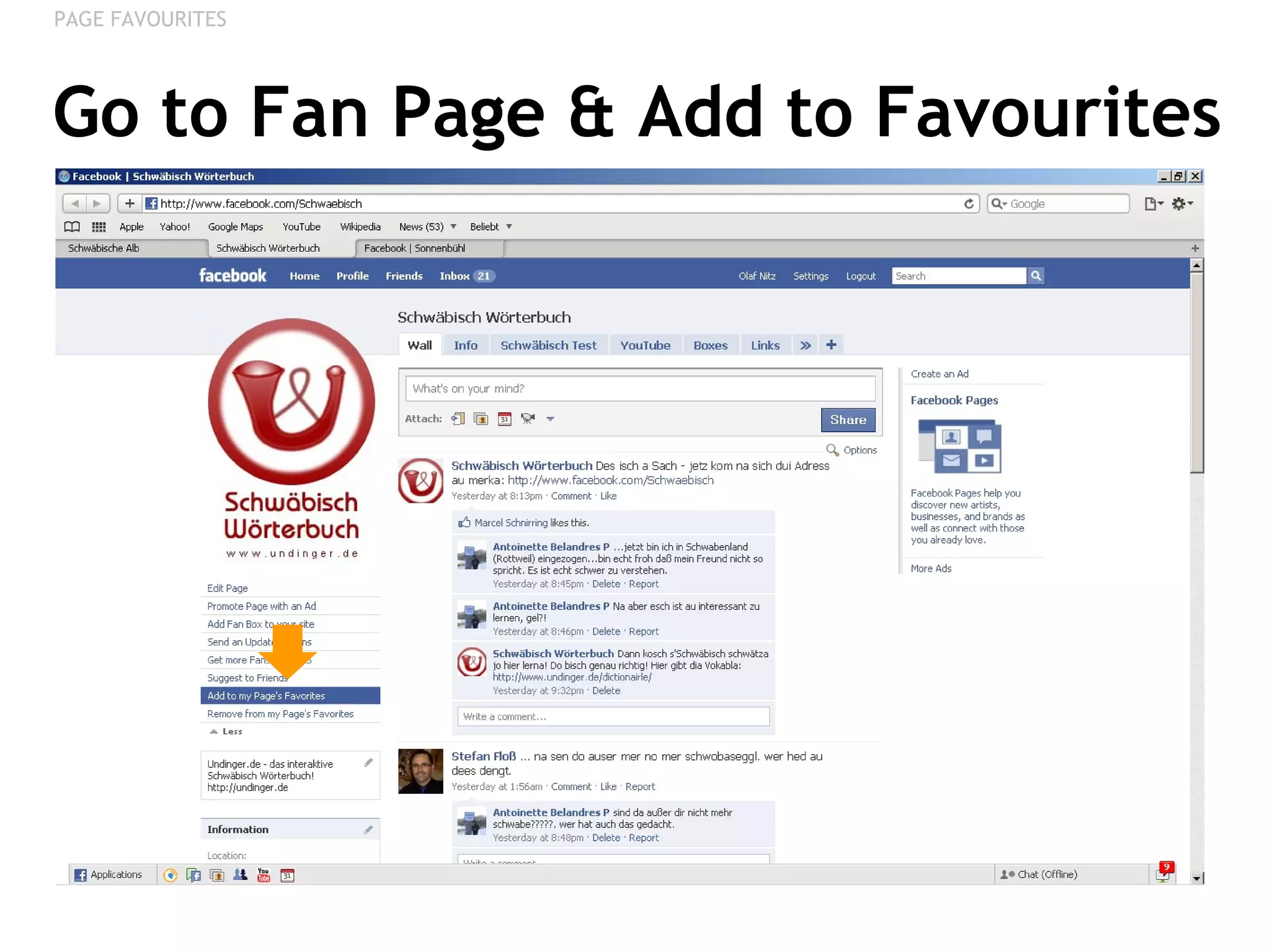
Go to Fan Page & Add to Favourites PAGE FAVOURITES
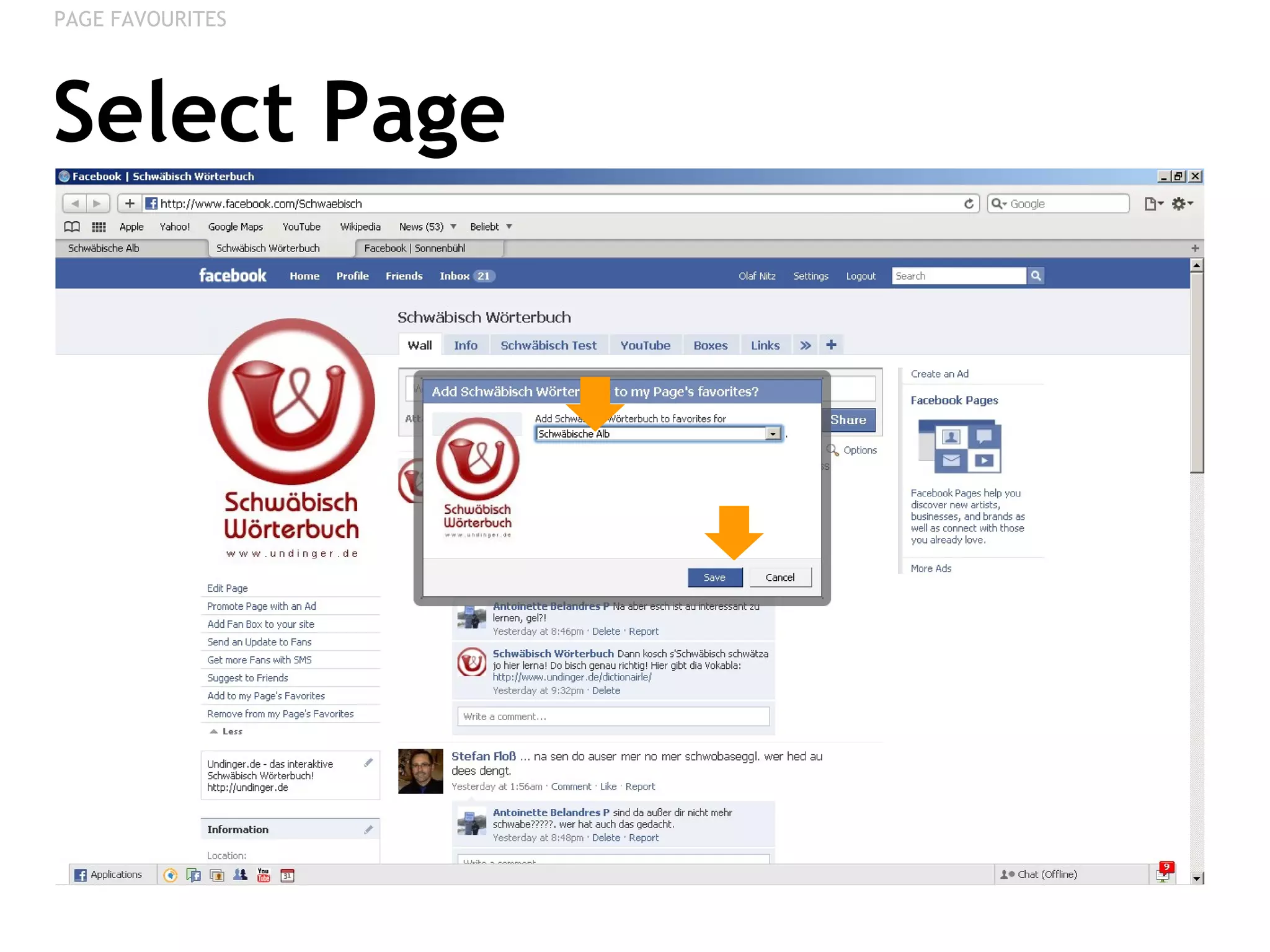
Select Page PAGE FAVOURITES
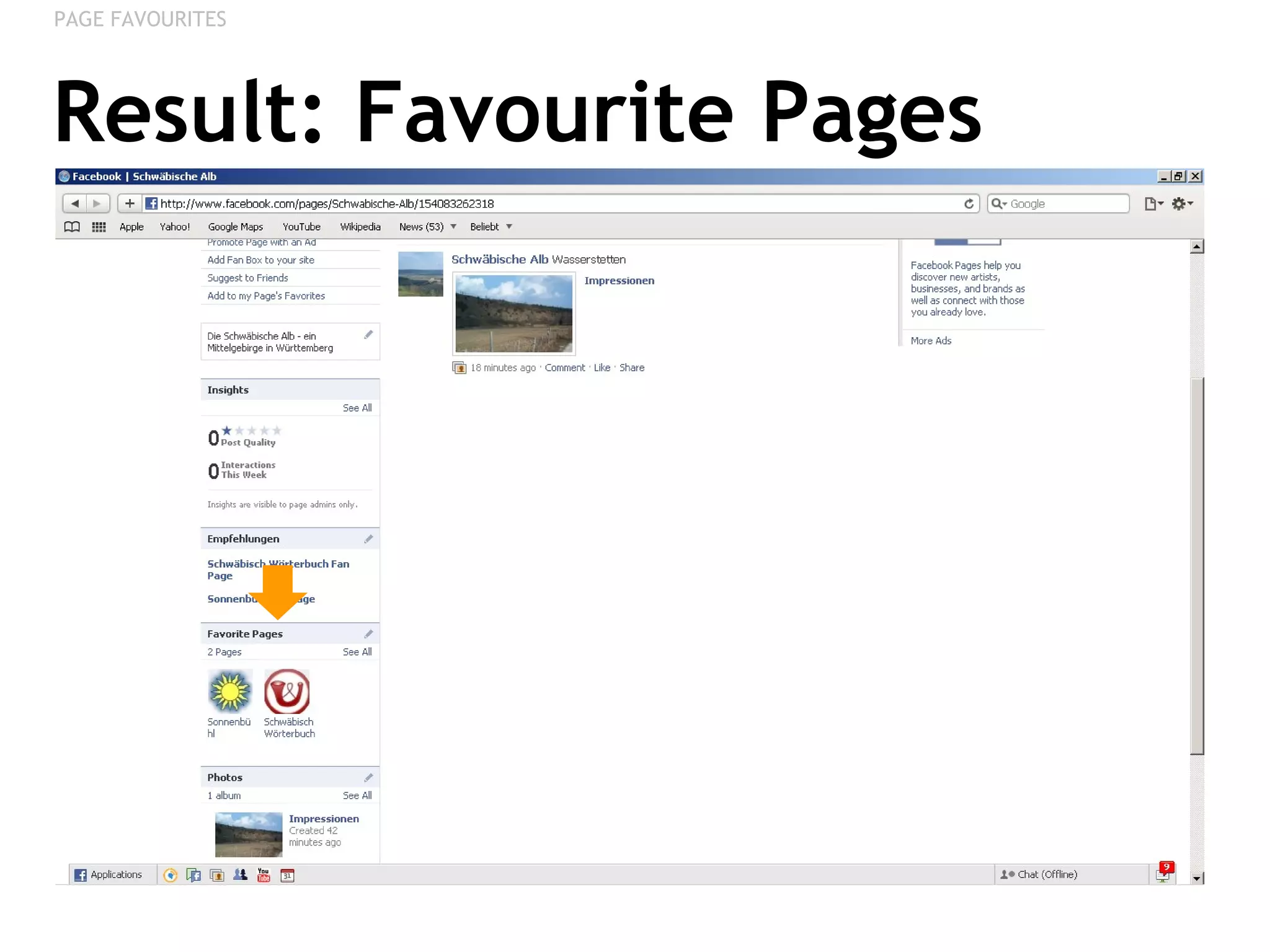
Result: Favourite Pages PAGE FAVOURITES
VANITY URLS Creating Custom Short-URLs
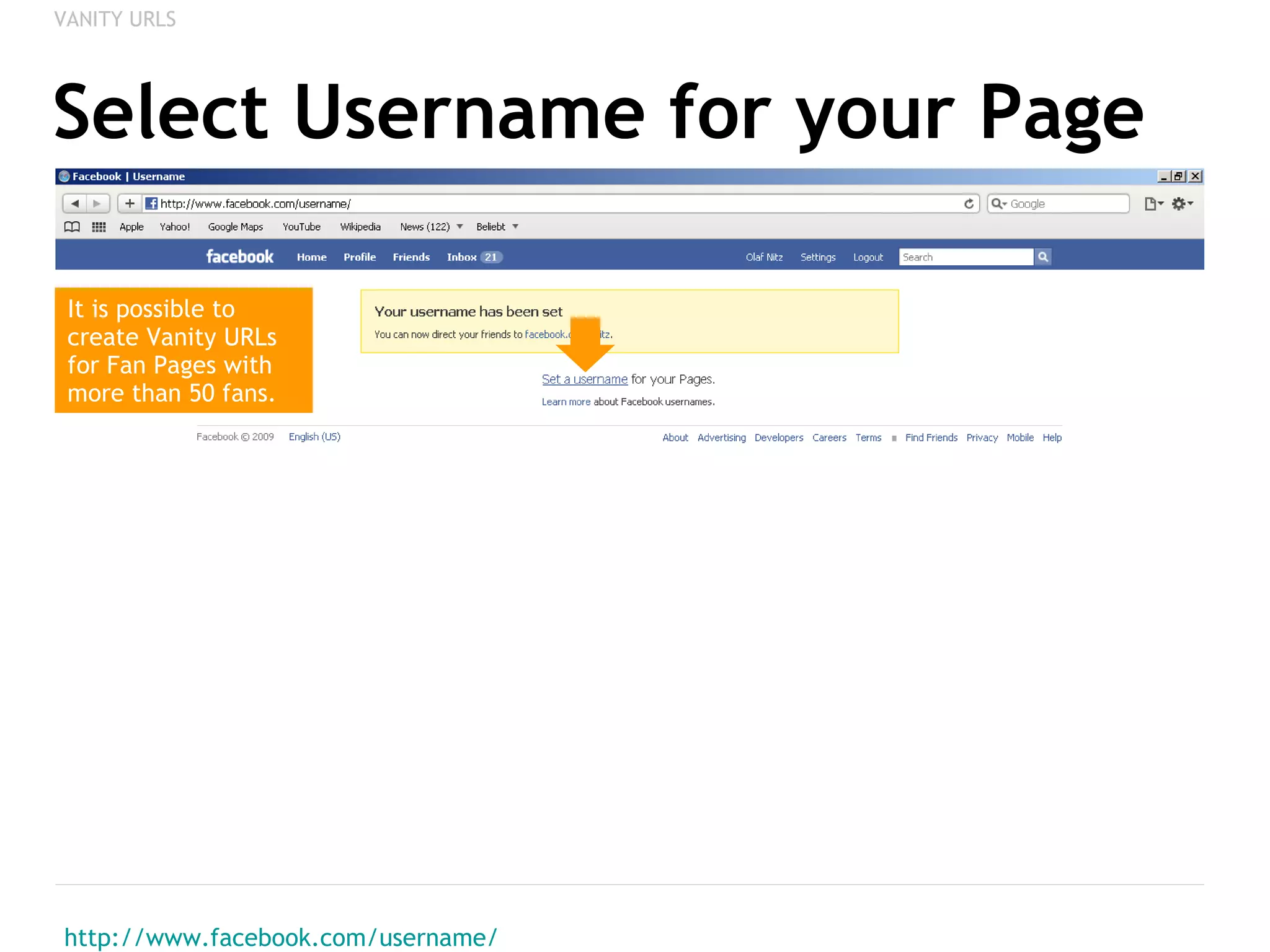
Select Username for your Page http://www.facebook.com/username/ VANITY URLS It is possible to create Vanity URLs for Fan Pages with more than 50 fans.
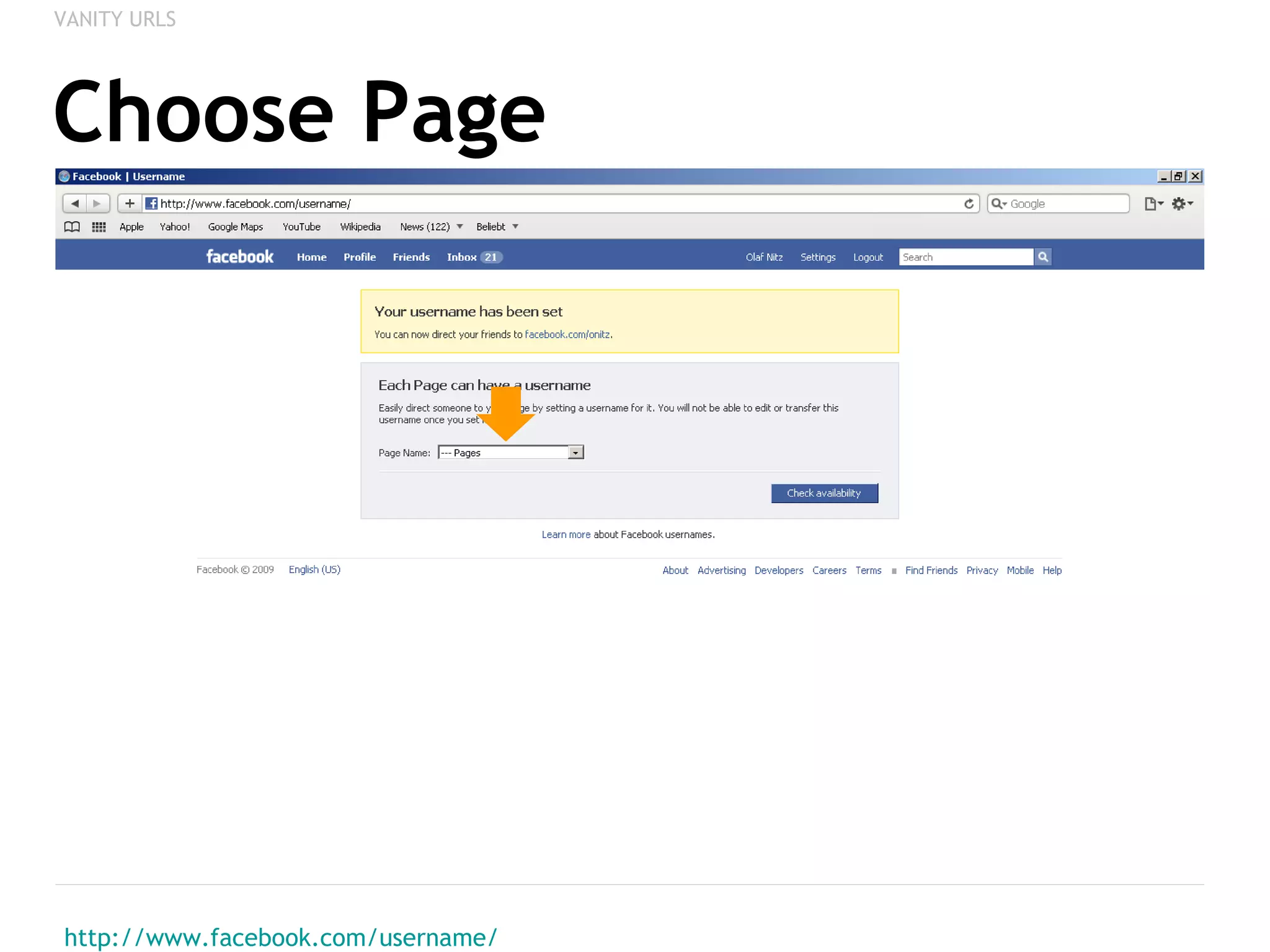
Choose Page http://www.facebook.com/username/ VANITY URLS
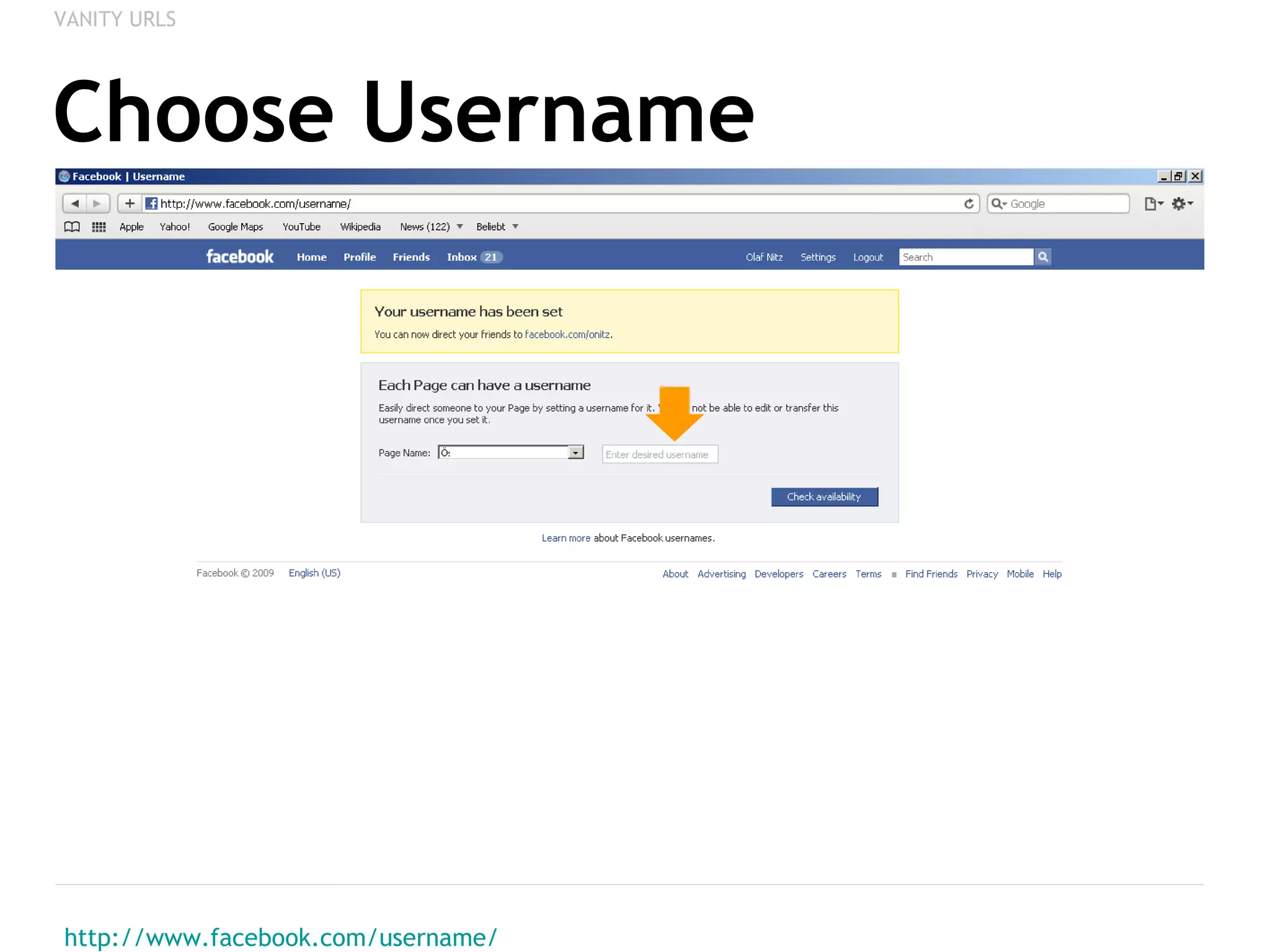
Choose Username http://www.facebook.com/username/ VANITY URLS
Result: Vanity URL VANITY URLS
CUSTOM TABS Adding your own Text & Graphics
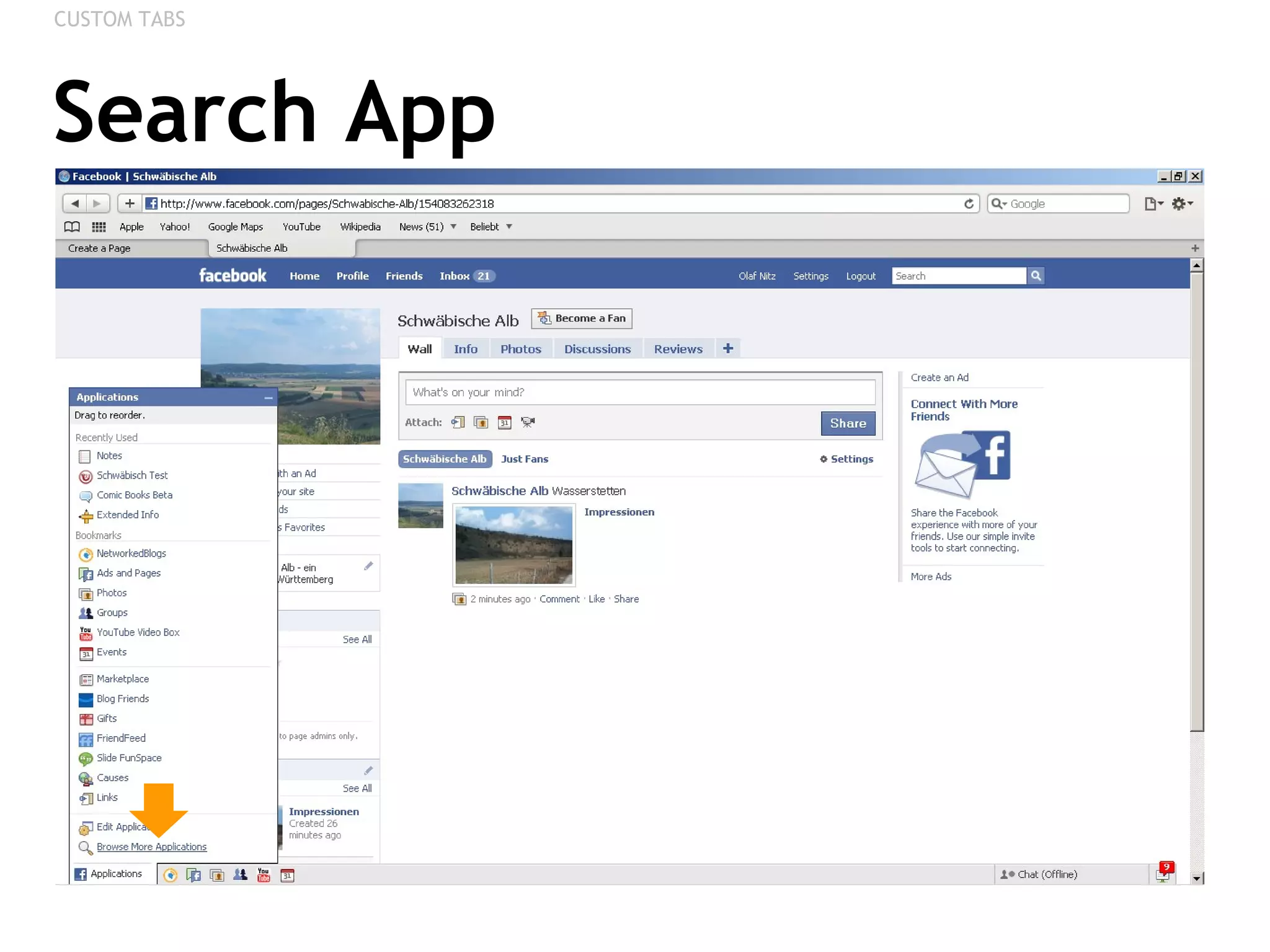
Search App CUSTOM TABS
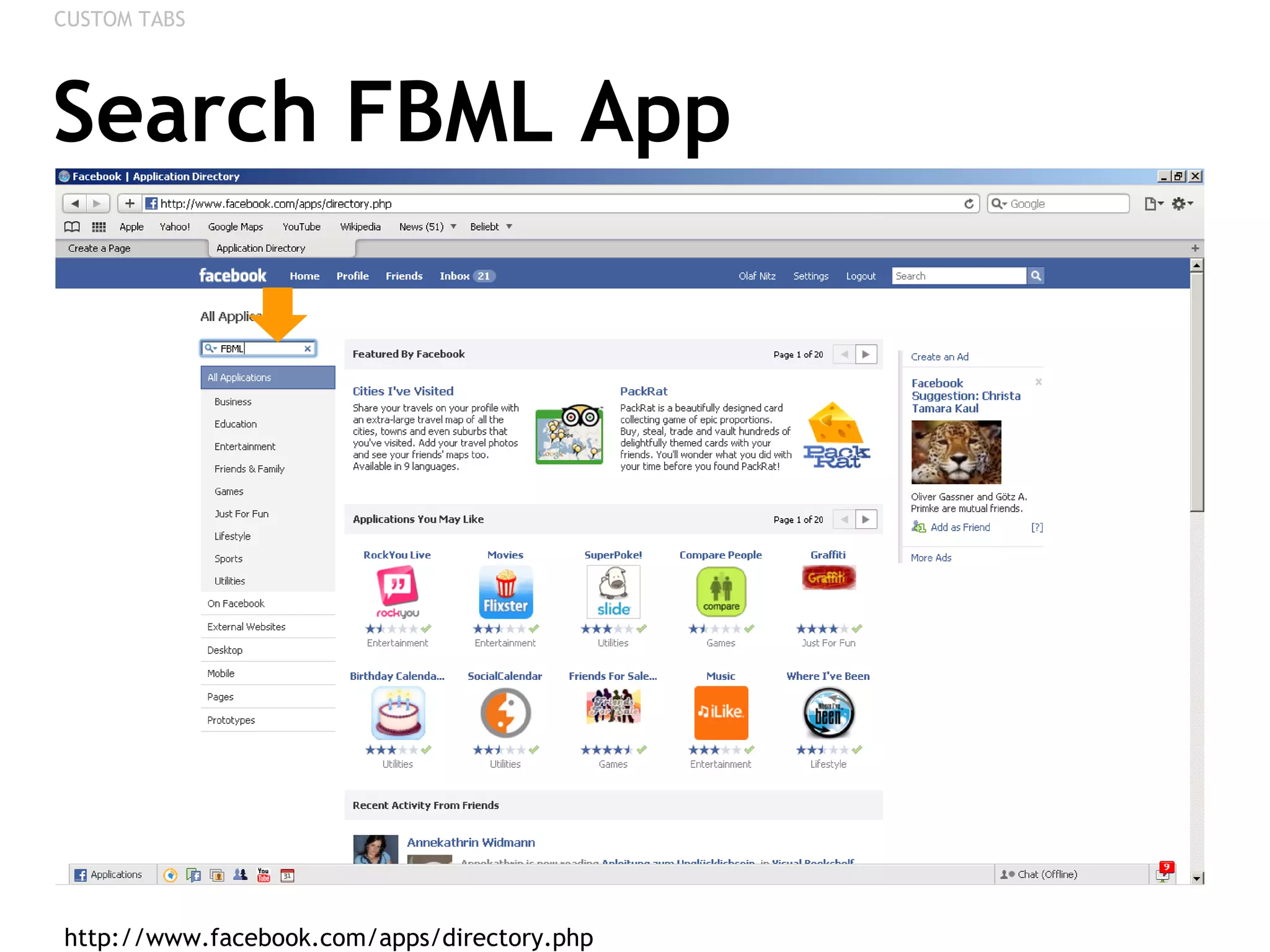
Search FBML App http://www.facebook.com/apps/directory.php  CUSTOM TABS
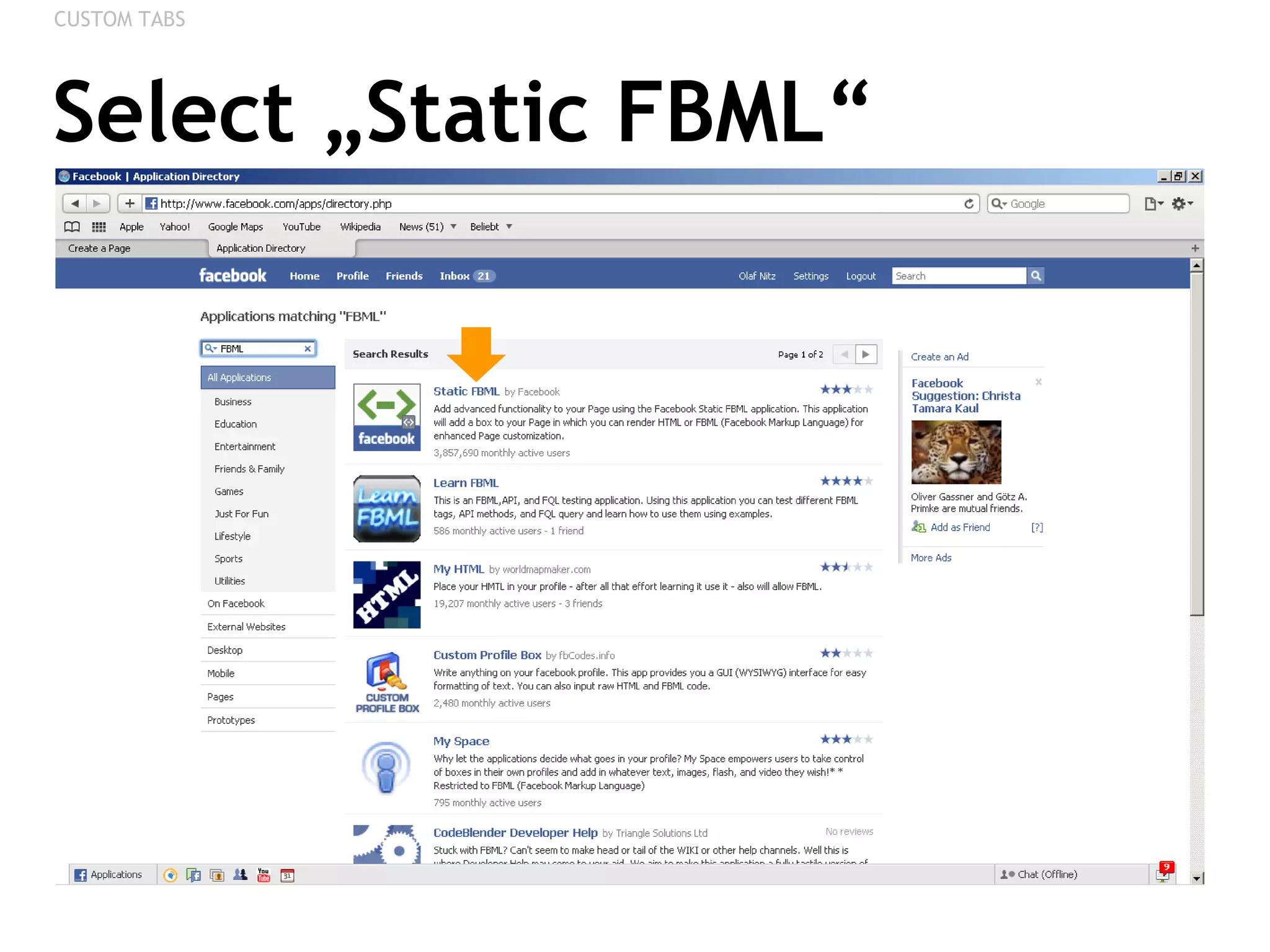
Select „Static FBML“ CUSTOM TABS
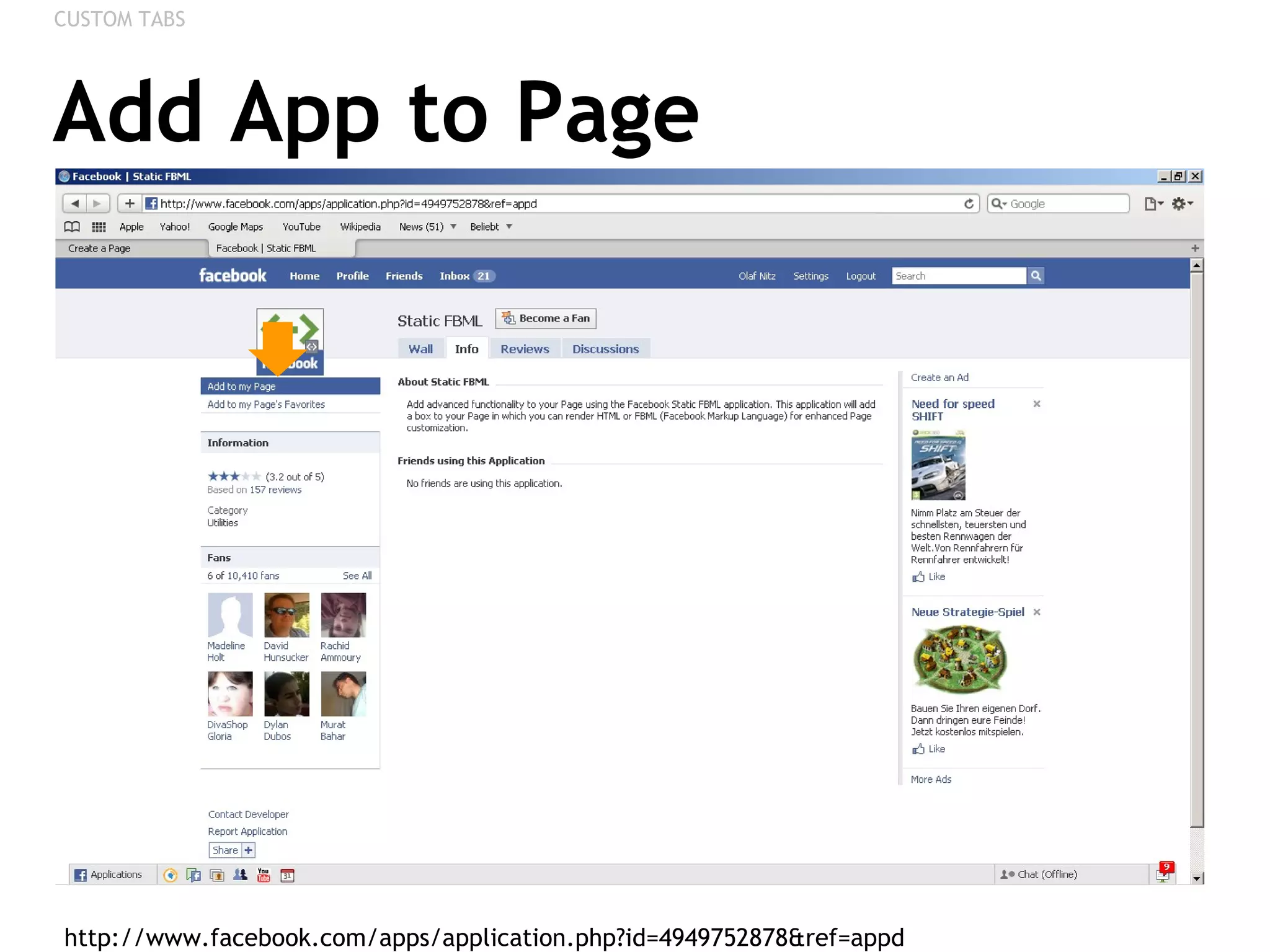
Add App to Page http://www.facebook.com/apps/application.php?id=4949752878&ref=appd  CUSTOM TABS
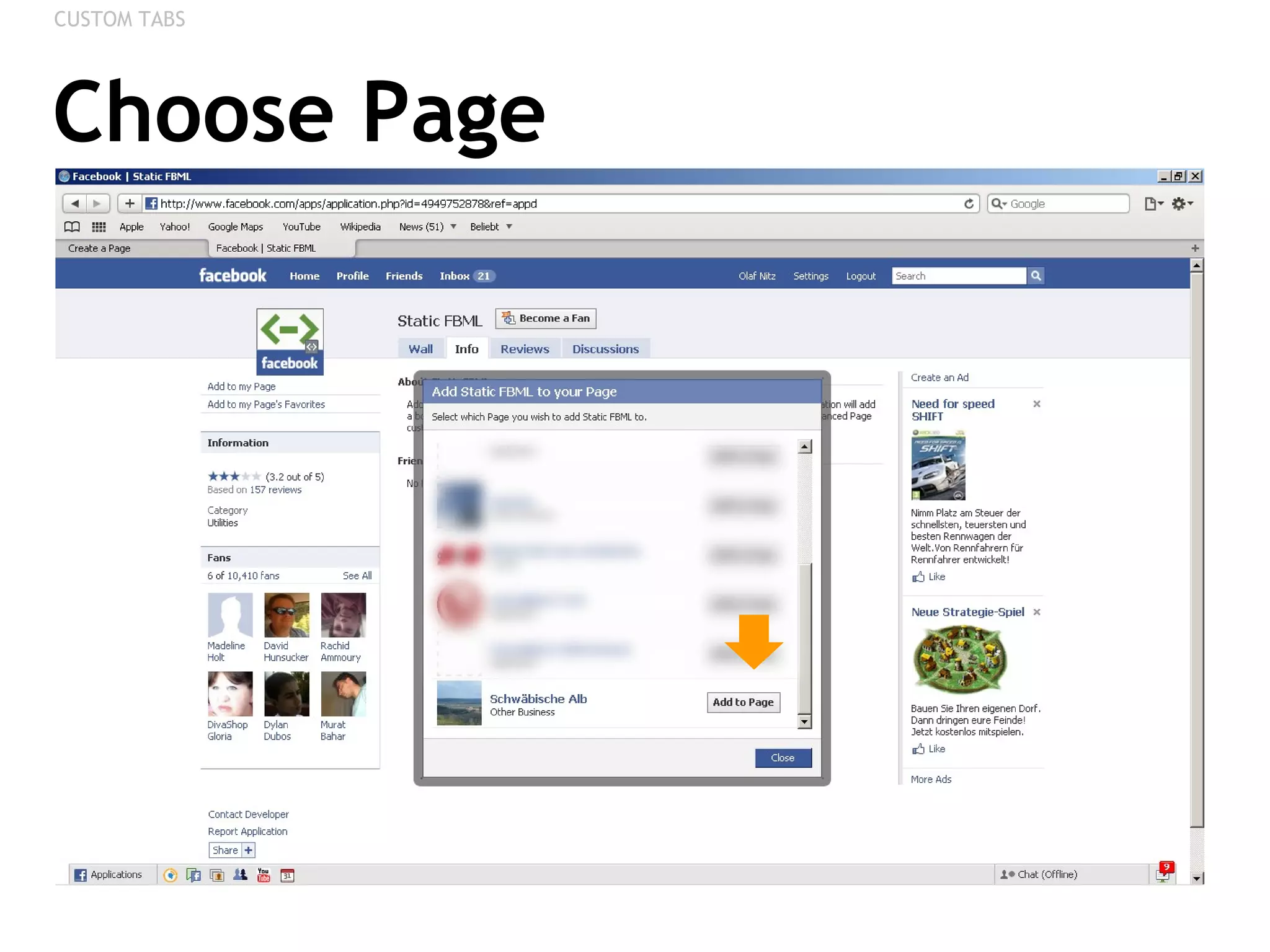
Choose Page CUSTOM TABS
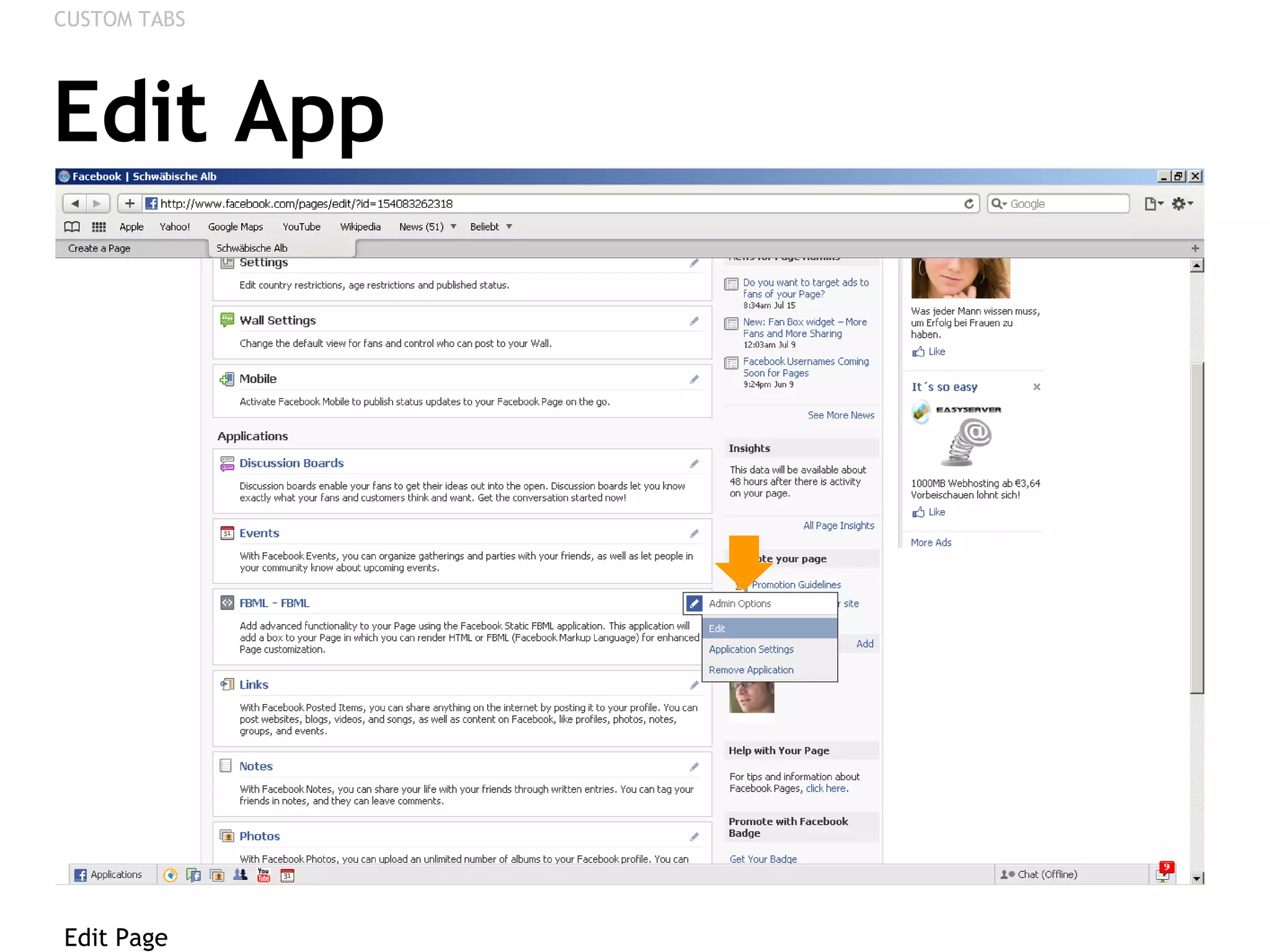
Edit App Edit Page CUSTOM TABS
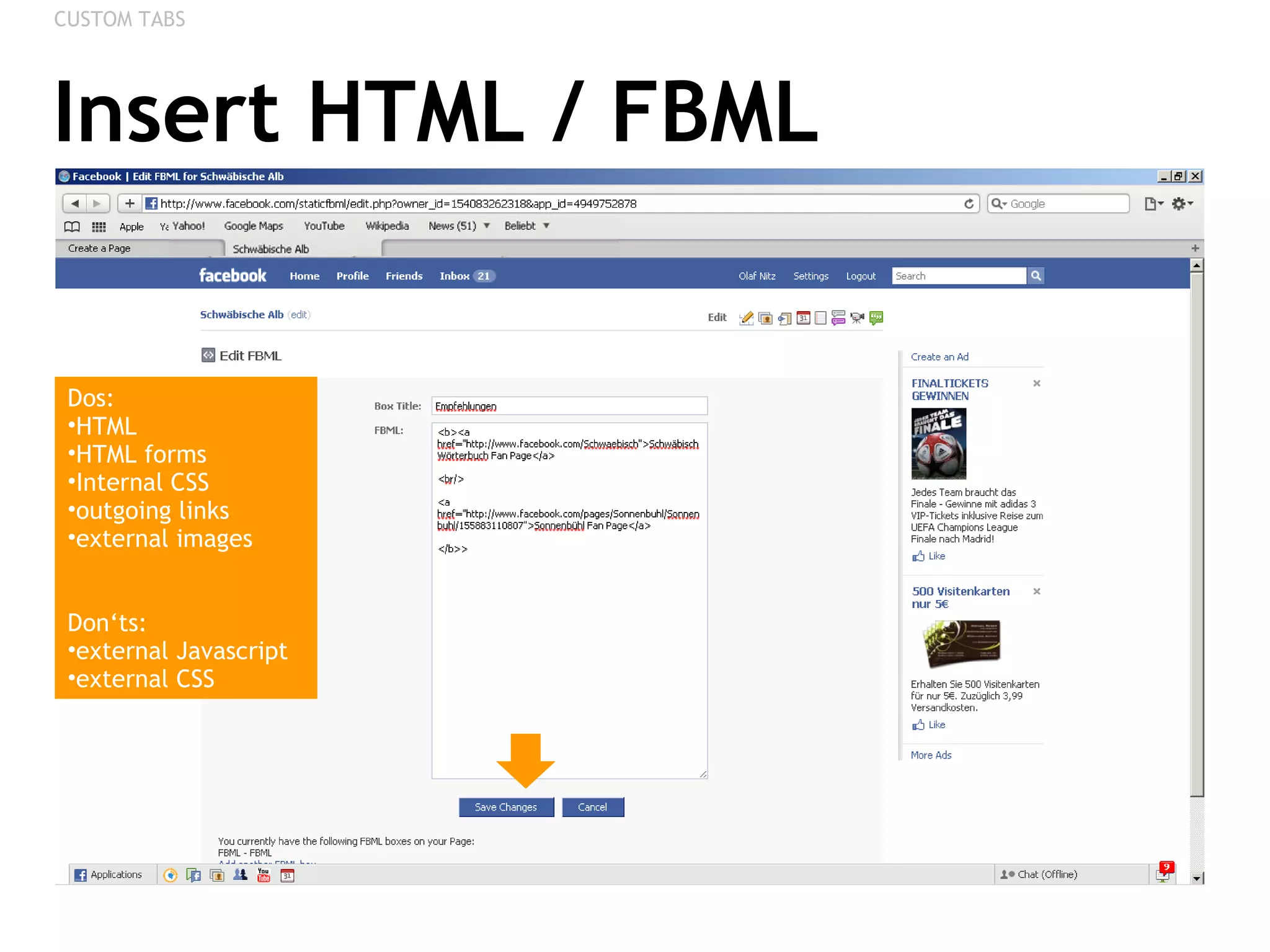
Insert HTML / FBML CUSTOM TABS Dos: HTML HTML forms Internal CSS outgoing links external images Don‘ts: external Javascript  external CSS
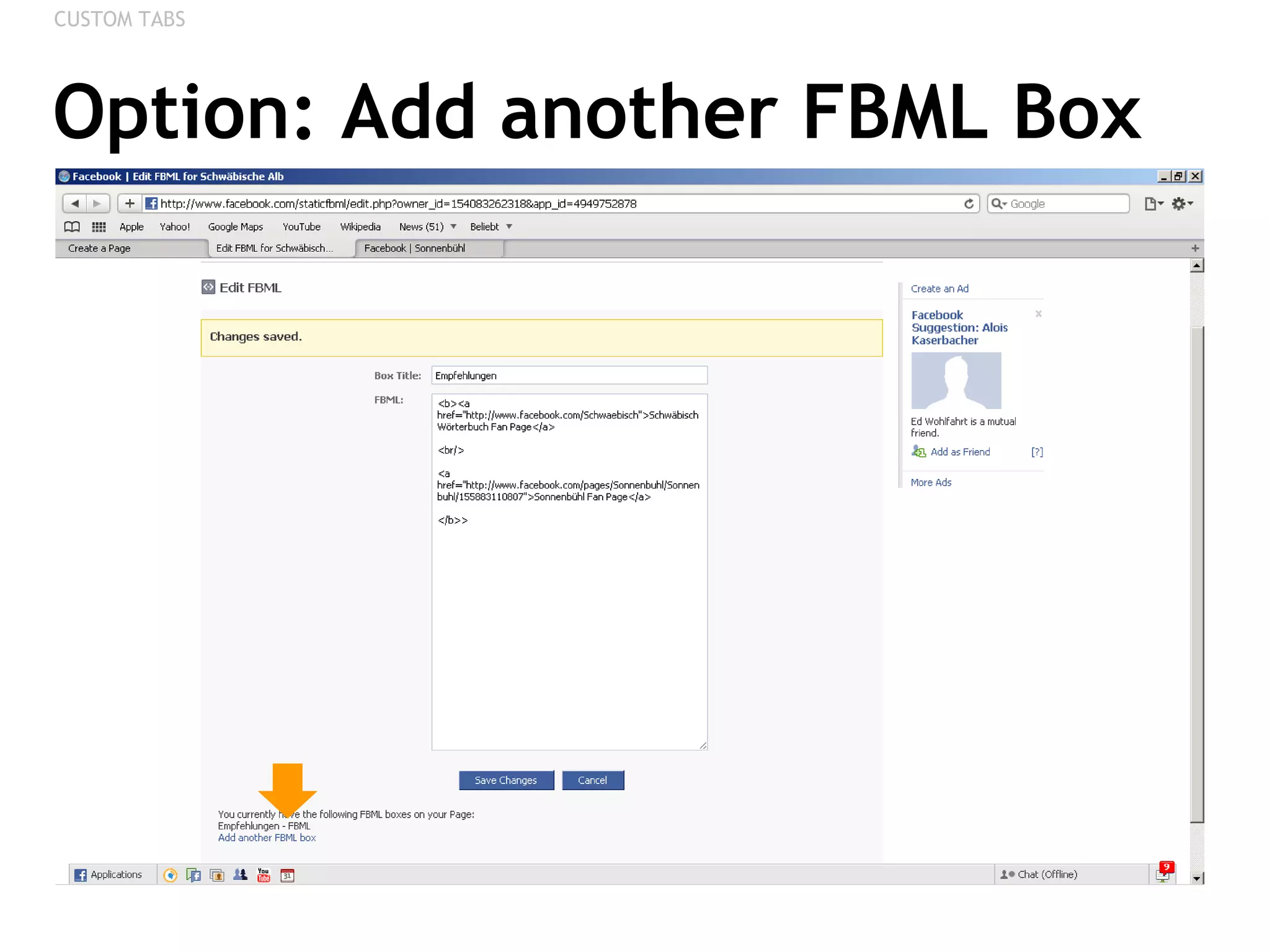
Option: Add another FBML Box CUSTOM TABS
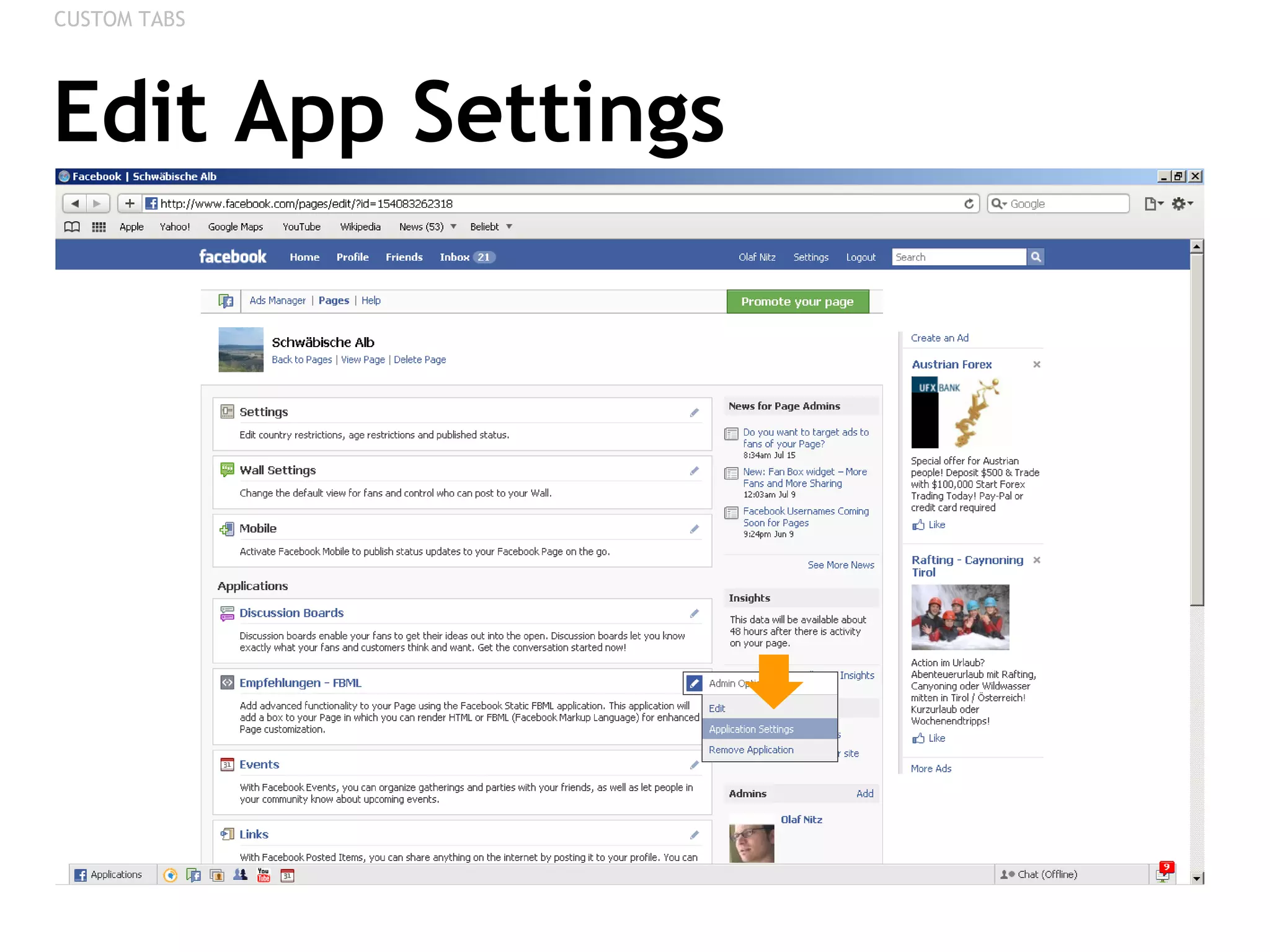
Edit App Settings CUSTOM TABS
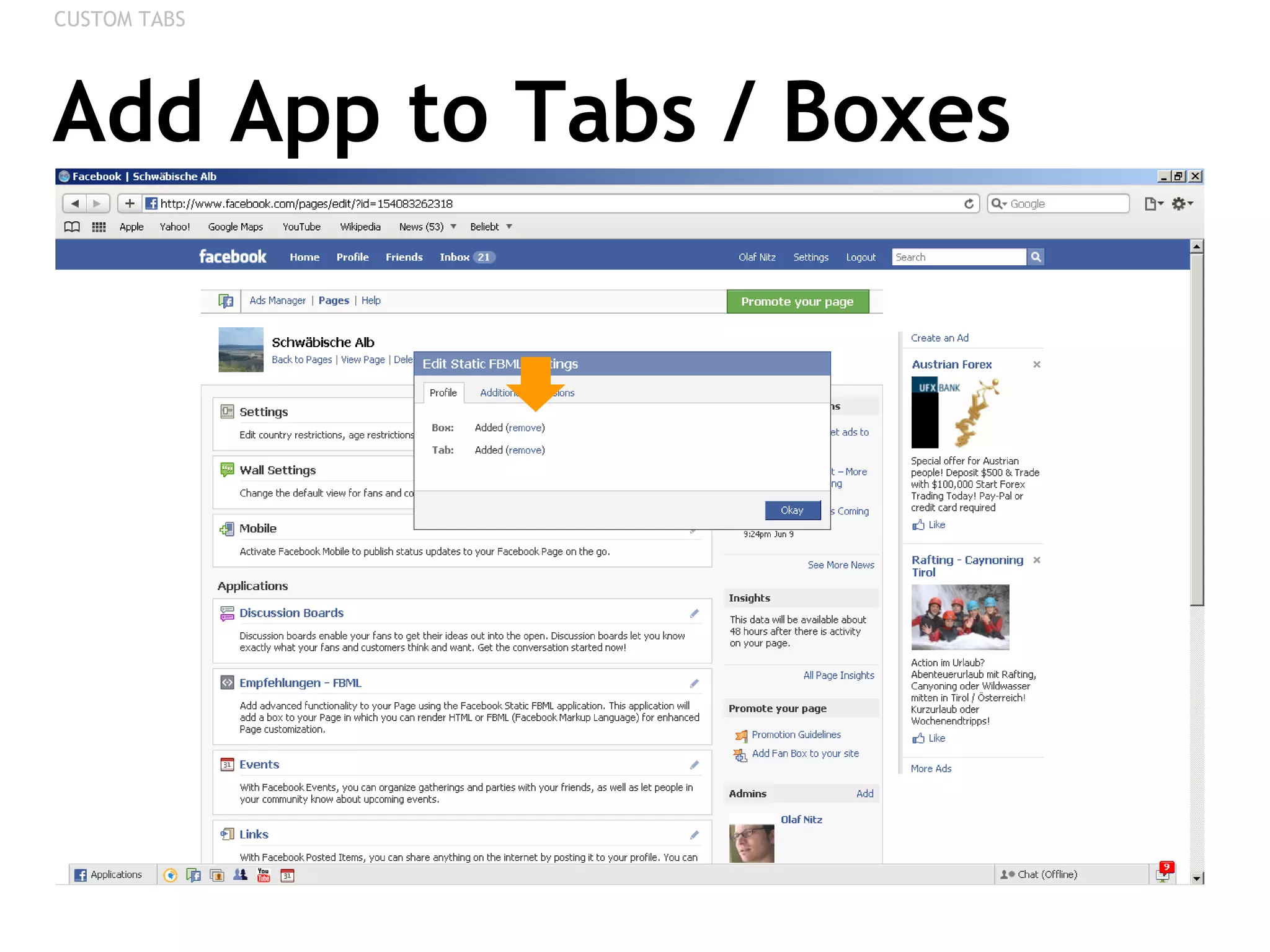
Add App to Tabs / Boxes CUSTOM TABS
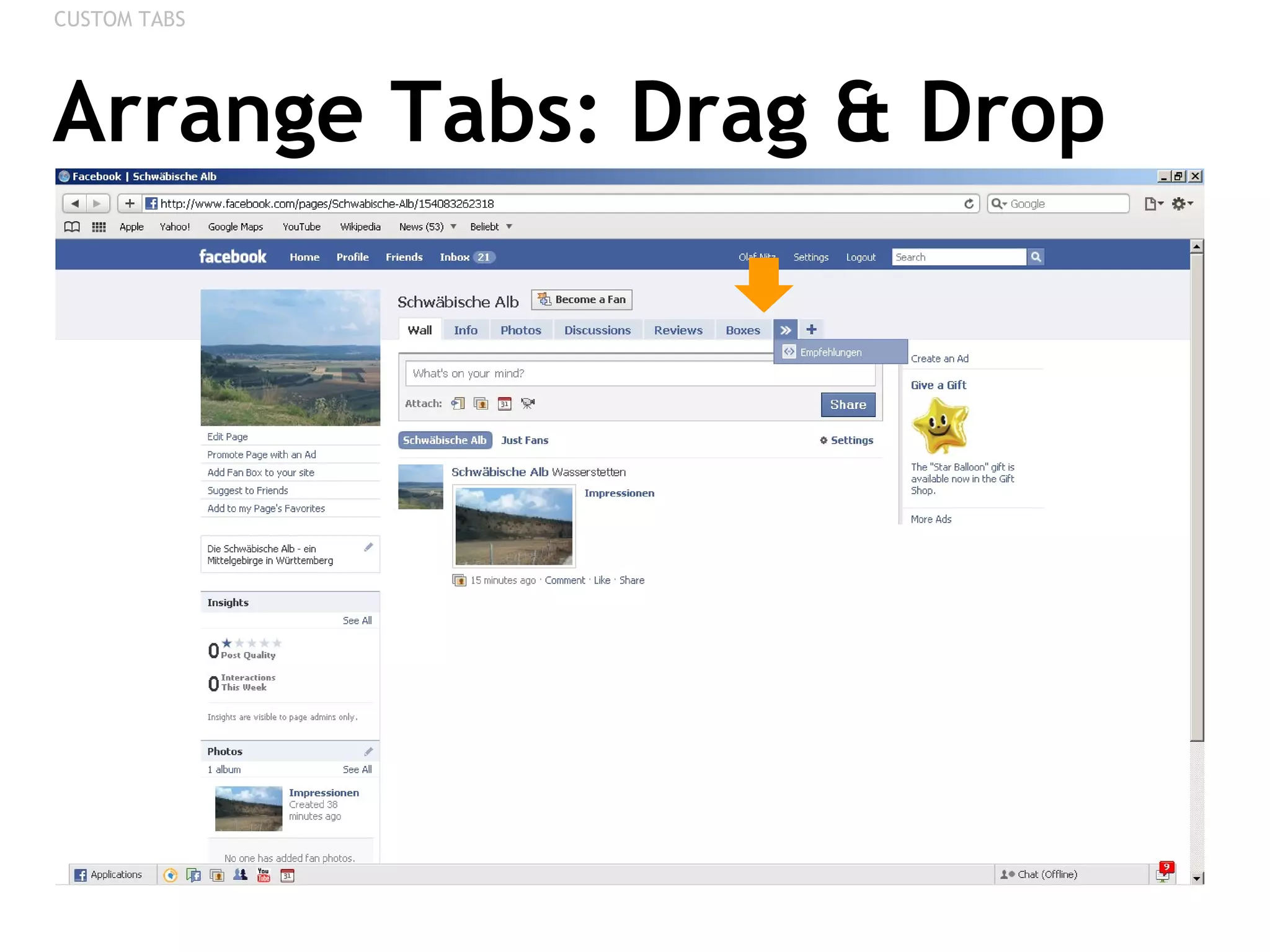
Arrange Tabs: Drag & Drop CUSTOM TABS
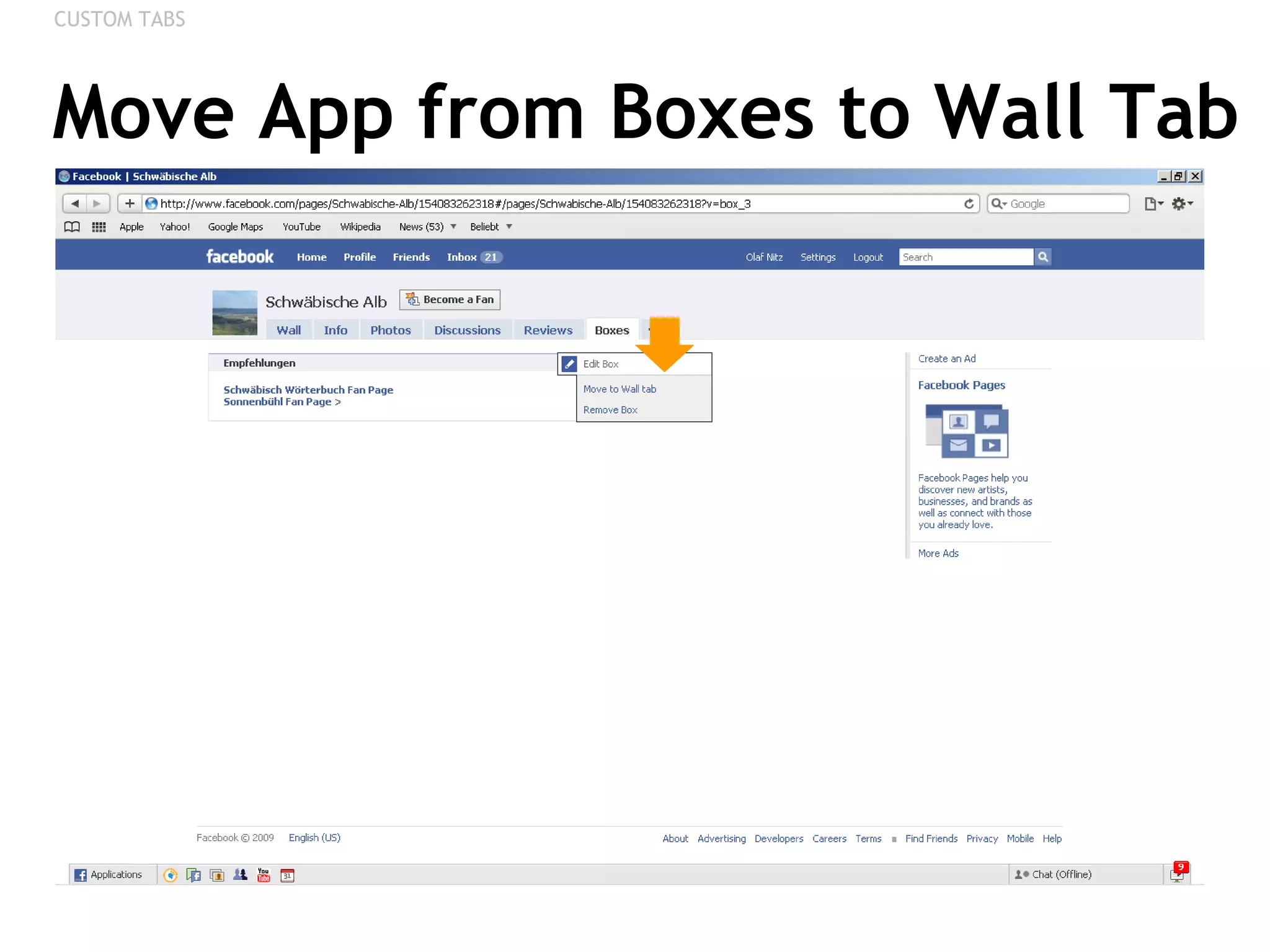
Move App from Boxes to Wall Tab CUSTOM TABS
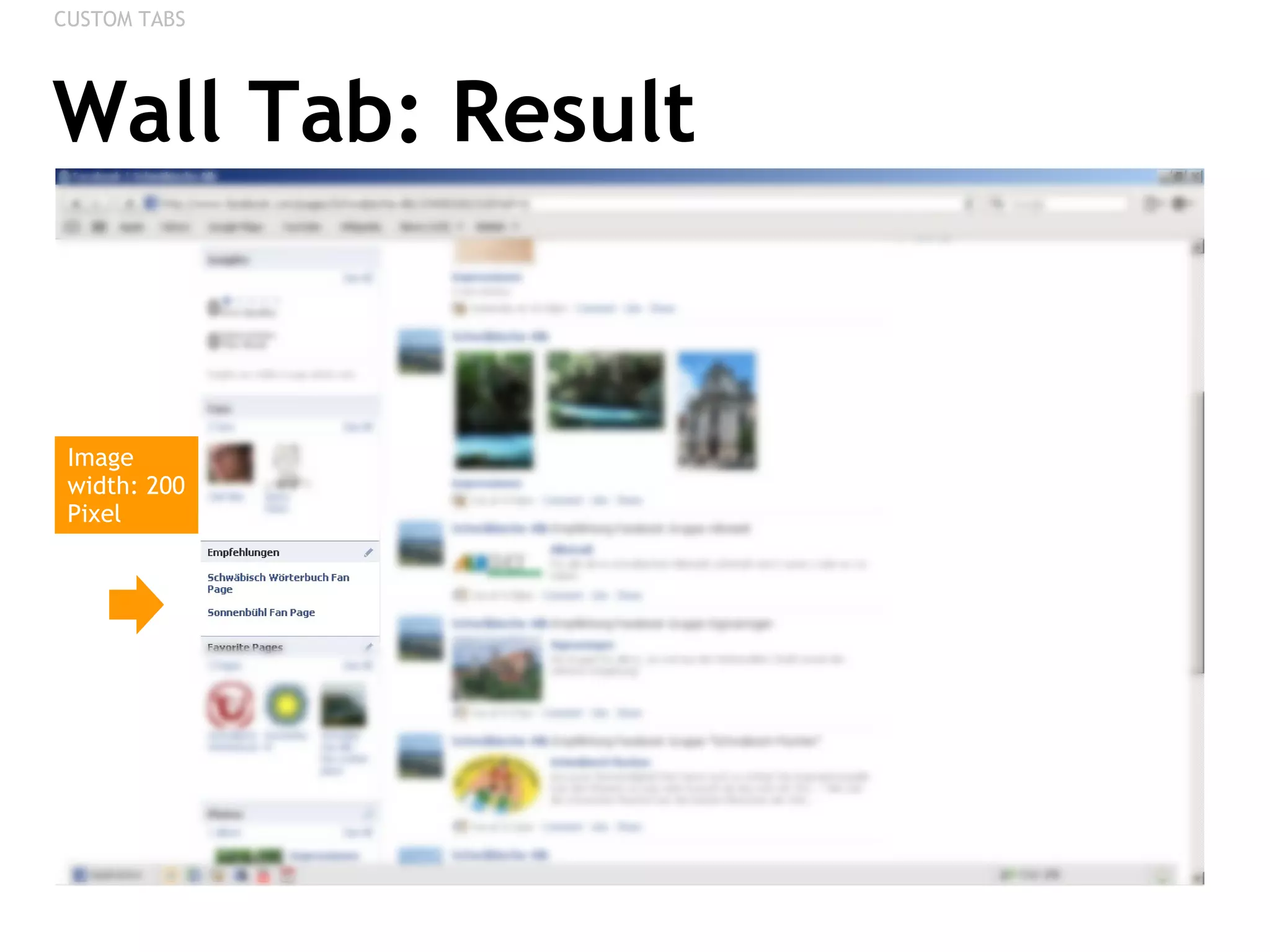
Wall Tab: Result CUSTOM TABS Image width: 200 Pixel
VIDEO APP Uploading Videos, Recording with your Webcam
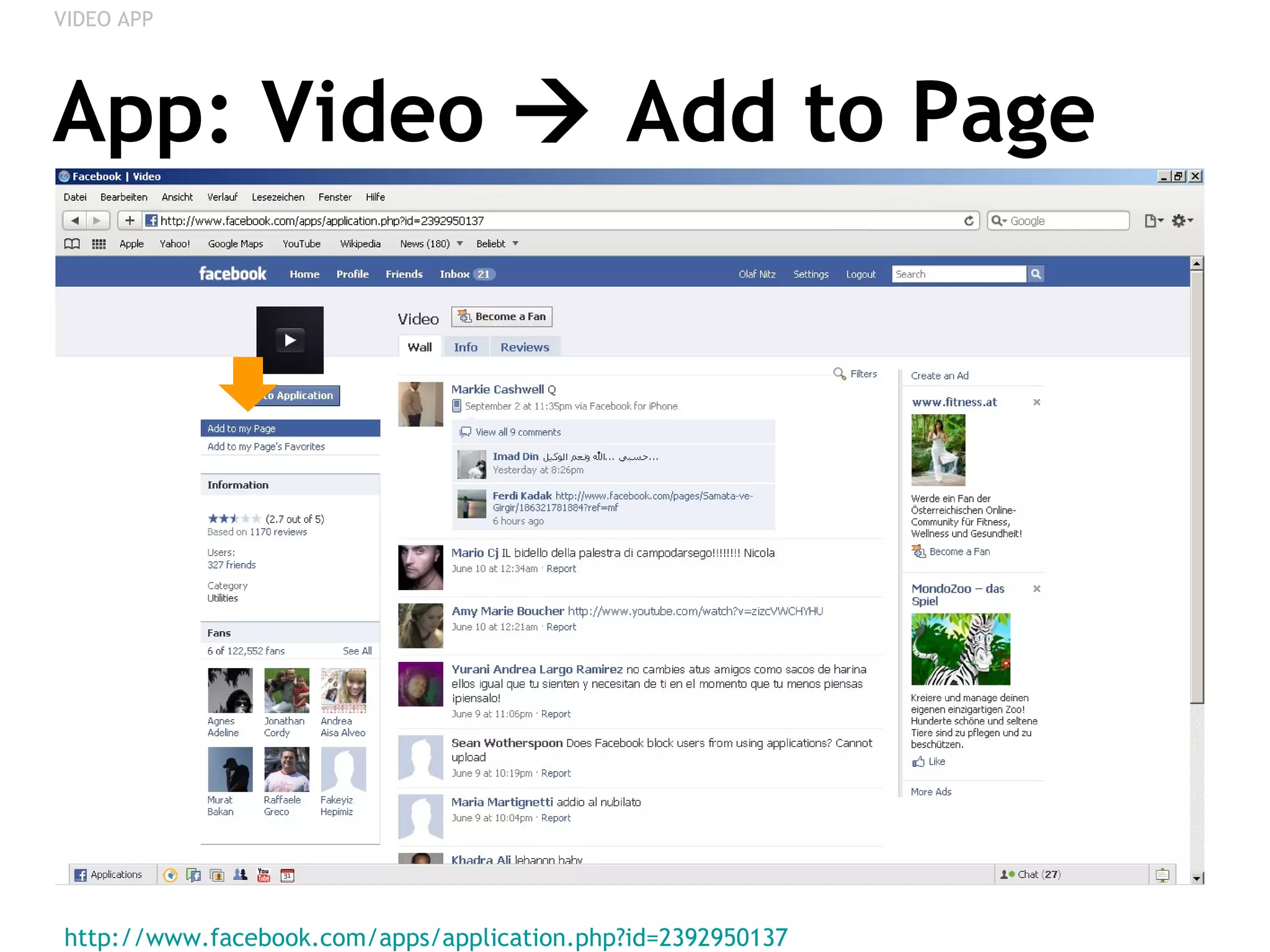
App: Video    Add to Page http://www.facebook.com/apps/application.php?id=2392950137   VIDEO APP
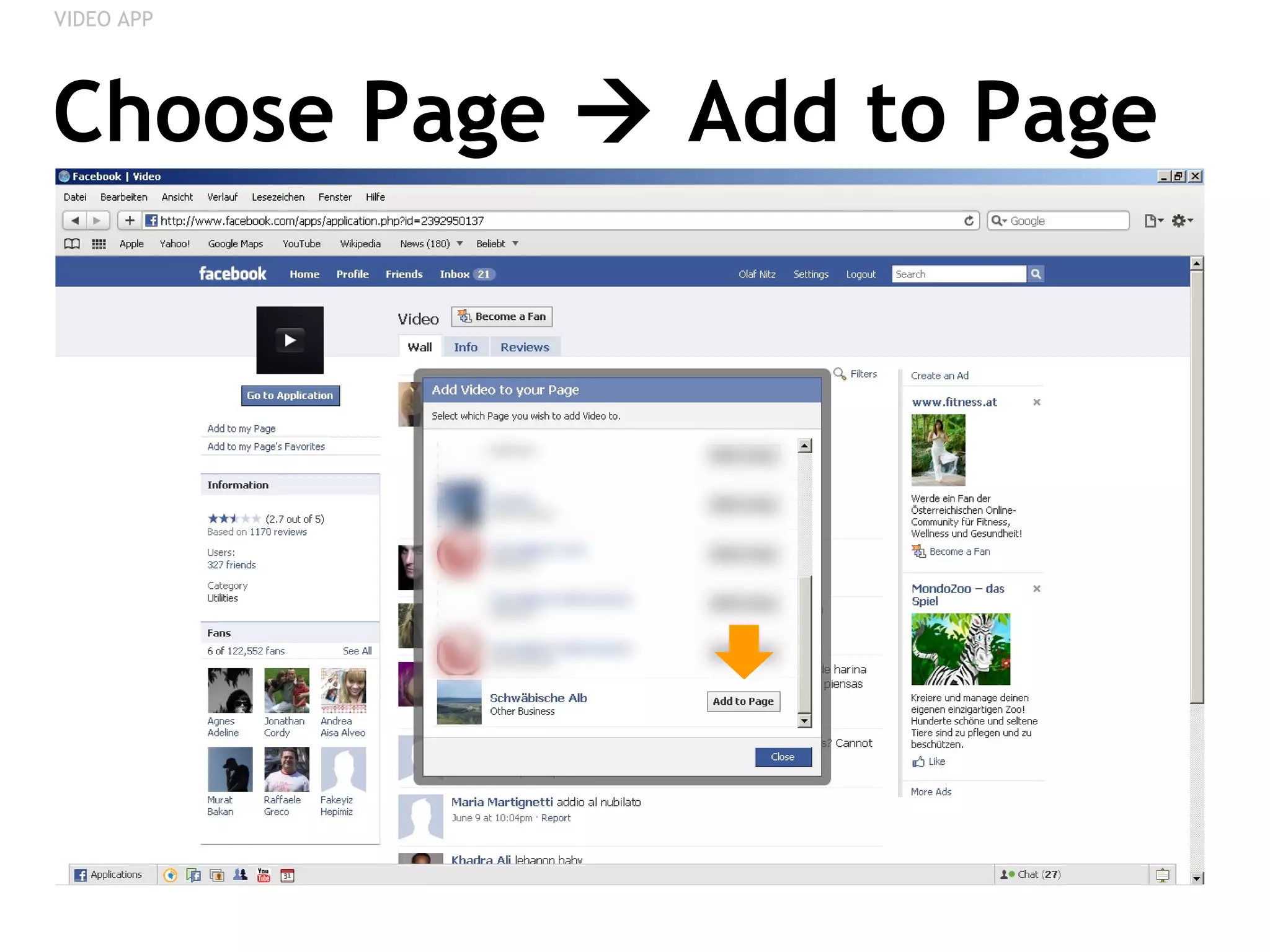
Choose Page    Add to Page VIDEO APP
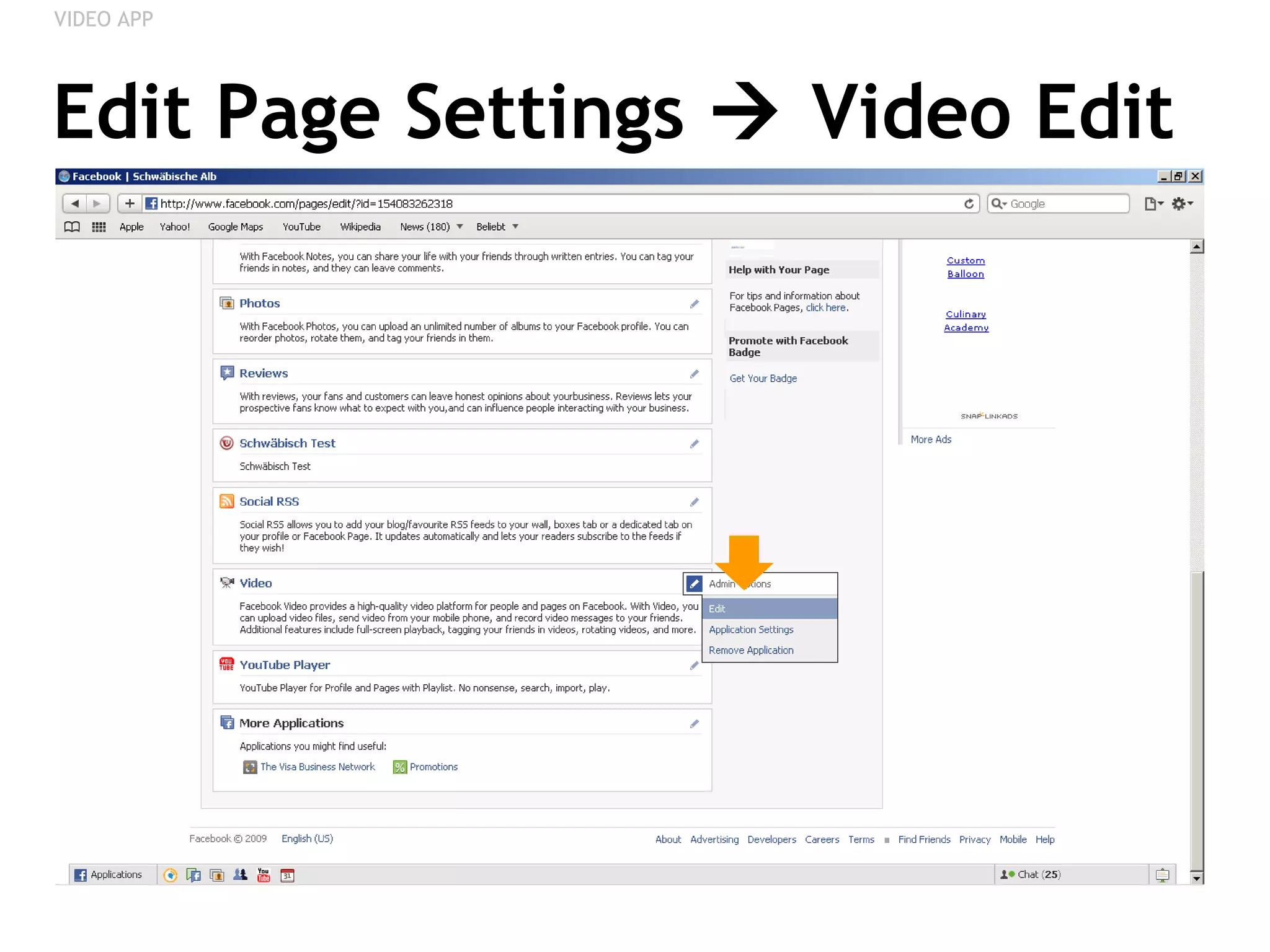
Edit Page Settings    Video Edit VIDEO APP
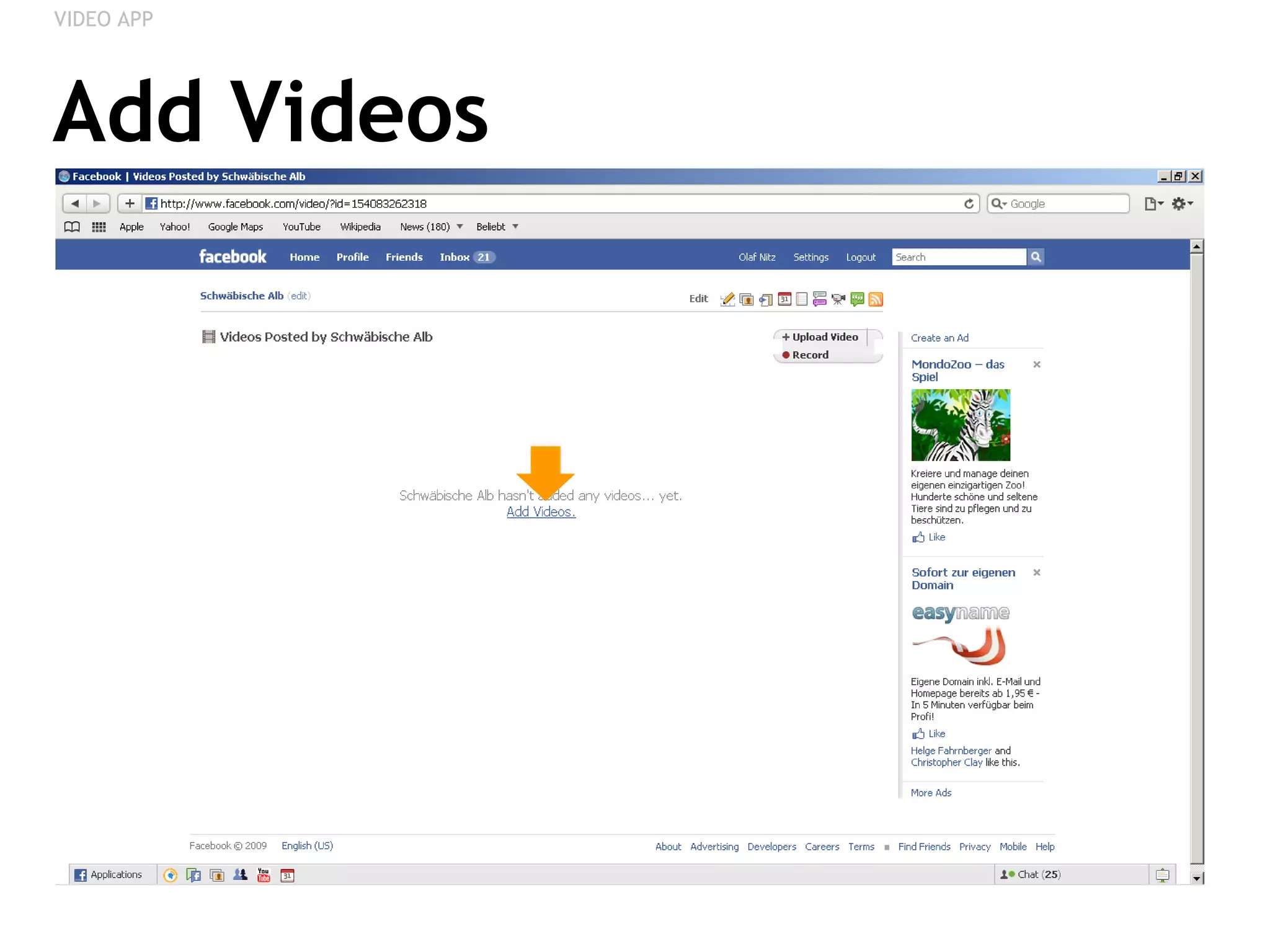
Add Videos VIDEO APP
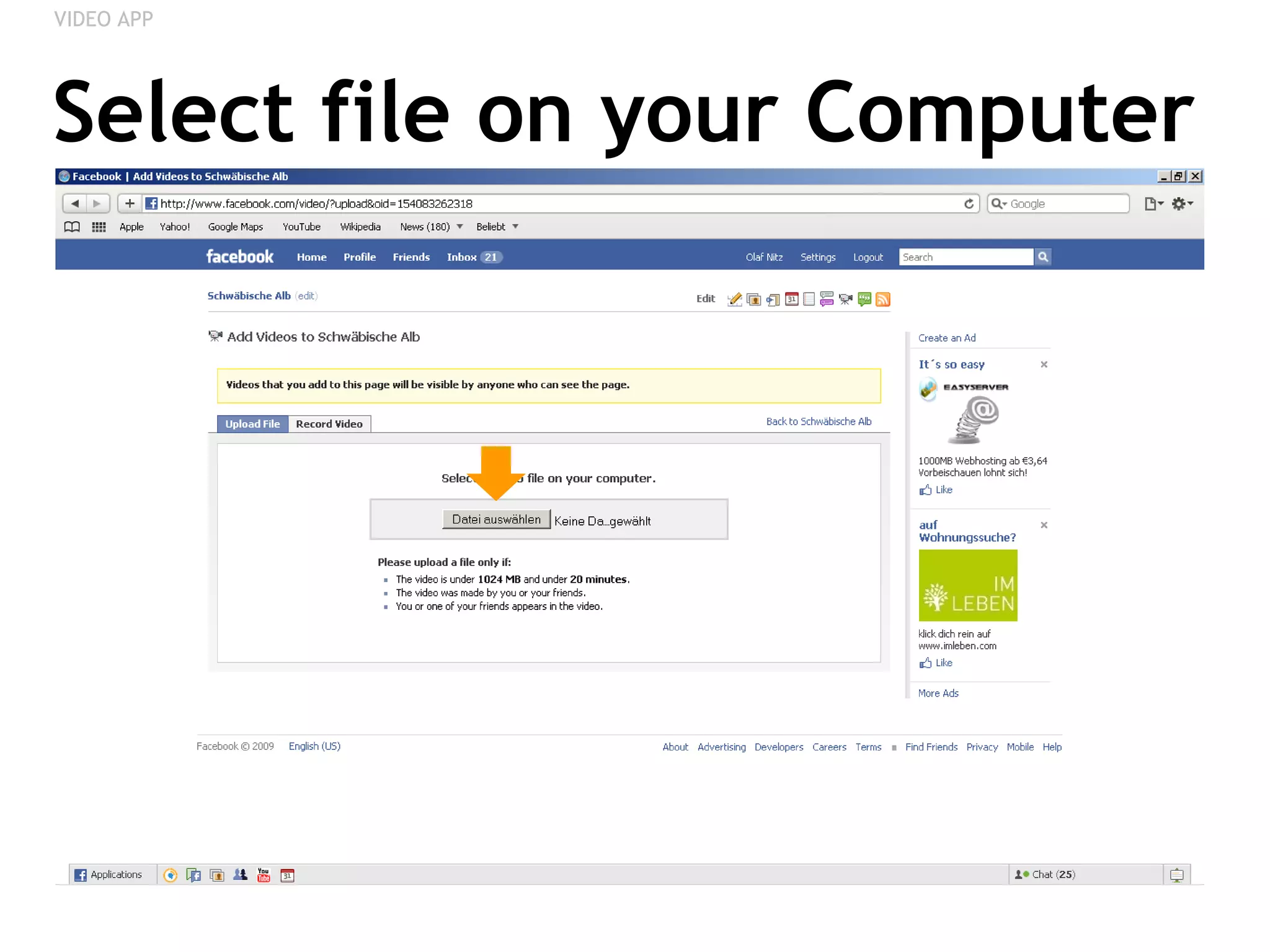
Select file on your Computer VIDEO APP
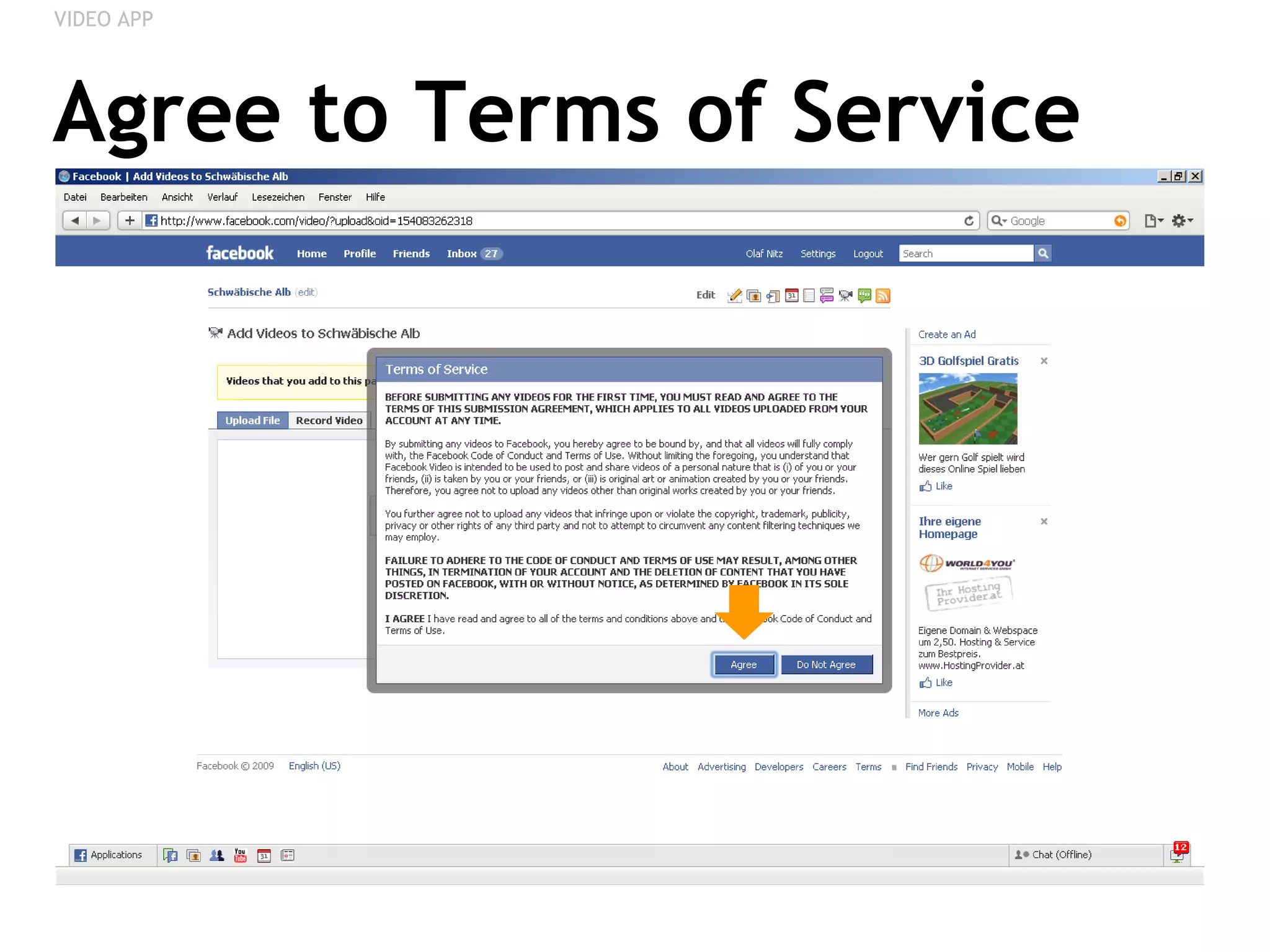
Agree to Terms of Service VIDEO APP
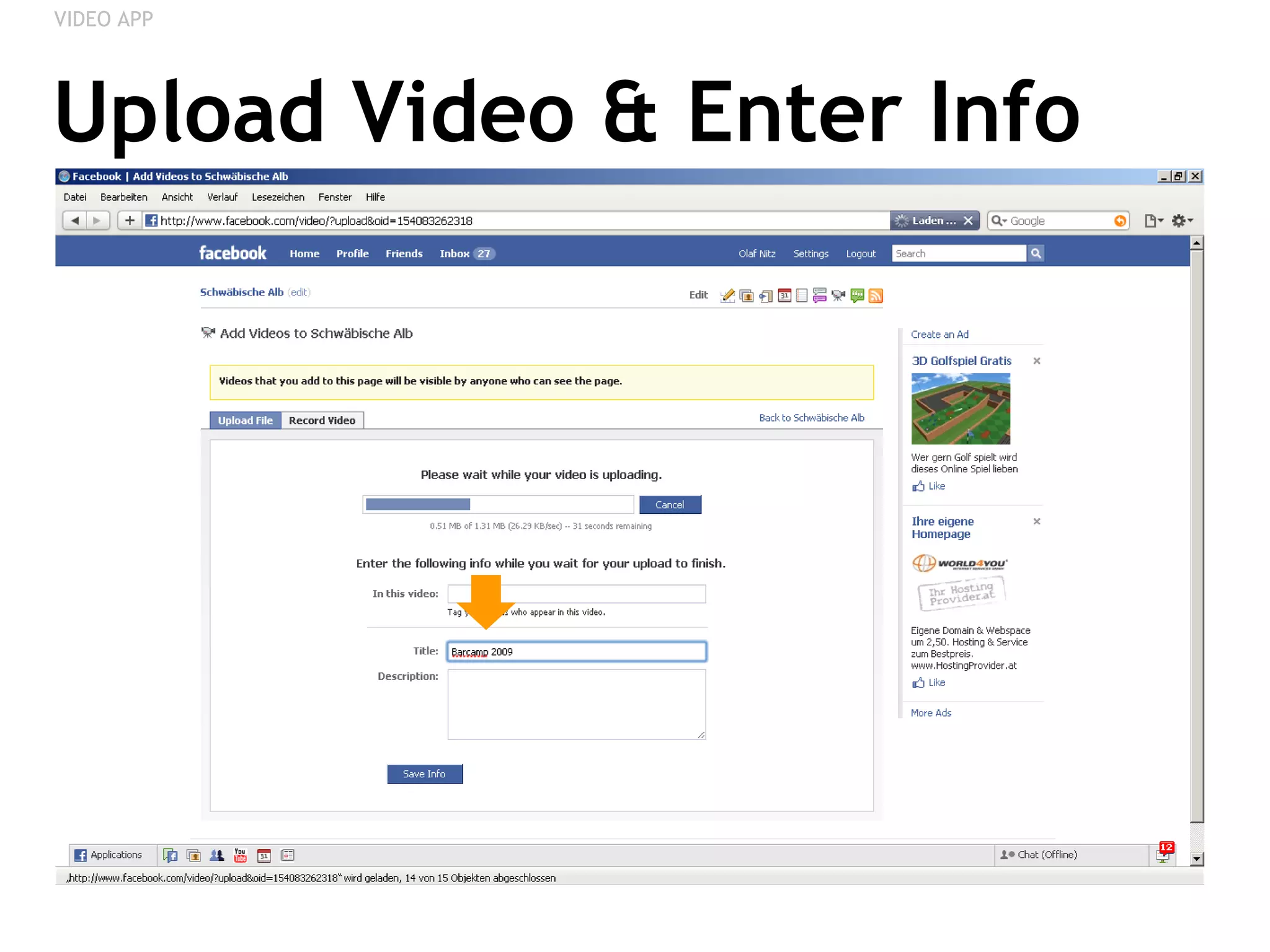
Upload Video & Enter Info VIDEO APP
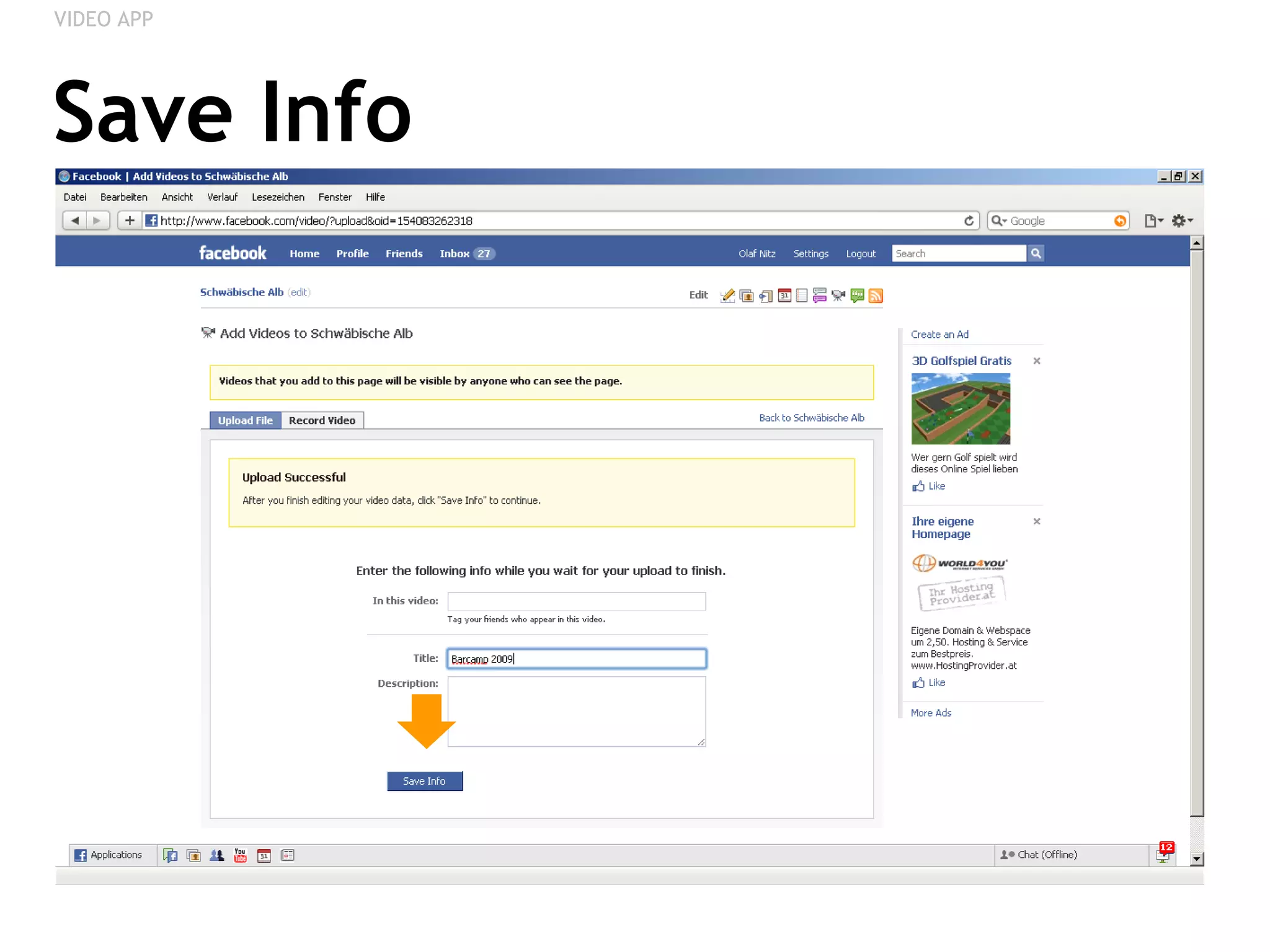
Save Info VIDEO APP
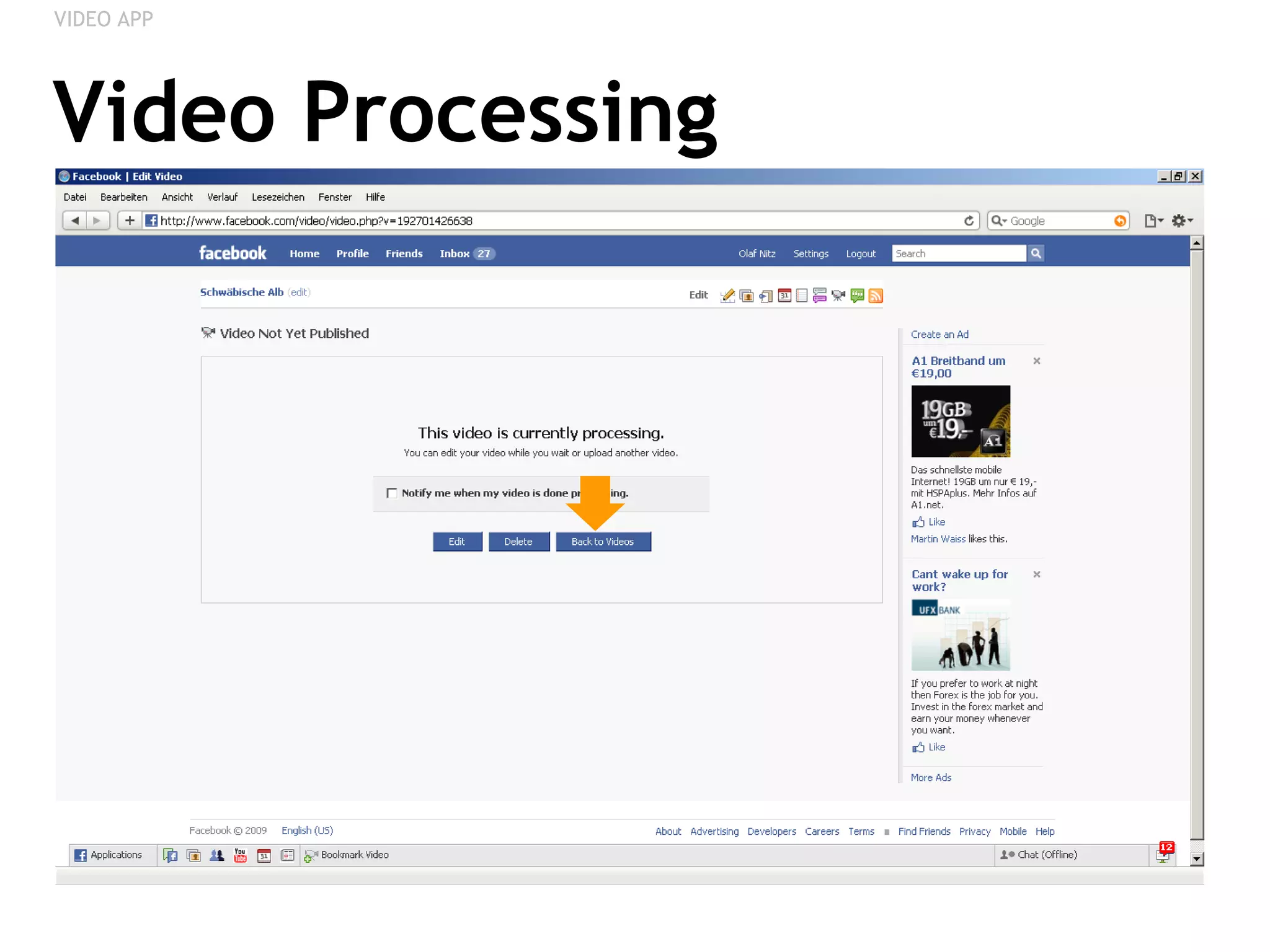
Video Processing VIDEO APP
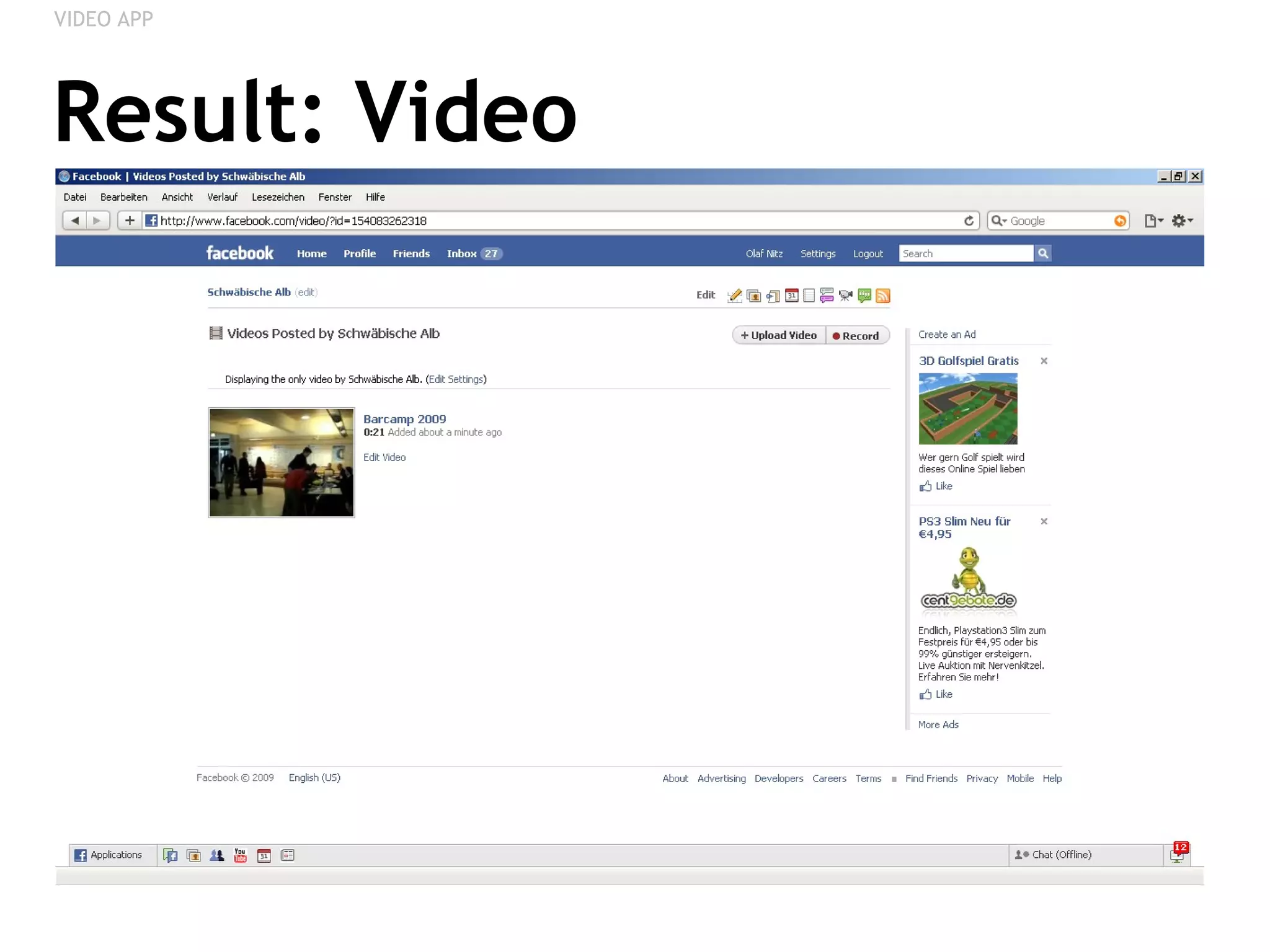
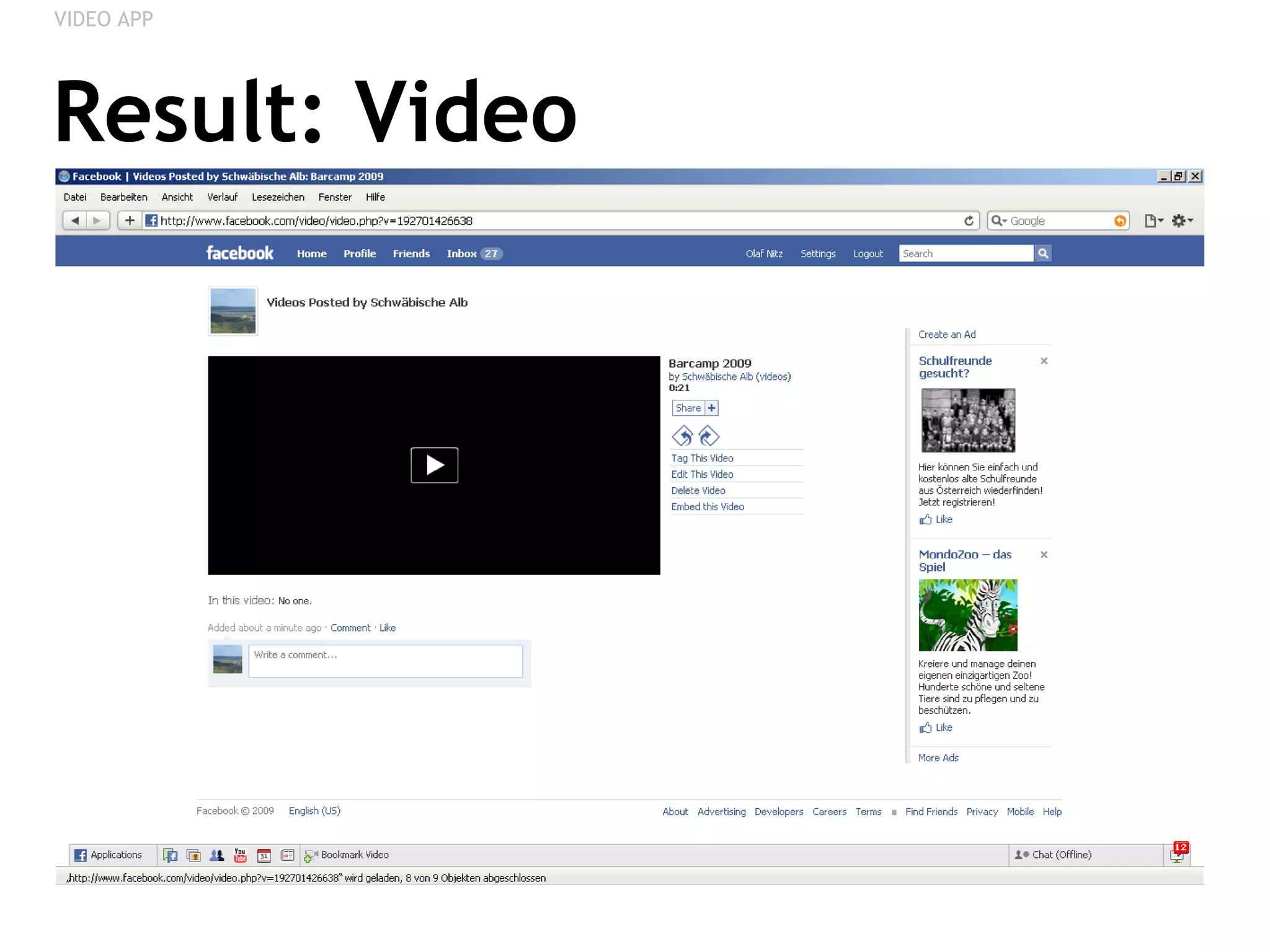
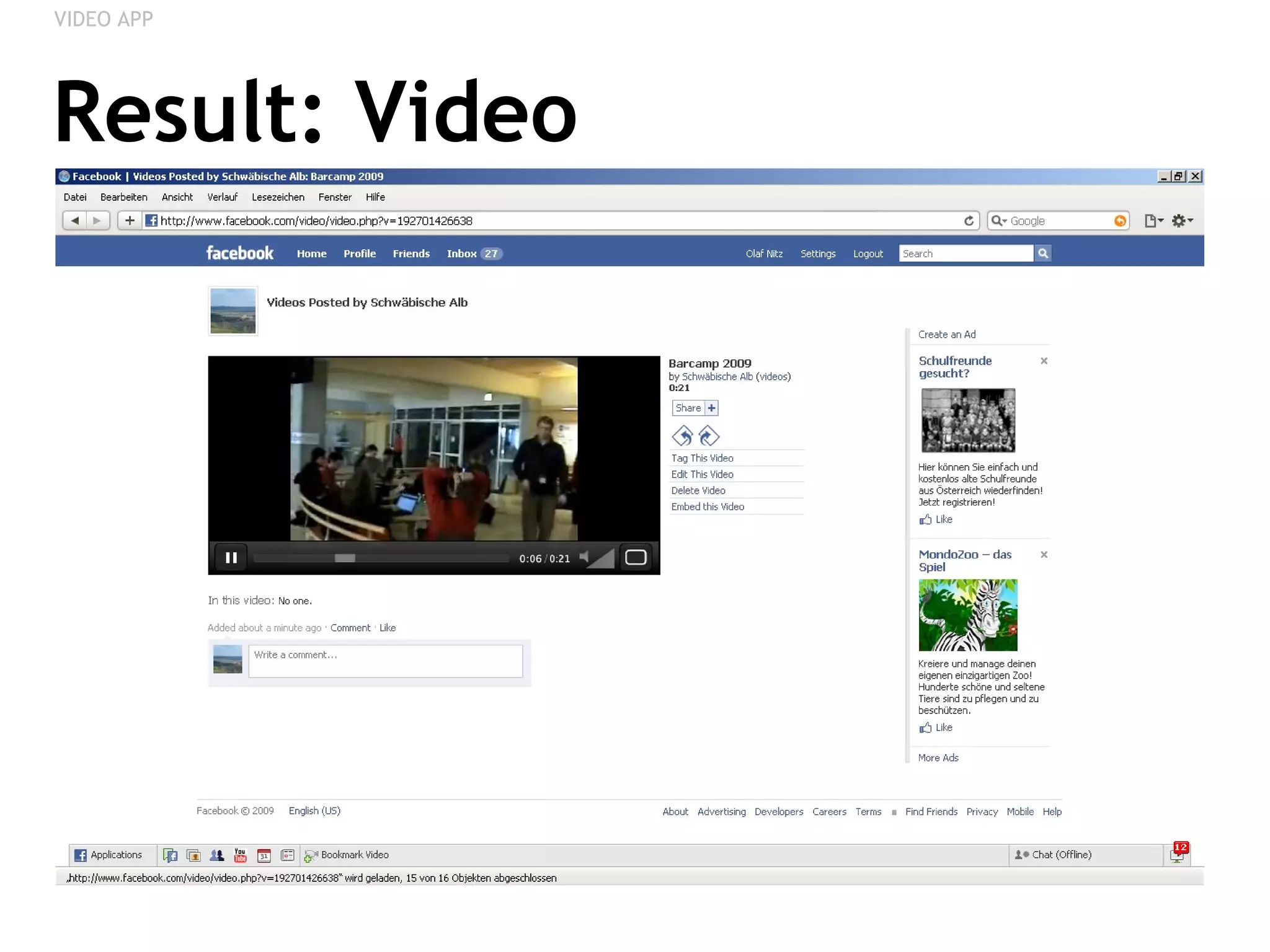
Result: Video VIDEO APP
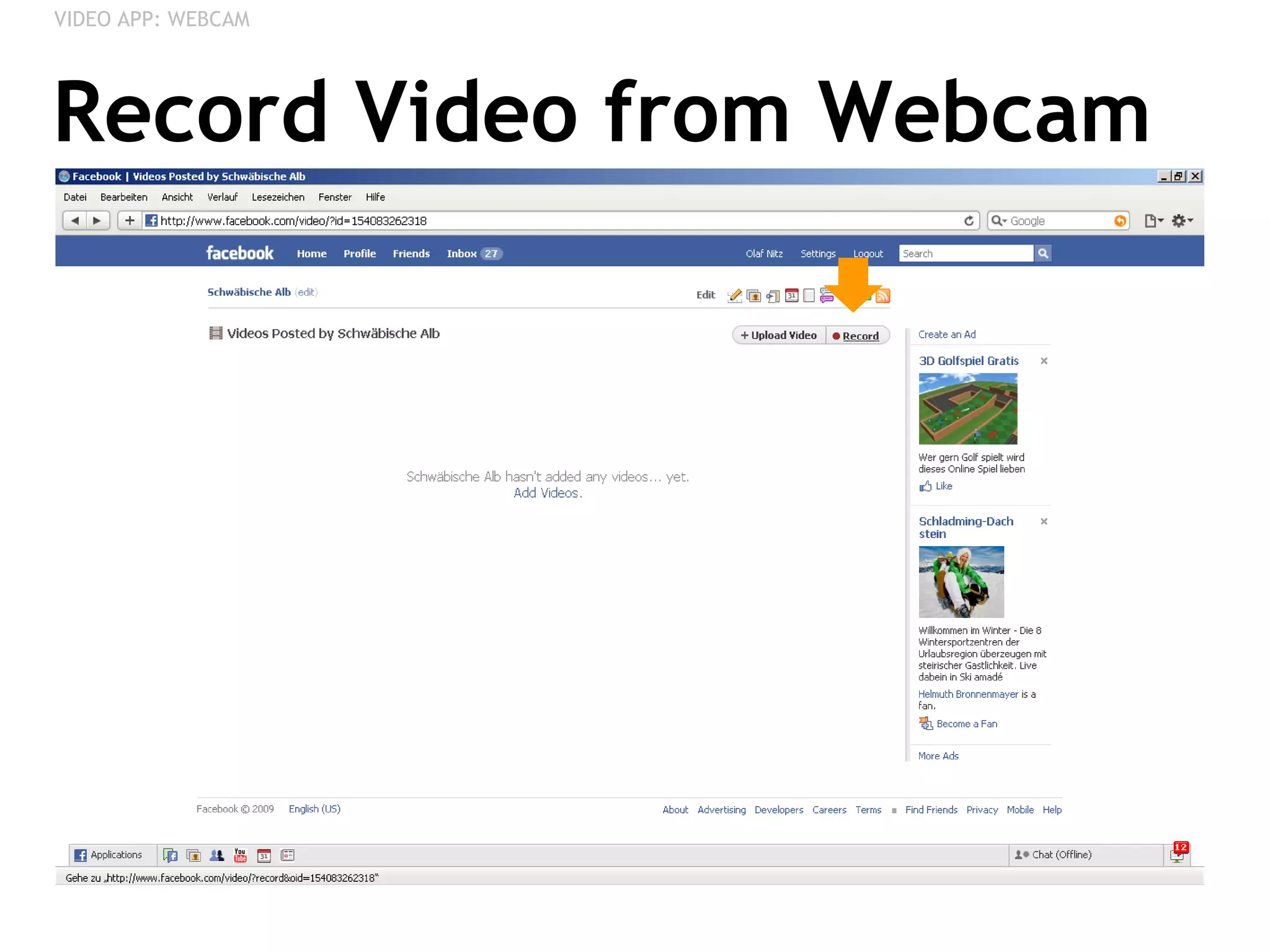
Record Video from Webcam VIDEO APP: WEBCAM
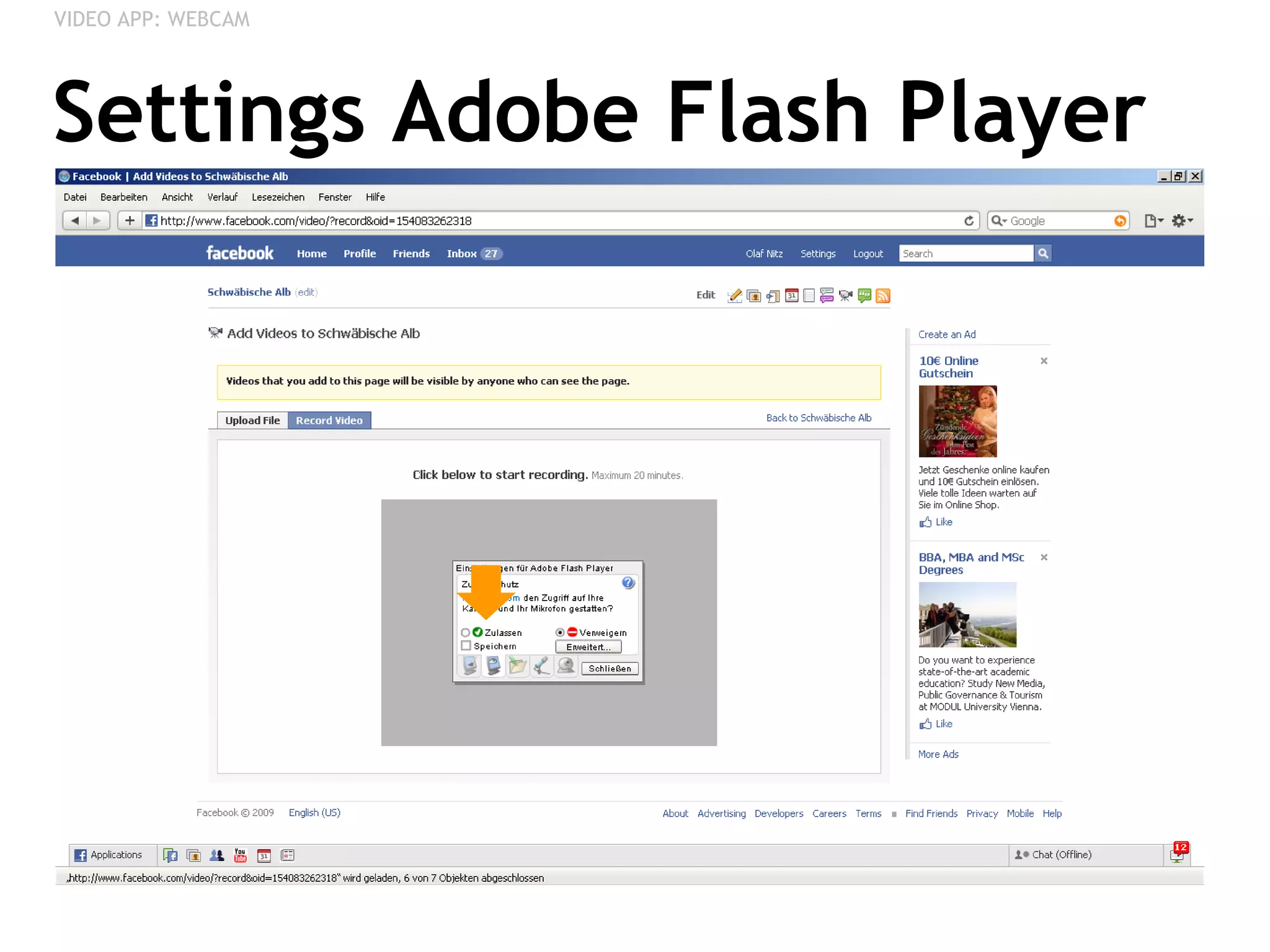
Settings Adobe Flash Player VIDEO APP: WEBCAM
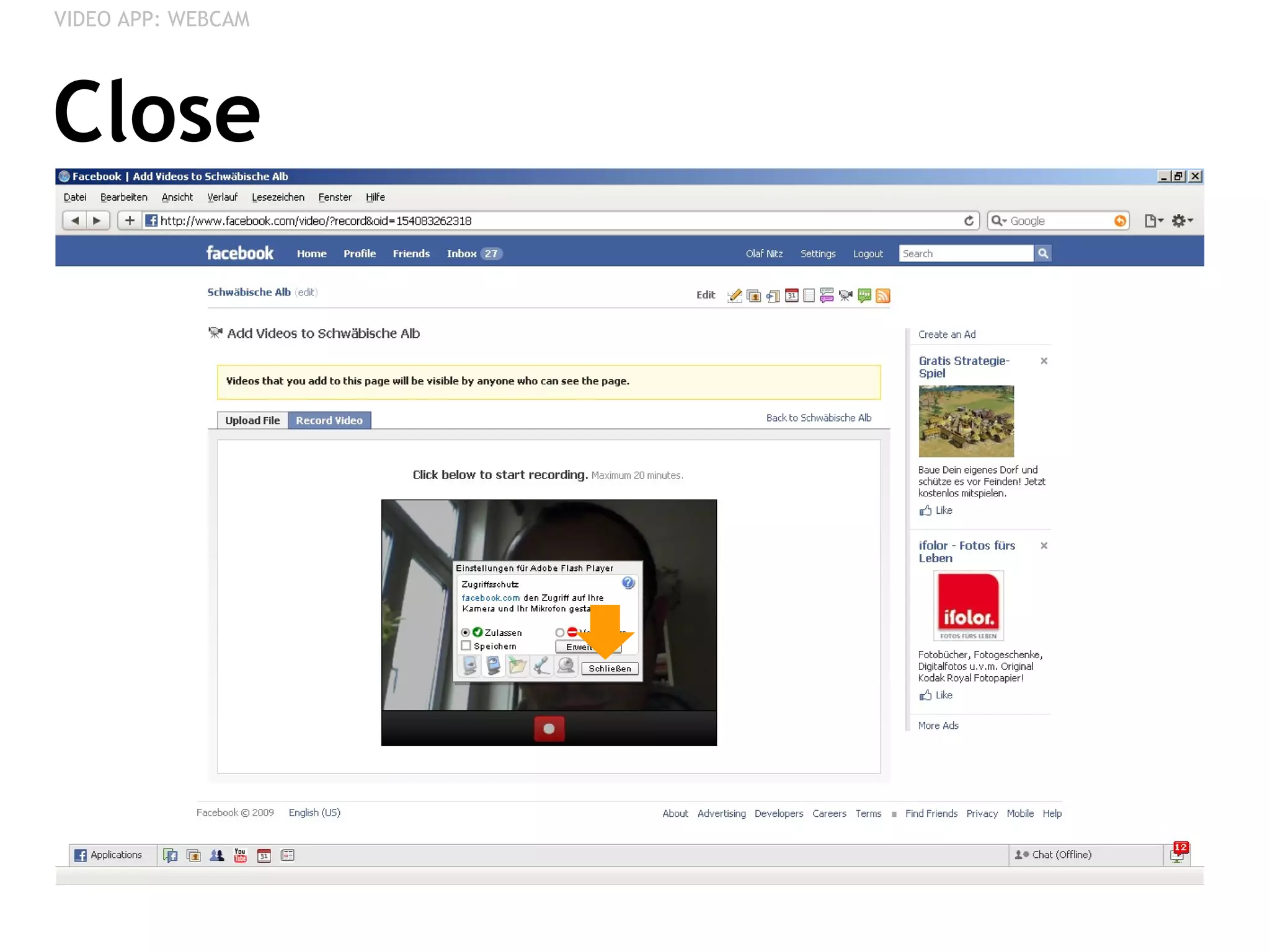
Close VIDEO APP: WEBCAM
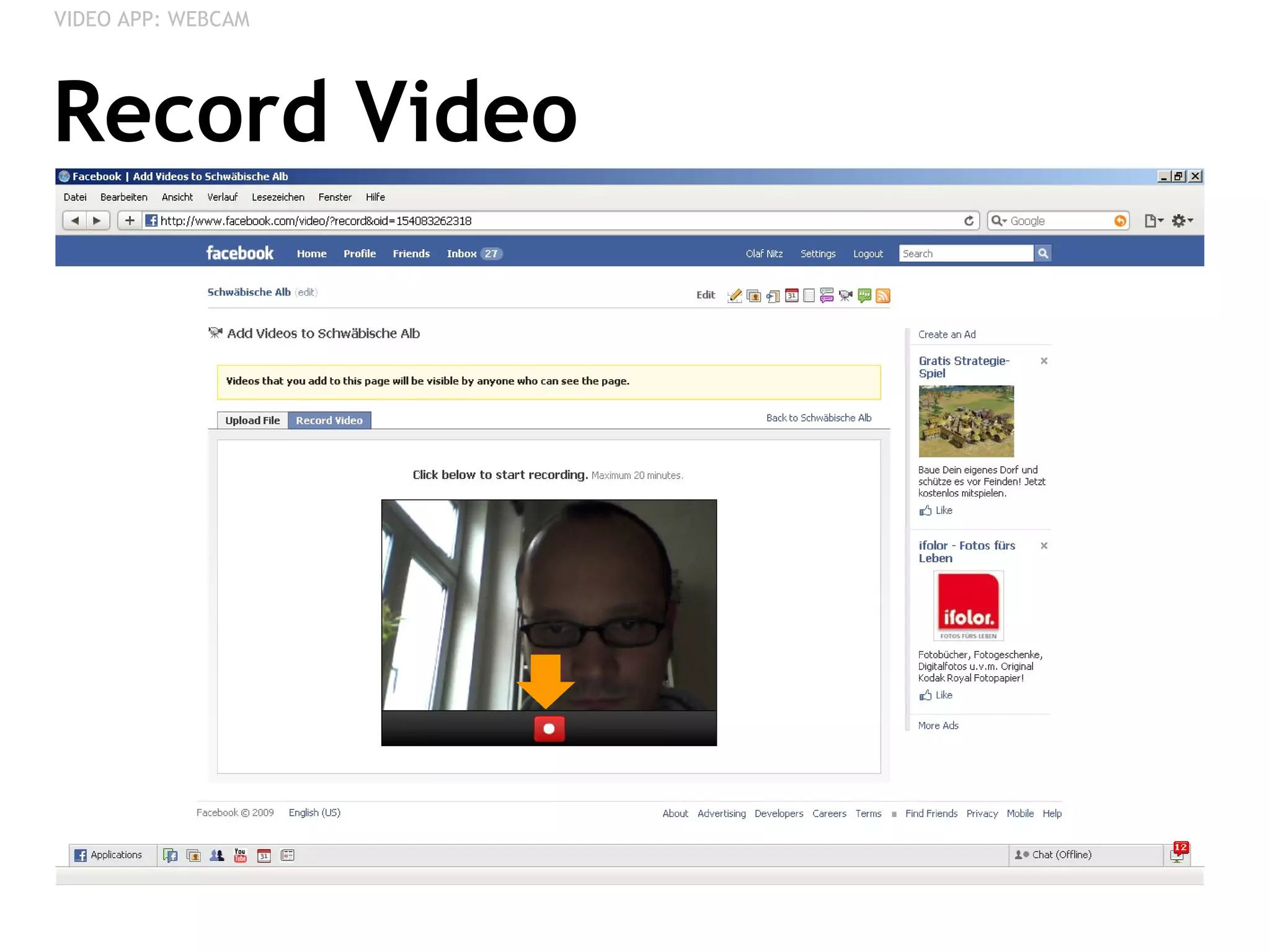
Record Video VIDEO APP: WEBCAM
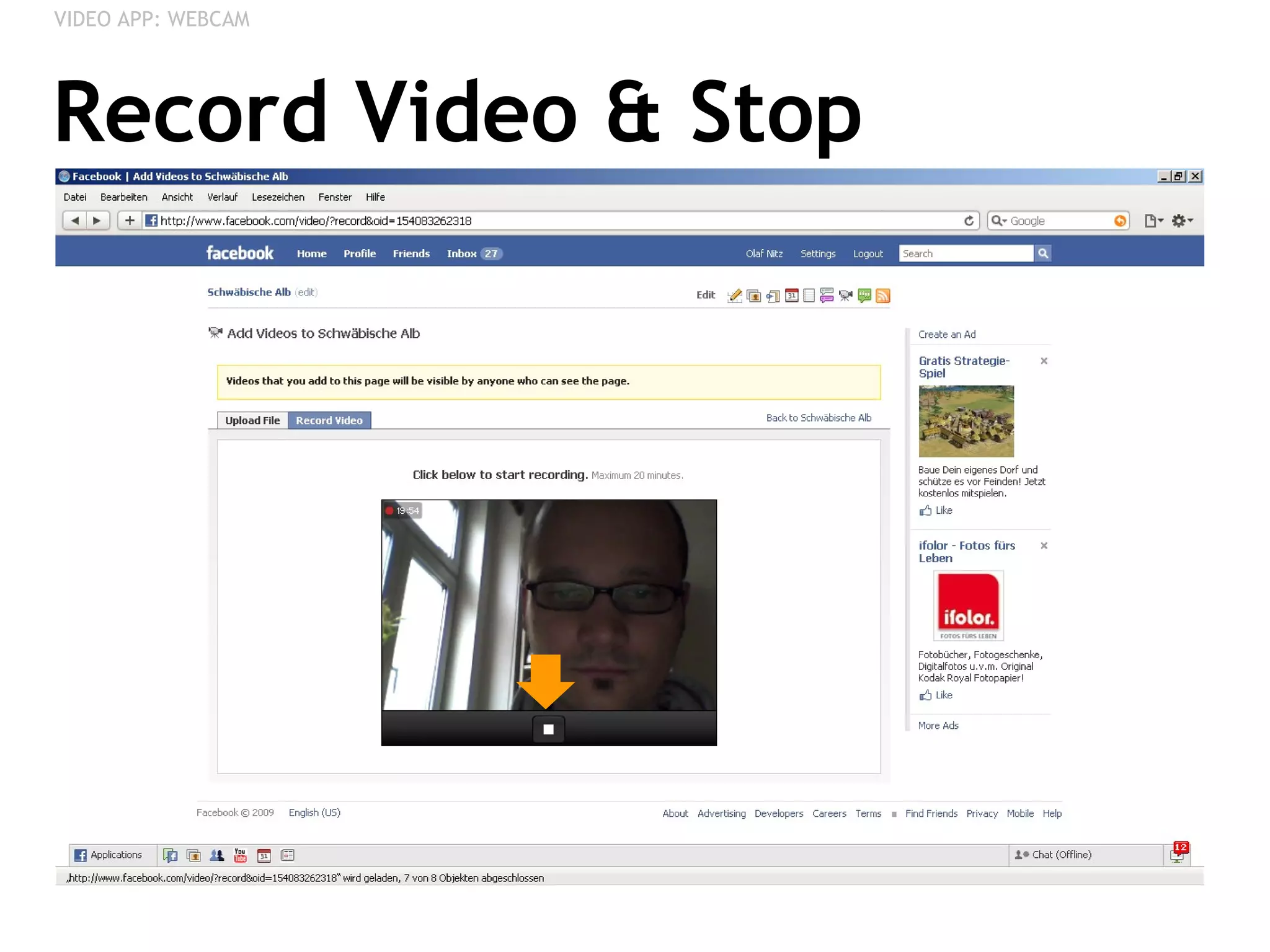
Record Video & Stop VIDEO APP: WEBCAM
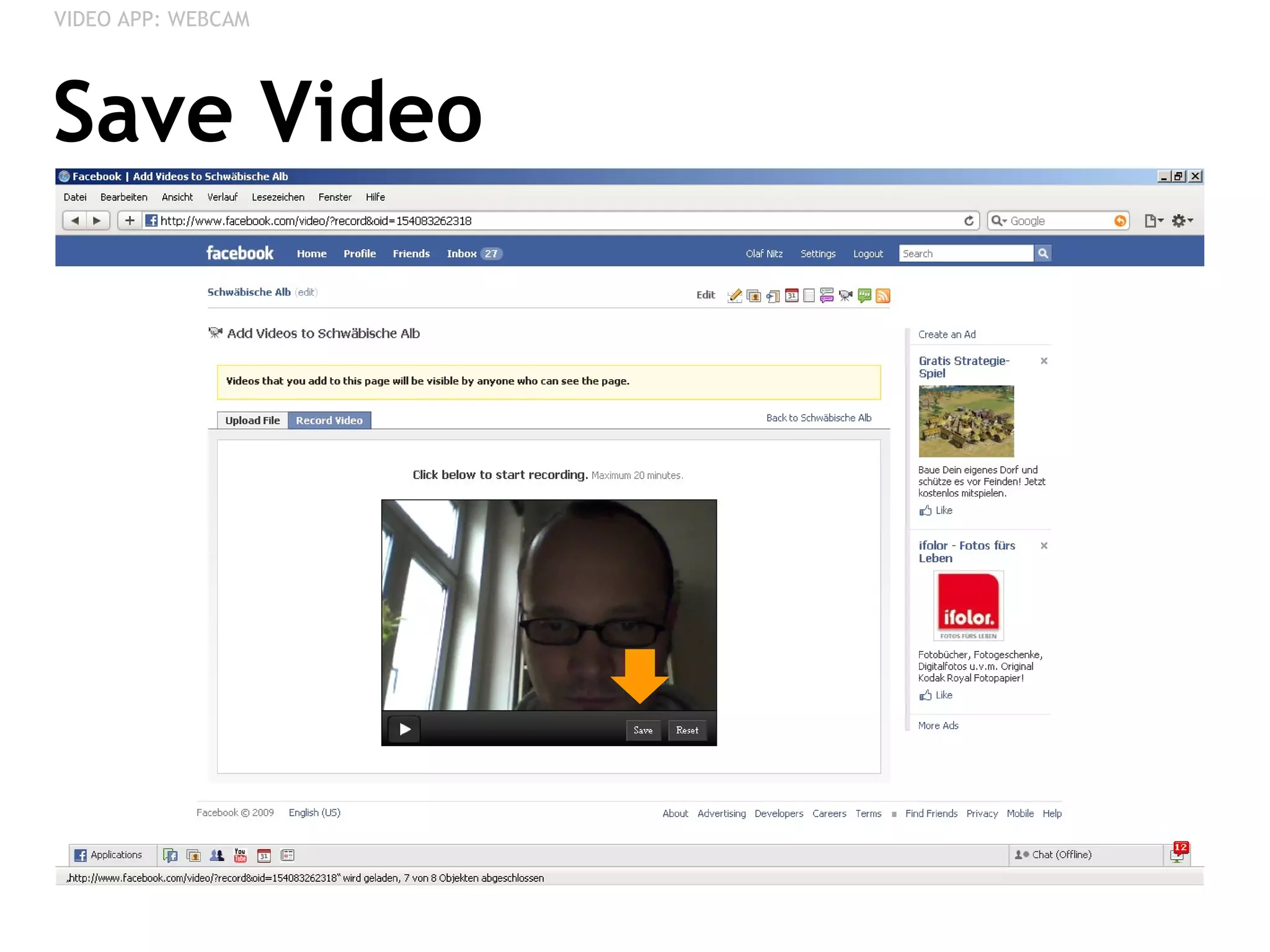
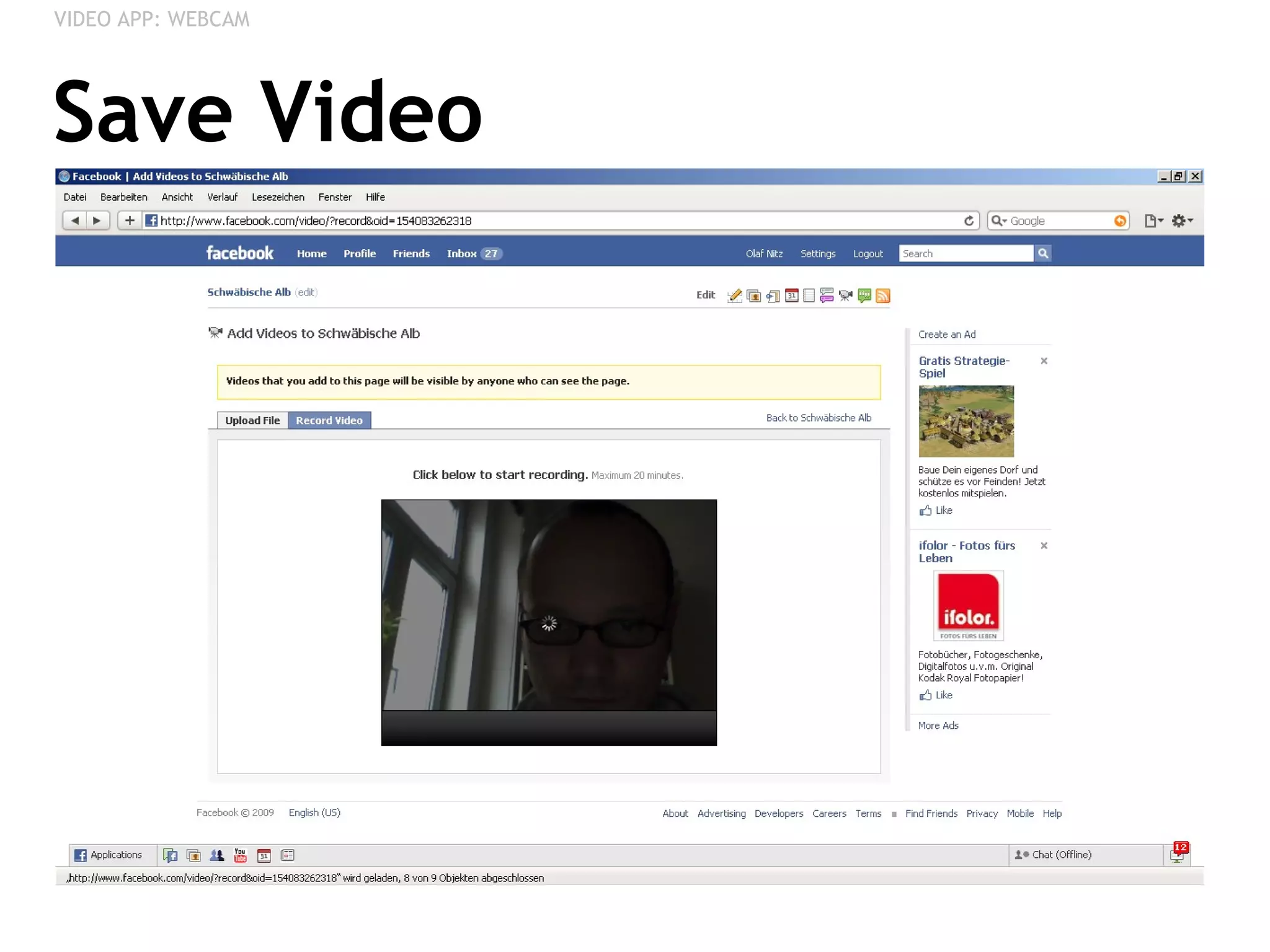
Save Video VIDEO APP: WEBCAM
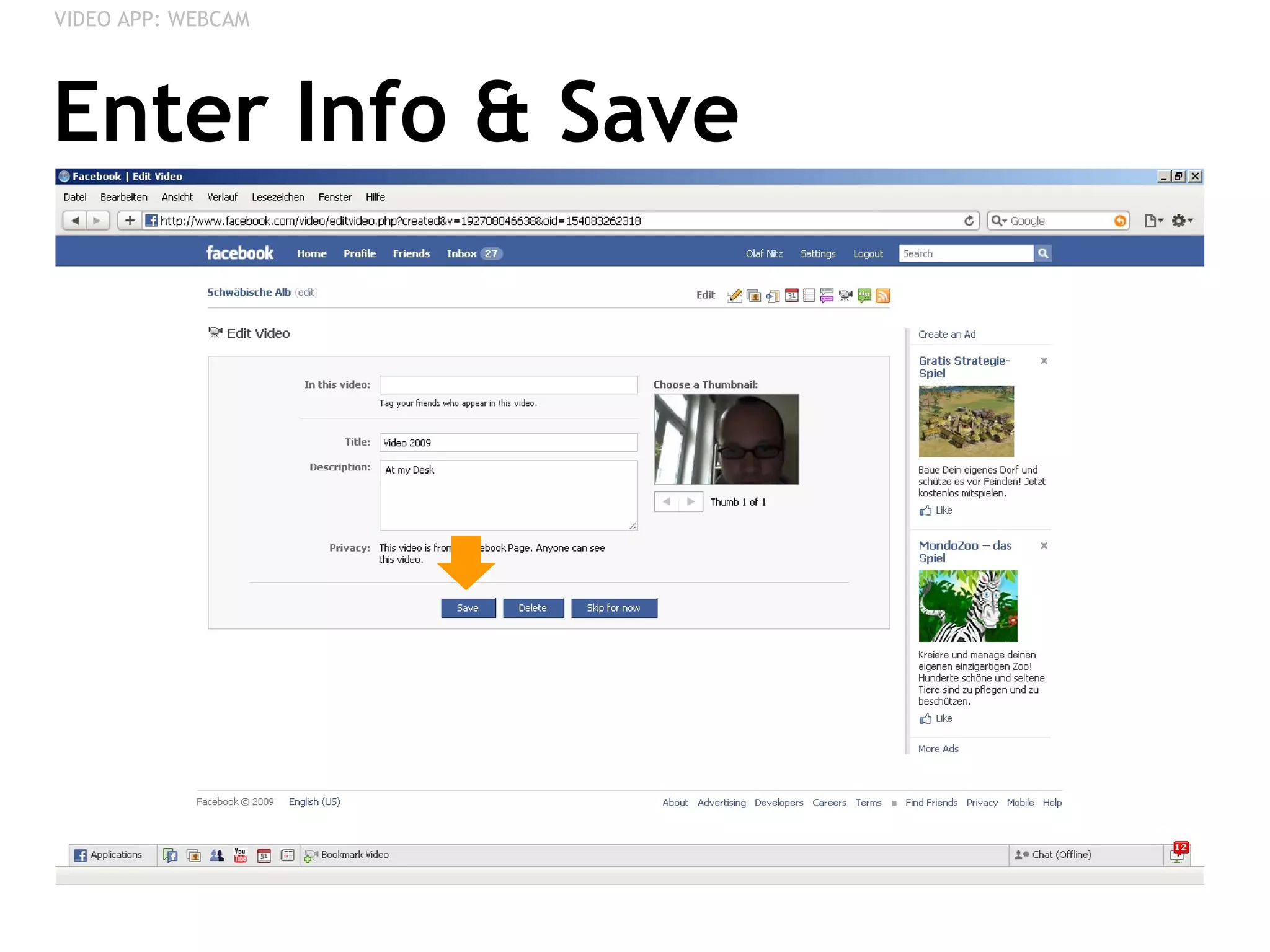
Enter Info & Save VIDEO APP: WEBCAM
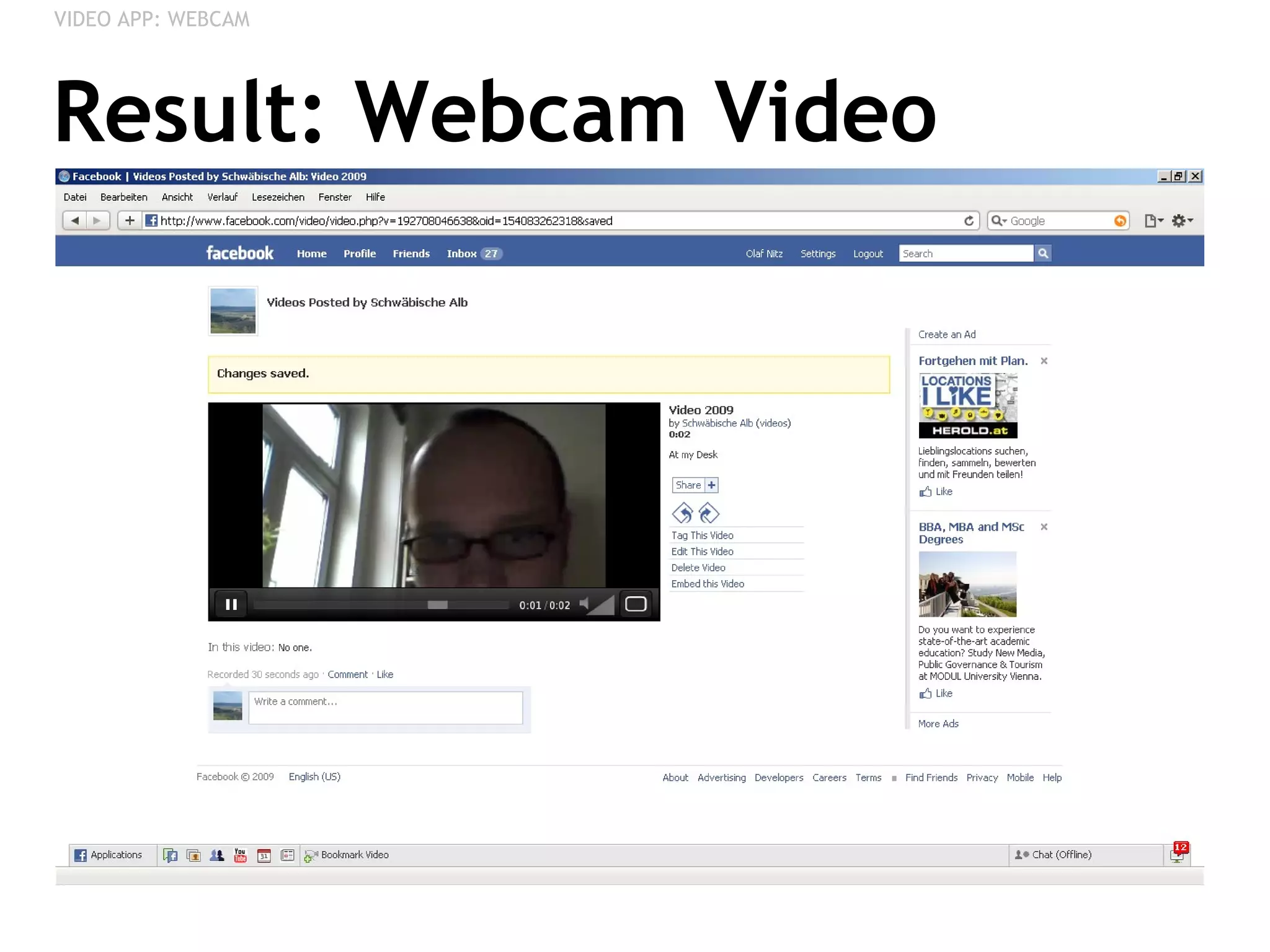
Result: Webcam Video VIDEO APP: WEBCAM
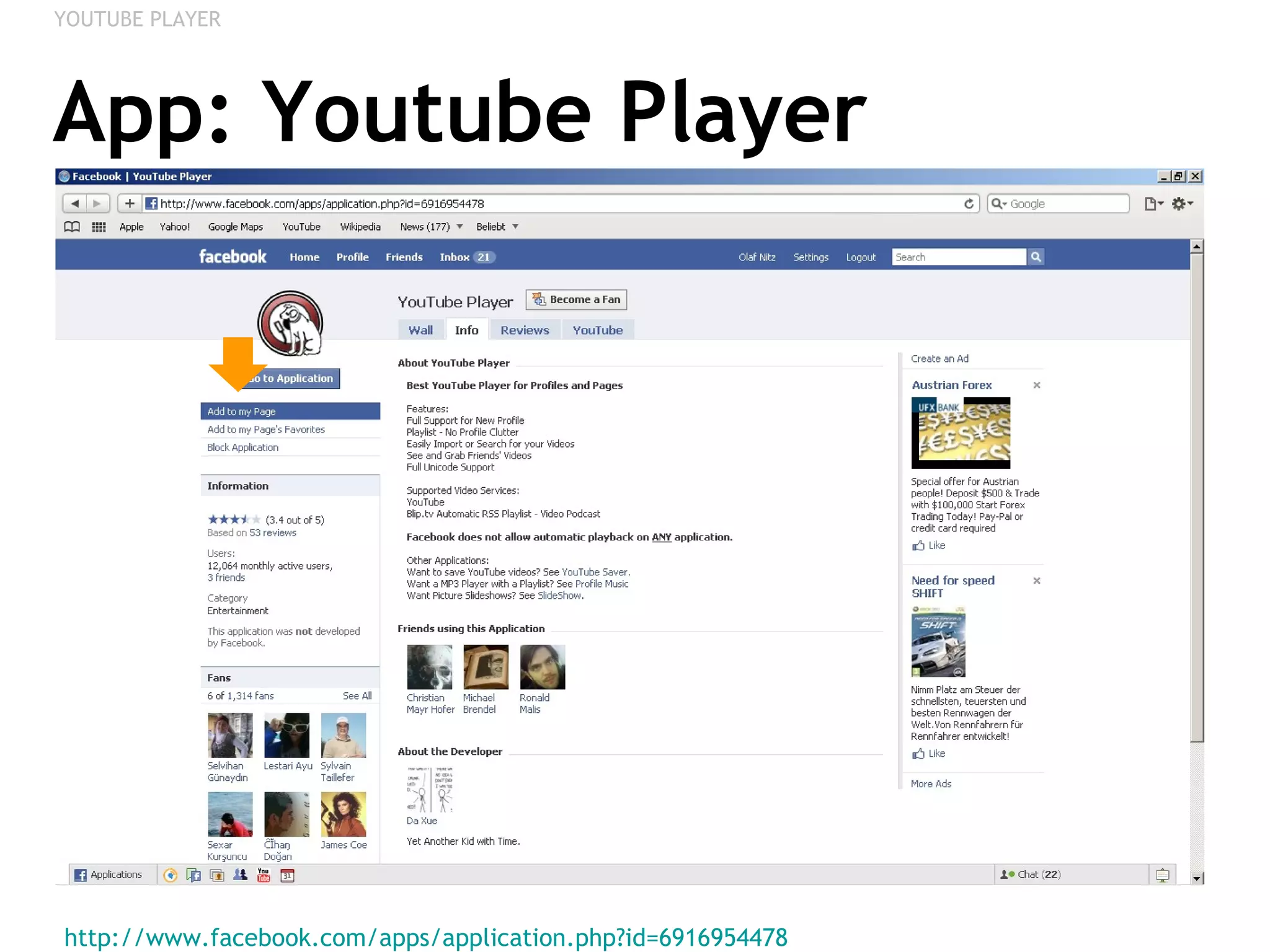
YOUTUBE PLAYER Adding a Video Playlist of Youtube Videos
App: Youtube Player http://www.facebook.com/apps/application.php?id=6916954478   YOUTUBE PLAYER
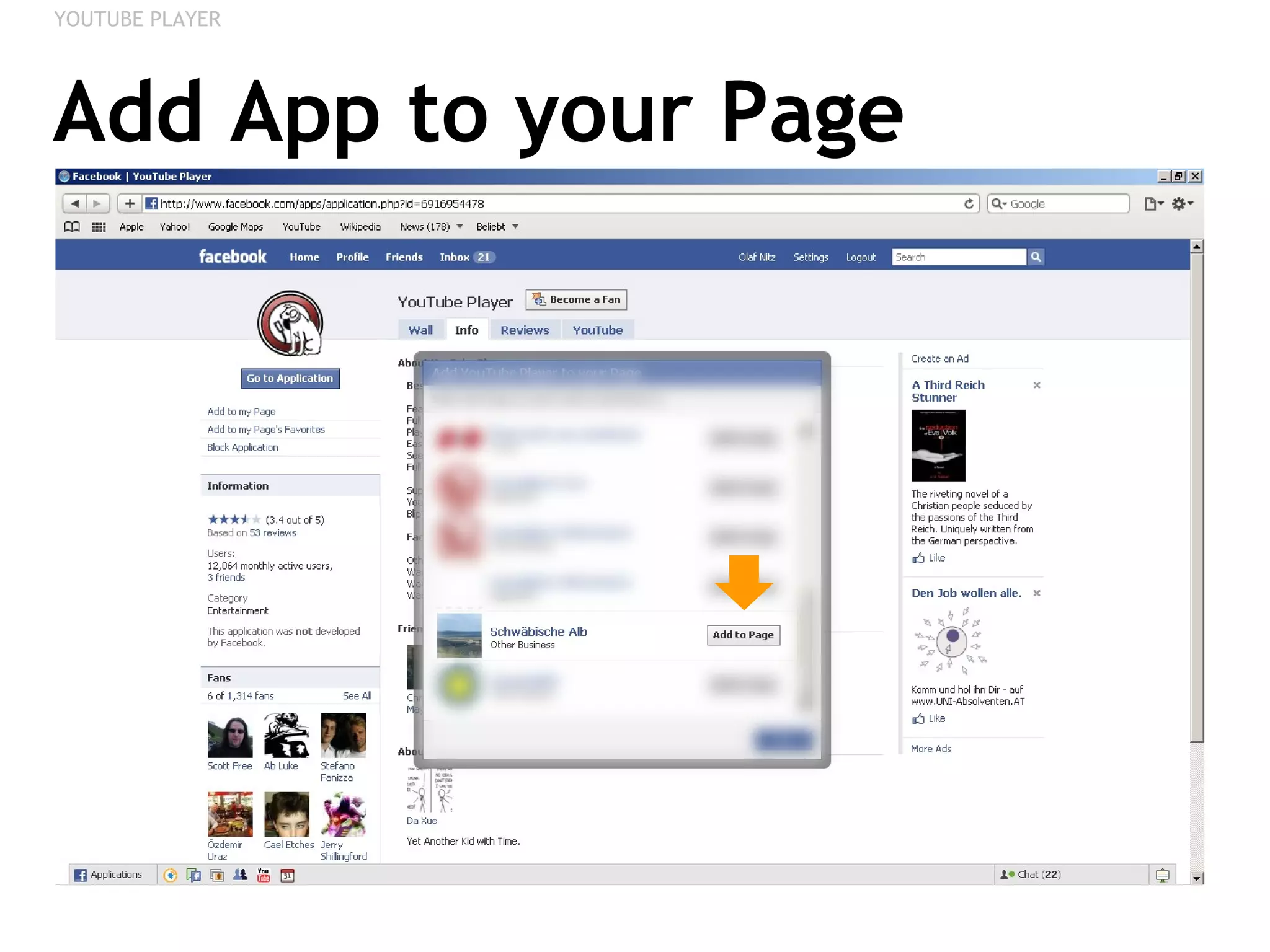
Add App to your Page YOUTUBE PLAYER
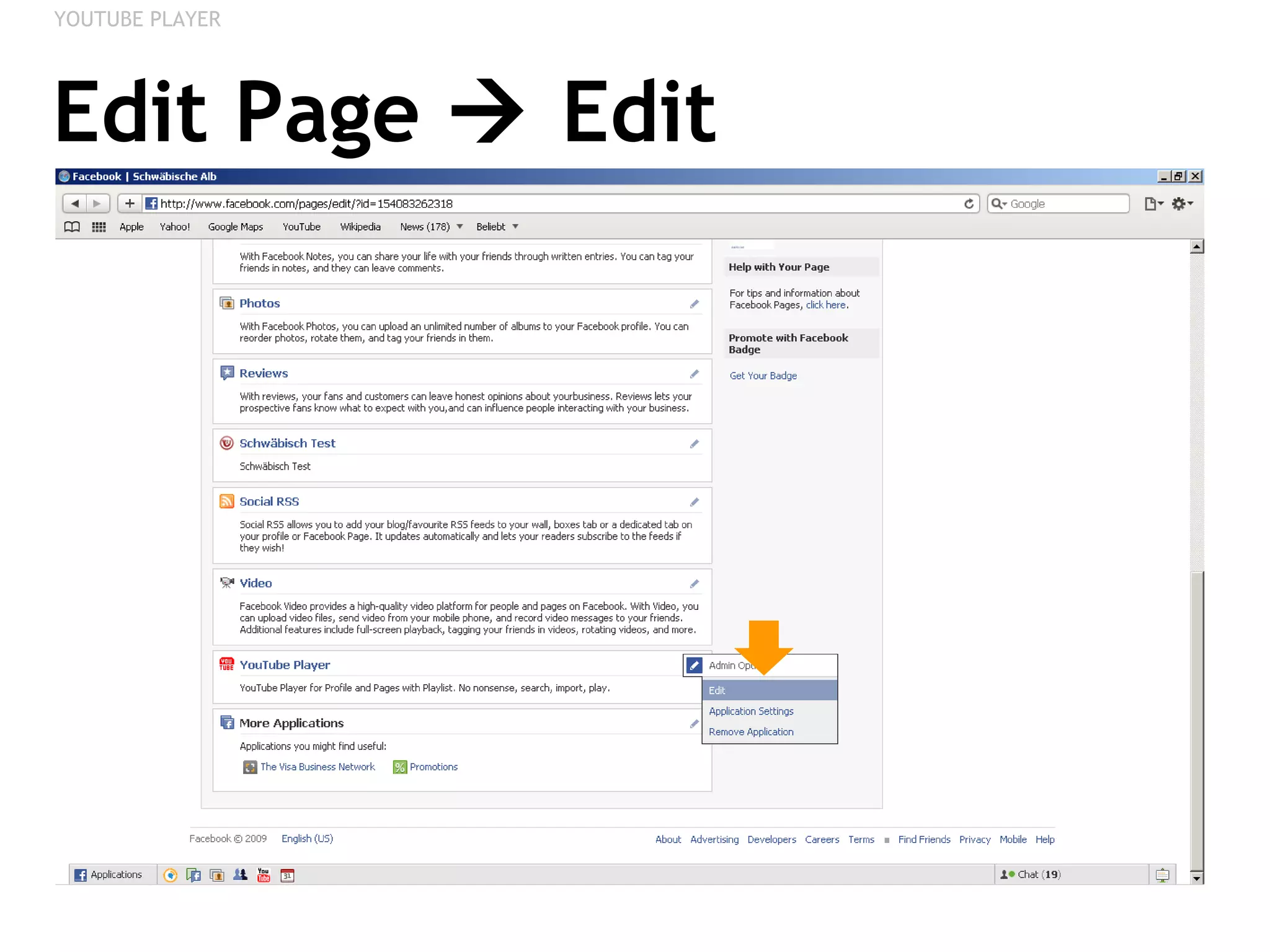
Edit Page    Edit YOUTUBE PLAYER
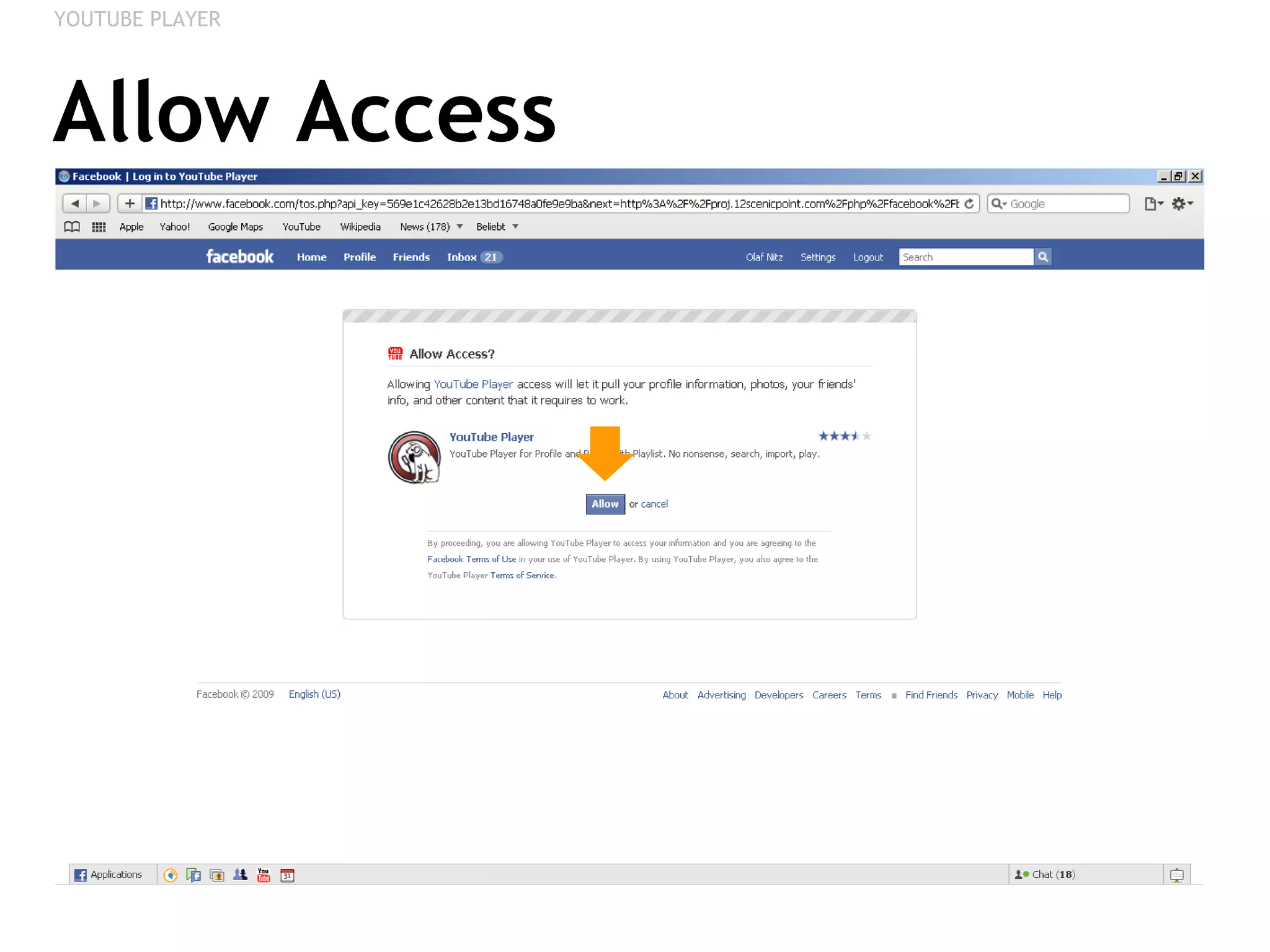
Allow Access YOUTUBE PLAYER
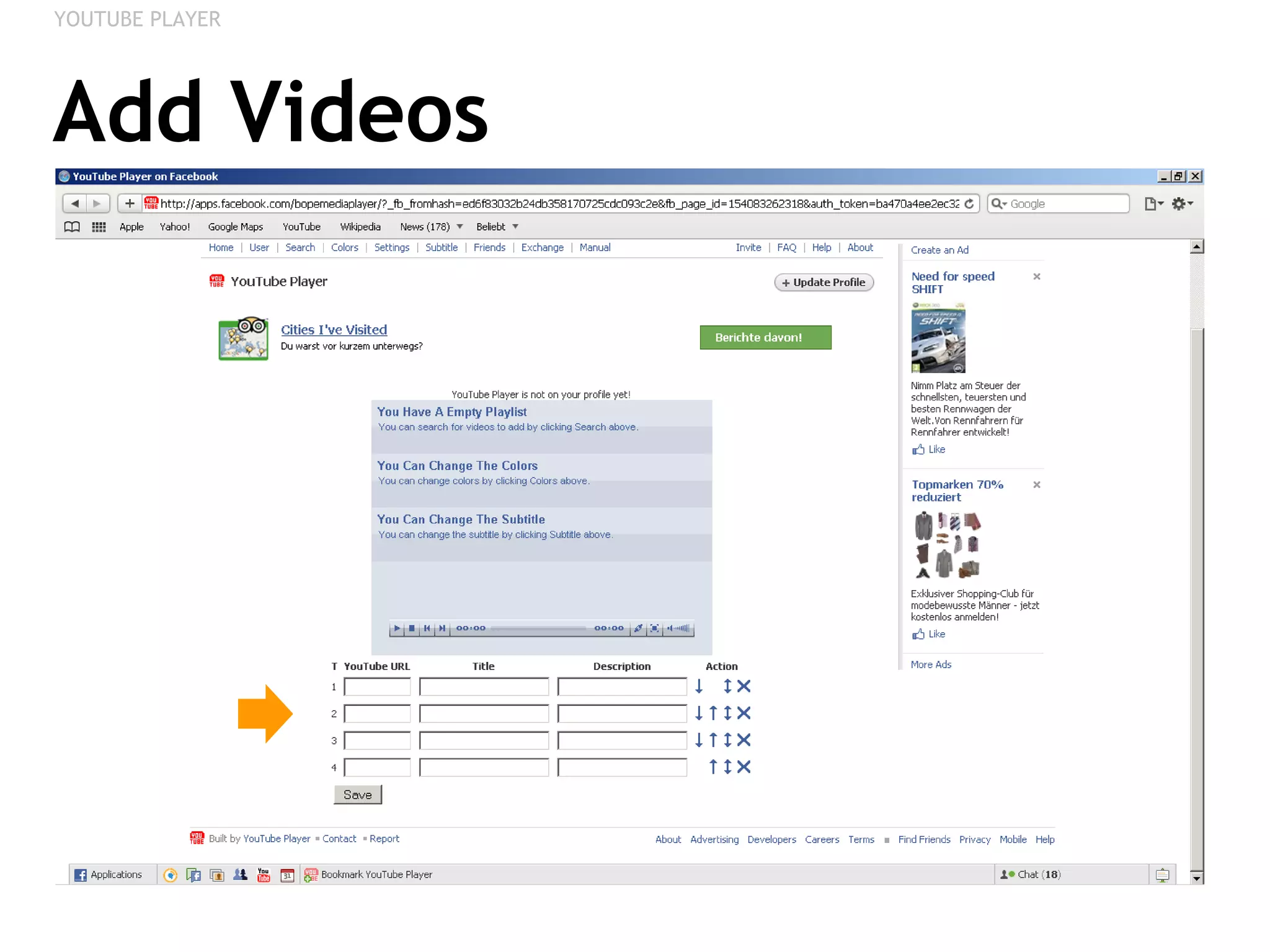
Add Videos YOUTUBE PLAYER
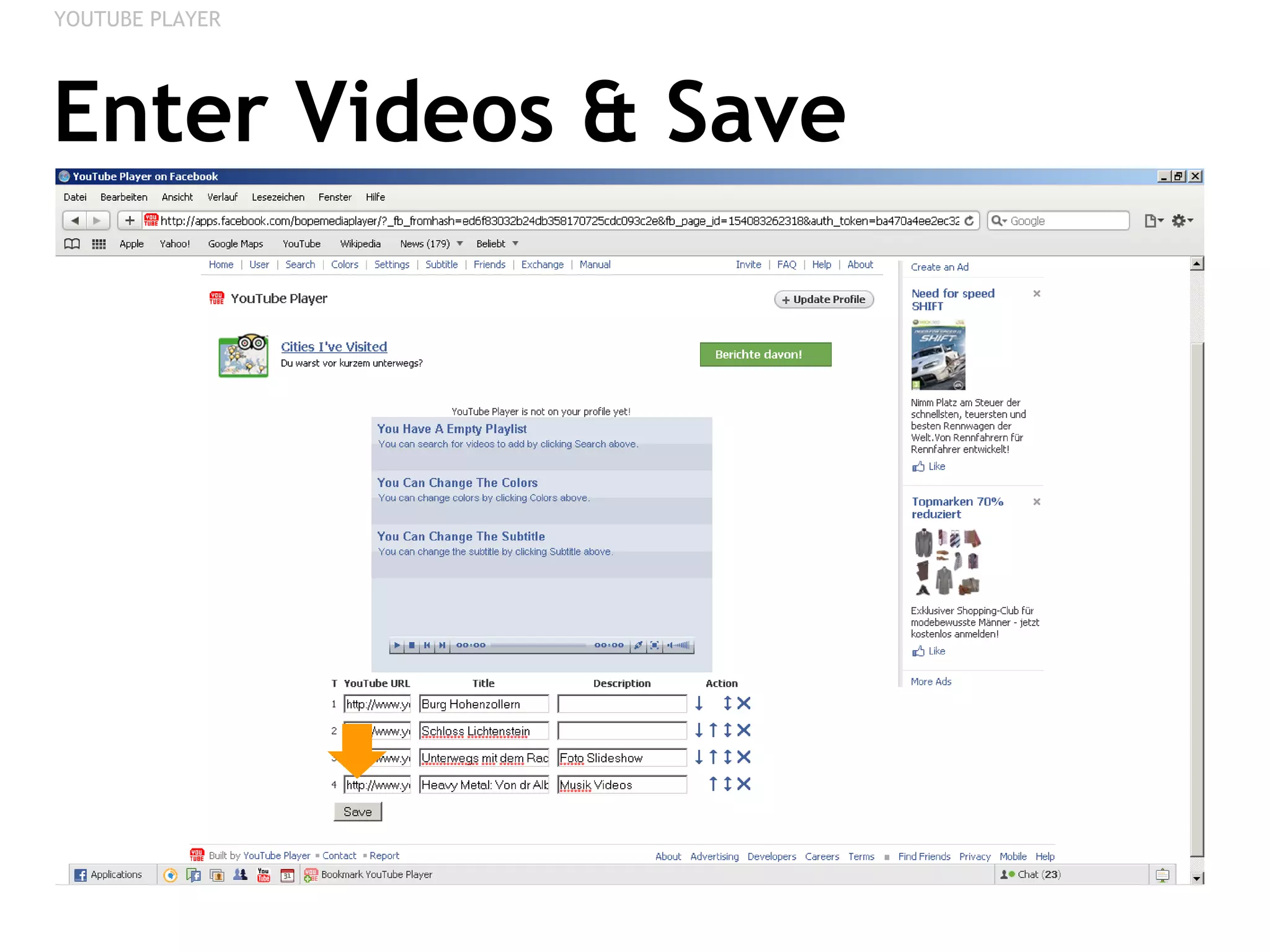
Enter Videos & Save YOUTUBE PLAYER
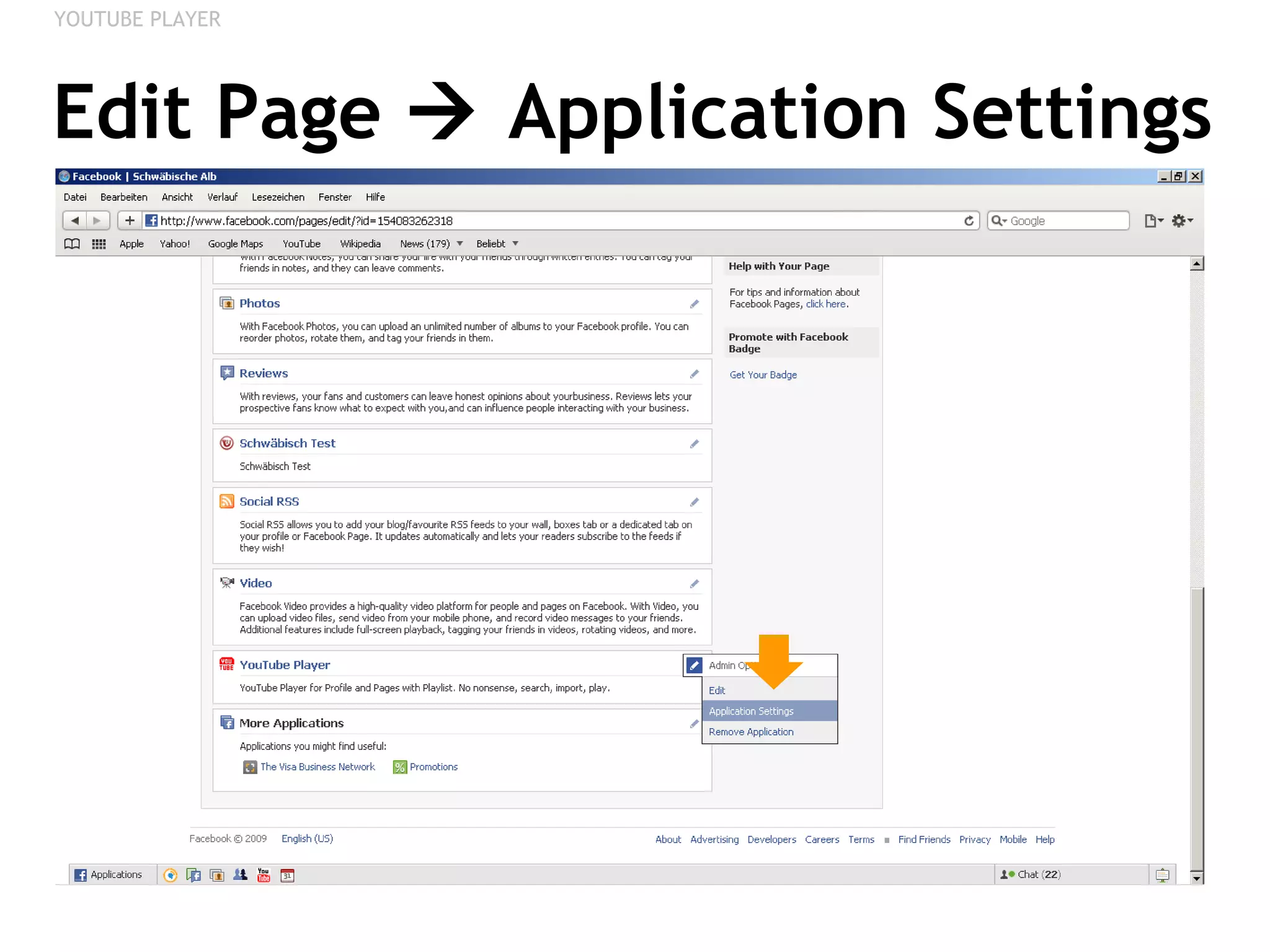
Edit Page    Application Settings YOUTUBE PLAYER
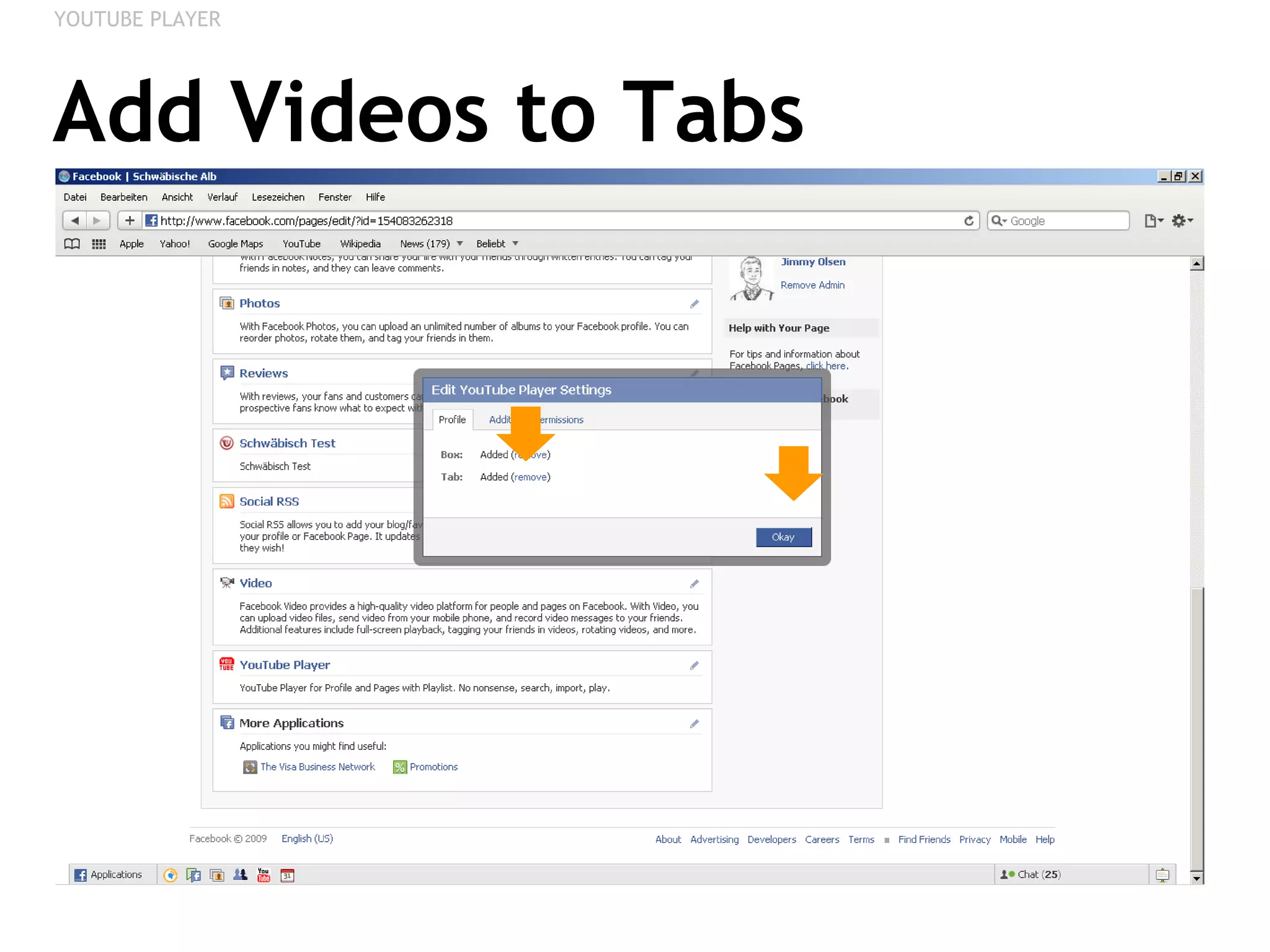
Add Videos to Tabs YOUTUBE PLAYER
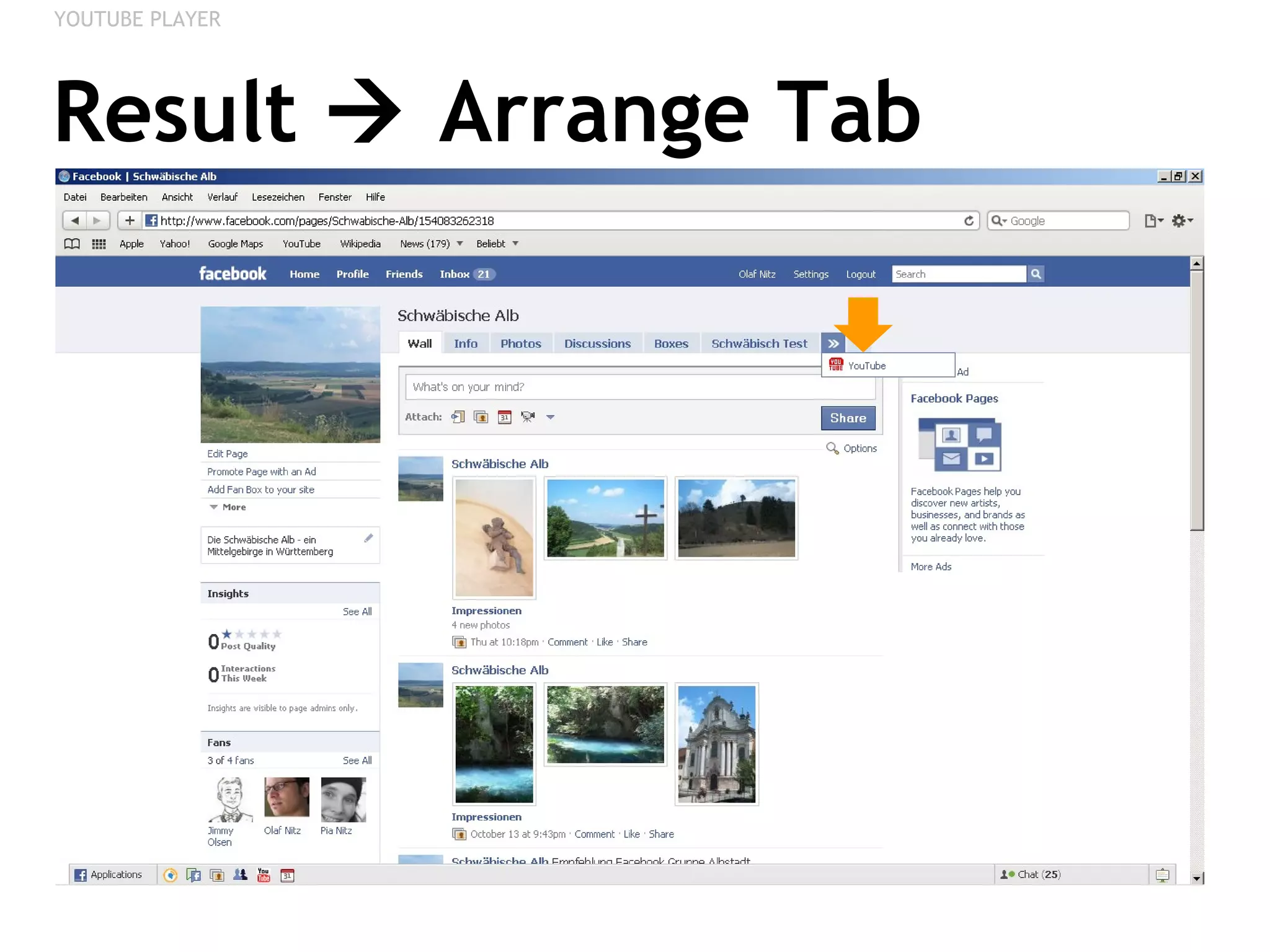
Result    Arrange Tab YOUTUBE PLAYER
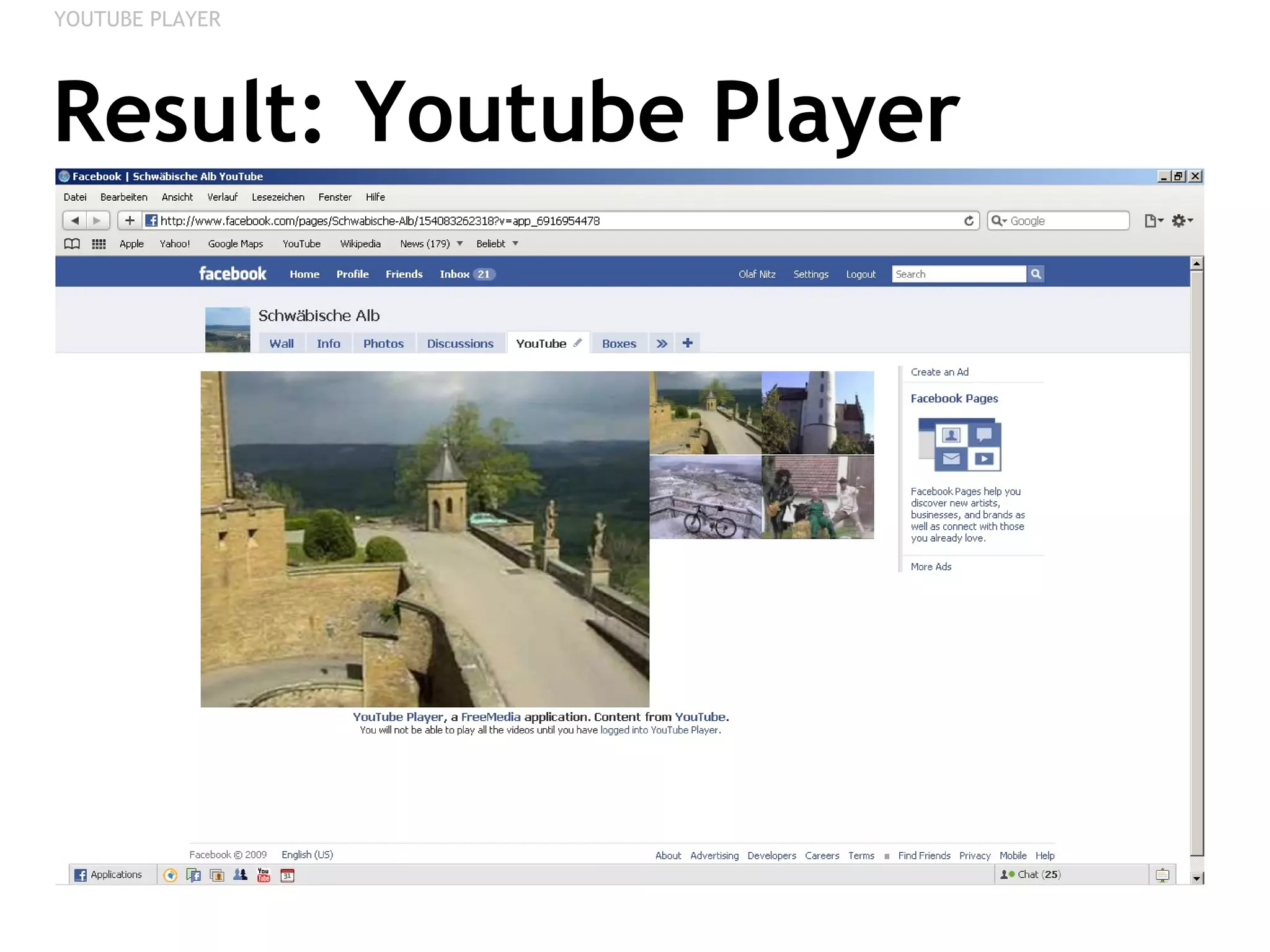
Result: Youtube Player YOUTUBE PLAYER
YOUTUBE VIDEO BOX Adding Youtube Videos
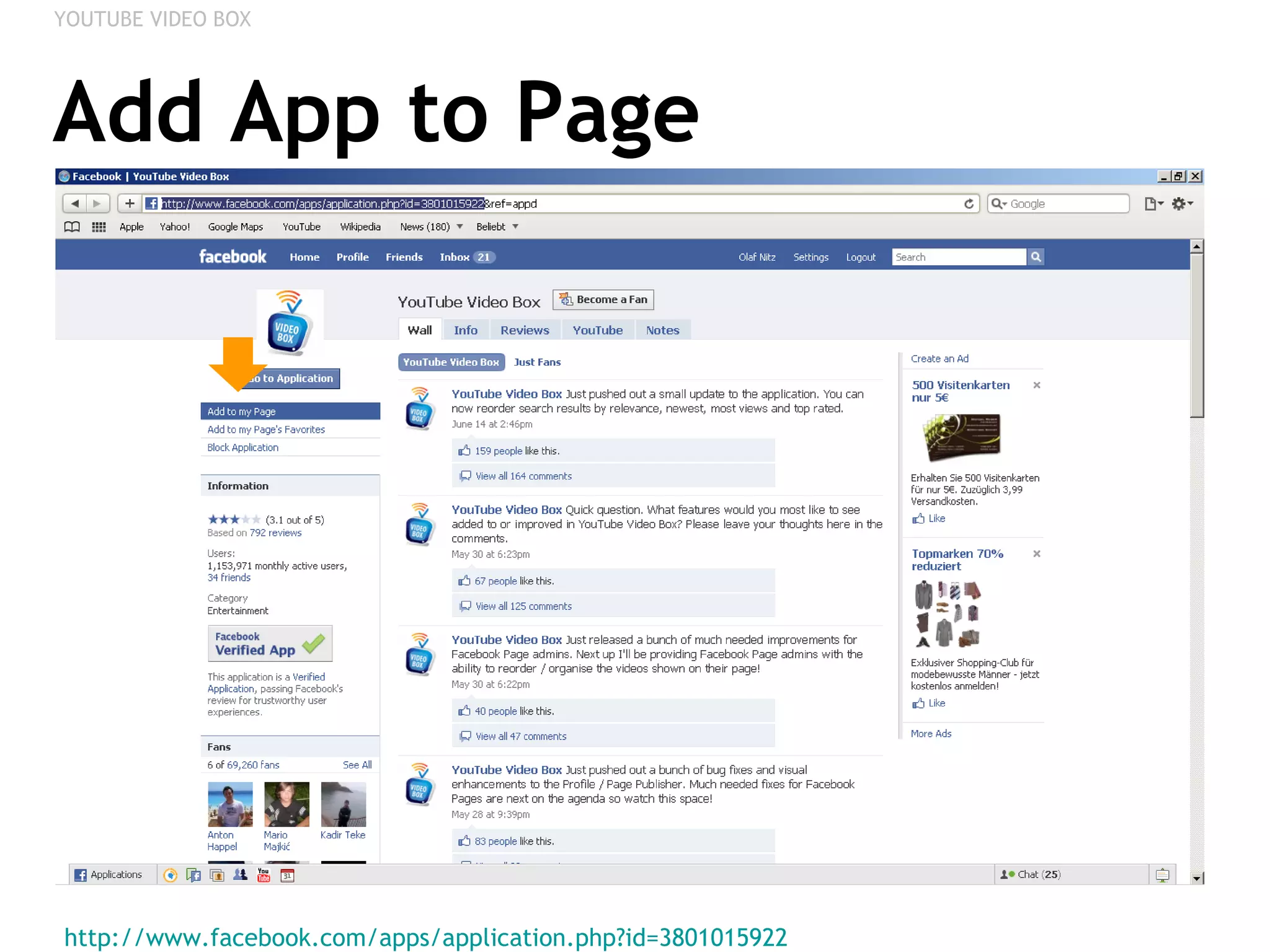
Add App to Page http://www.facebook.com/apps/application.php?id=3801015922   YOUTUBE VIDEO BOX
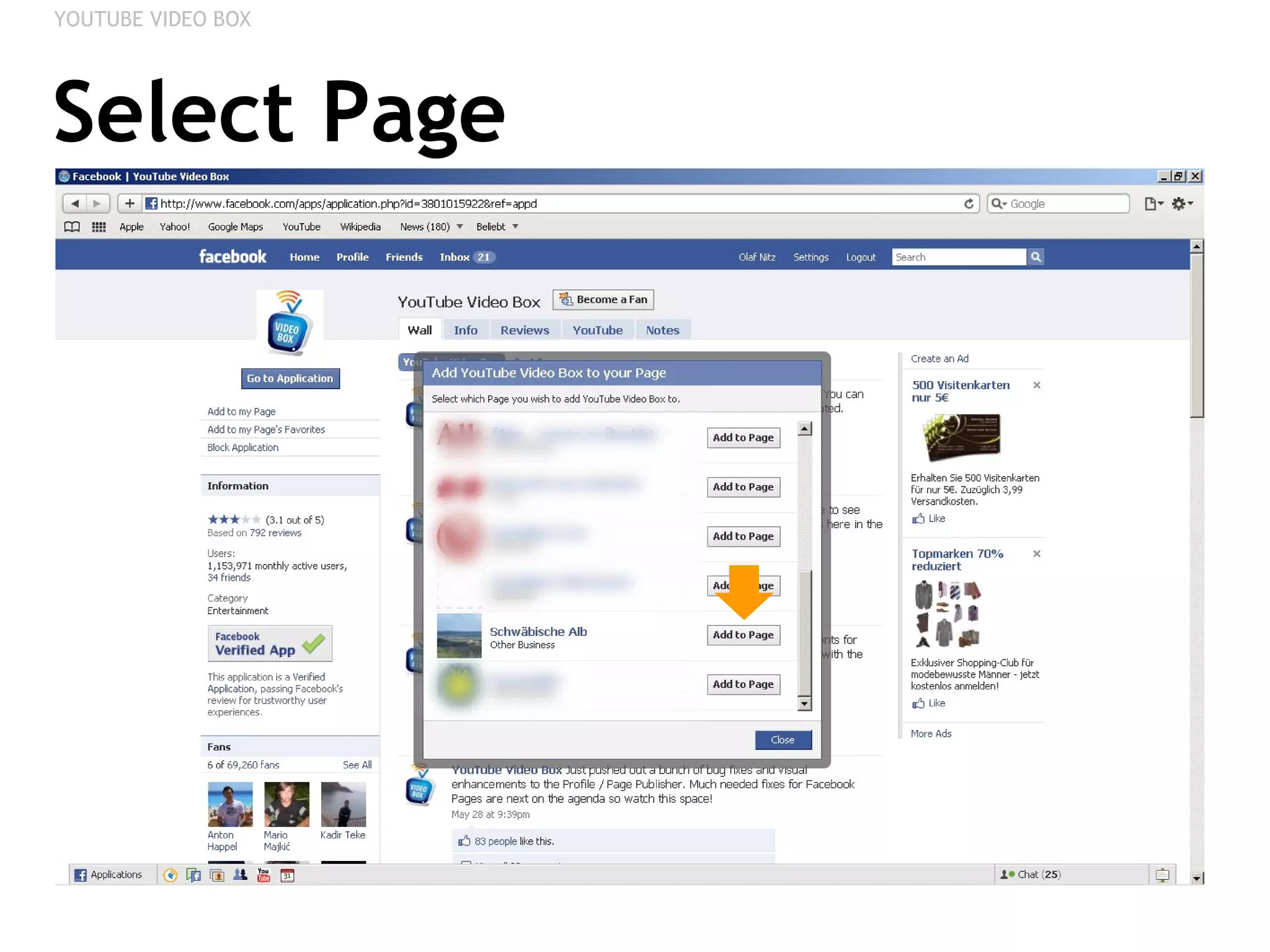
Select Page YOUTUBE VIDEO BOX
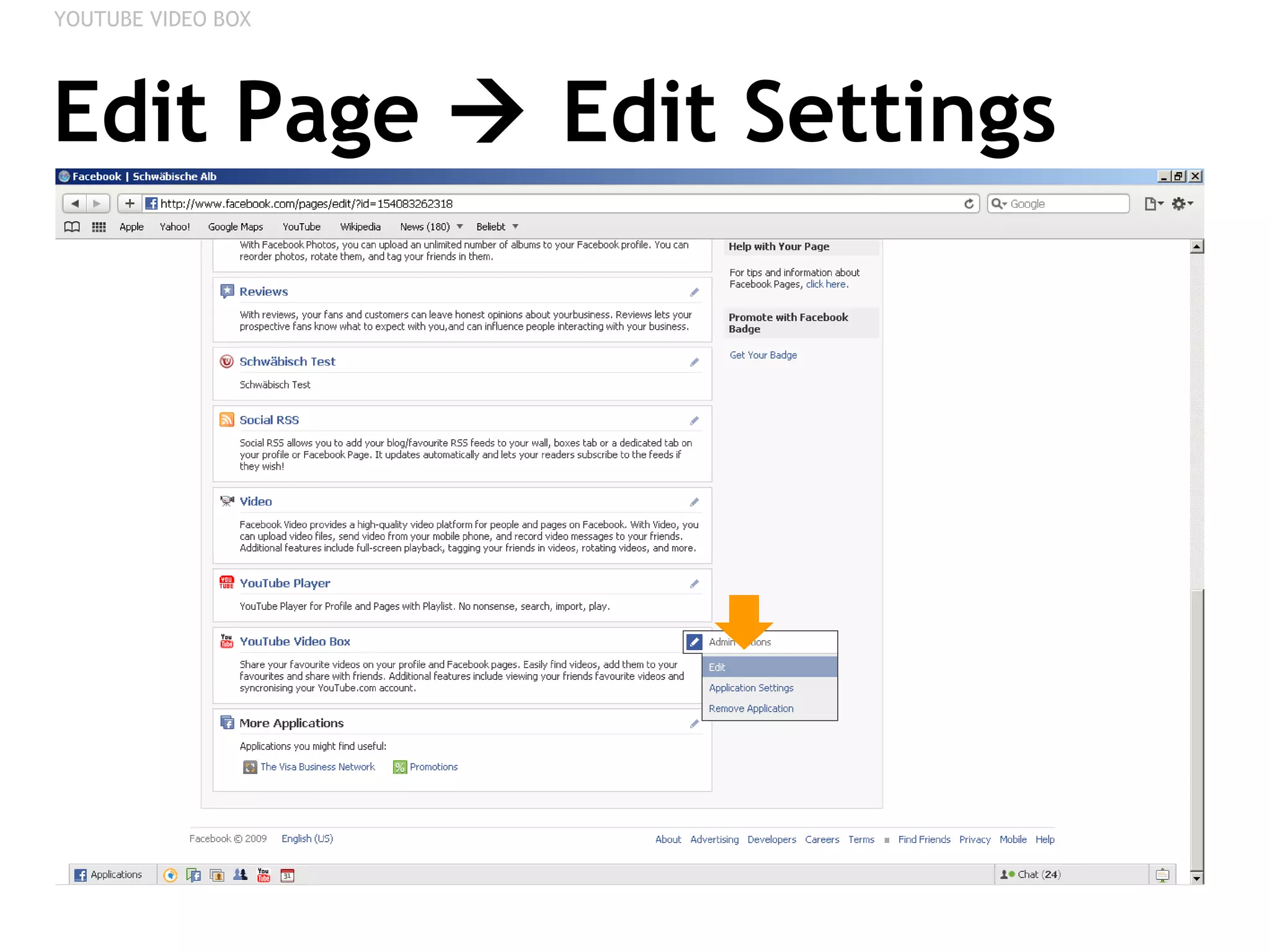
Edit Page    Edit Settings YOUTUBE VIDEO BOX
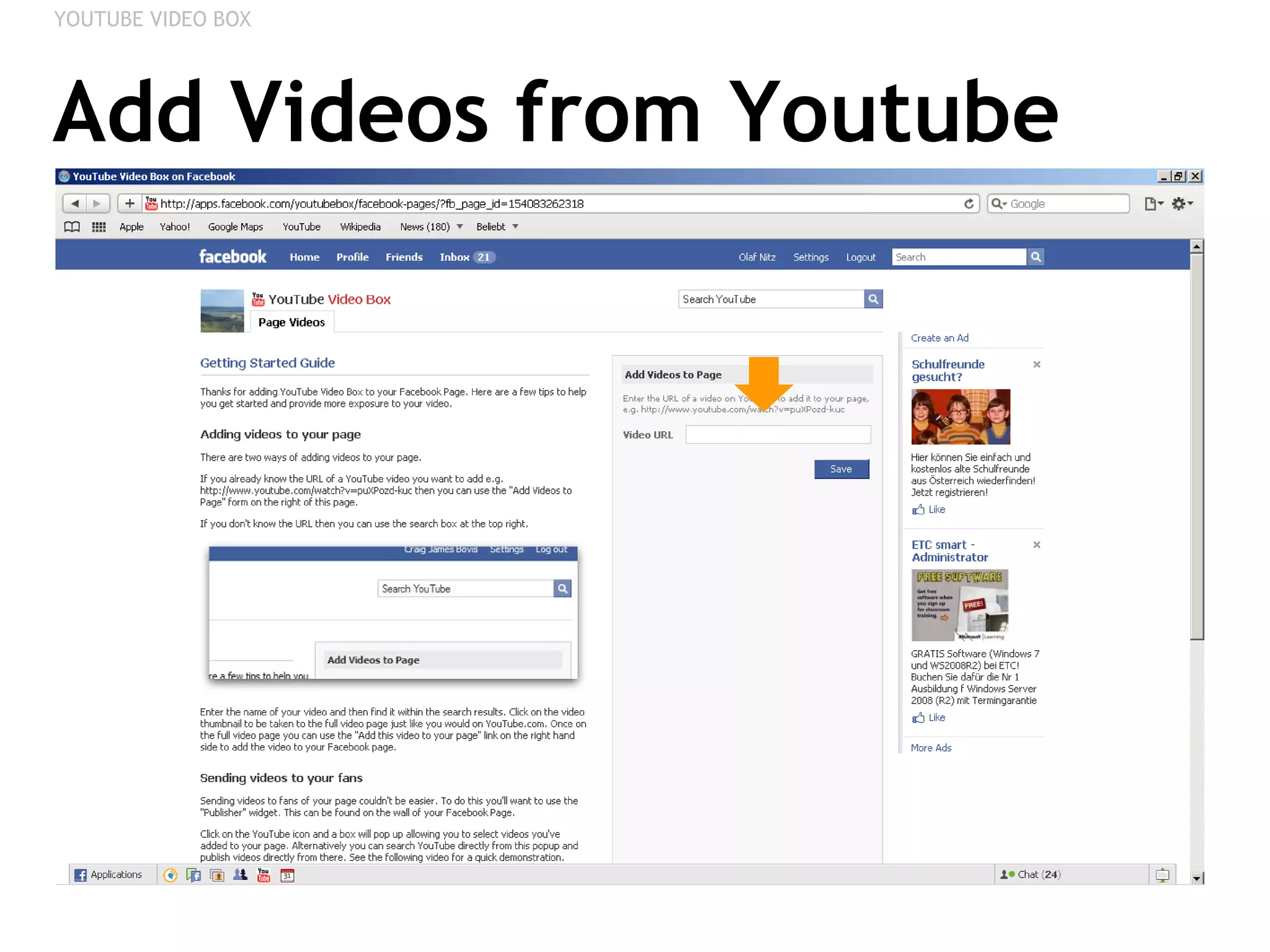
Add Videos from Youtube YOUTUBE VIDEO BOX
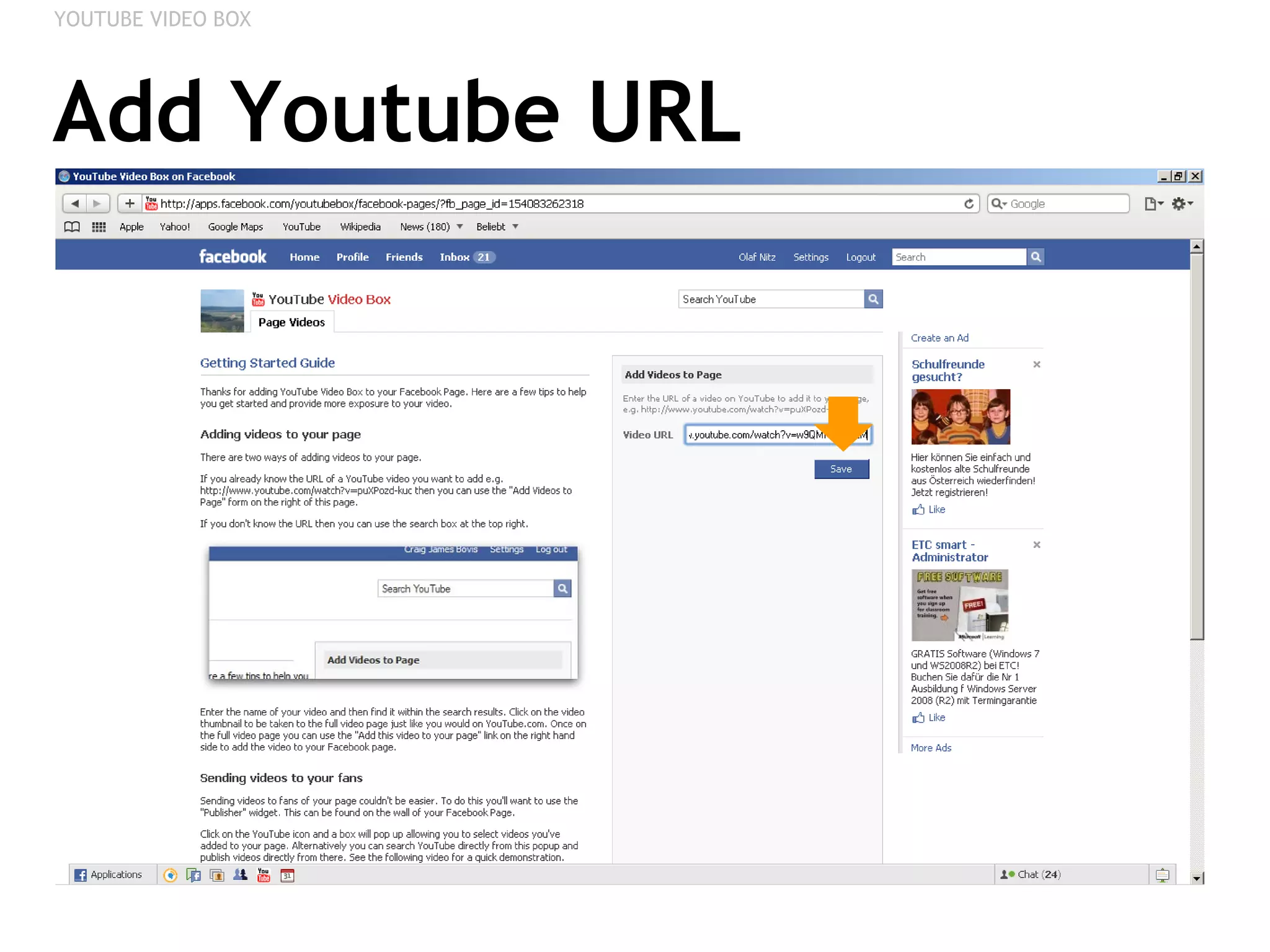
Add Youtube URL YOUTUBE VIDEO BOX
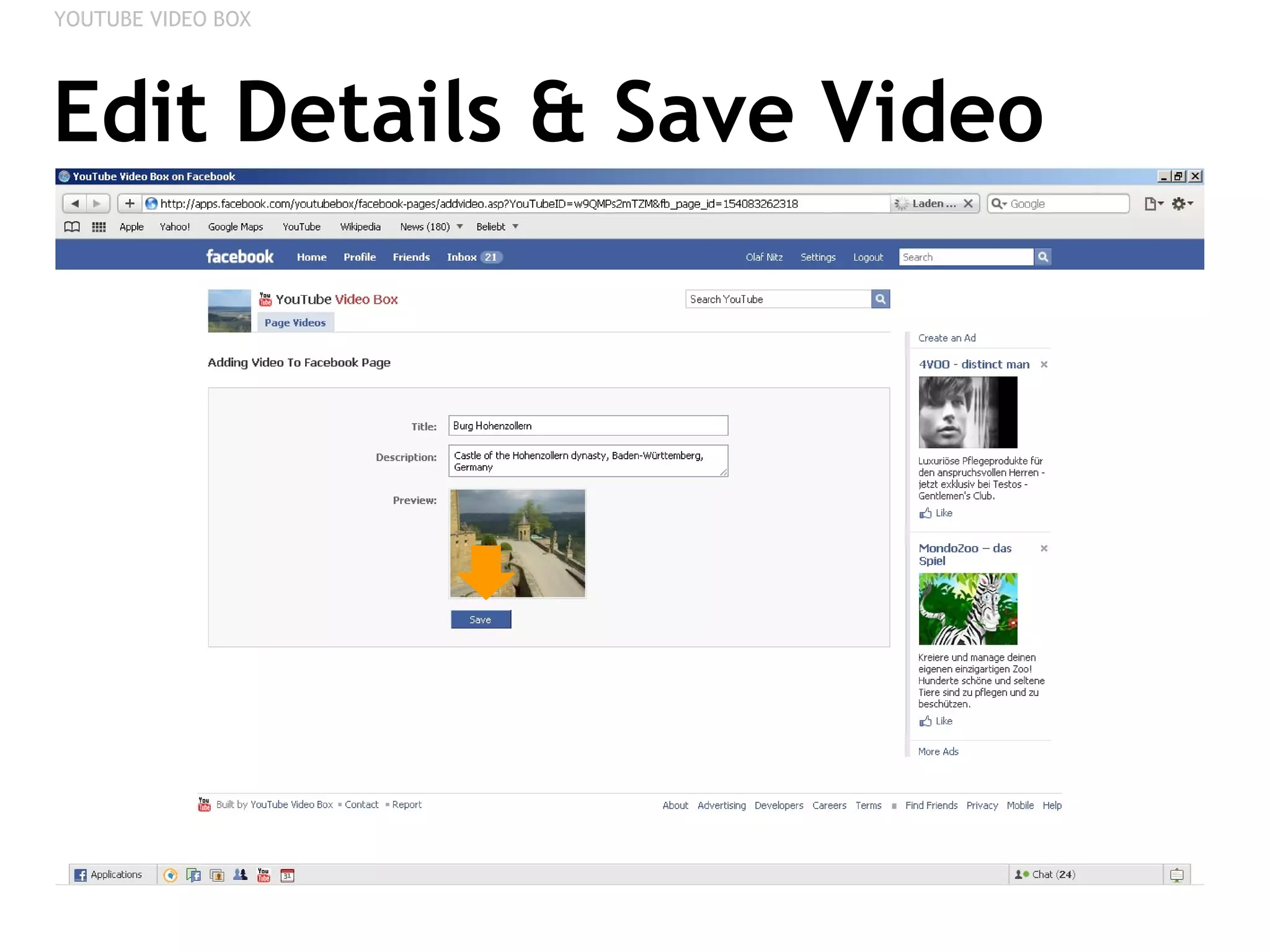
Edit Details & Save Video YOUTUBE VIDEO BOX
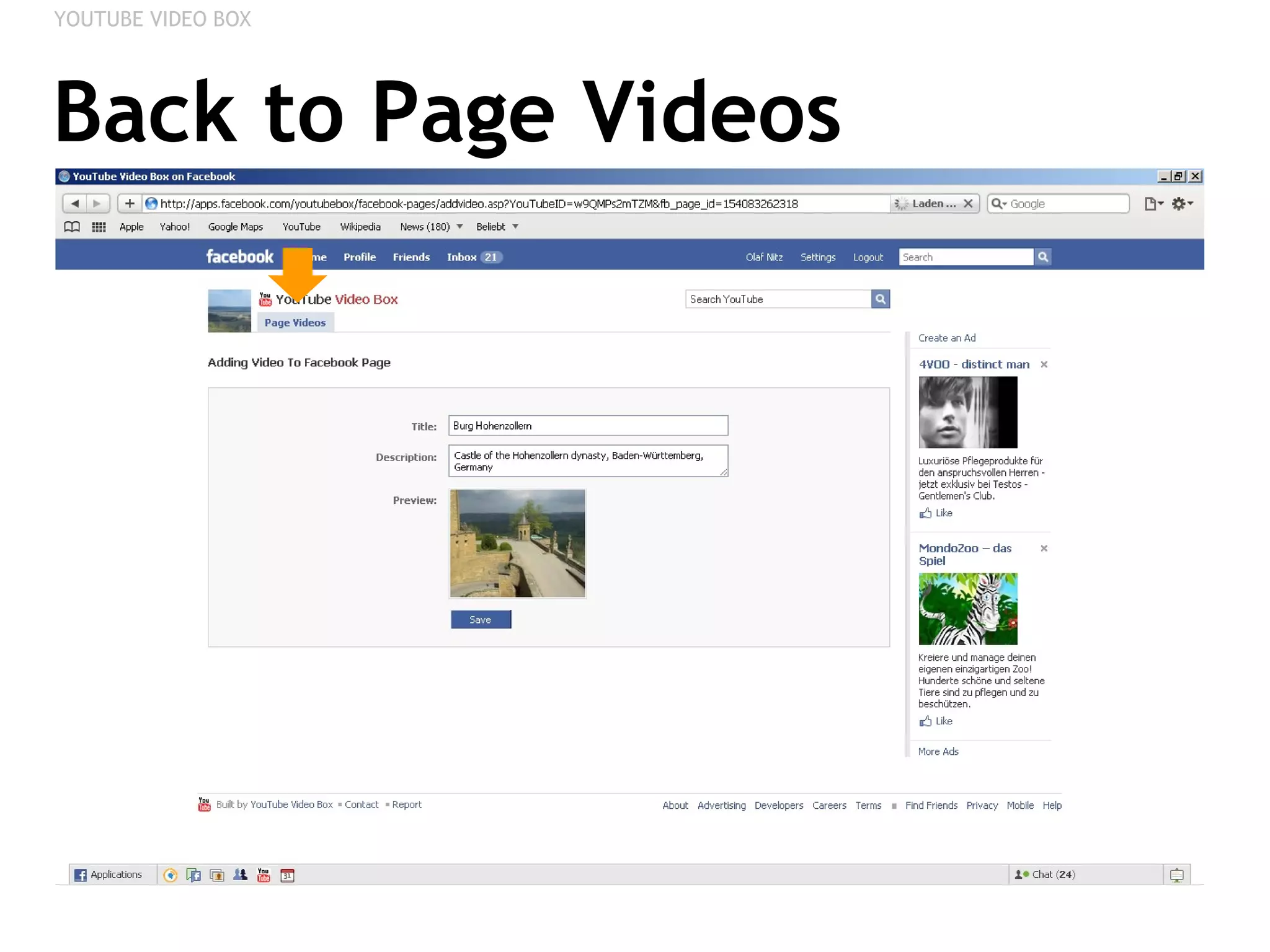
Back to Page Videos YOUTUBE VIDEO BOX
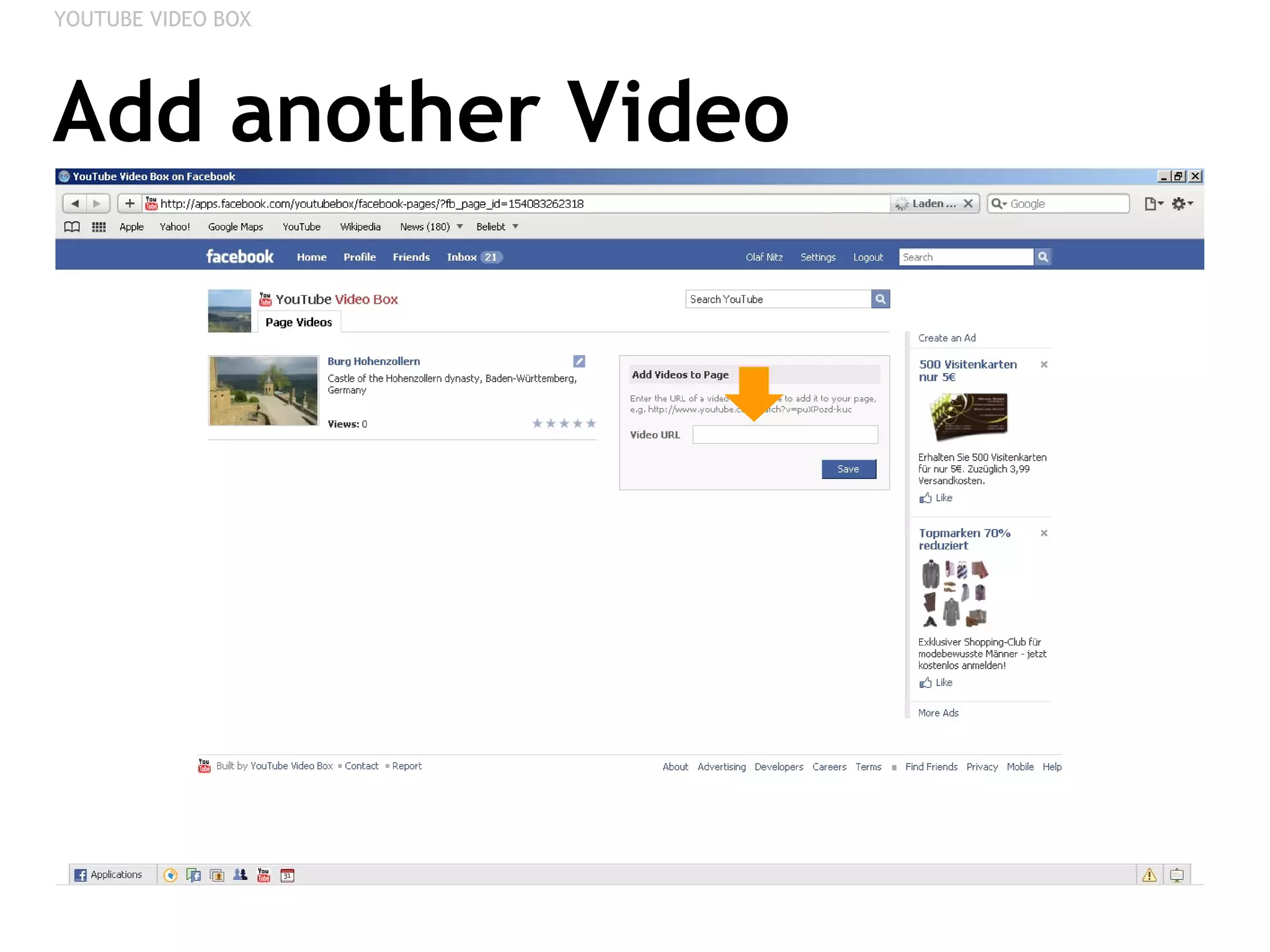
Add another Video YOUTUBE VIDEO BOX
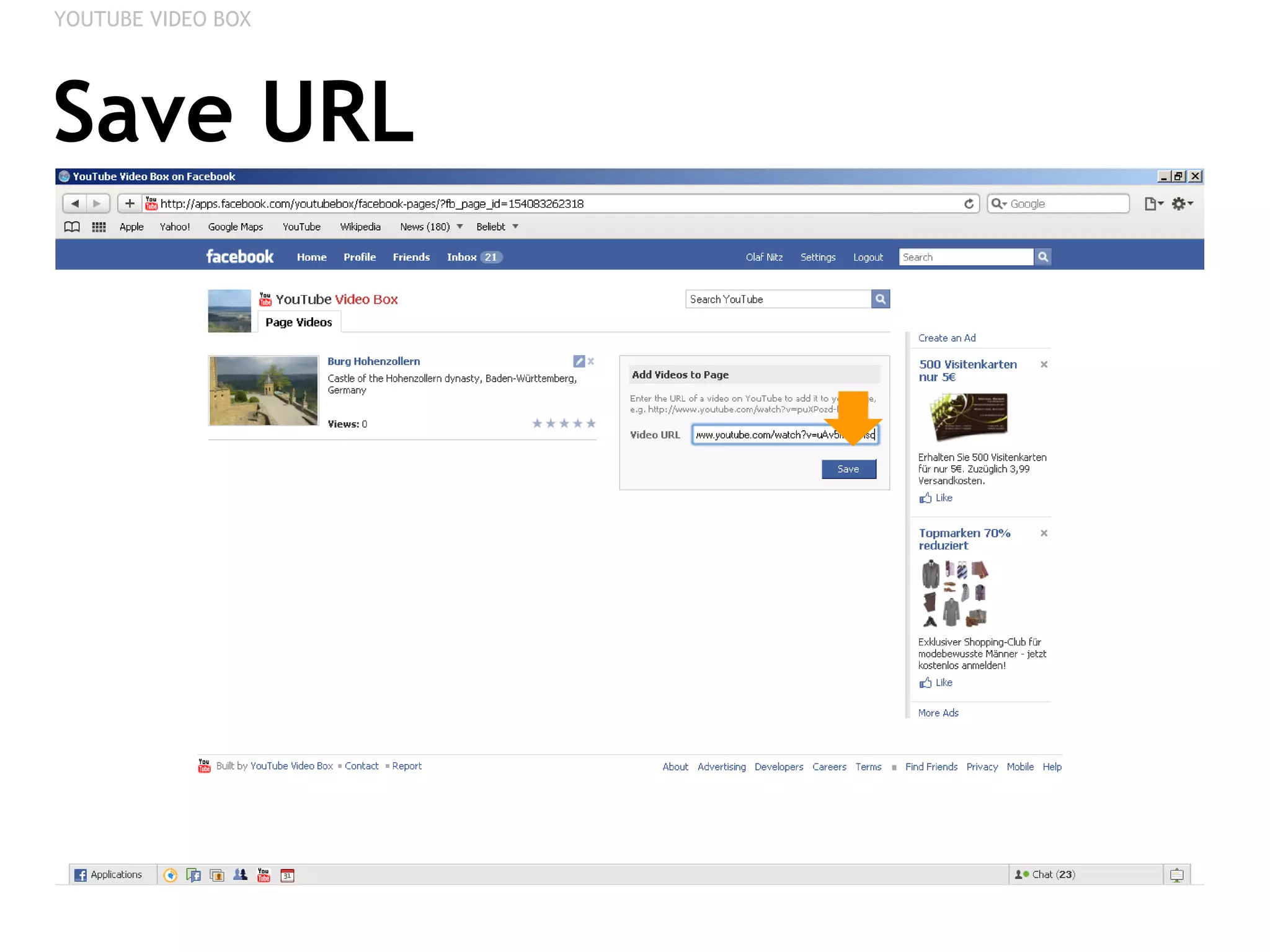
Save URL YOUTUBE VIDEO BOX
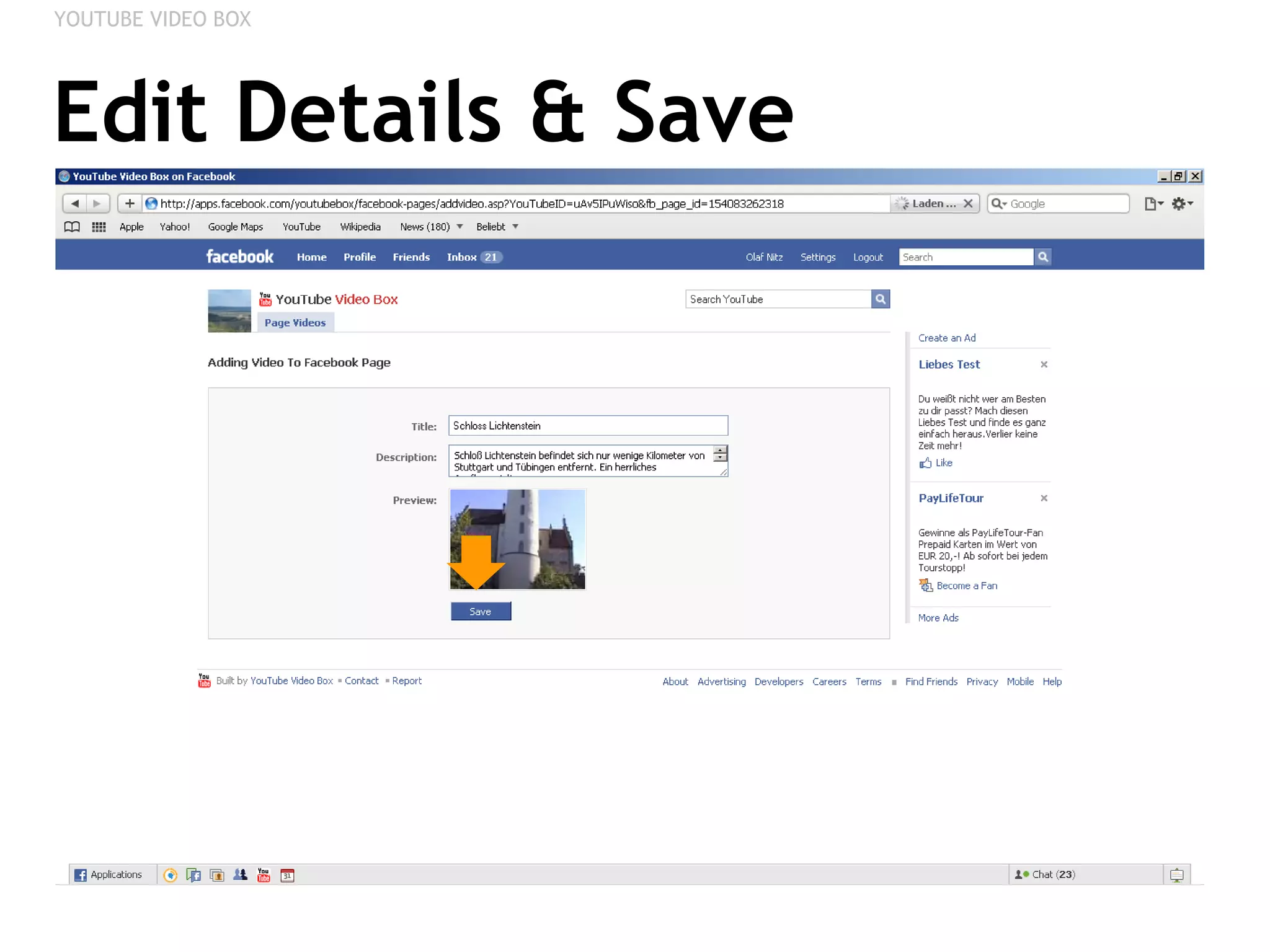
Edit Details & Save YOUTUBE VIDEO BOX
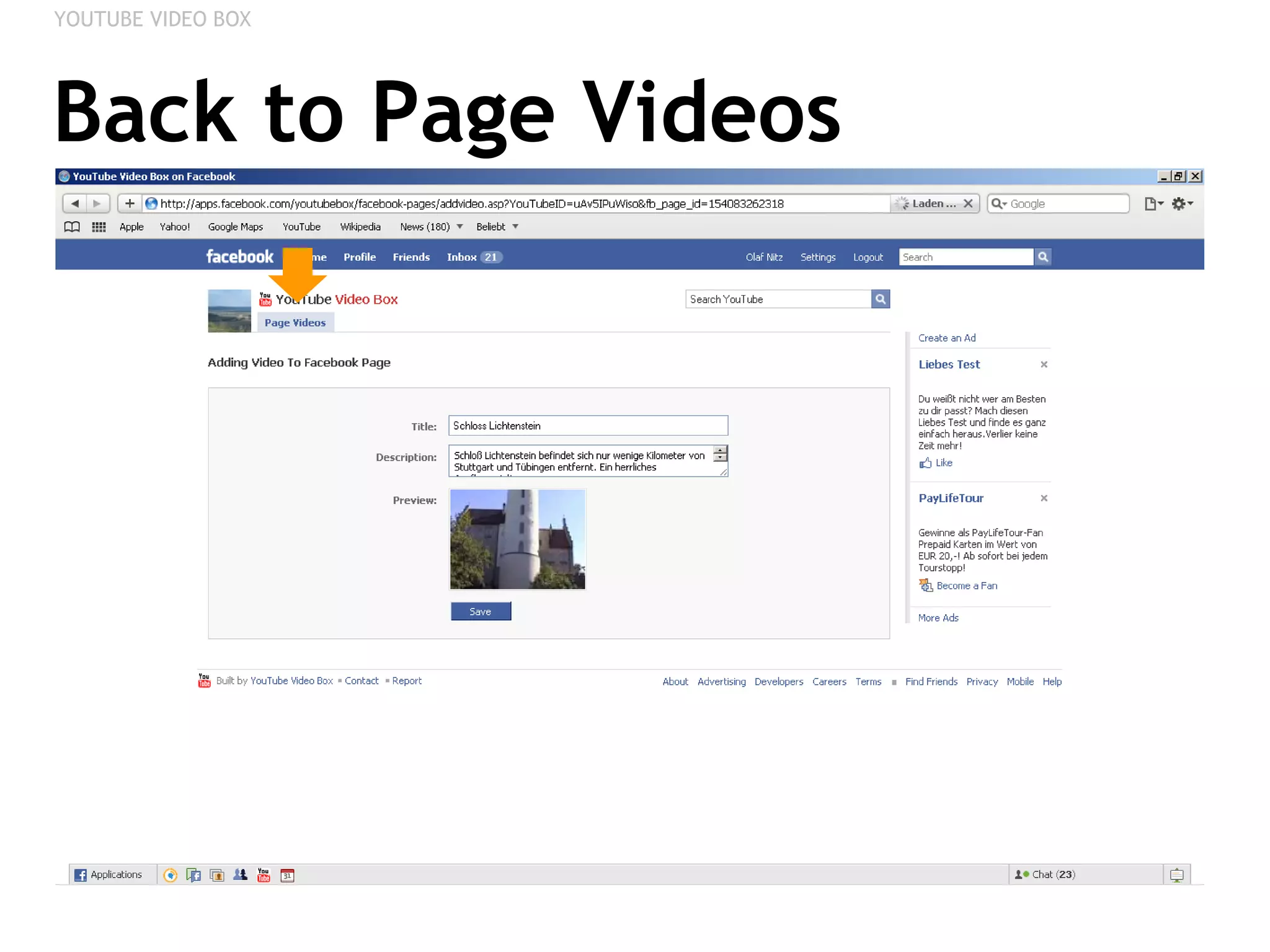
Back to Page Videos YOUTUBE VIDEO BOX
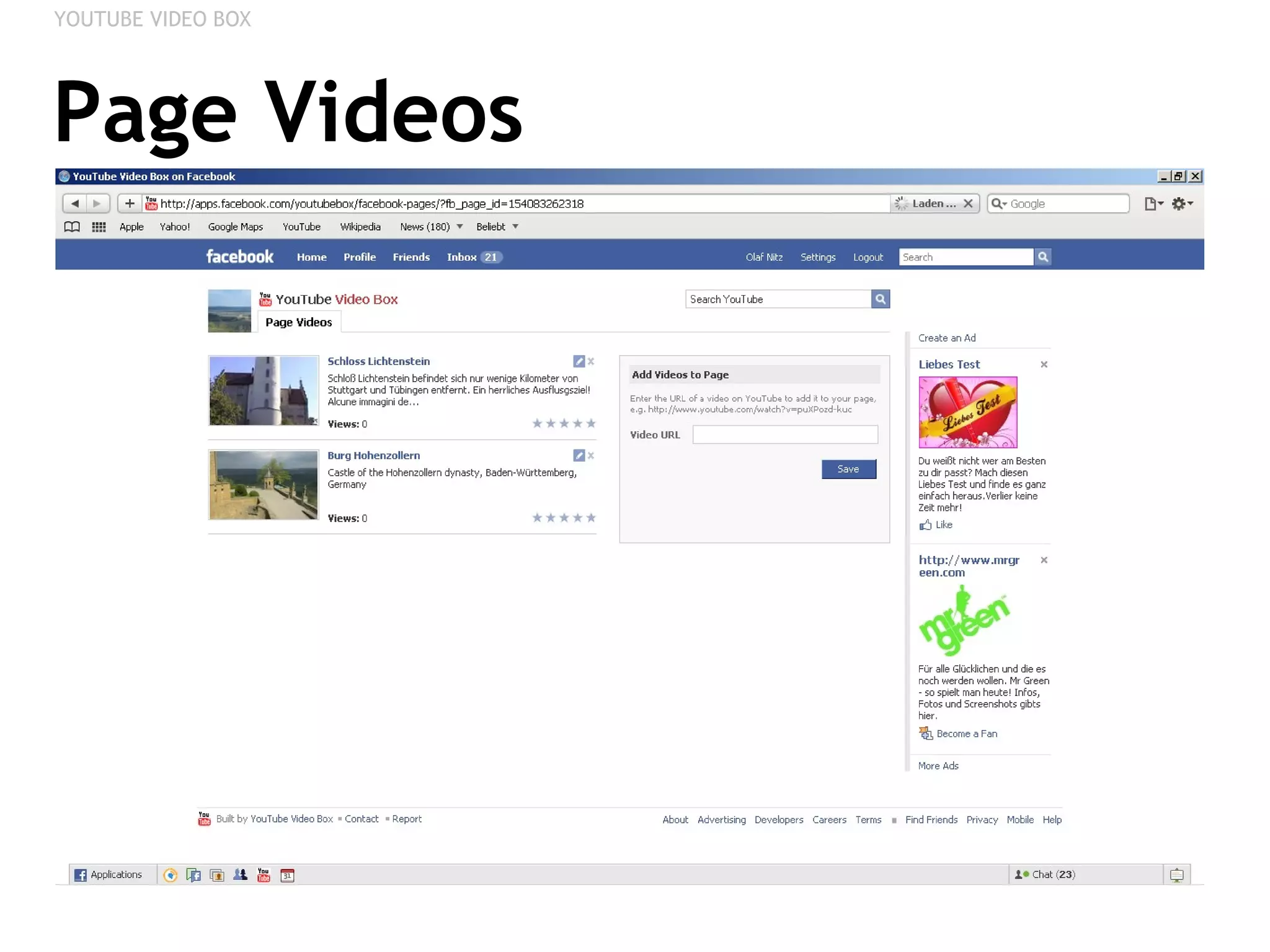
Page Videos YOUTUBE VIDEO BOX
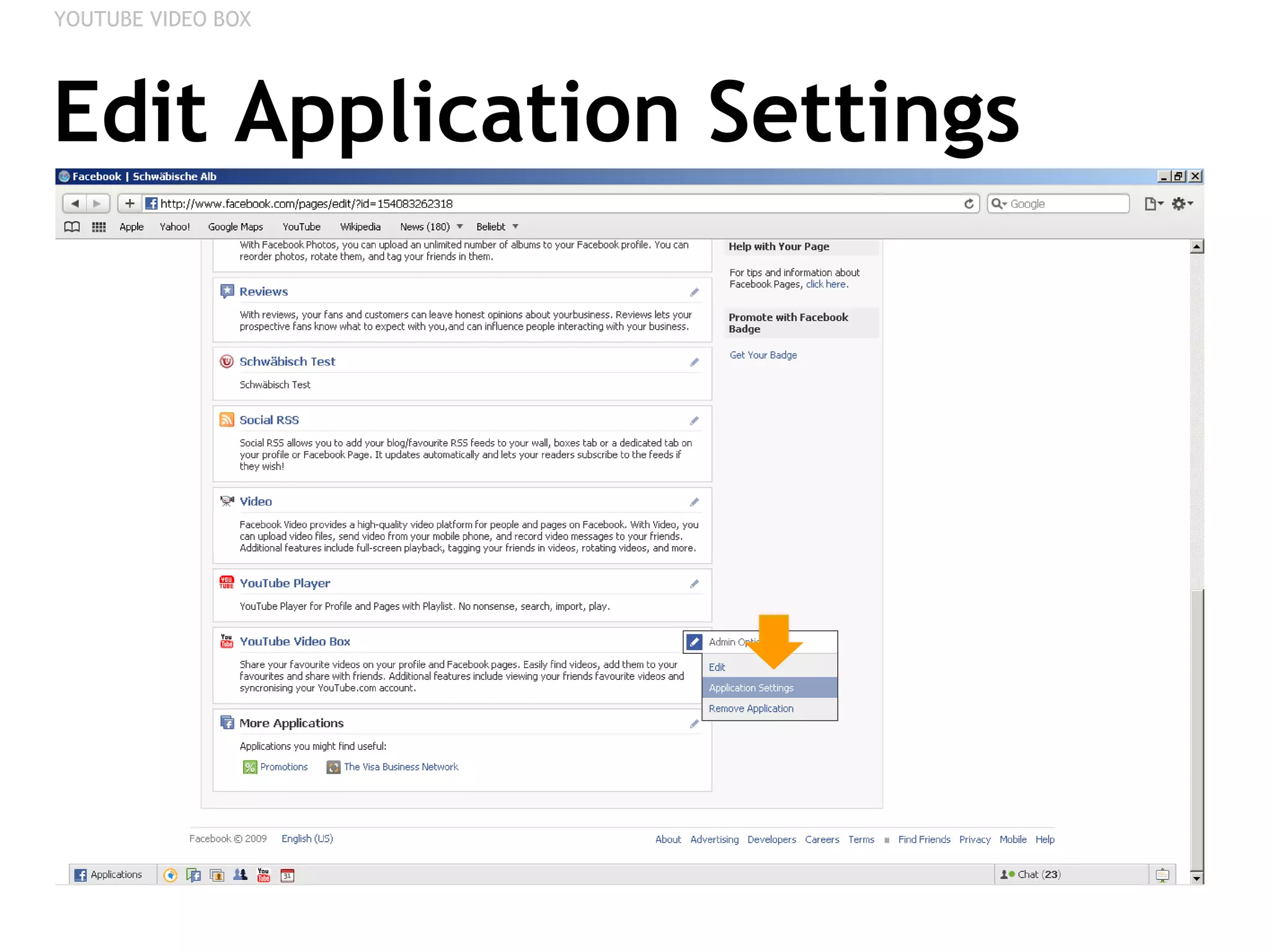
Edit Application Settings YOUTUBE VIDEO BOX
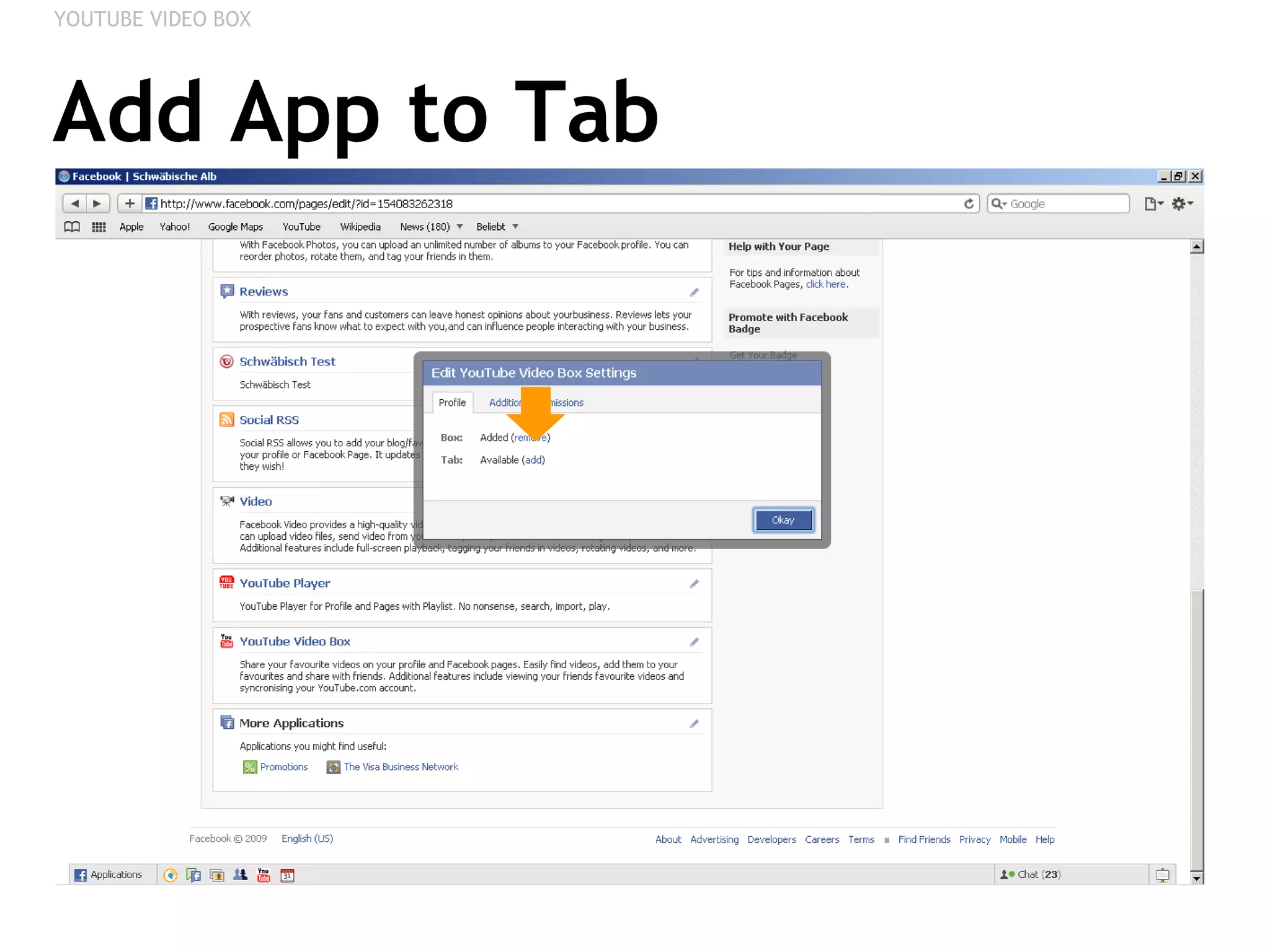
Add App to Tab YOUTUBE VIDEO BOX
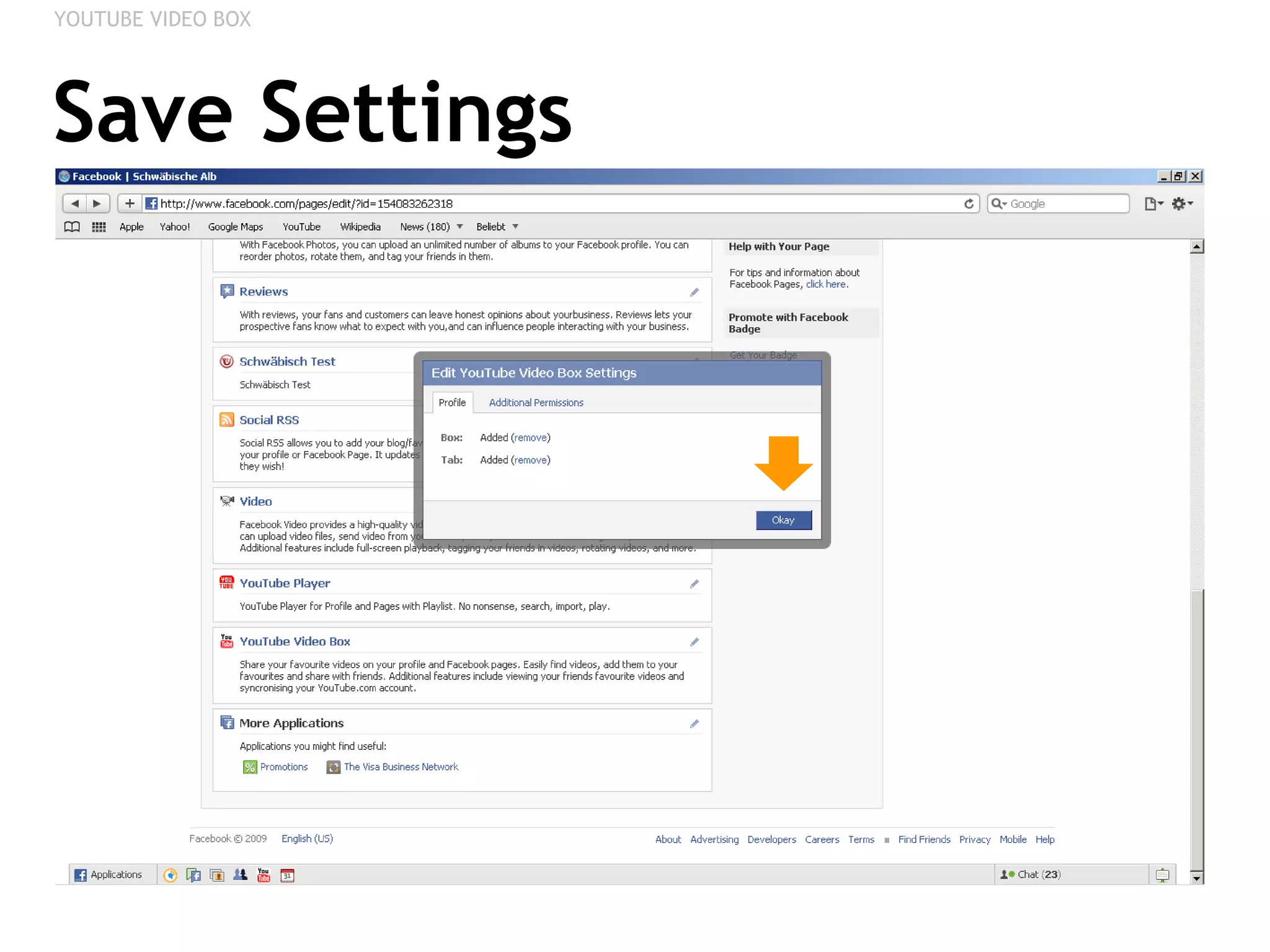
Save Settings YOUTUBE VIDEO BOX
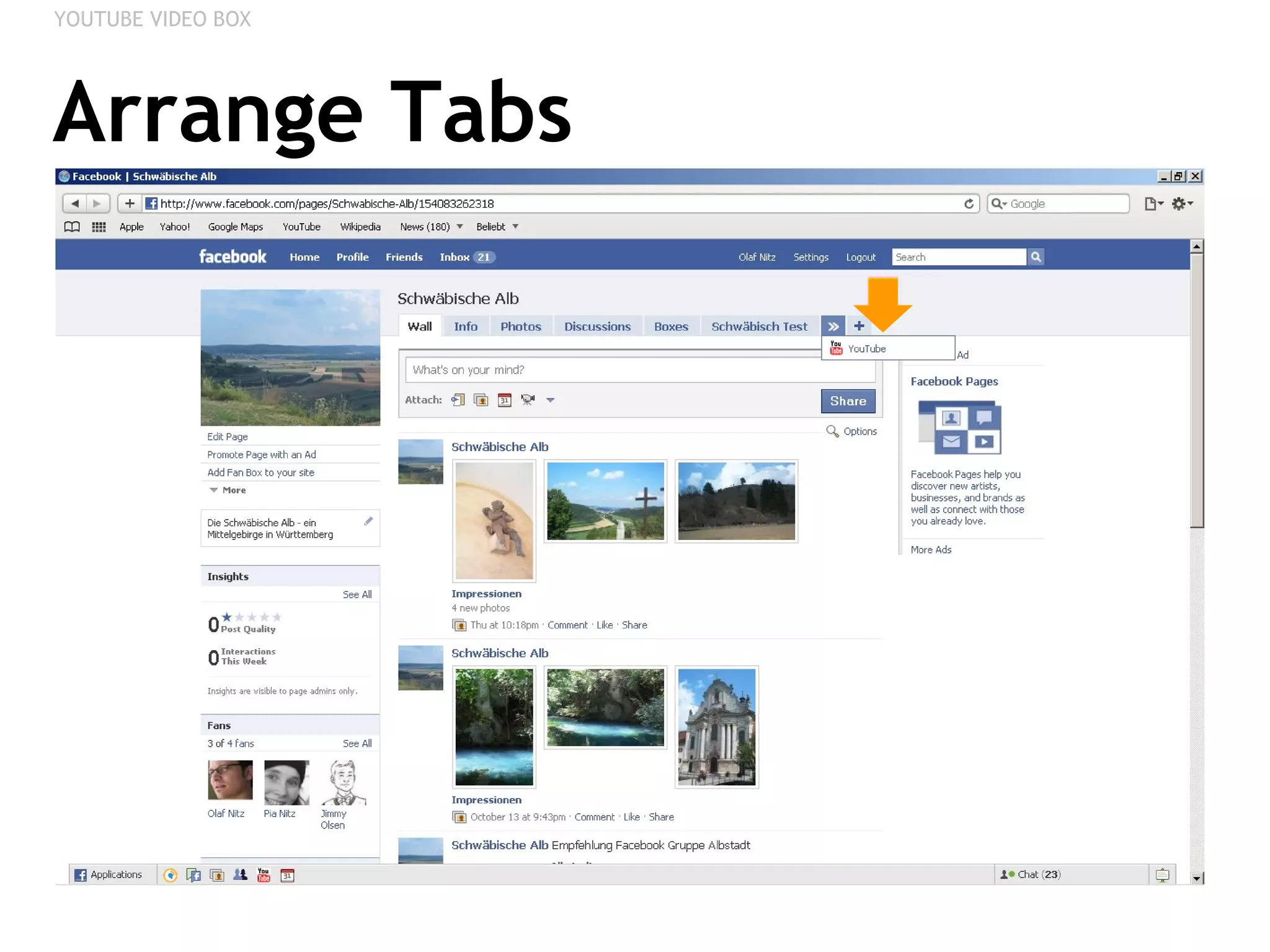
Arrange Tabs YOUTUBE VIDEO BOX
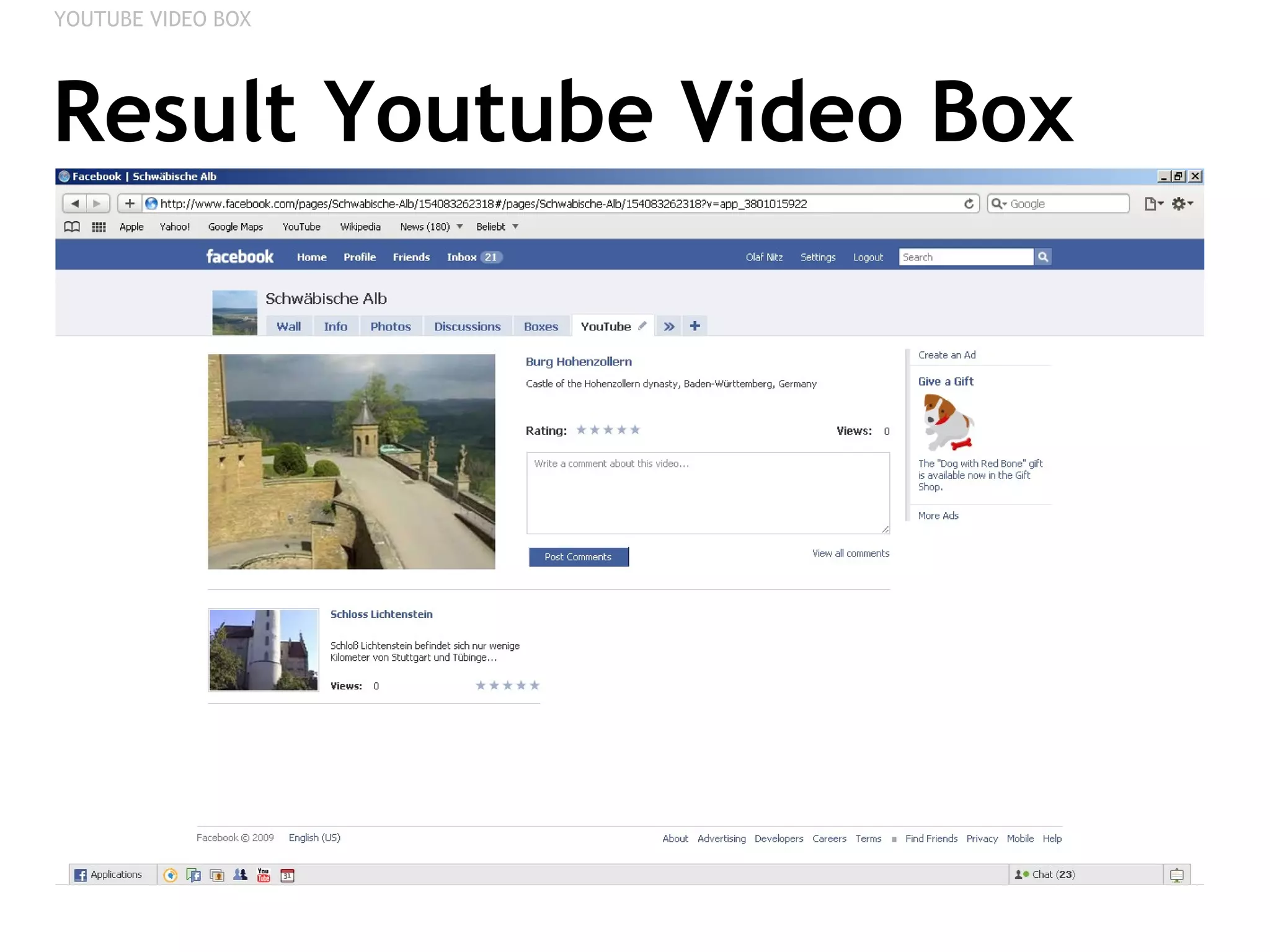
Result Youtube Video Box YOUTUBE VIDEO BOX
TWITTER FOR PAGES Integrating your Tweets
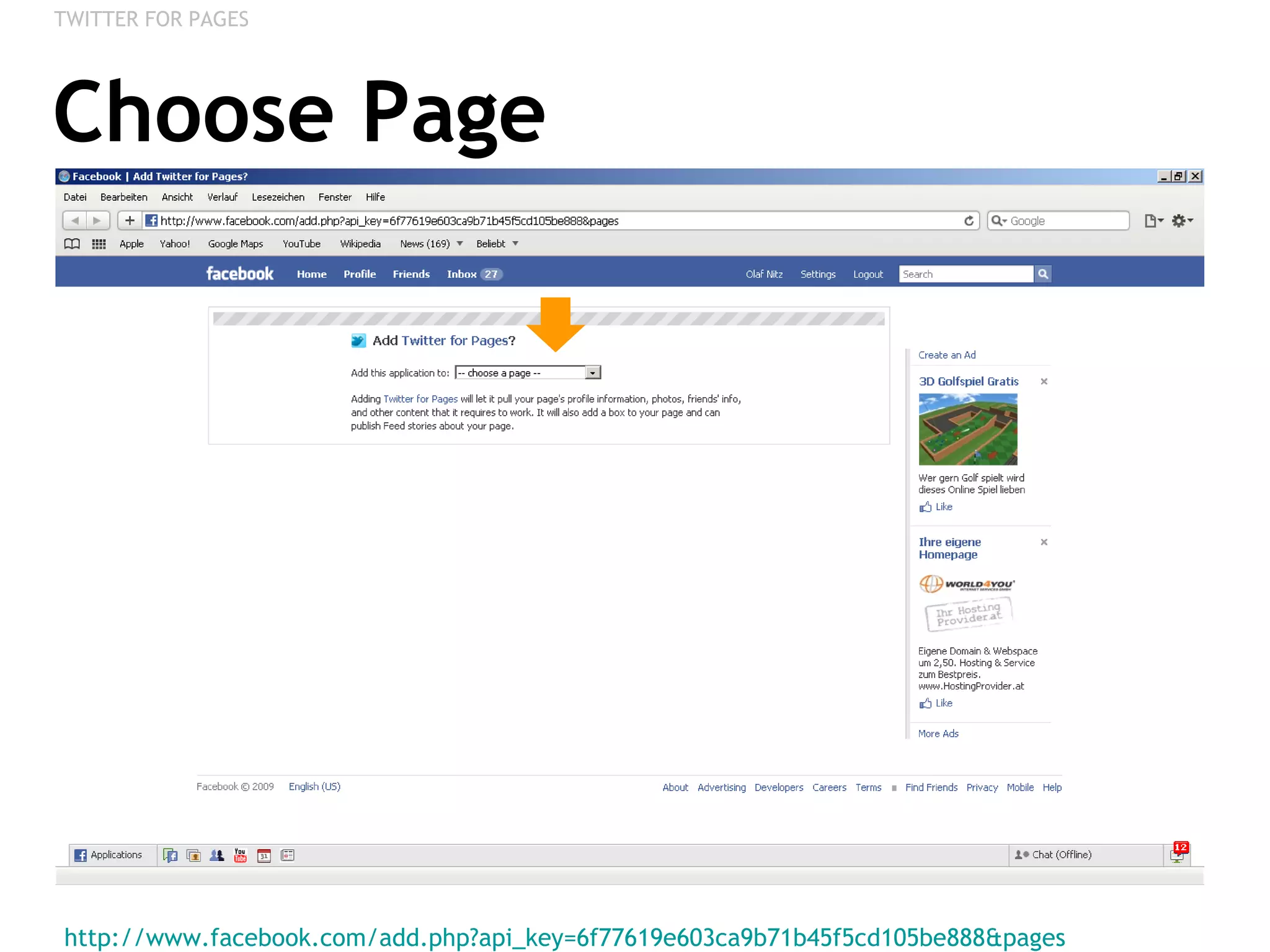
Choose Page http://www.facebook.com/add.php?api_key=6f77619e603ca9b71b45f5cd105be888&pages   TWITTER FOR PAGES
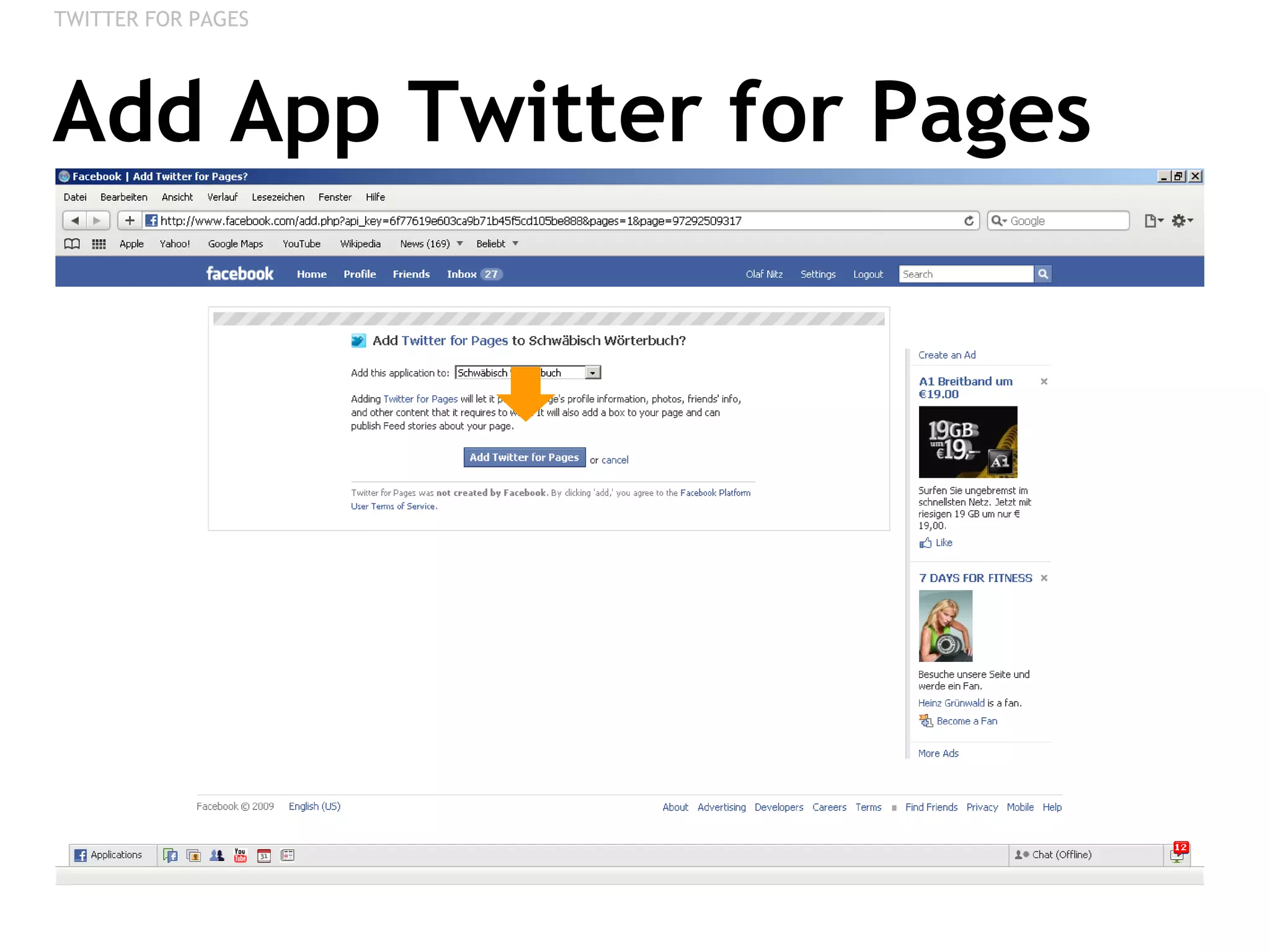
Add App Twitter for Pages TWITTER FOR PAGES
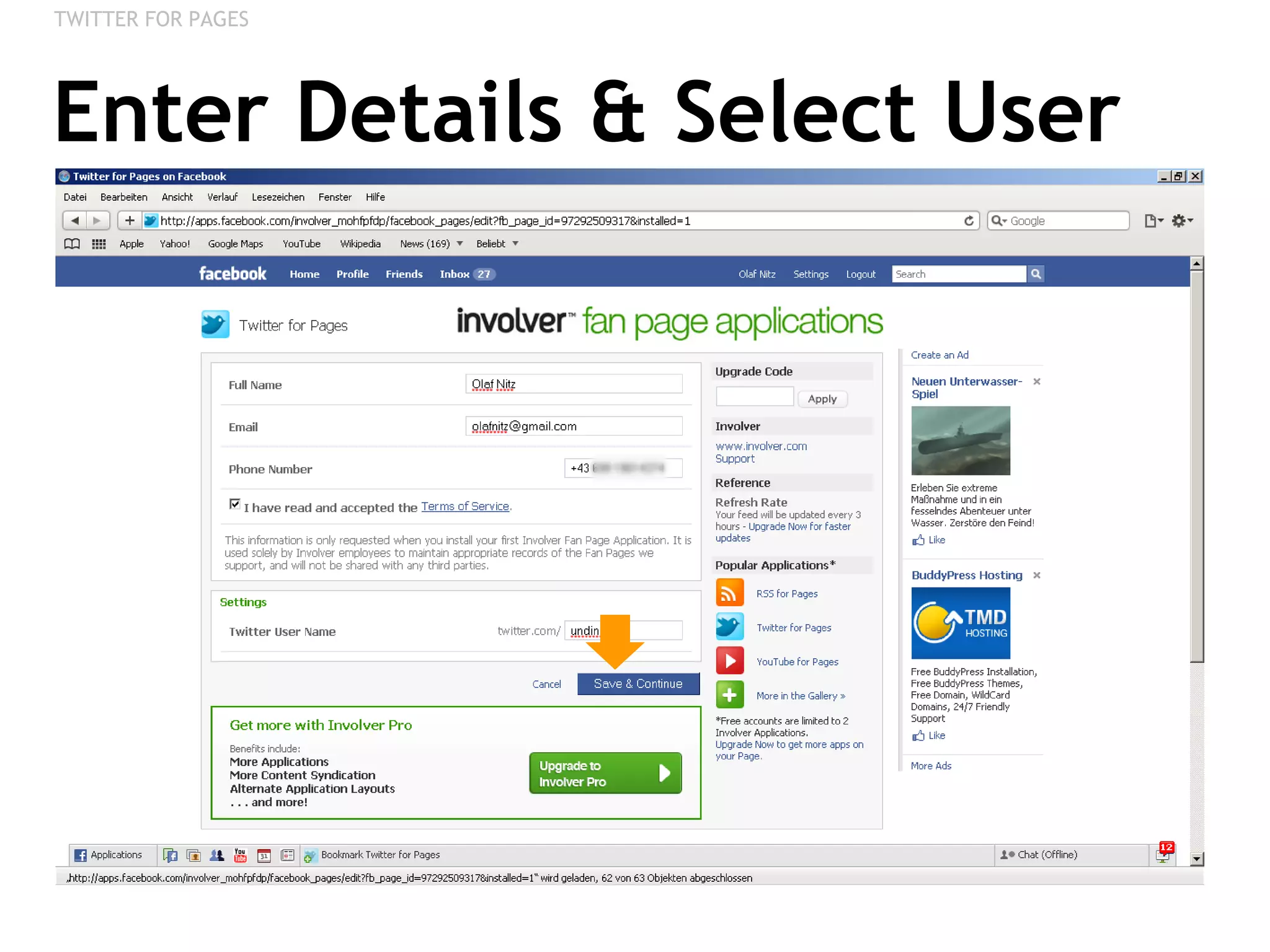
Enter Details & Select User TWITTER FOR PAGES
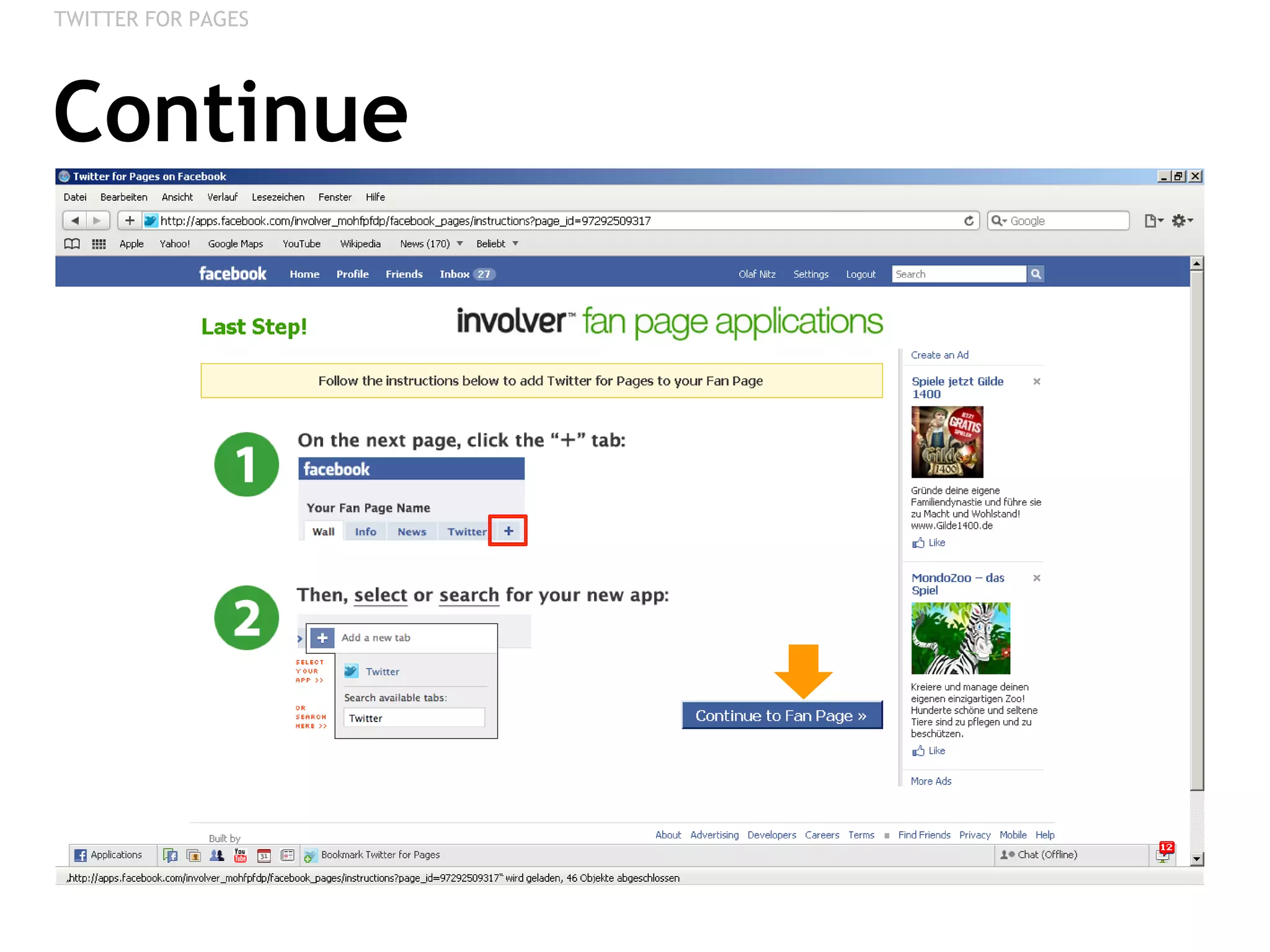
Continue TWITTER FOR PAGES
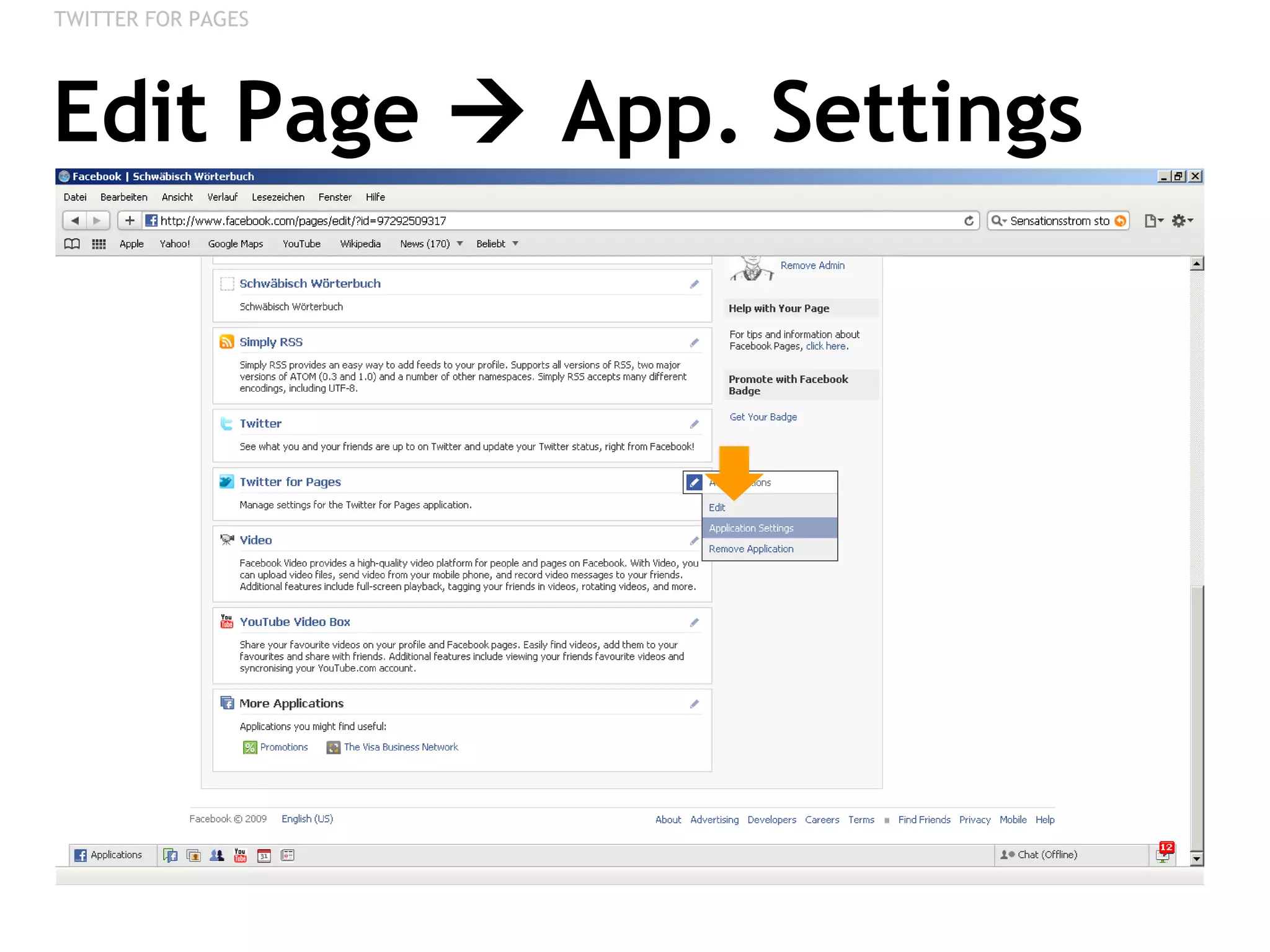
Edit Page    App. Settings TWITTER FOR PAGES
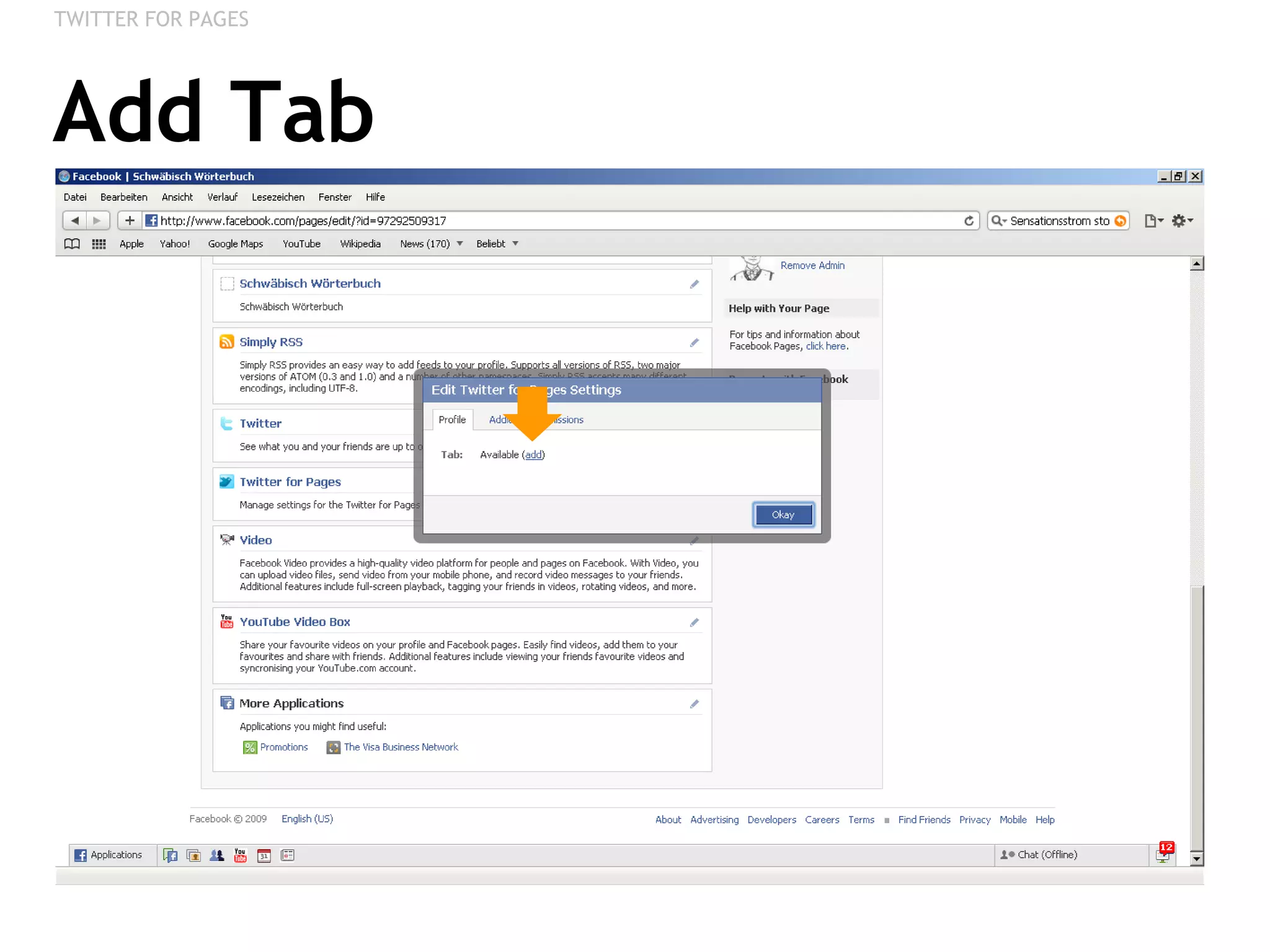
Add Tab TWITTER FOR PAGES
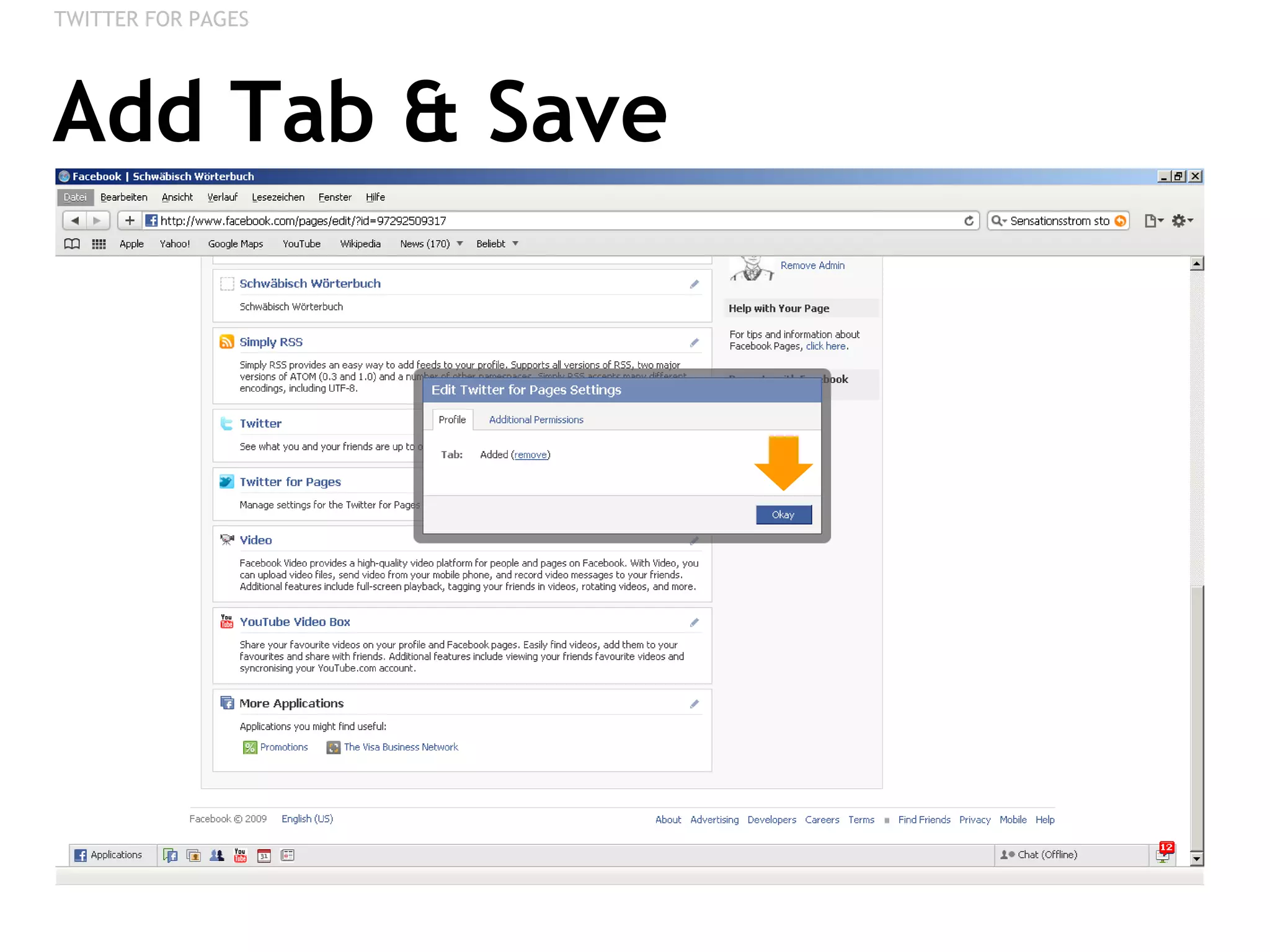
Add Tab & Save TWITTER FOR PAGES
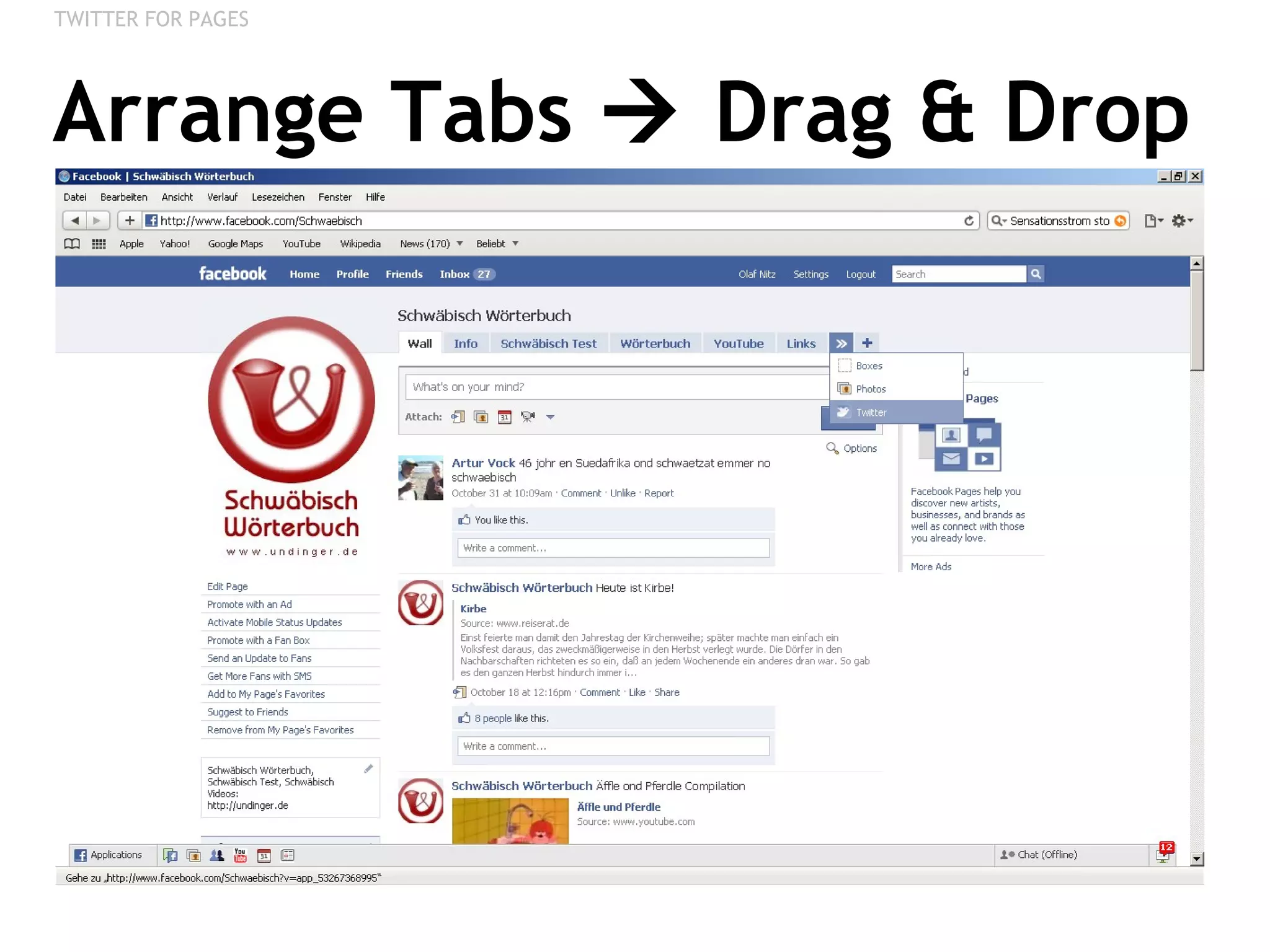
Arrange Tabs    Drag & Drop TWITTER FOR PAGES
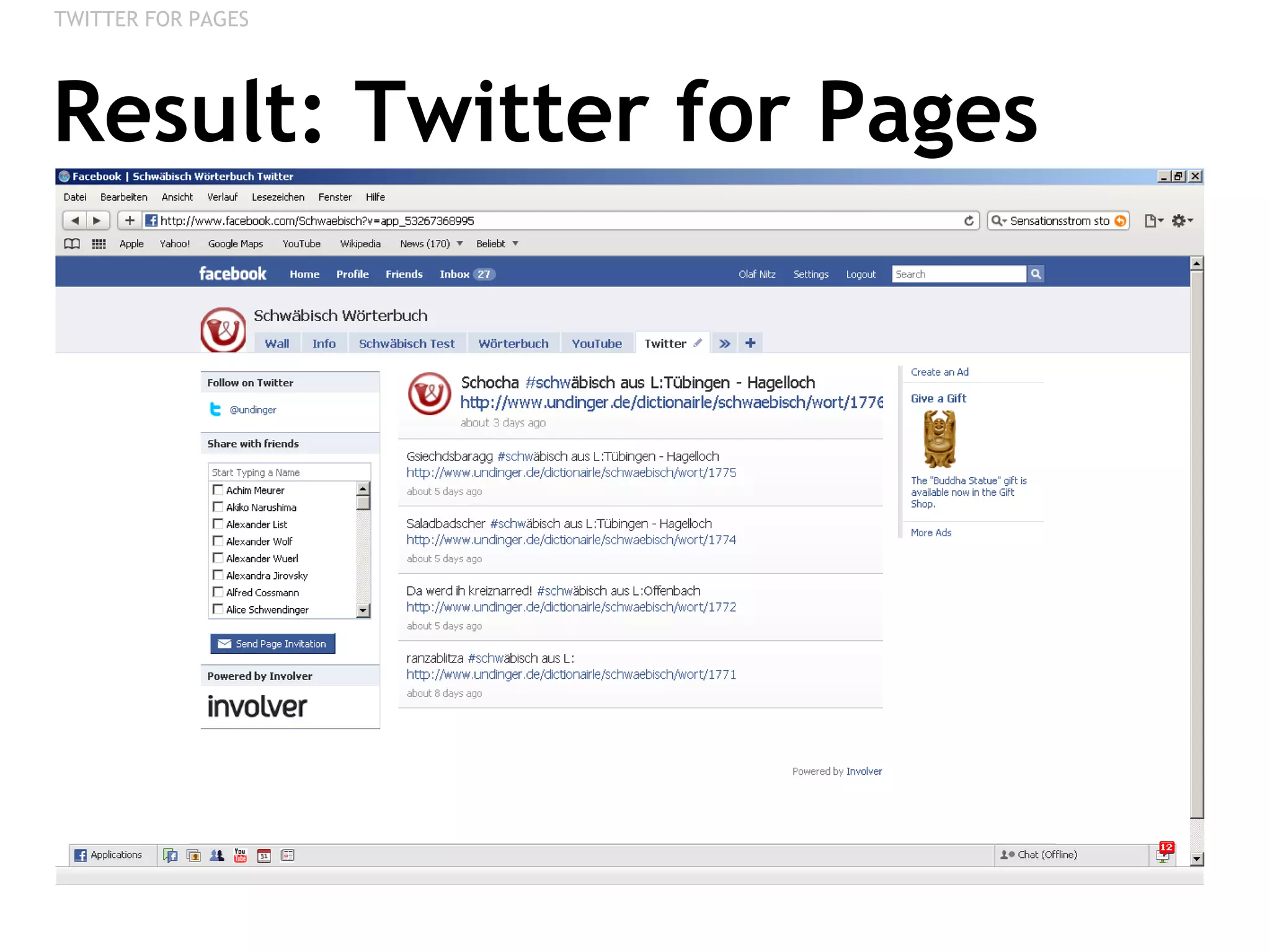
Result: Twitter for Pages TWITTER FOR PAGES
RSS / BLOG Integrating a Blog
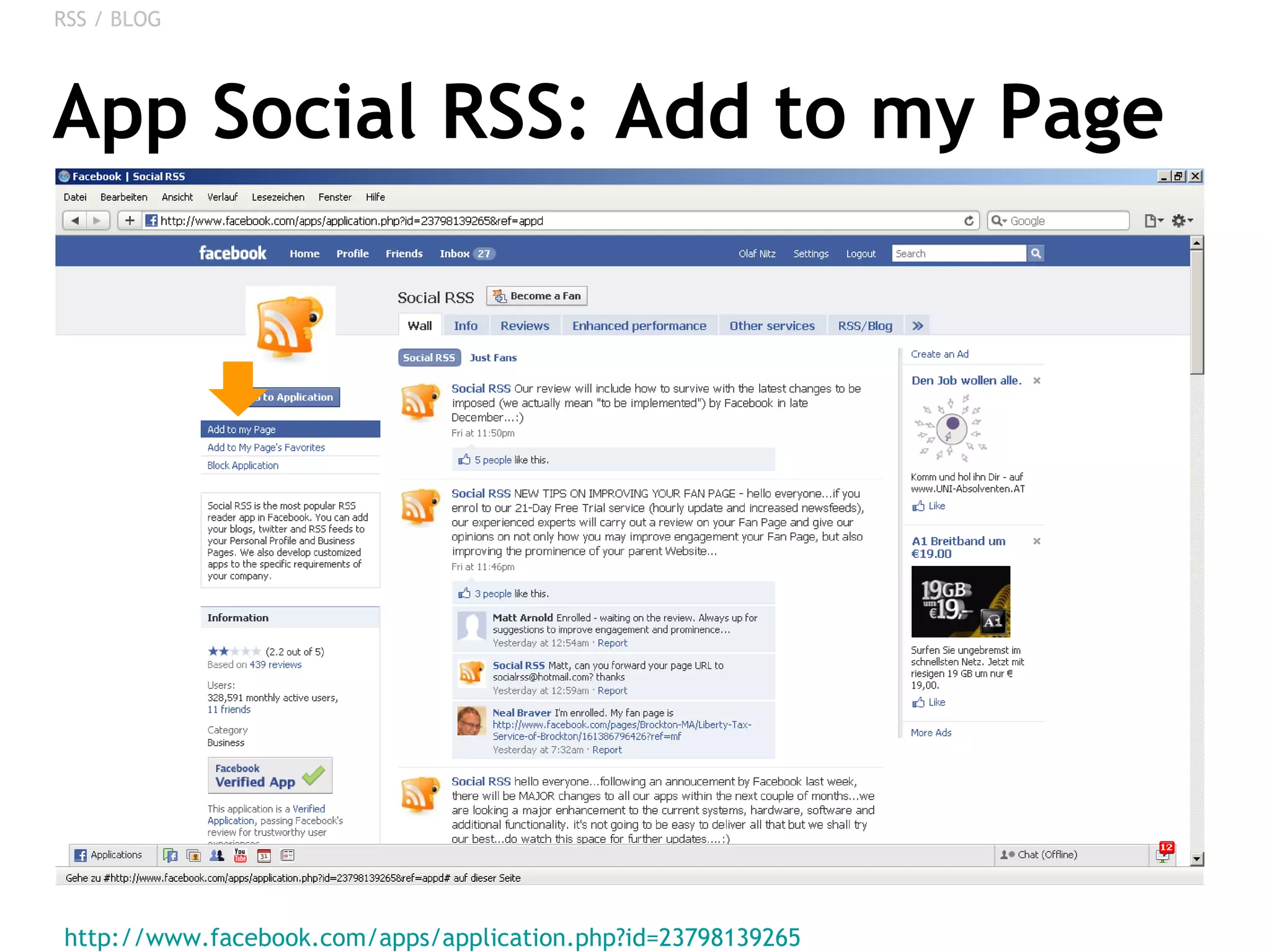
App Social RSS: Add to my Page http://www.facebook.com/apps/application.php?id=23798139265   RSS / BLOG
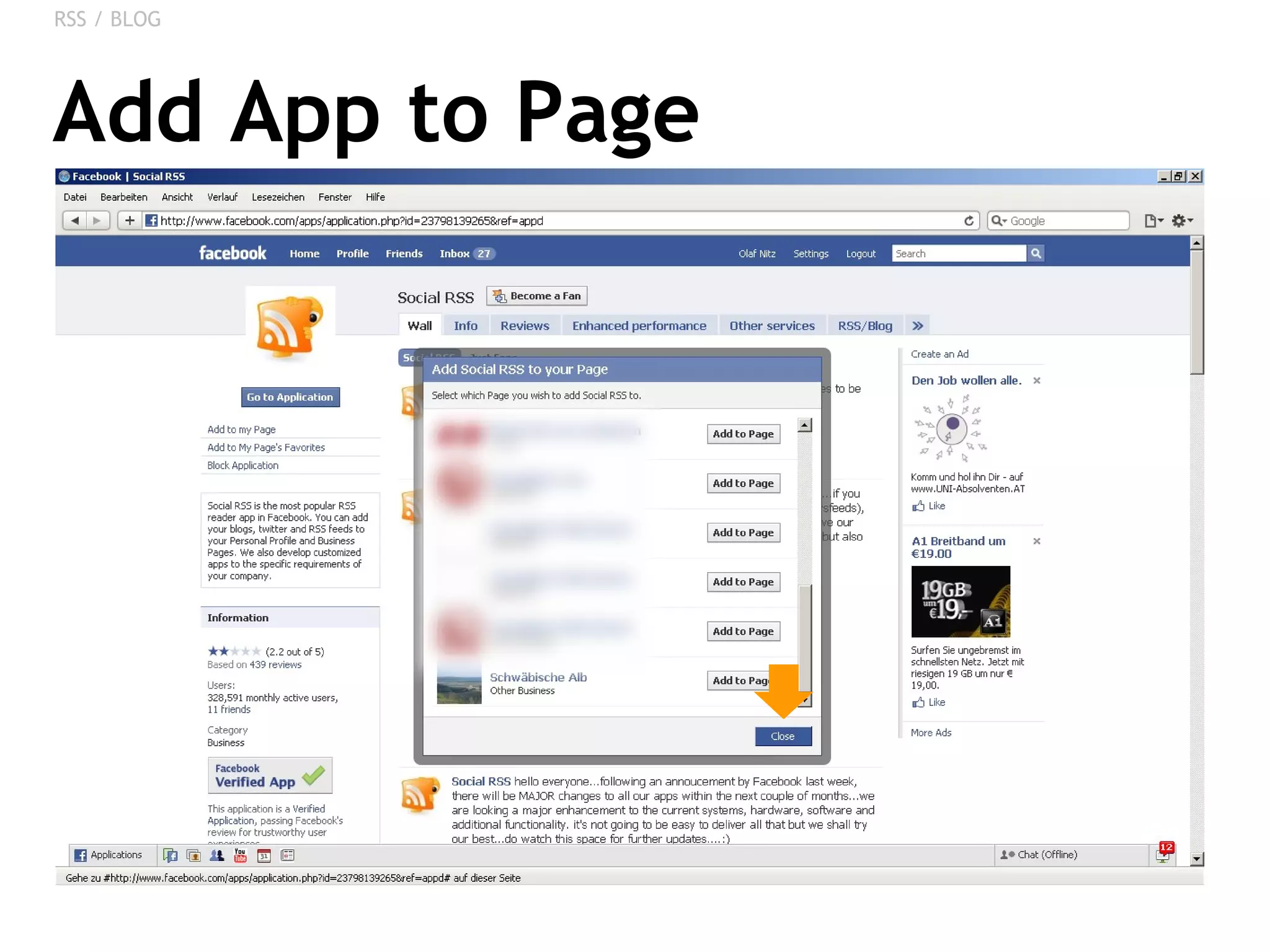
Add App to Page RSS / BLOG
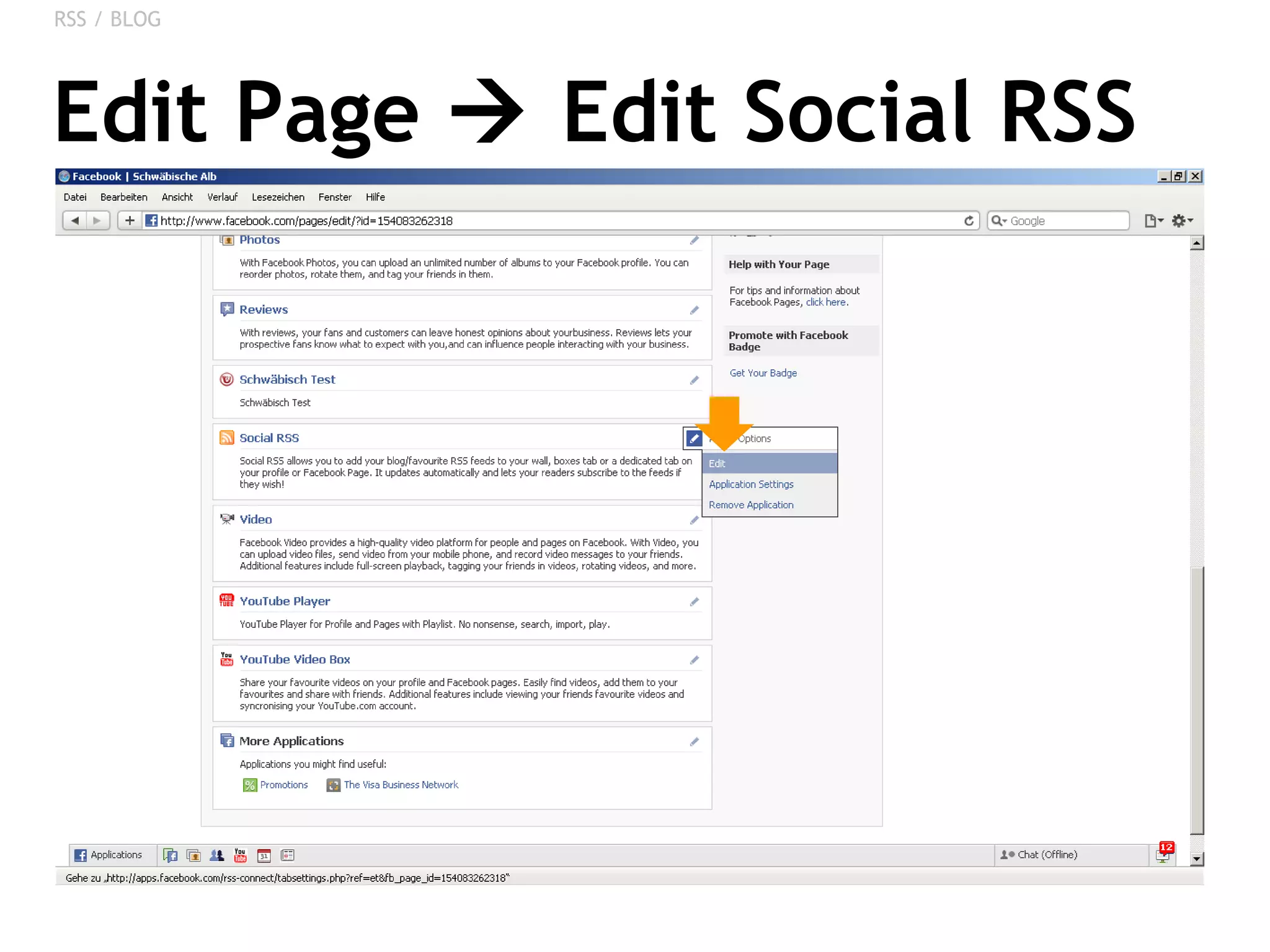
Edit Page    Edit Social RSS RSS / BLOG
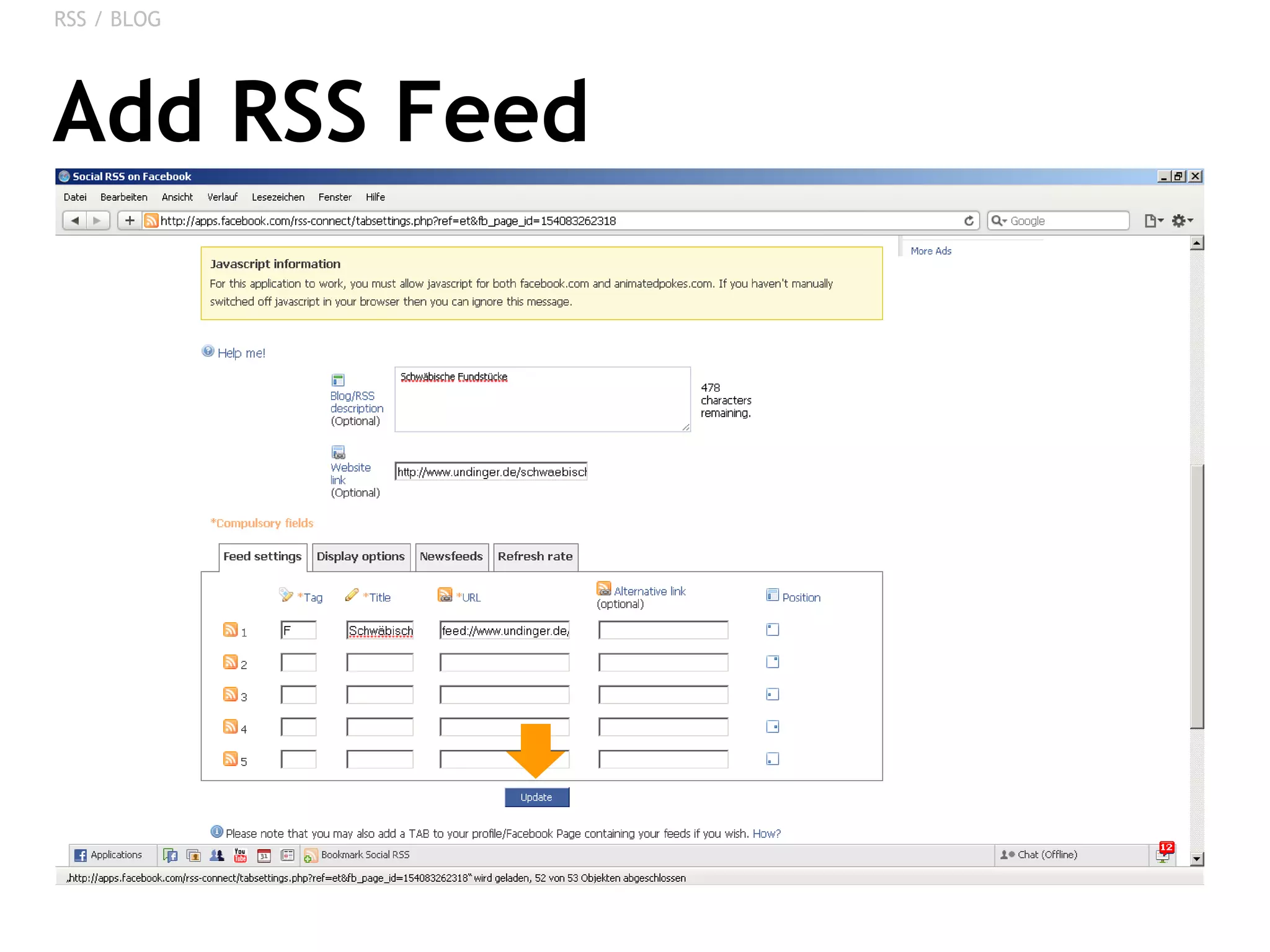
Add RSS Feed RSS / BLOG
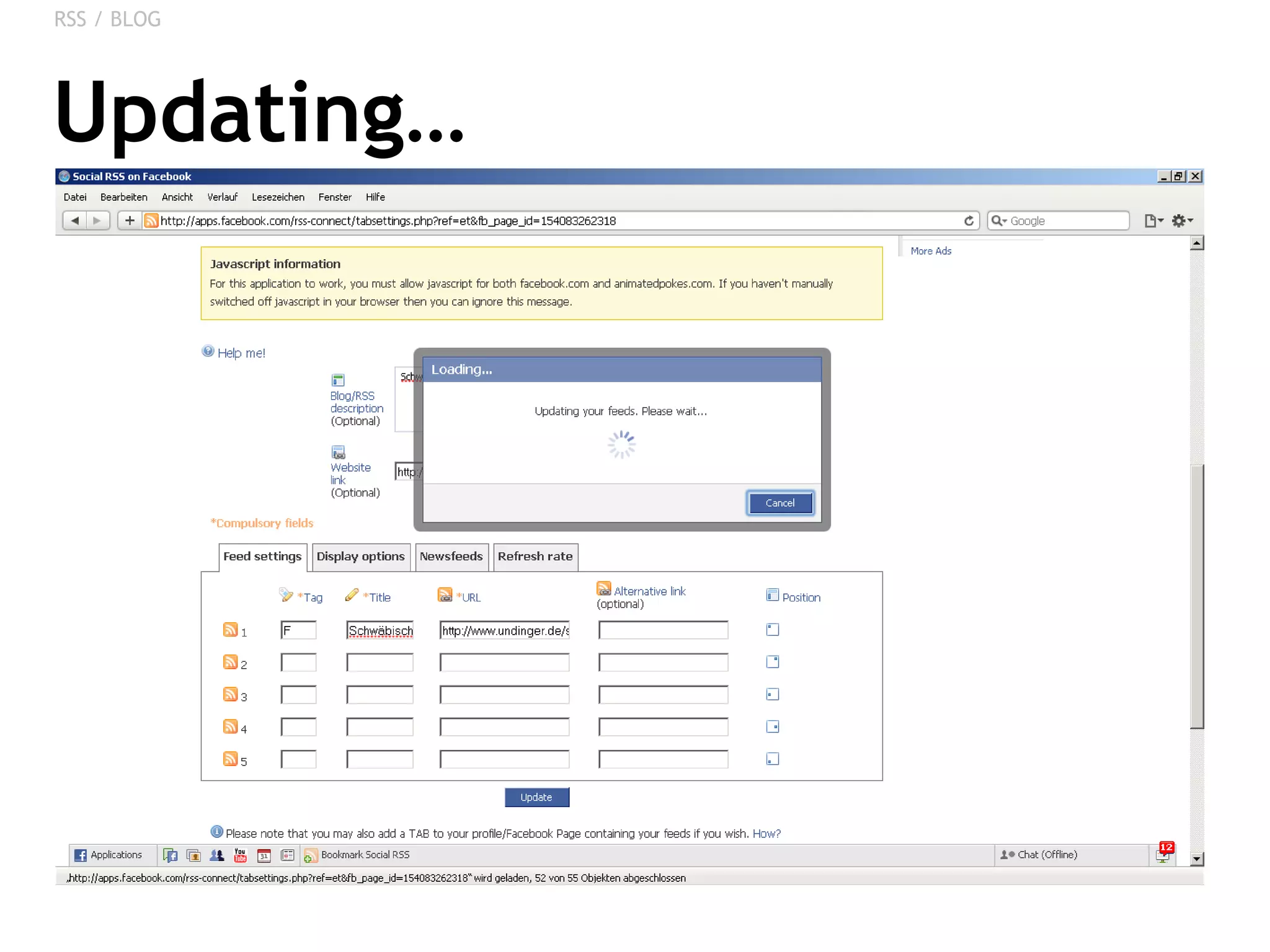
Updating… RSS / BLOG
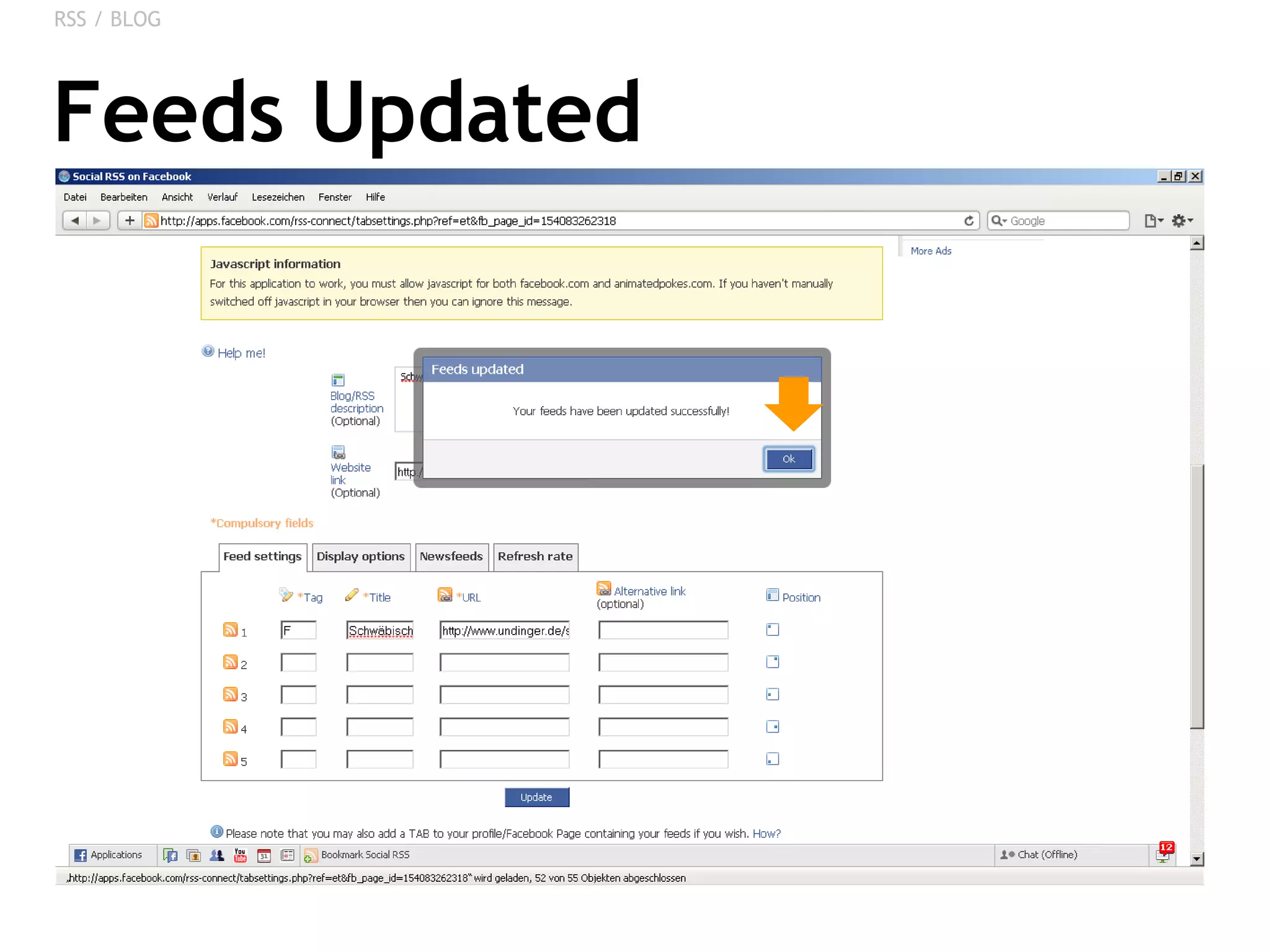
Feeds Updated RSS / BLOG
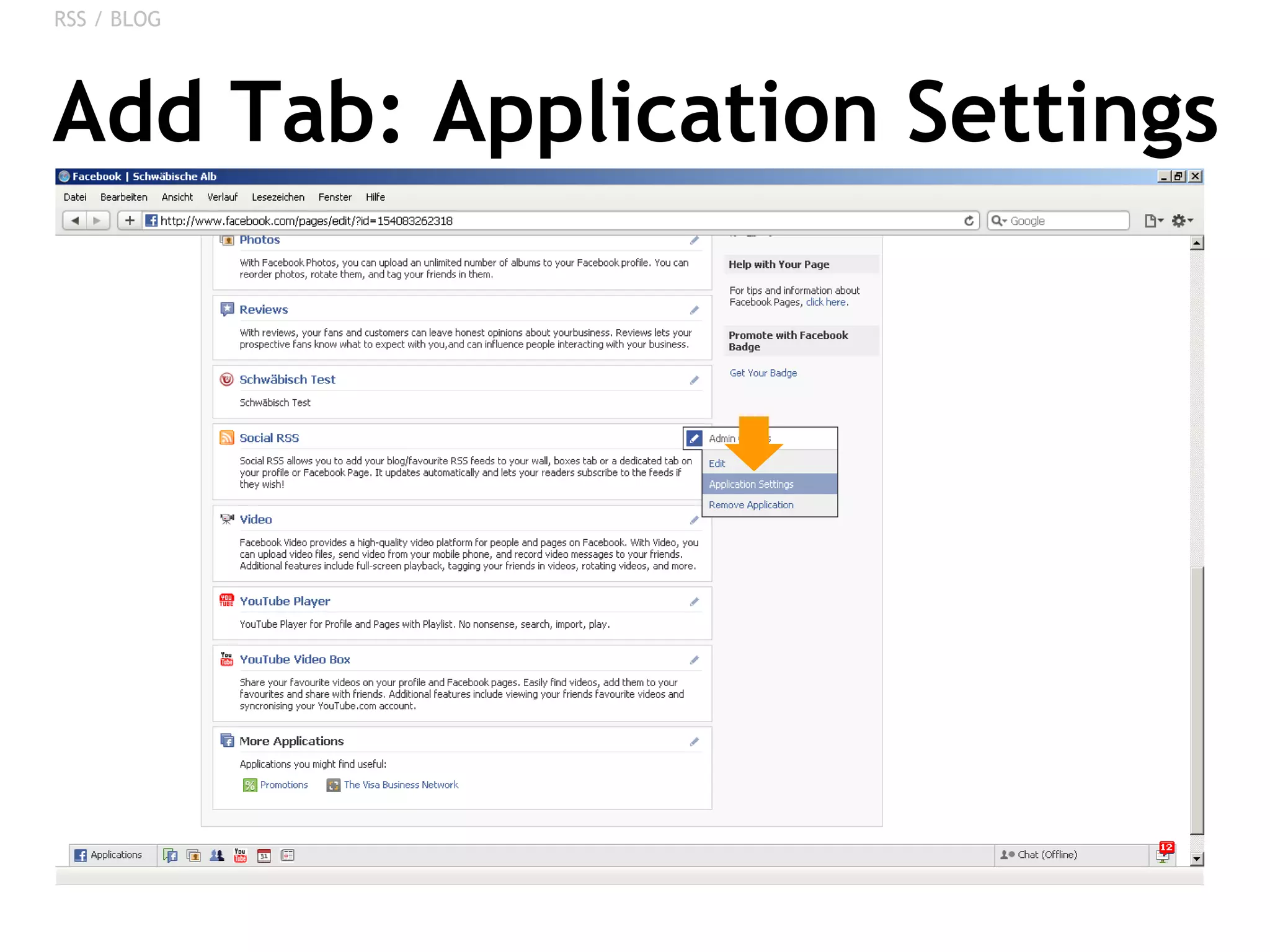
Add Tab: Application Settings RSS / BLOG
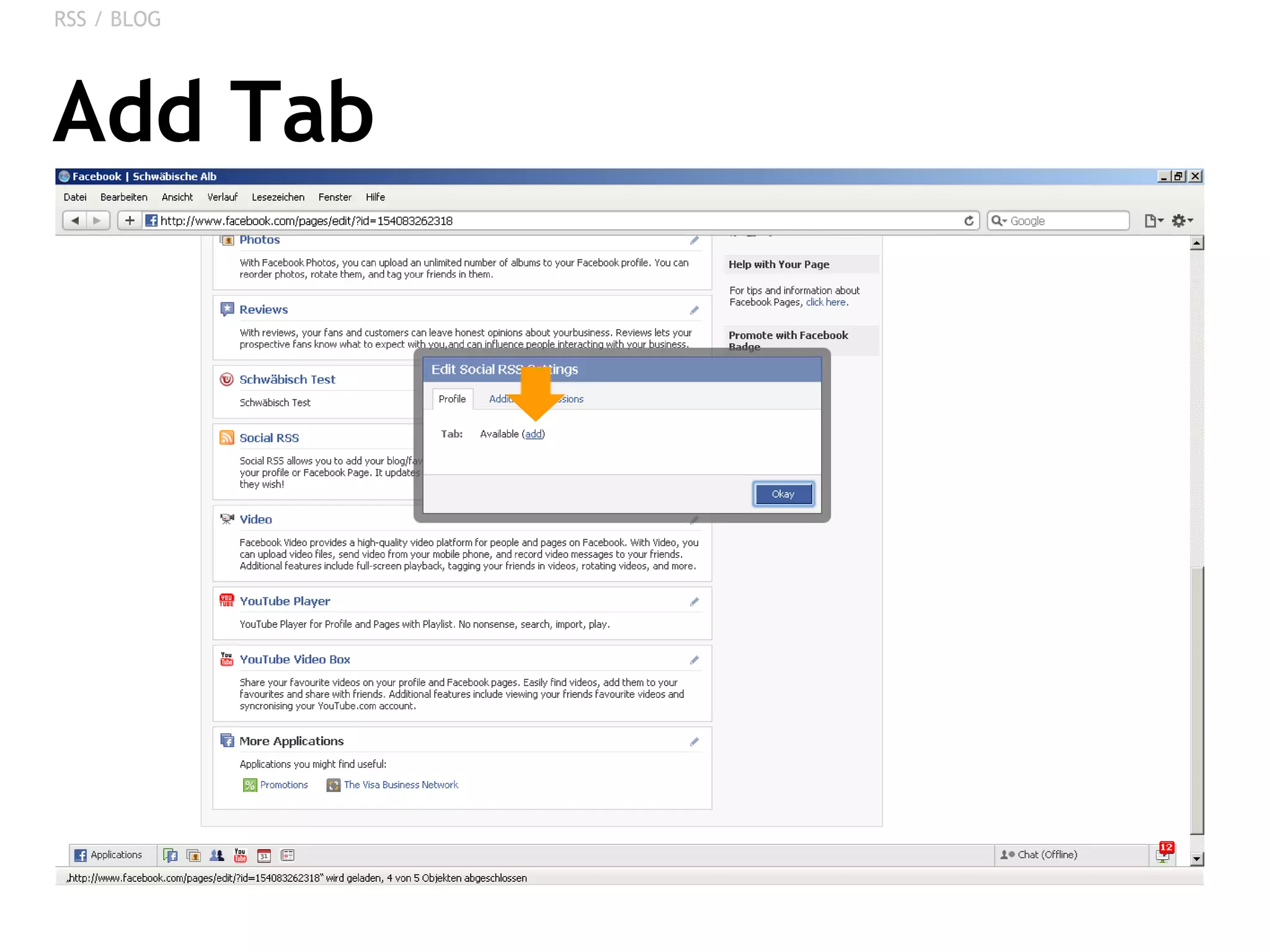
Add Tab RSS / BLOG
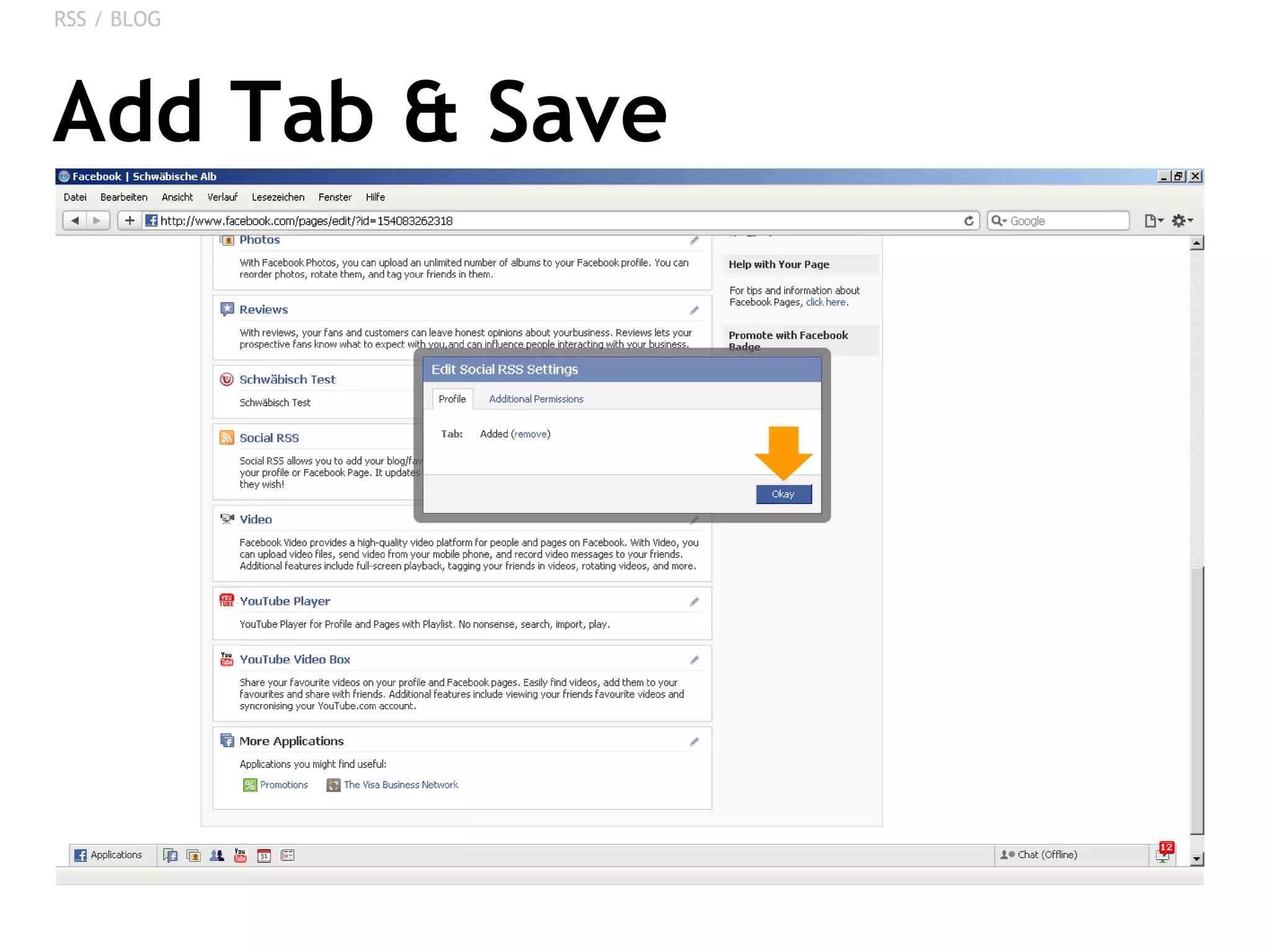
Add Tab & Save RSS / BLOG
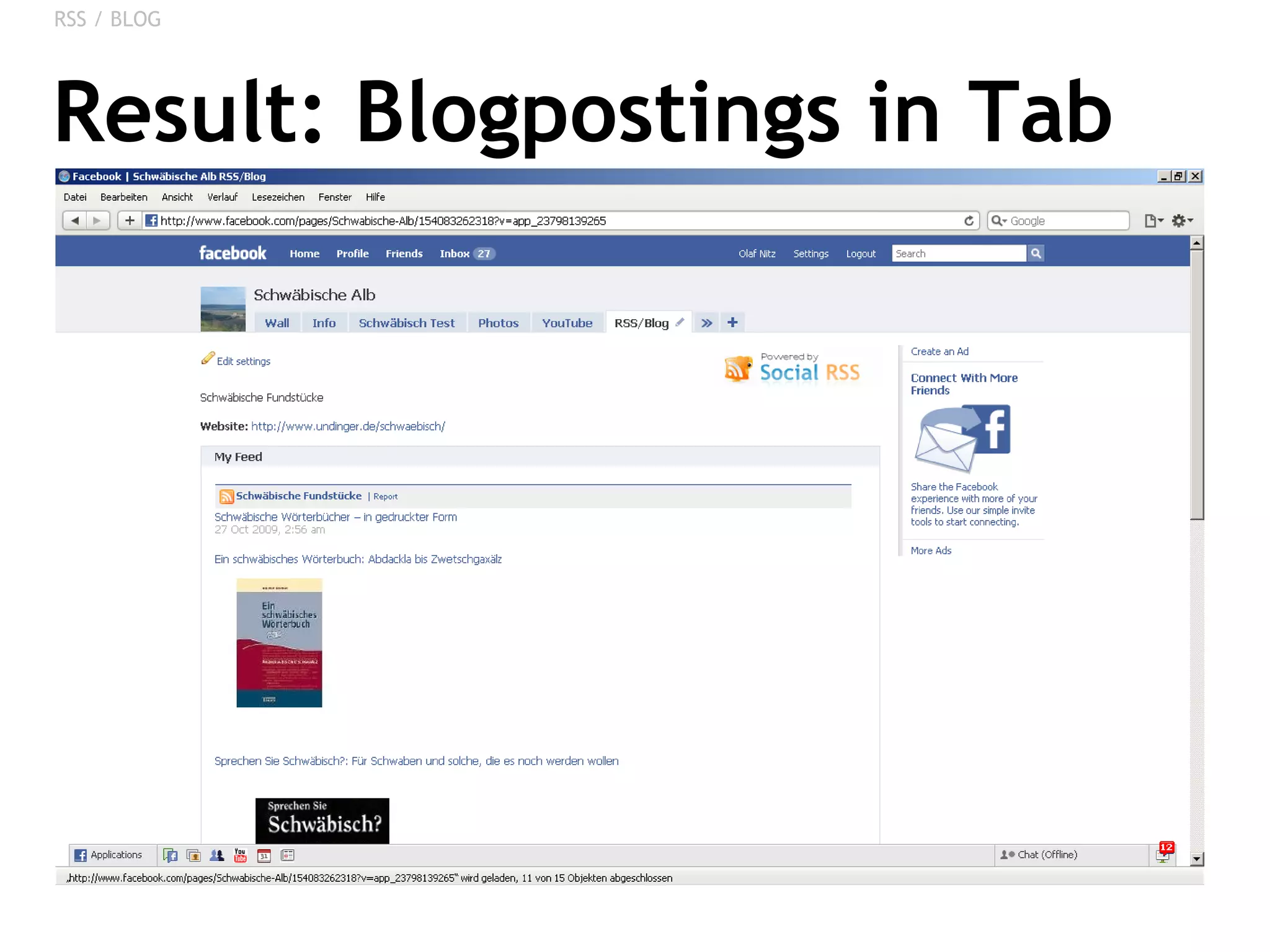
Result: Blogpostings in Tab RSS / BLOG
CREATING A SIMPLE APP Content from a Website on Facebook
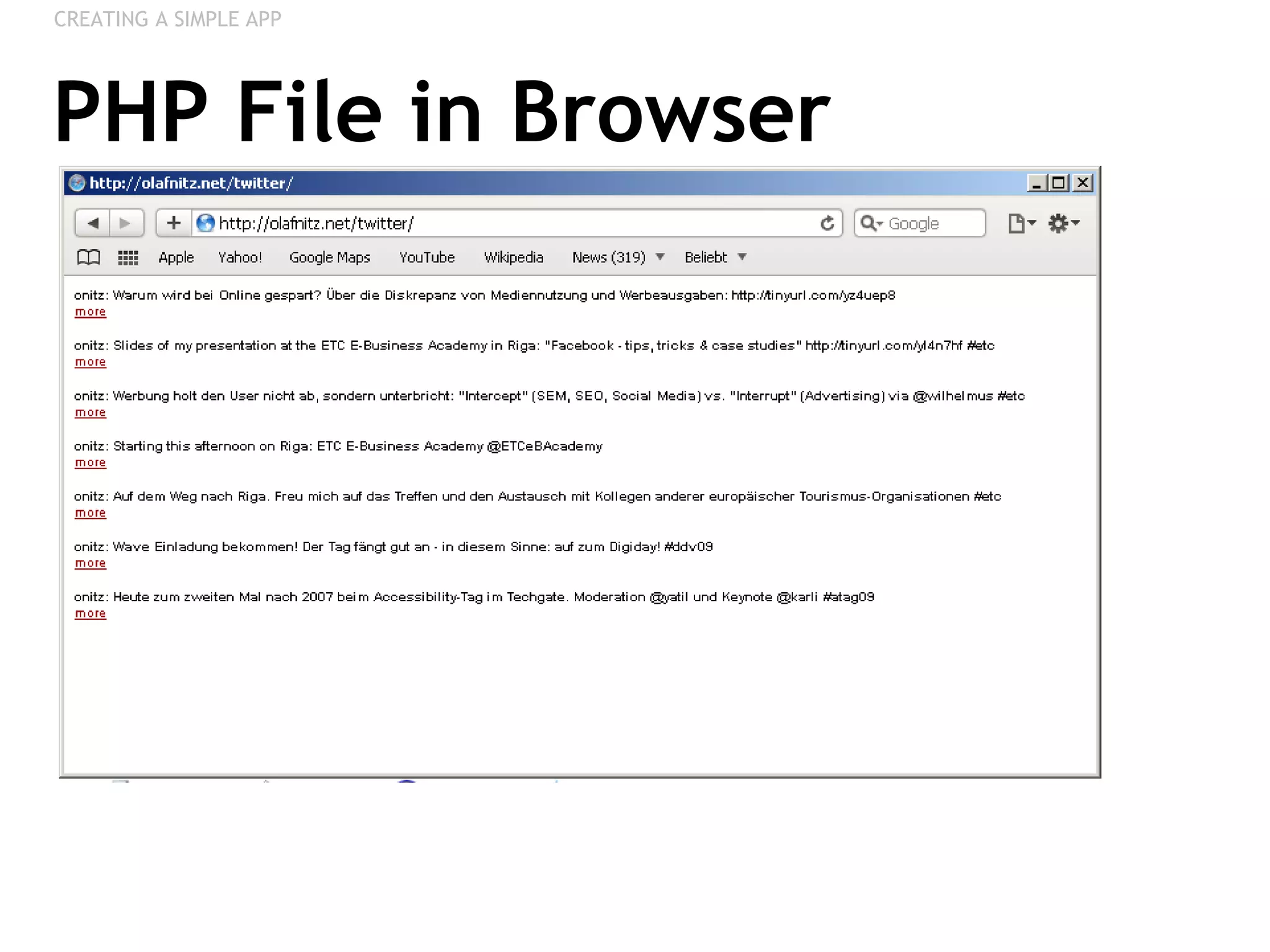
Creating Content: PHP Code Example: Including Twitter via RSS Upload PHP-File to a Server CREATING A SIMPLE APP <style type=&quot;text/css&quot;> p { font-family: Arial, Helvetica, sans-serif;  font-size:10px; } a { color:#990000; } </style> <?php # Script: XML-Reader # Copyright: y0y.de, erweitert: bueltge.de $url = &quot;http://twitter.com/statuses/user_timeline/957101.rss&quot;;  $number = 7;  $file_content = @file_get_contents($url); $items = preg_match_all(&quot;/<item[ ]?.*>(.*)<\/item>/Uis&quot;, $file_content, $array_items); $array_items = $array_items[1]; if(!empty($array_items))   {  if ($number>sizeof($array_items)) $number=sizeof($array_items); echo &quot;<p>&quot;; for($n=0;$n<$number;$n++) {  preg_match(&quot;/<link>(.*)<\/link>/Uis&quot;, $array_items[$n], $array_link); preg_match(&quot;/<title>(.*)<\/title>/Uis&quot;, $array_items[$n], $array_title);  preg_match(&quot;/<pubDate>(.*)<\/pubDate>/Uis&quot;, $array_items[$n], $array_pubdate);  $suchmuster = &quot;/\<description\>\<\!\[CDATA\[(.*)\]\]\\><\/description\>/Uis&quot;; preg_match($suchmuster, $array_items[$n], $array_description);  echo &quot;<b>$array_title[1]</b><br>&quot;; echo &quot;$array_description[1] &quot;;  echo &quot;<a href=\&quot;$array_link[1]\&quot; target=\&quot;_blank\&quot;>more</a>&quot;;  echo &quot;<br><br>&quot;; } echo &quot;</ul></p>&quot;;  }  ?>
PHP File in Browser CREATING A SIMPLE APP
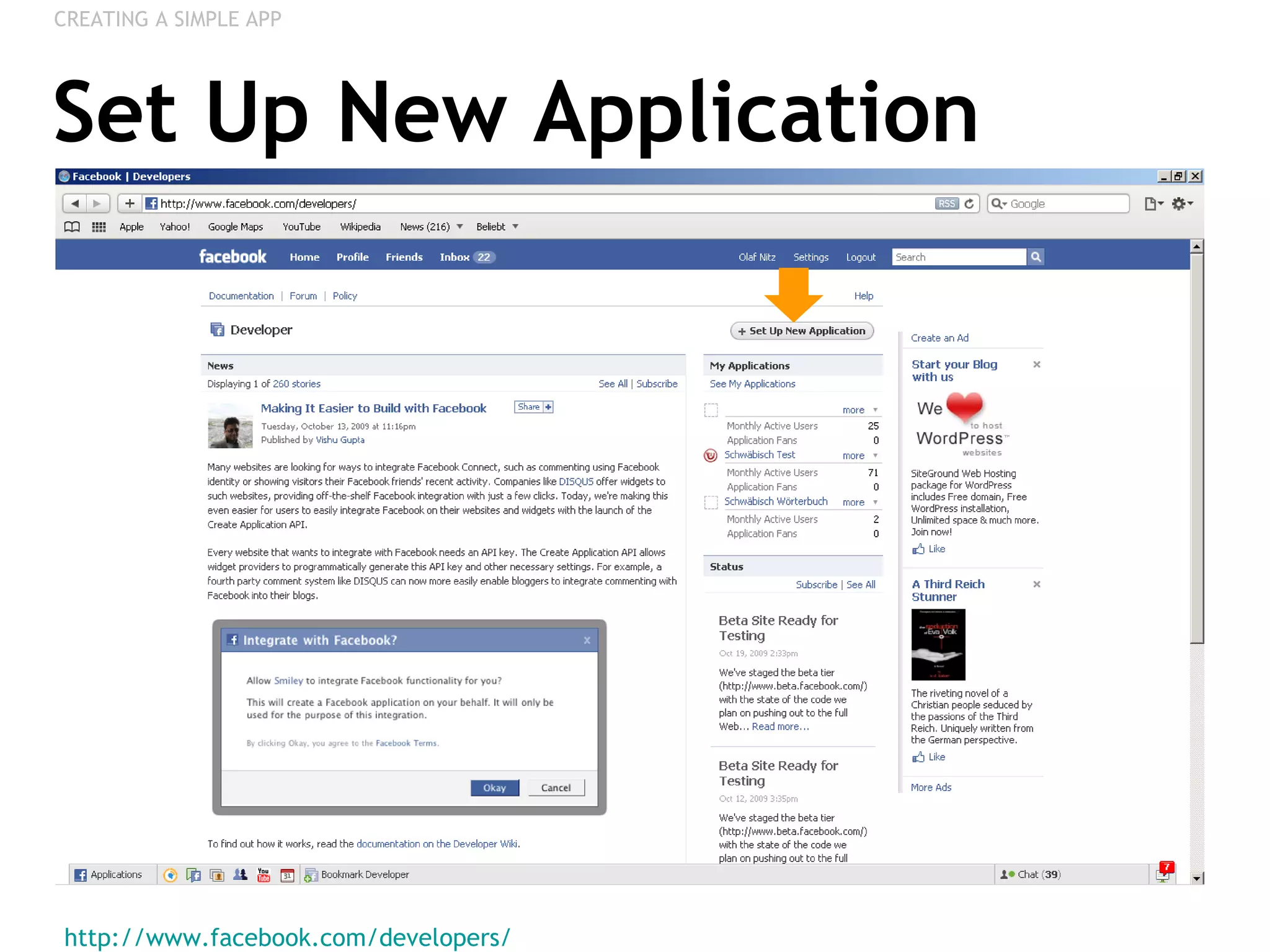
Set Up New Application http://www.facebook.com/developers/   CREATING A SIMPLE APP
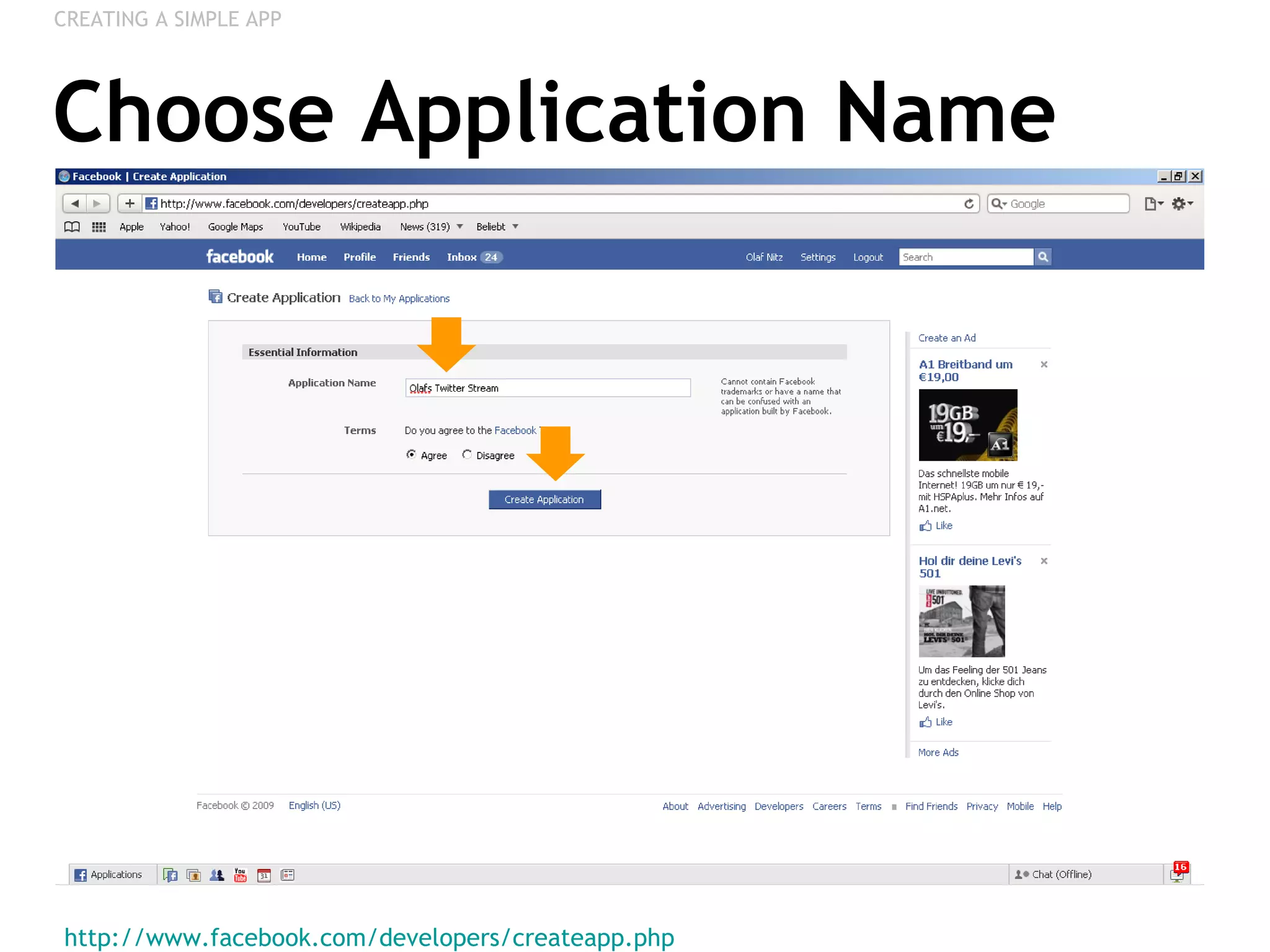
Choose Application Name http://www.facebook.com/developers/createapp.php   CREATING A SIMPLE APP
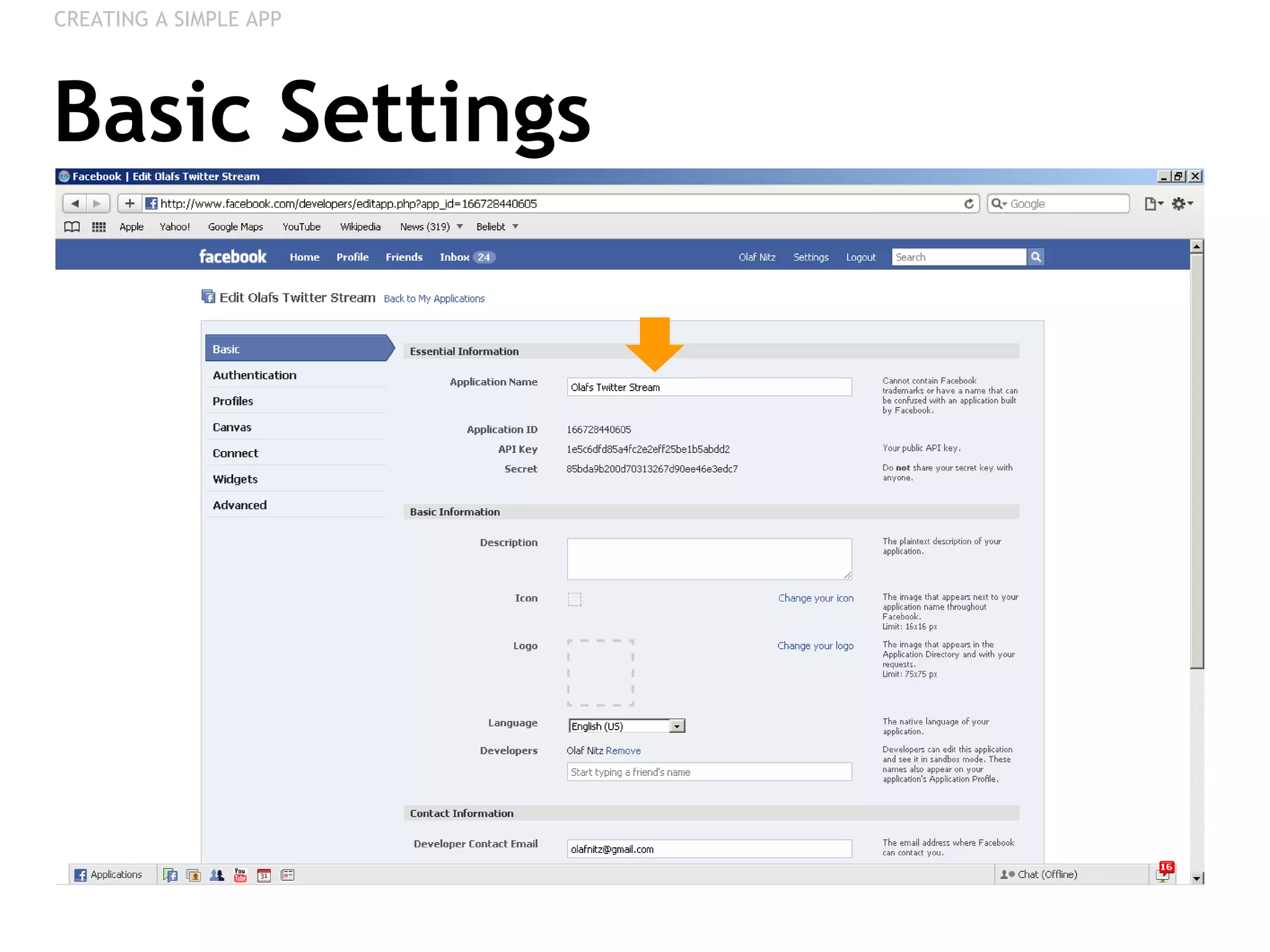
Basic Settings CREATING A SIMPLE APP
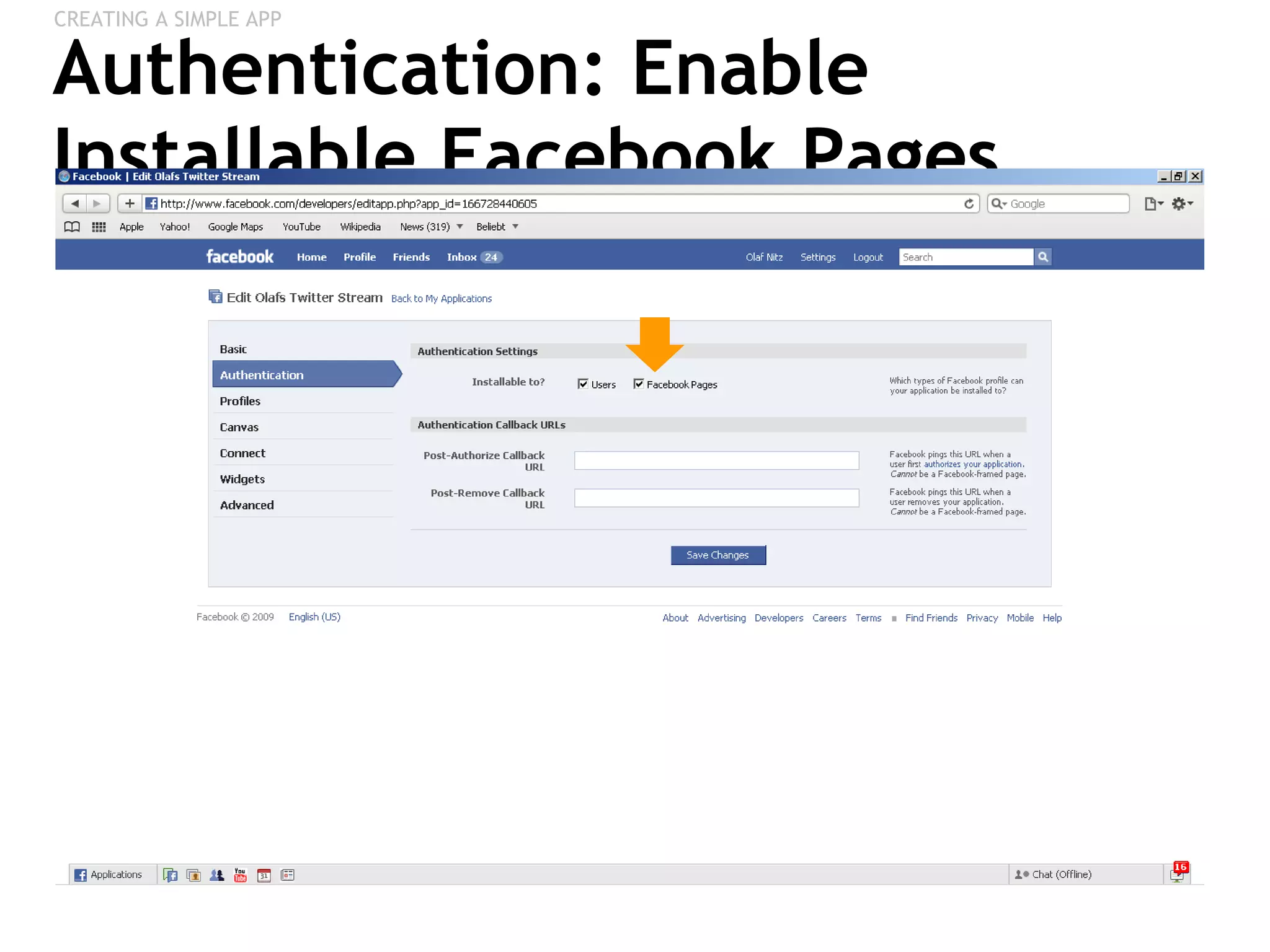
Authentication: Enable Installable Facebook Pages CREATING A SIMPLE APP
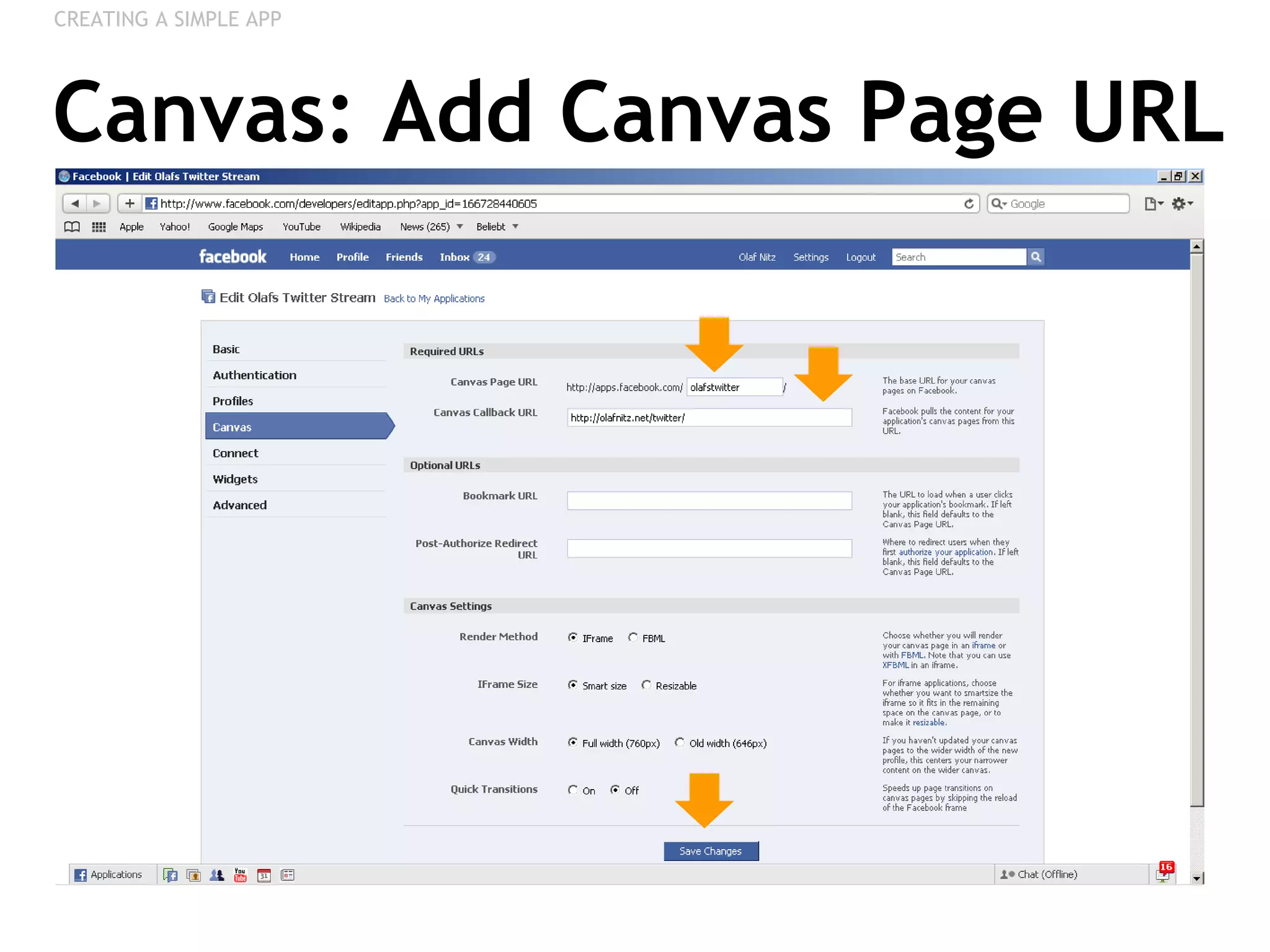
Canvas: Add Canvas Page URL CREATING A SIMPLE APP
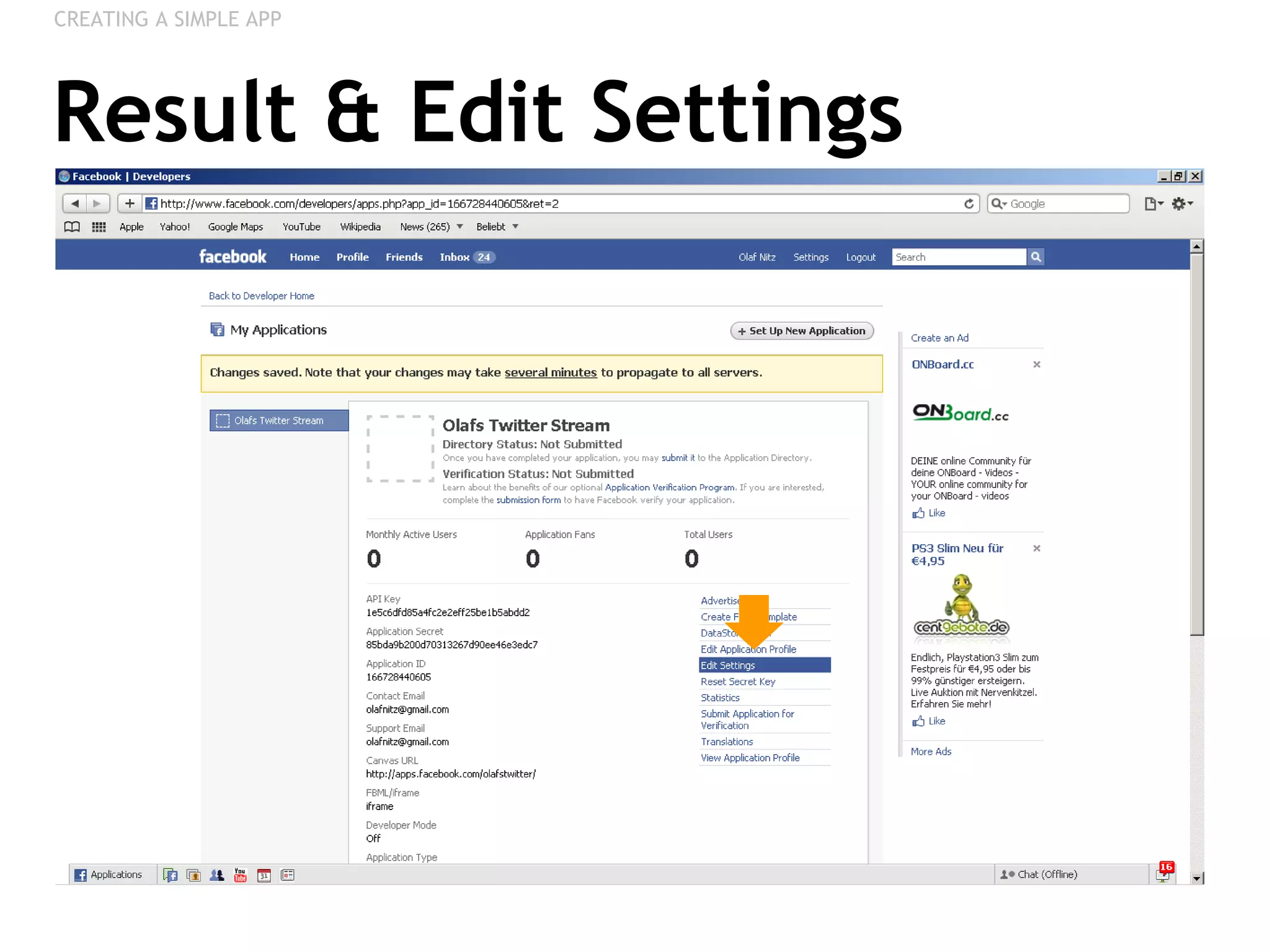
Result & Edit Settings CREATING A SIMPLE APP
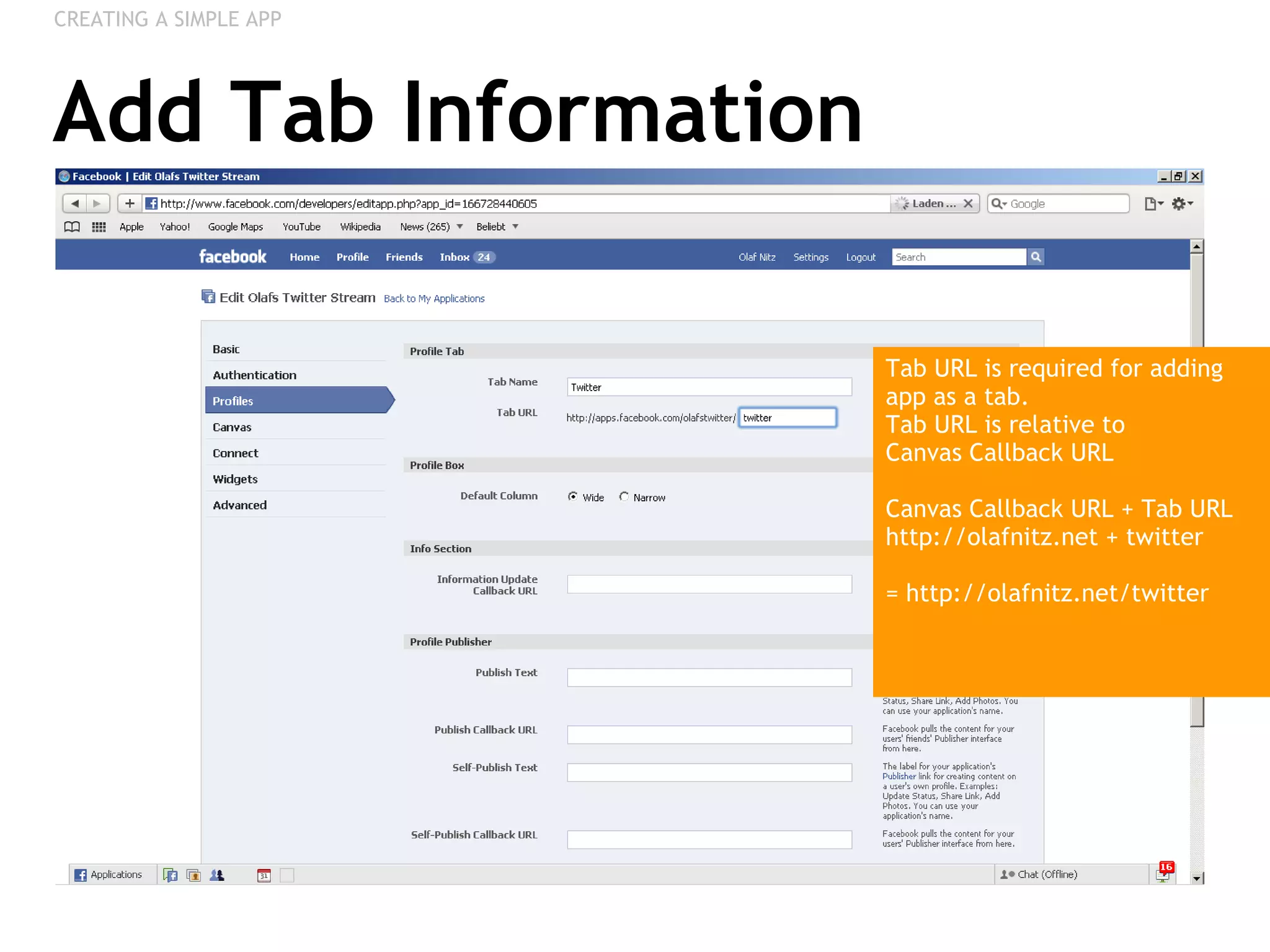
Add Tab Information CREATING A SIMPLE APP Tab URL is required for adding app as a tab. Tab URL is relative to  Canvas Callback URL Canvas Callback URL + Tab URL  http://olafnitz.net + twitter = http://olafnitz.net/twitter
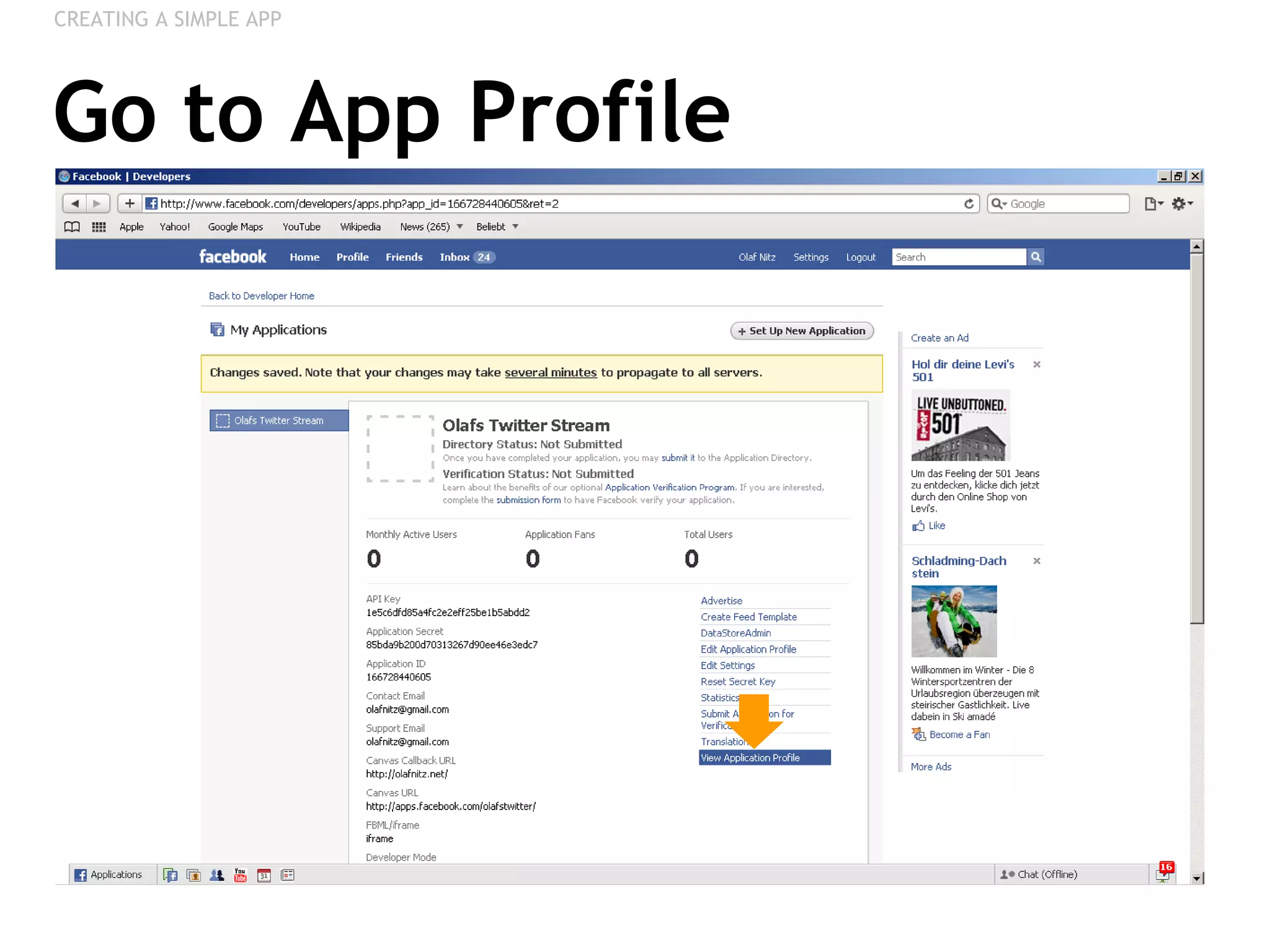
Go to App Profile CREATING A SIMPLE APP
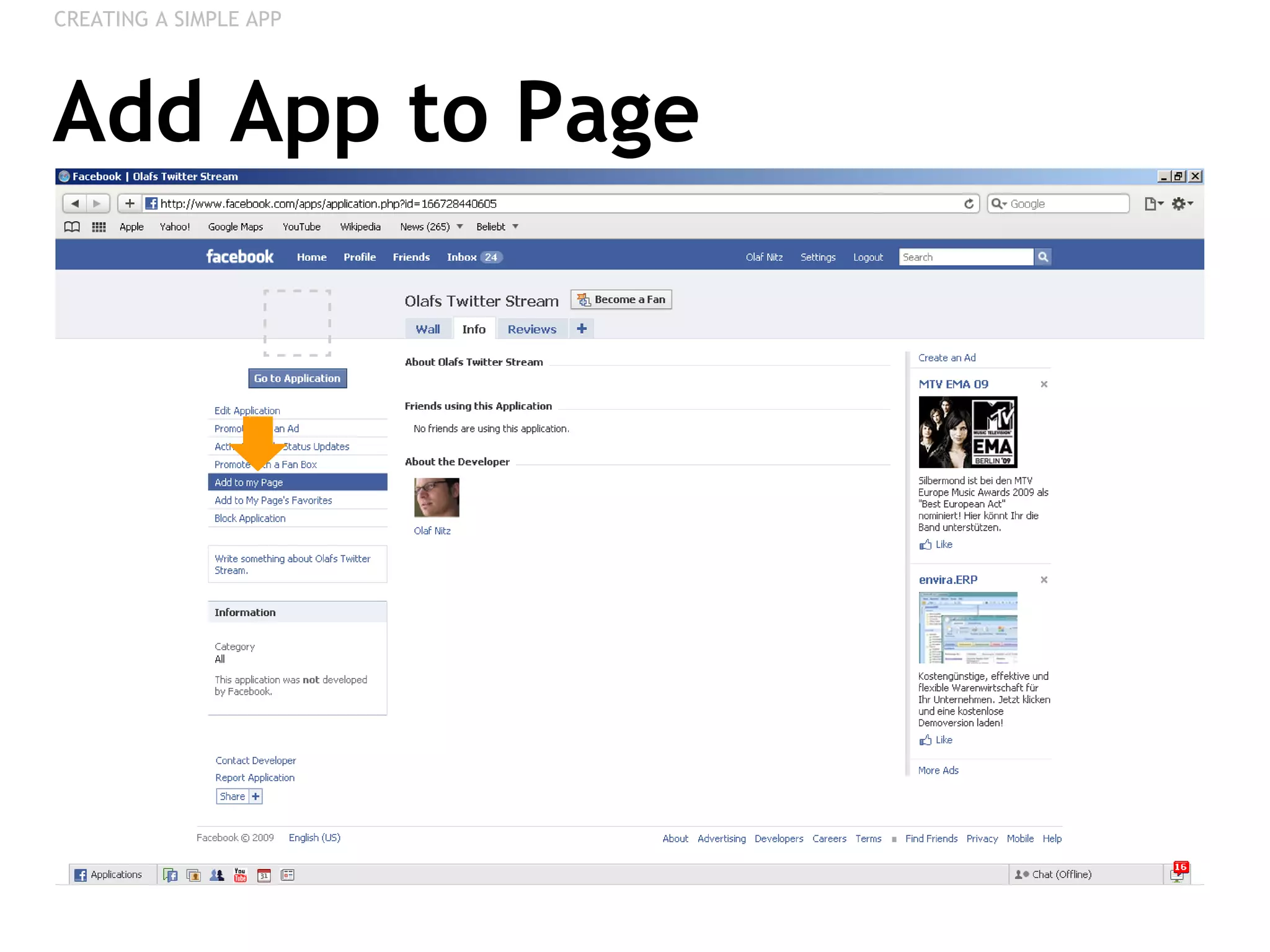
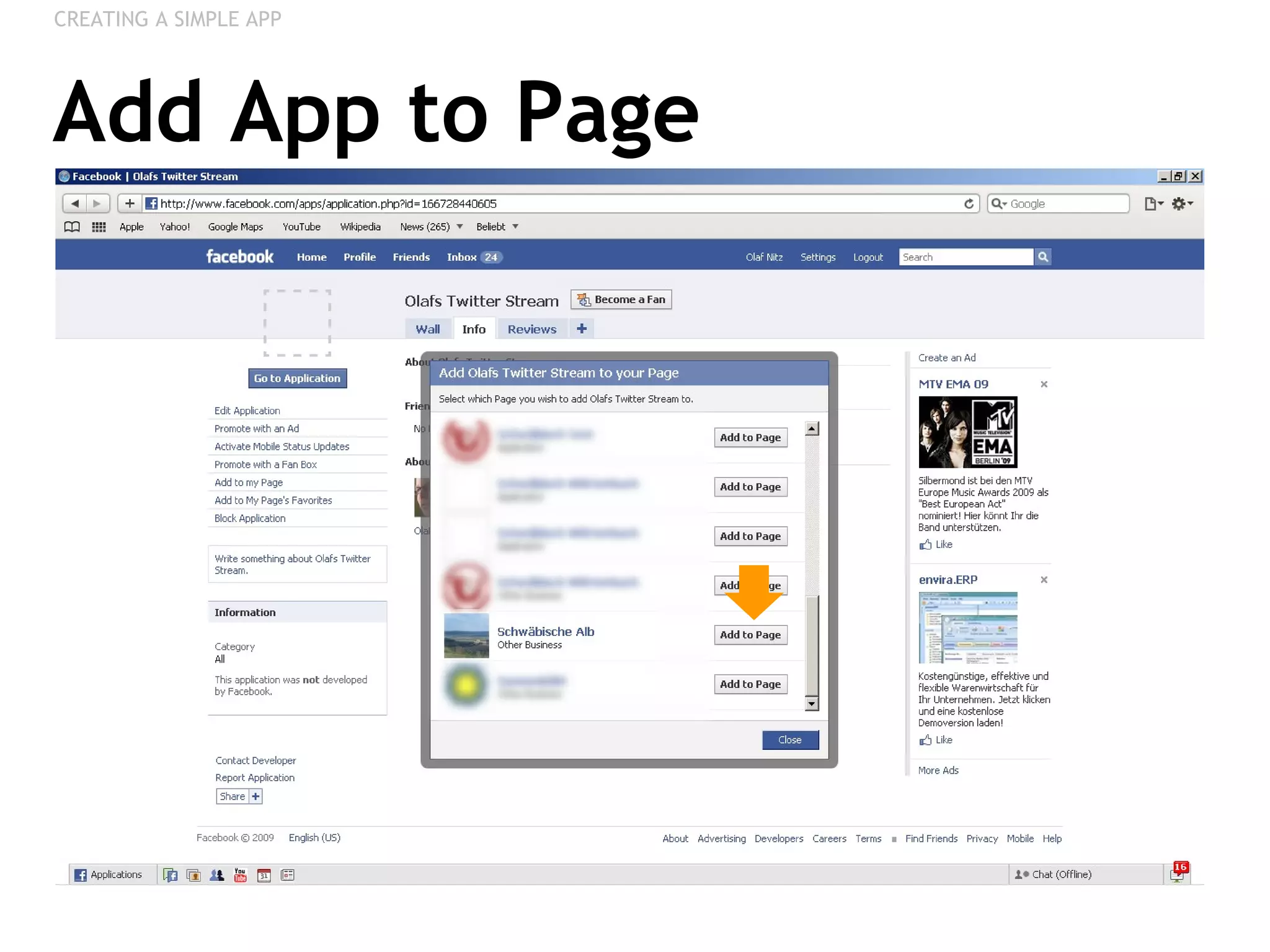
Add App to Page CREATING A SIMPLE APP
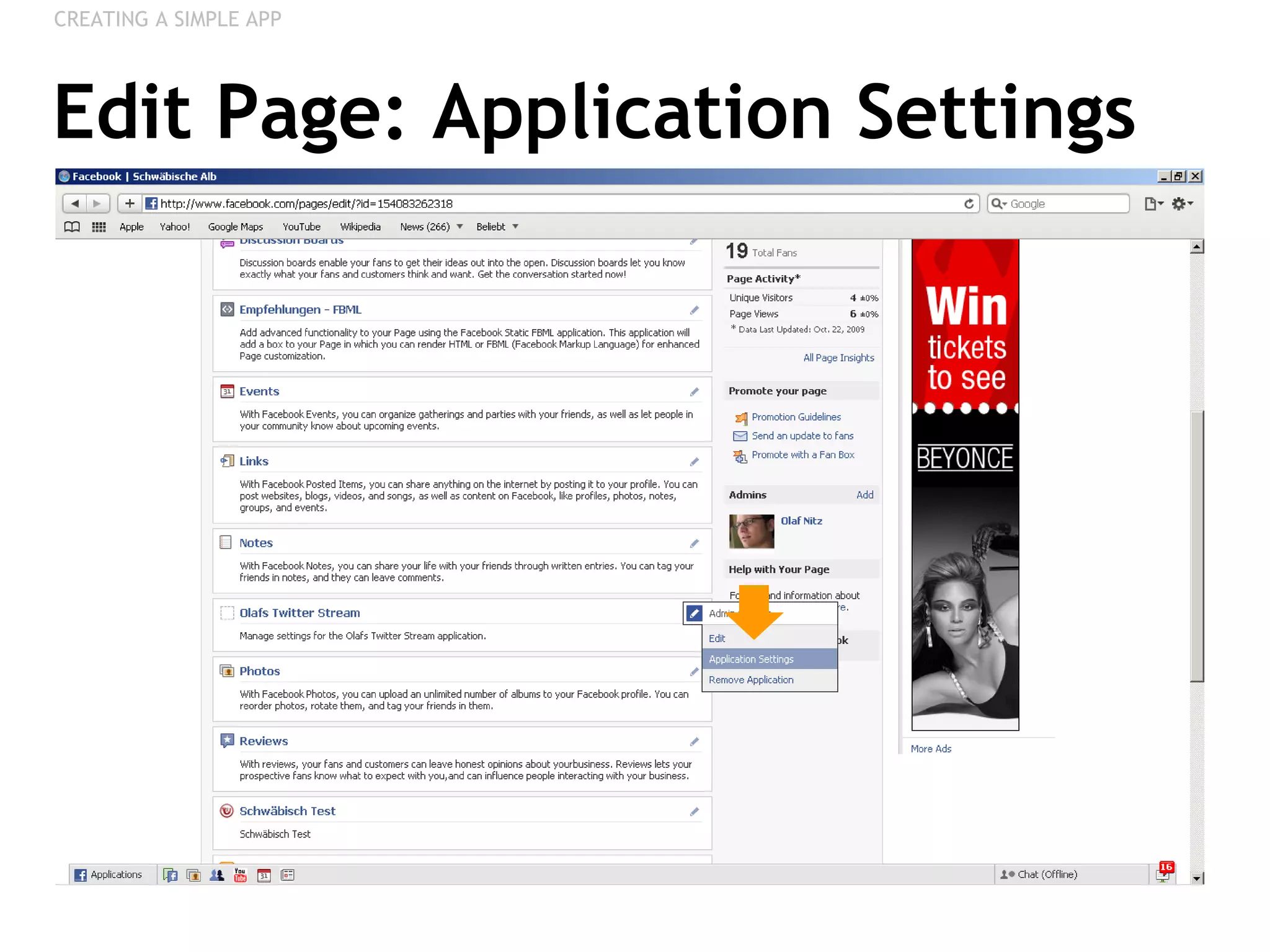
Edit Page: Application Settings CREATING A SIMPLE APP
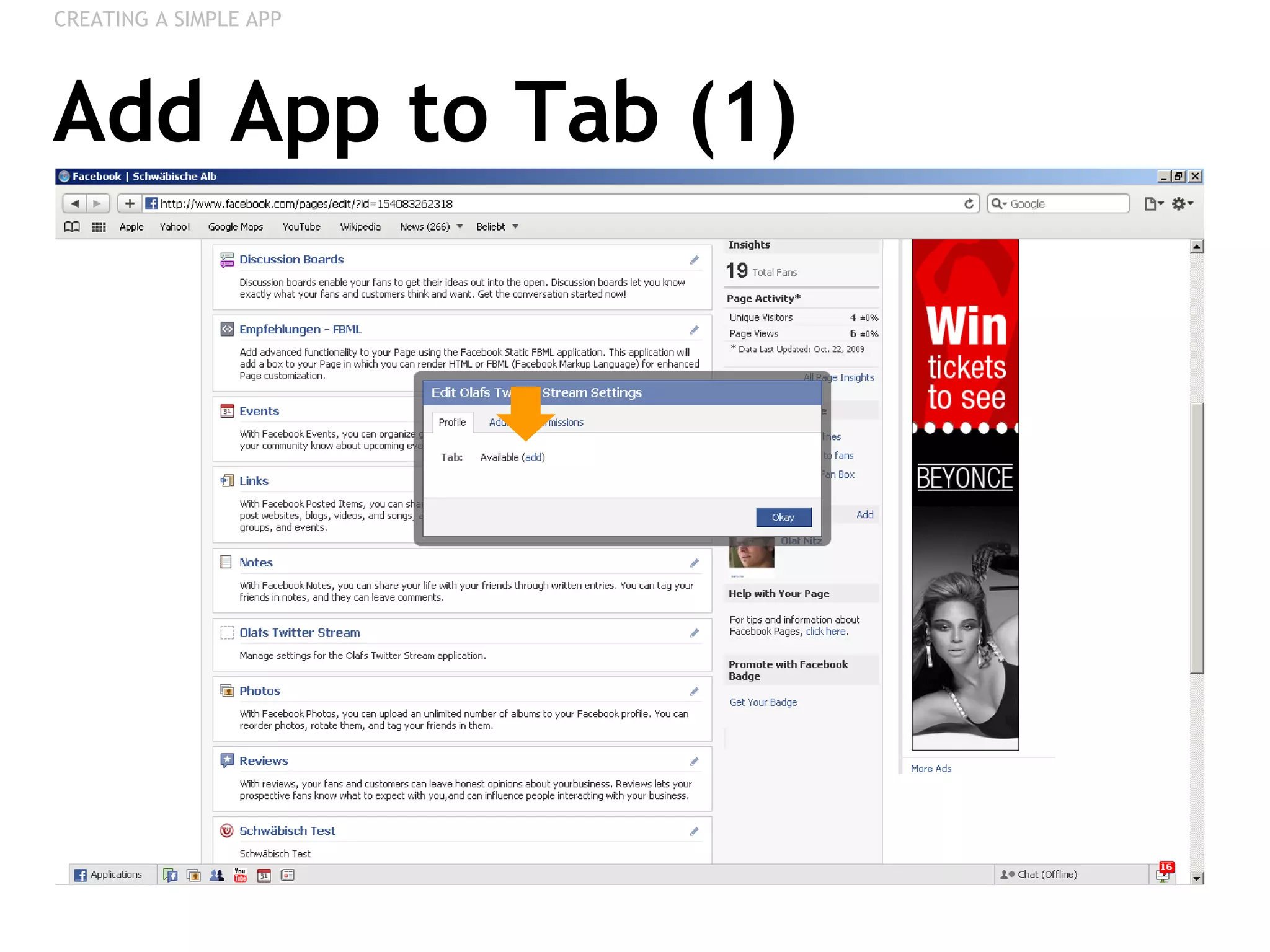
Add App to Tab (1) CREATING A SIMPLE APP
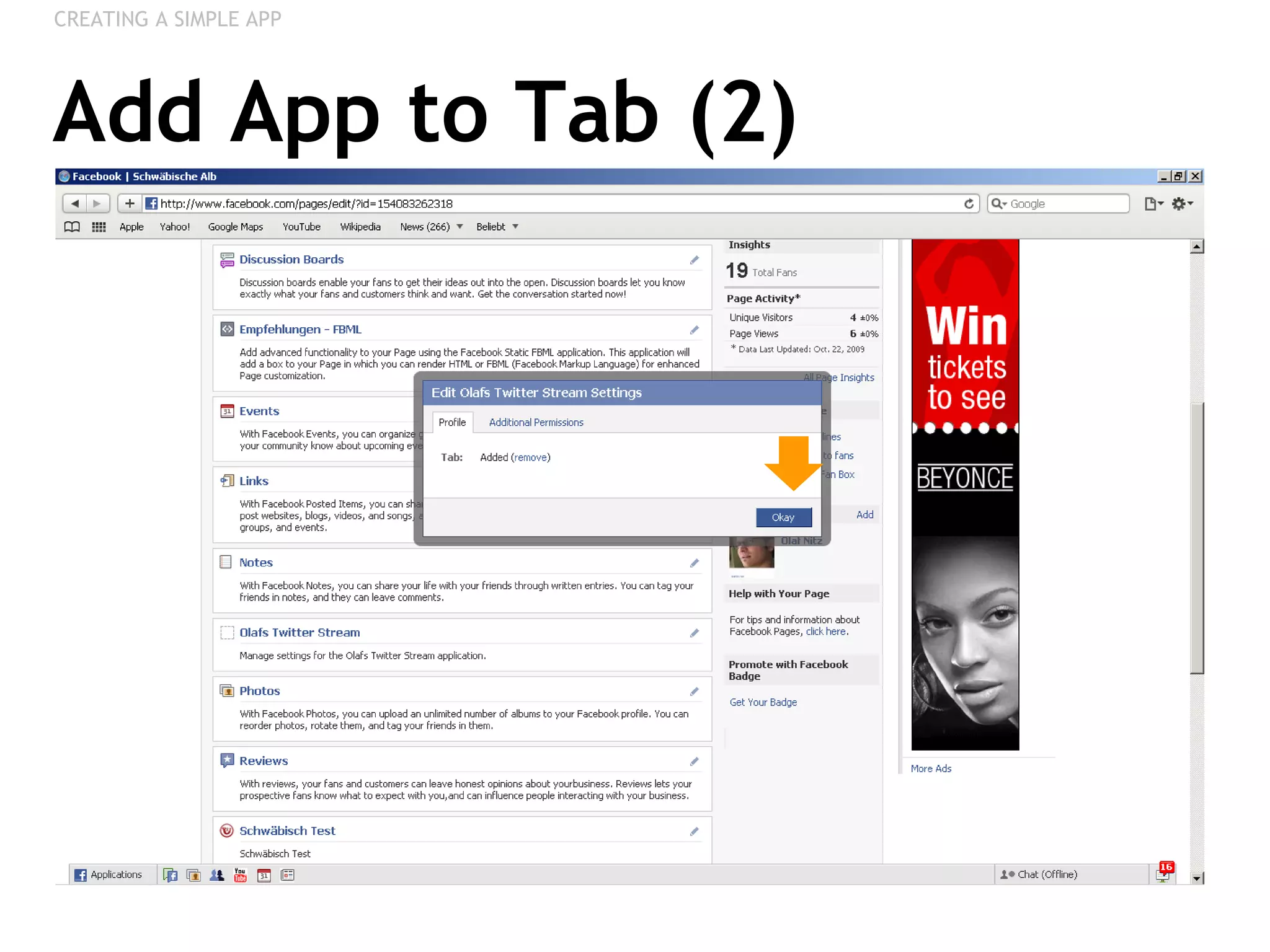
Add App to Tab (2) CREATING A SIMPLE APP
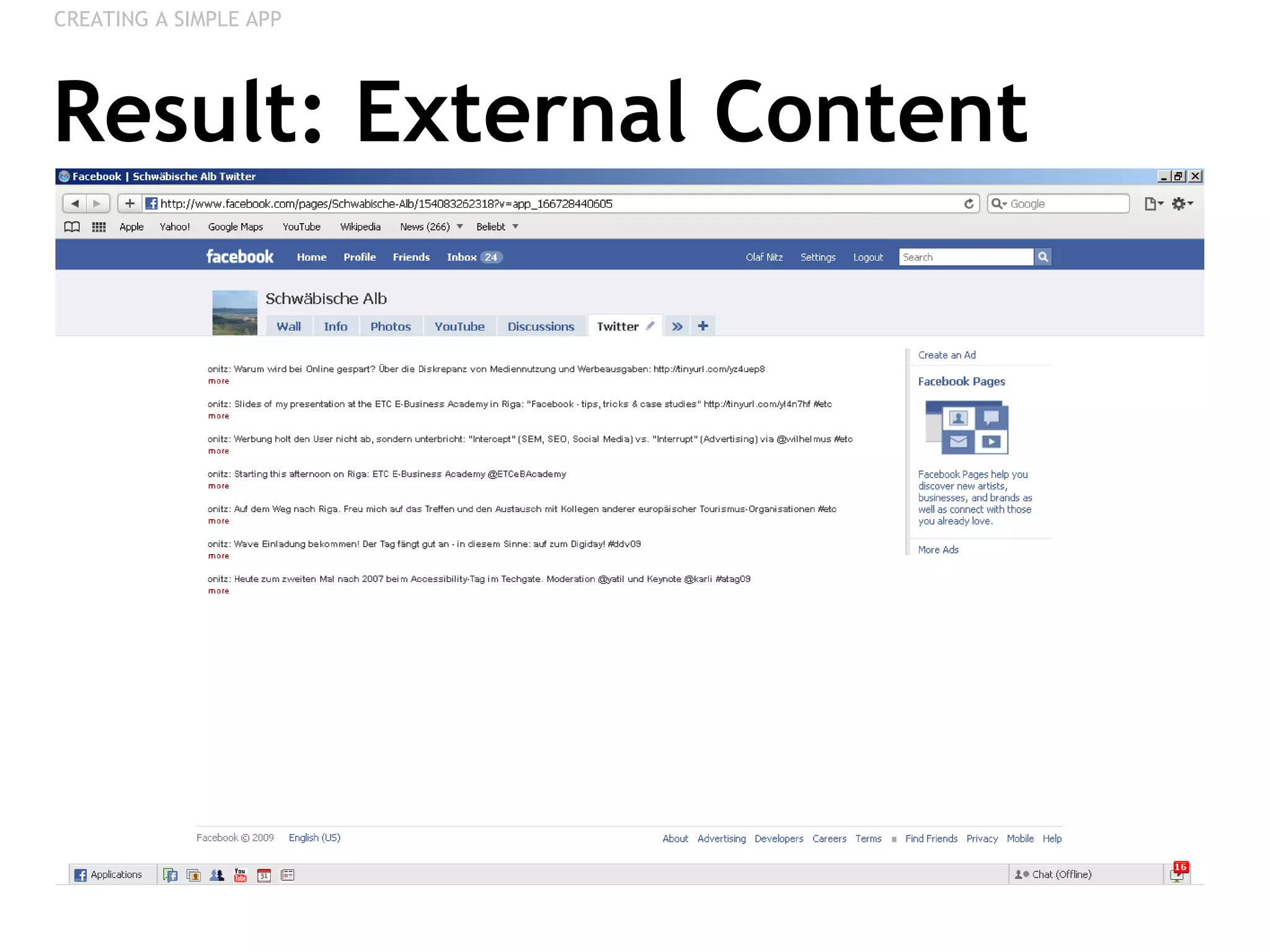
Result: External Content CREATING A SIMPLE APP
POLLS
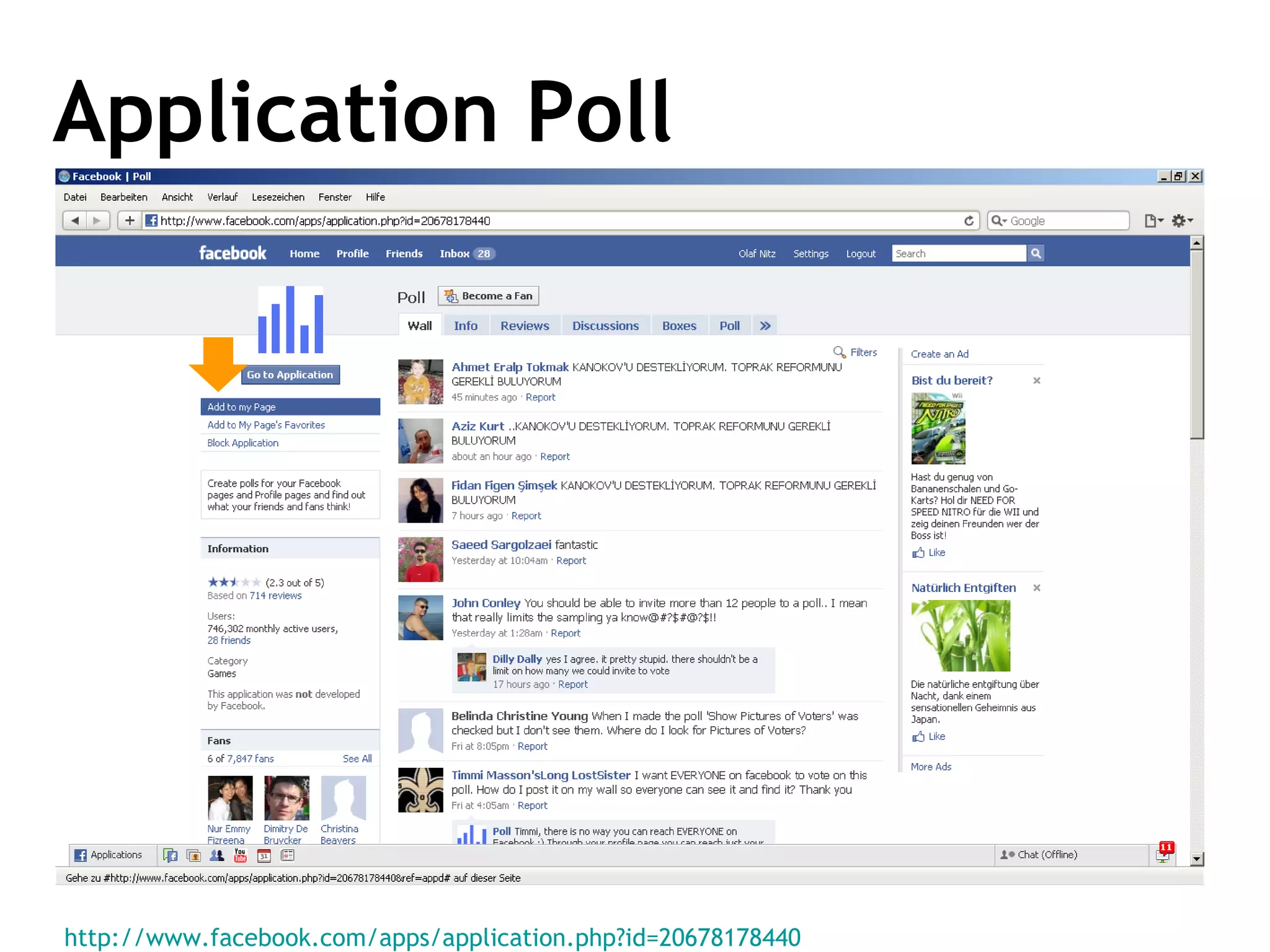
Application Poll http://www.facebook.com/apps/application.php?id=20678178440
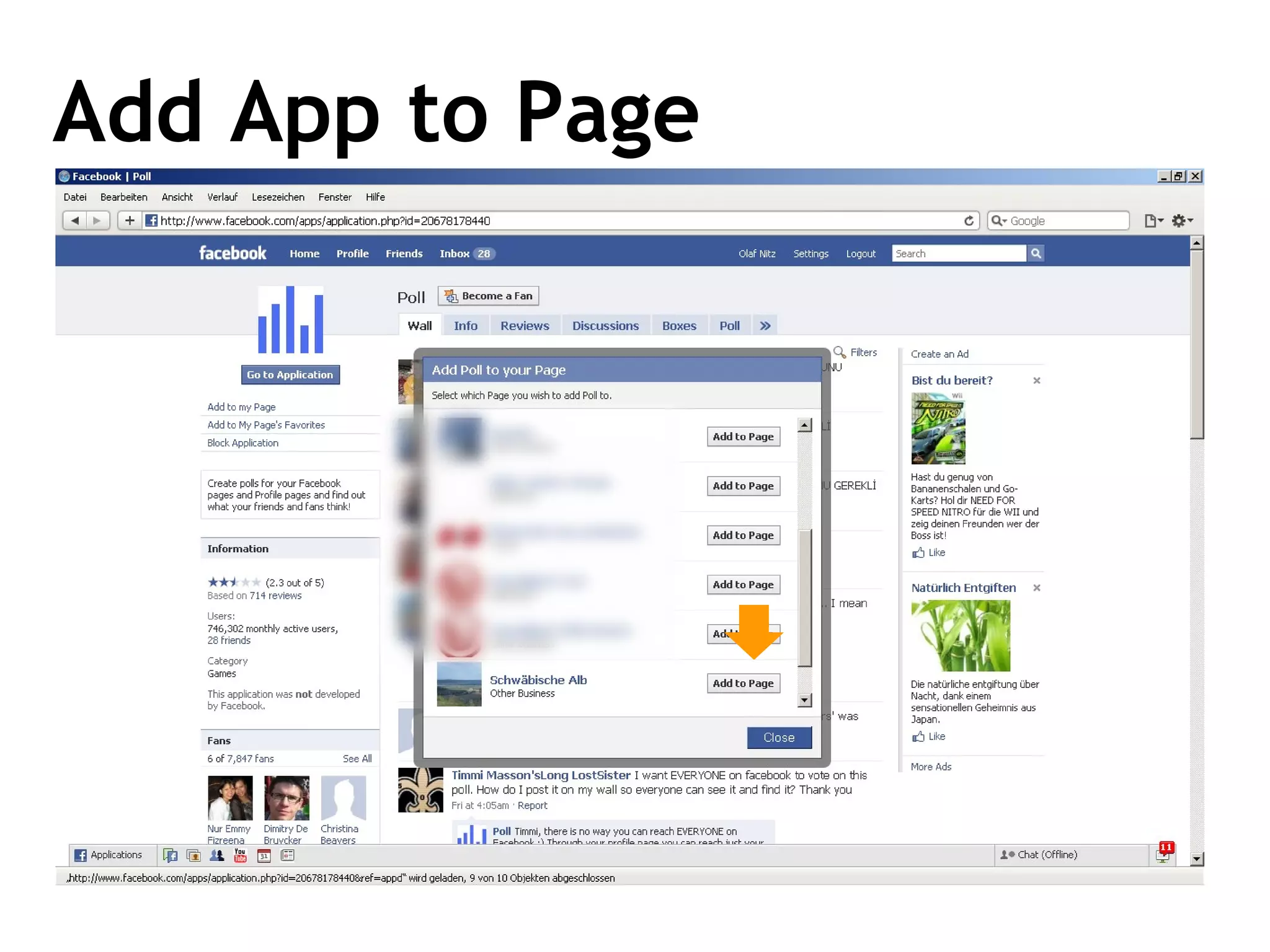
Add App to Page
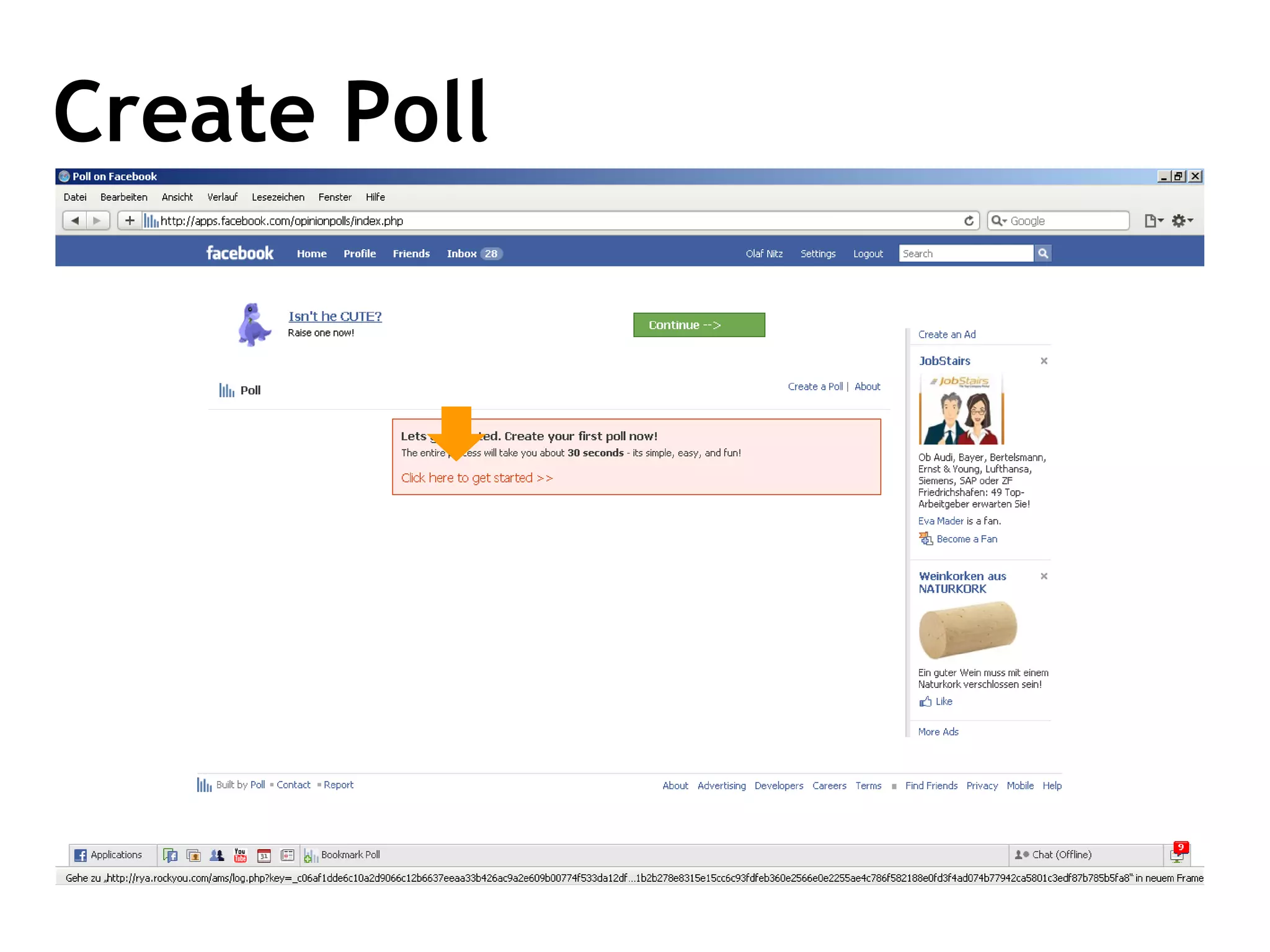
Create Poll
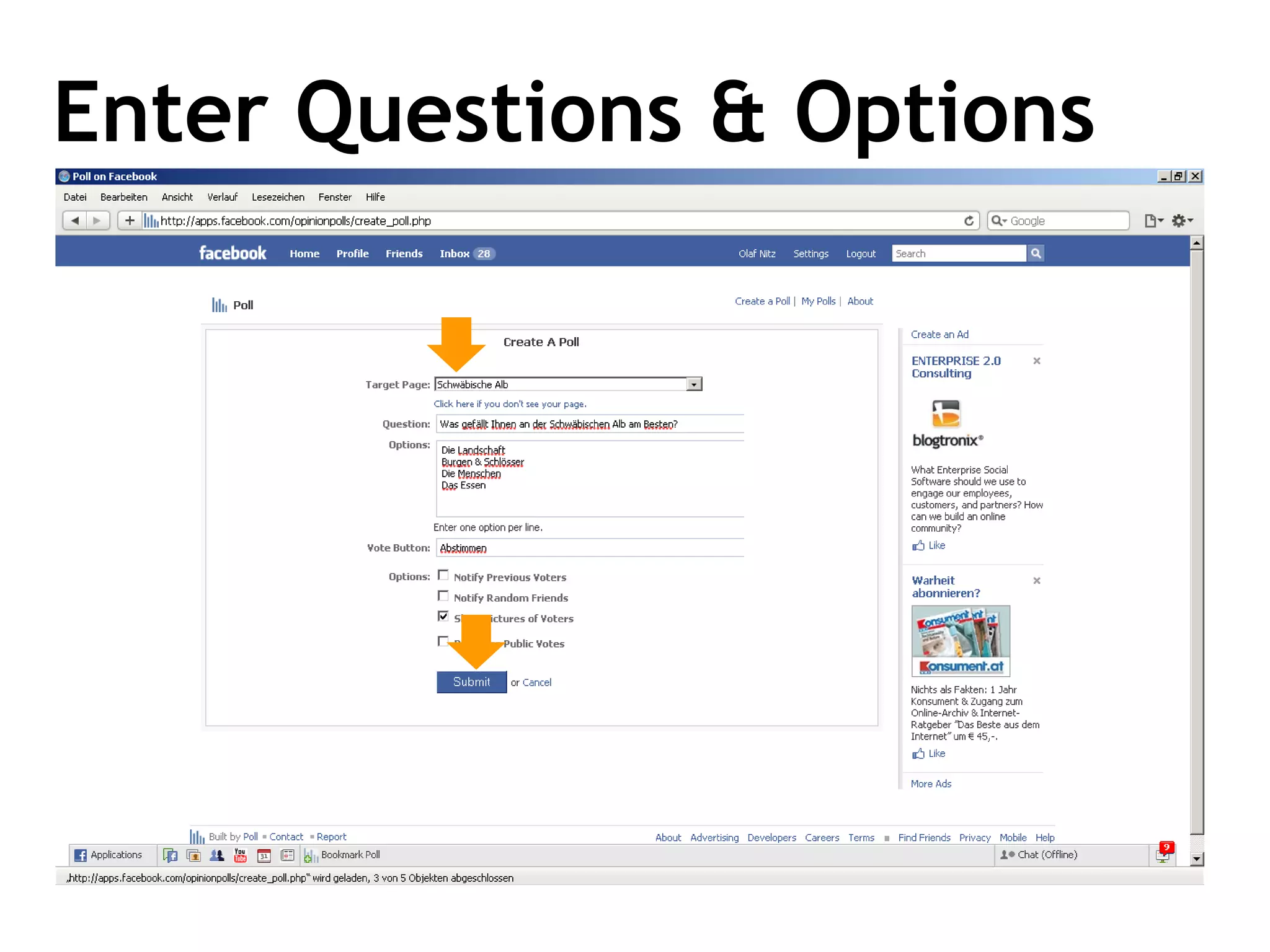
Enter Questions & Options
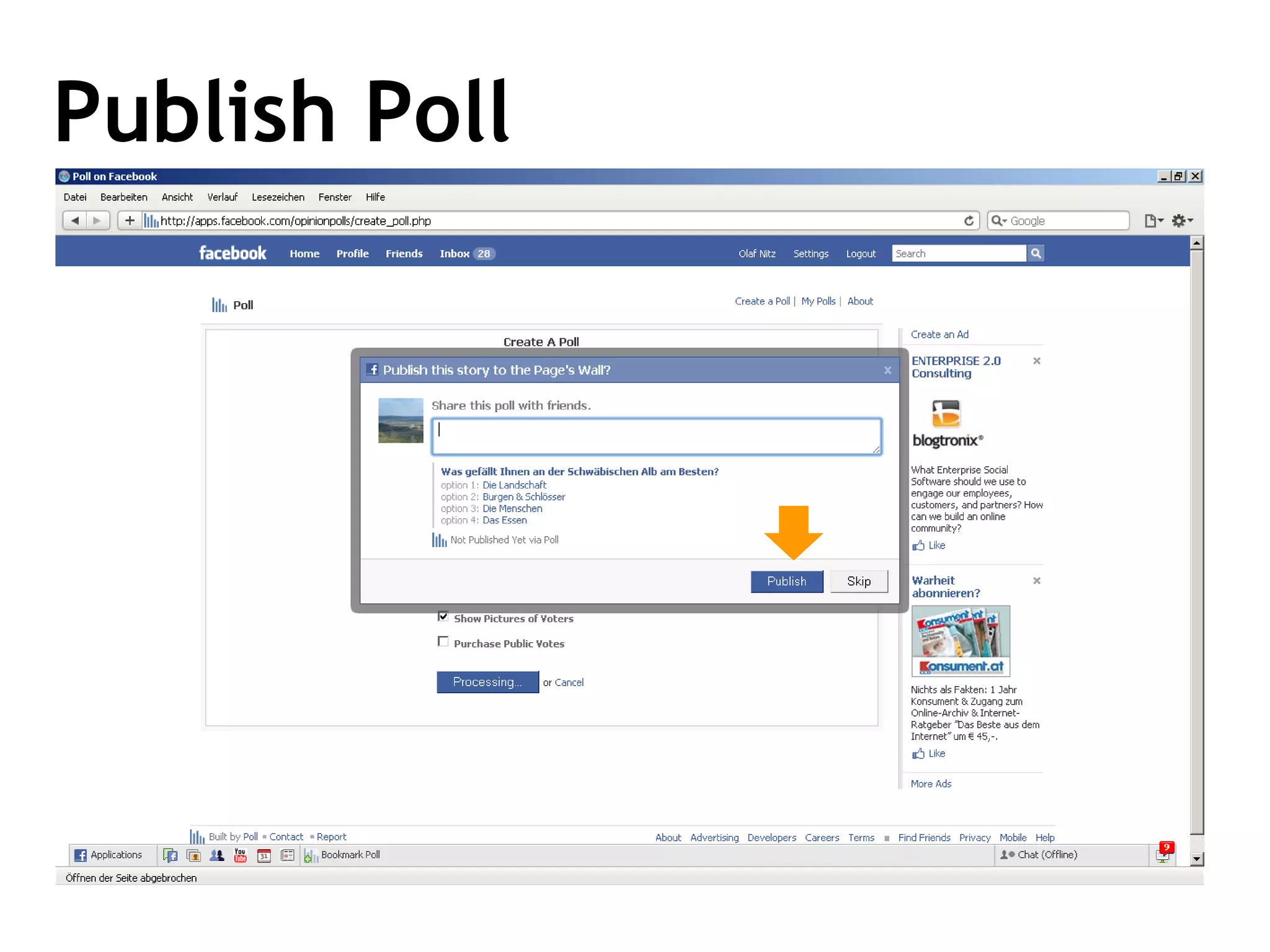
Publish Poll
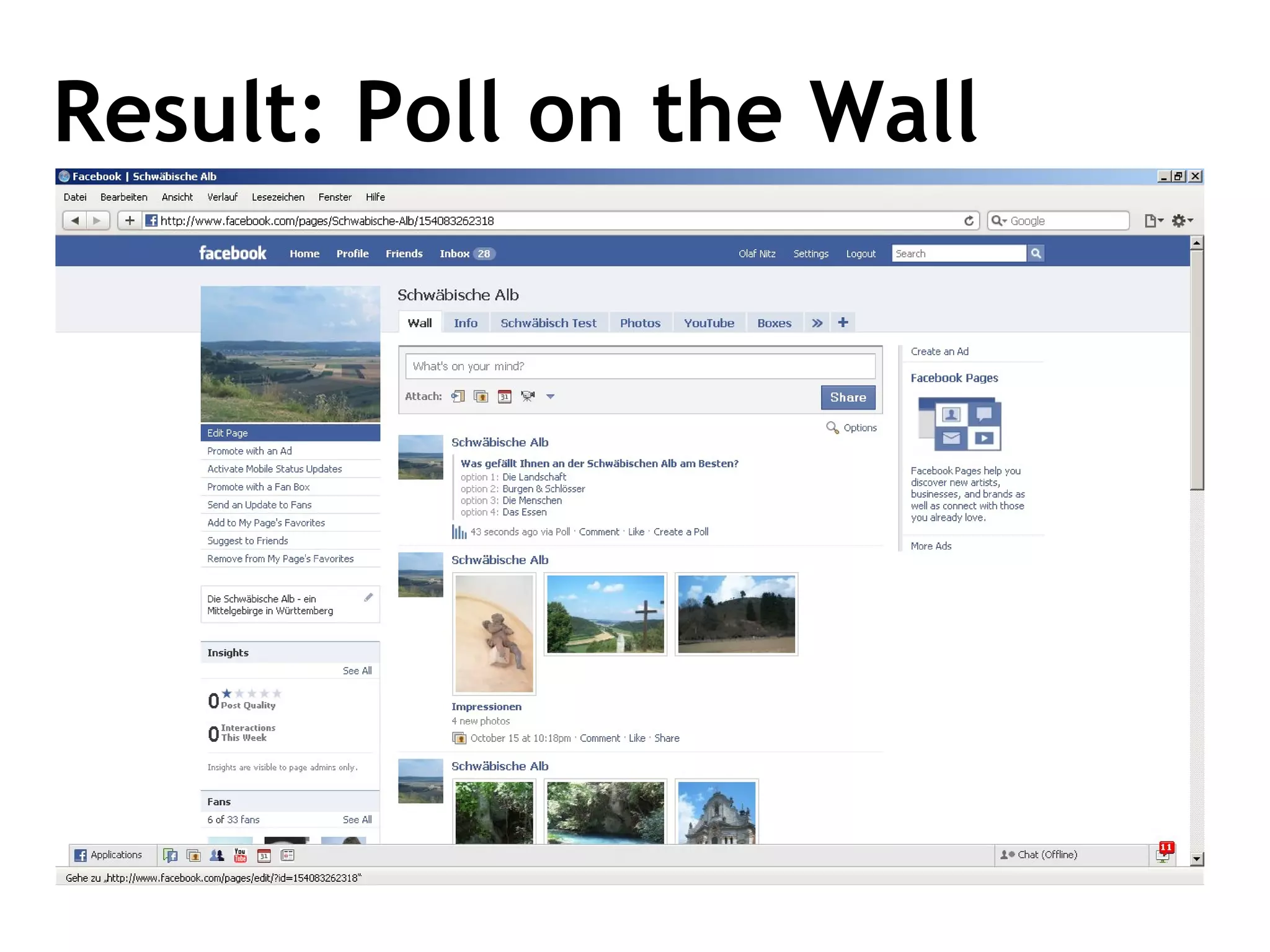
Result: Poll on the Wall
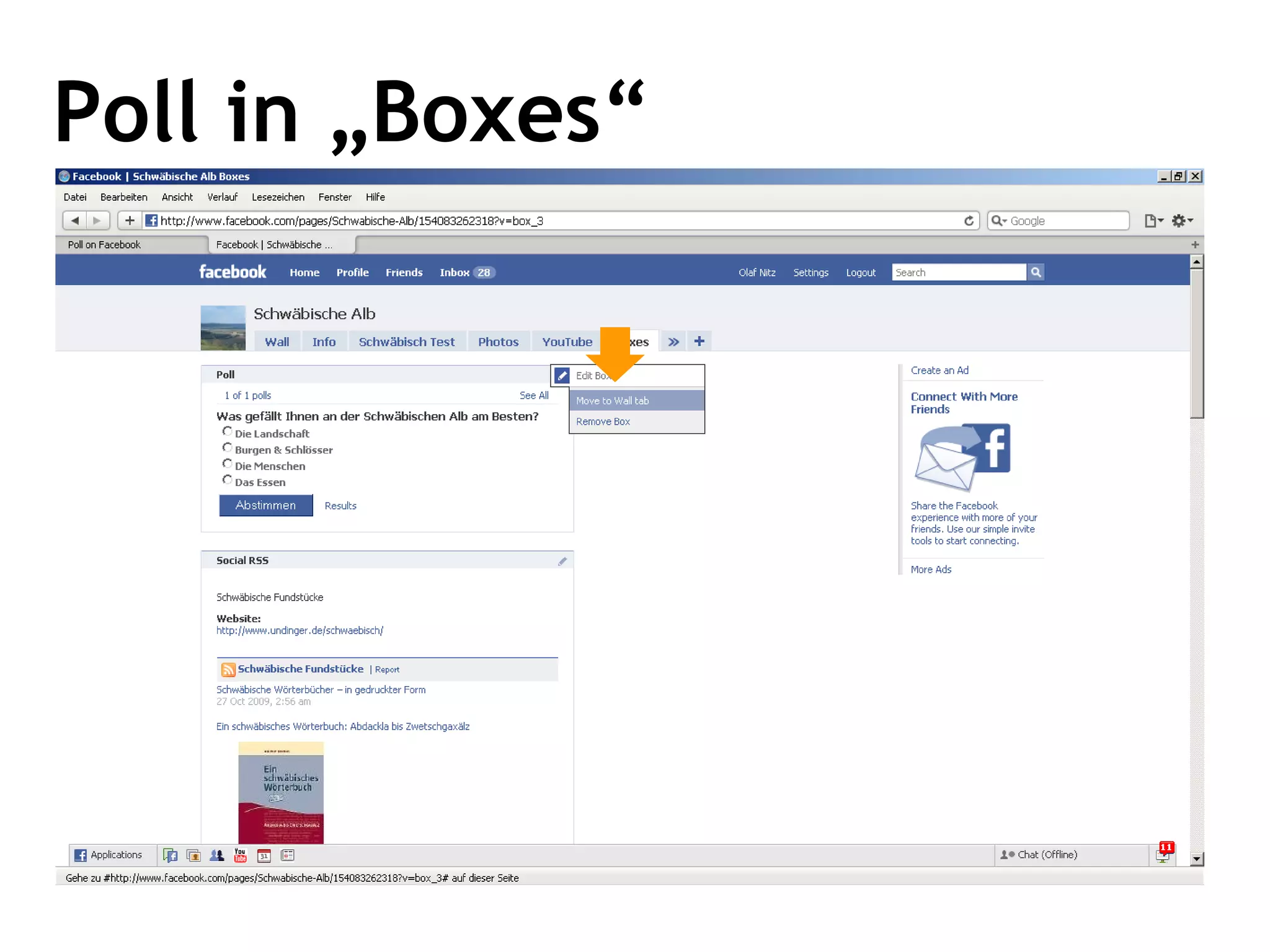
Poll in „Boxes“
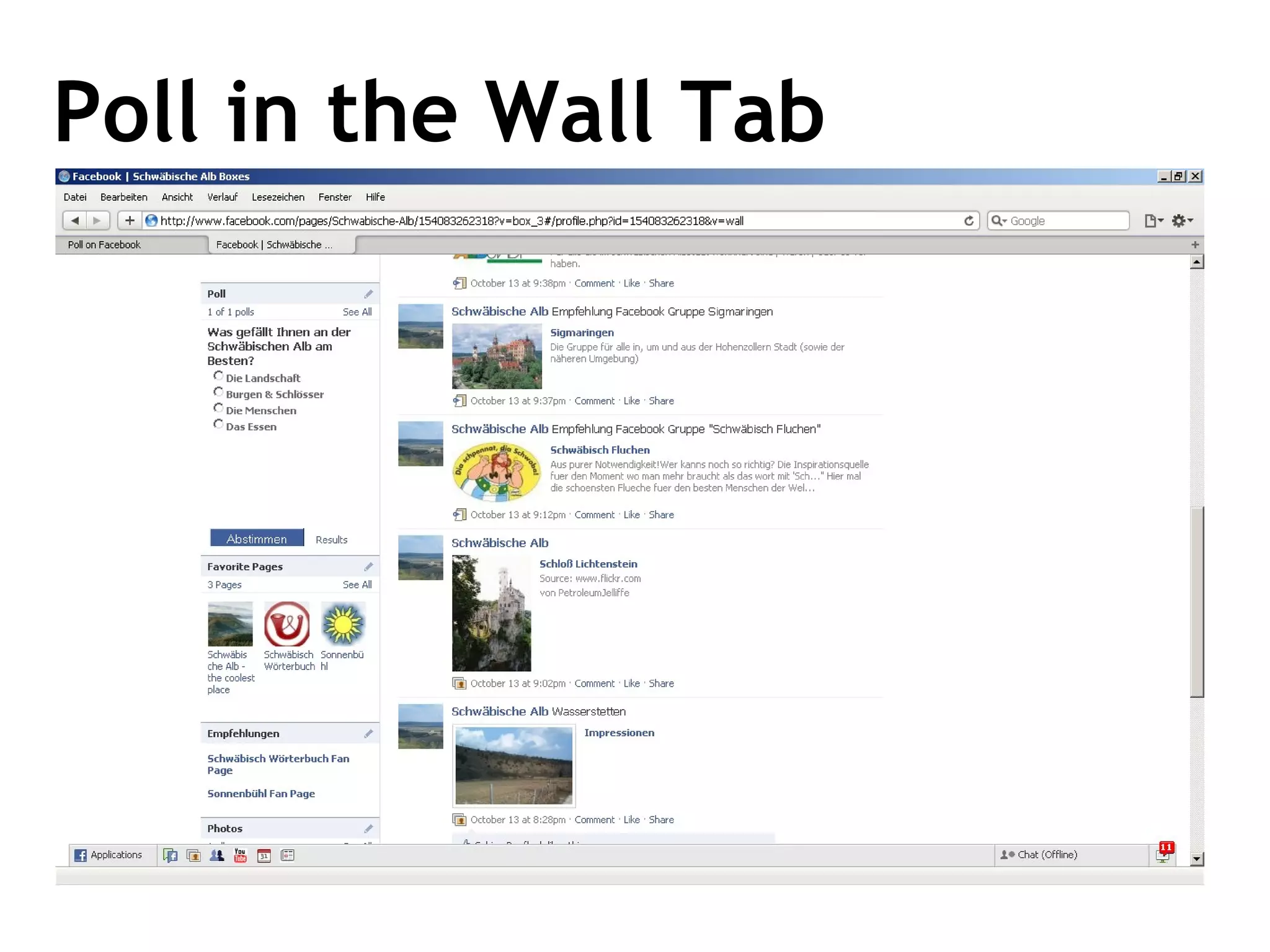
Poll in the Wall Tab
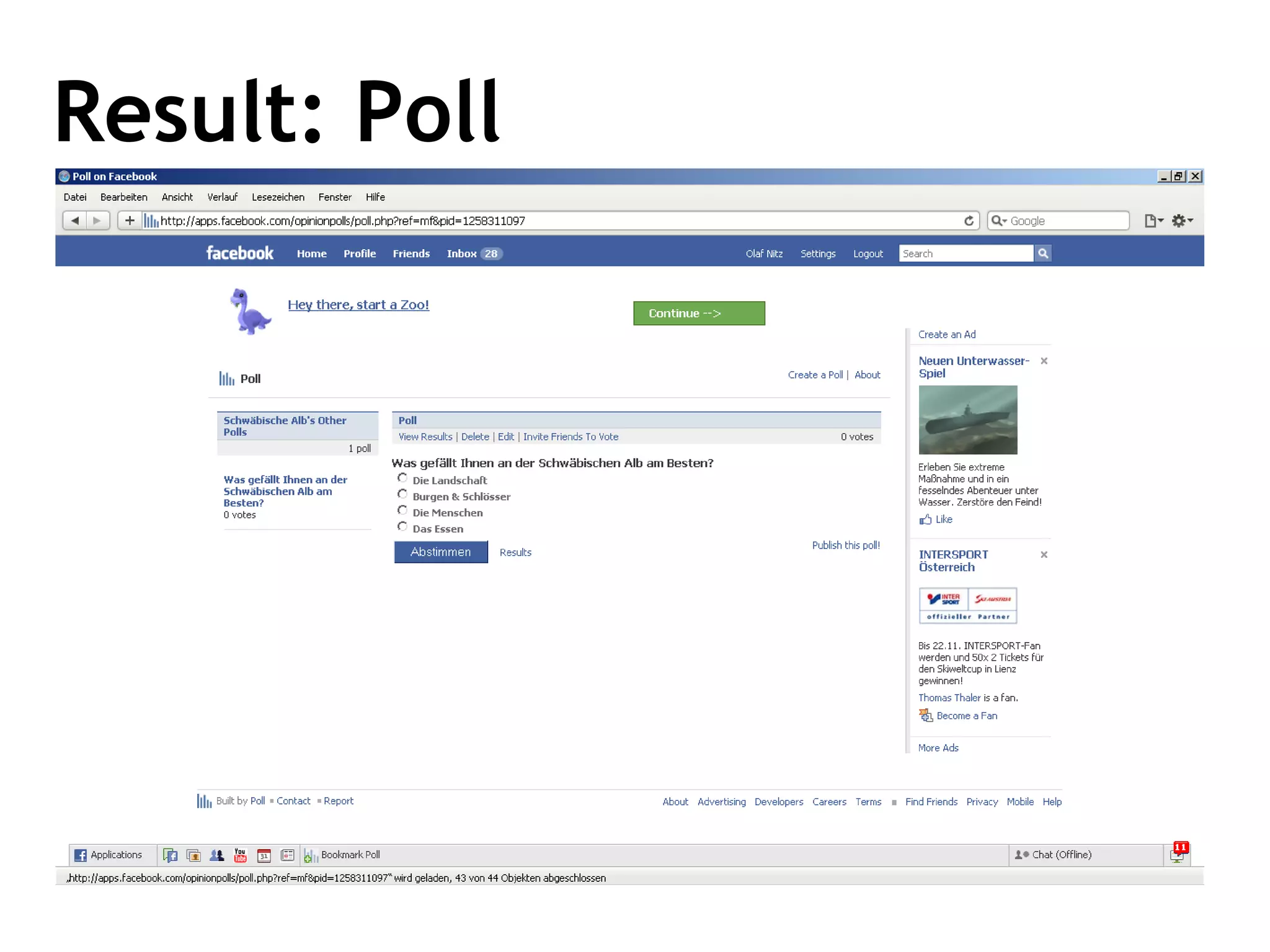
Result: Poll
LANDINGTAB Seding the user to a specific tab
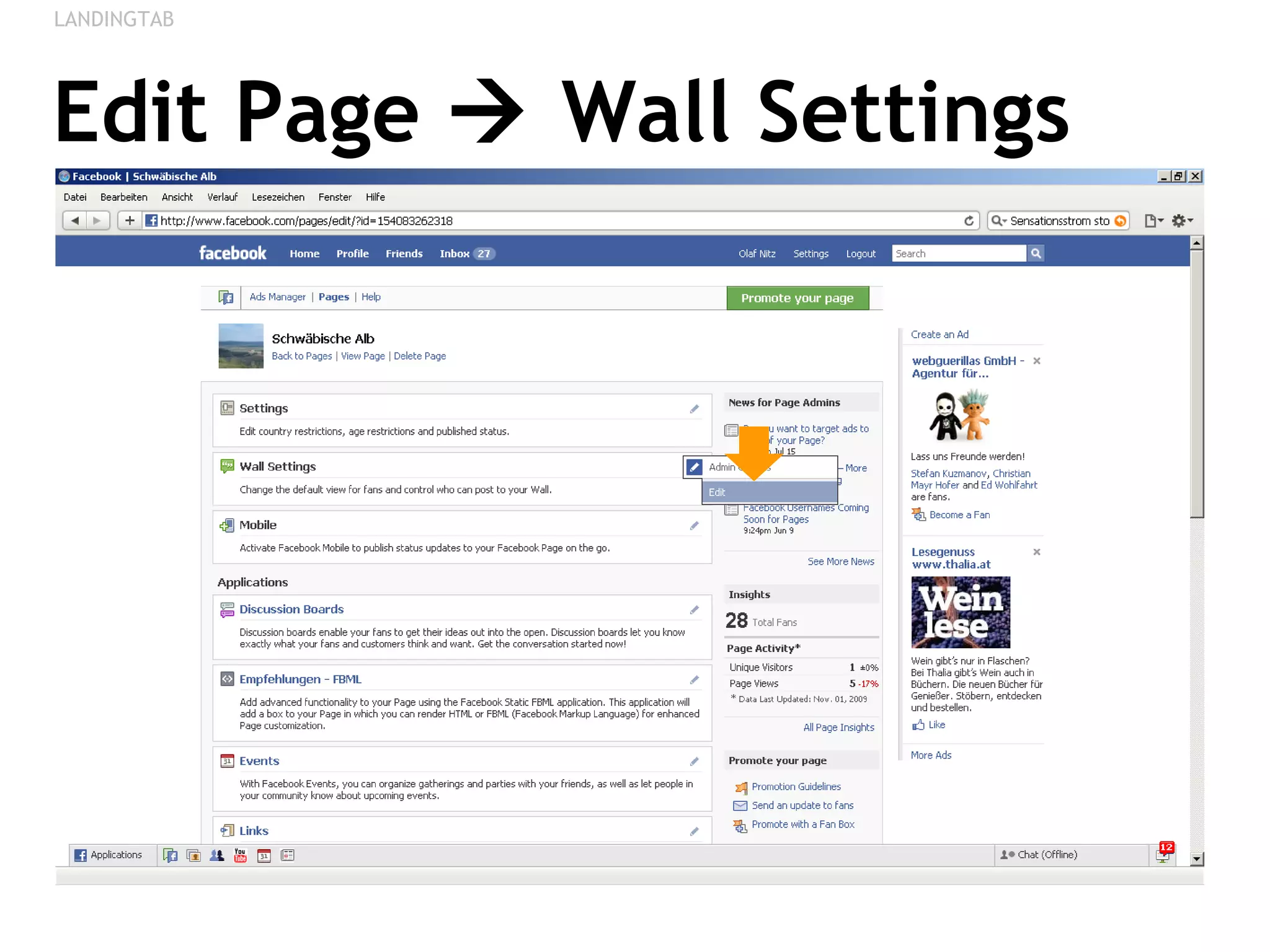
Edit Page    Wall Settings LANDINGTAB
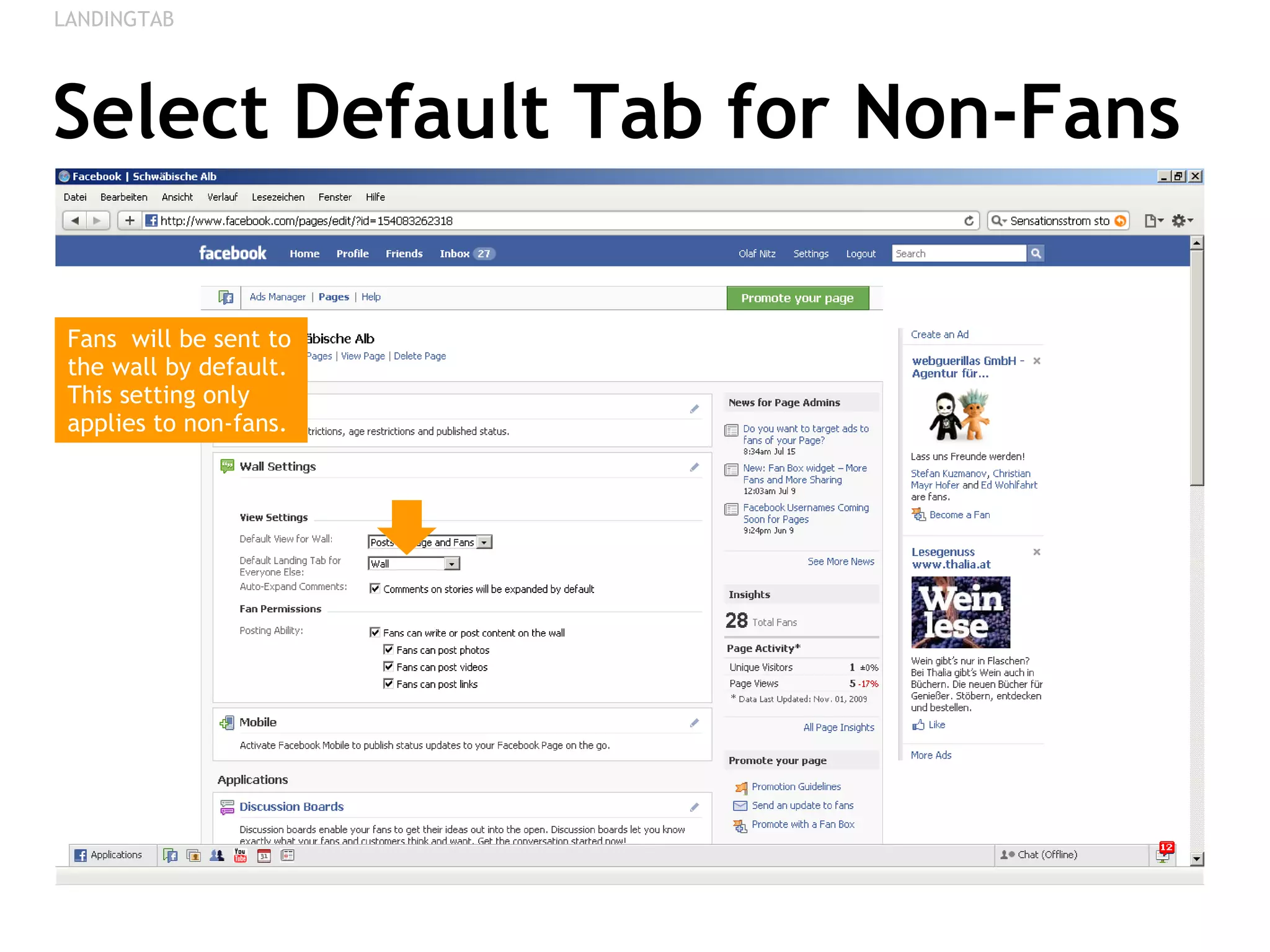
Select Default Tab for Non-Fans LANDINGTAB Fans  will be sent to the wall by default. This setting only applies to non-fans.
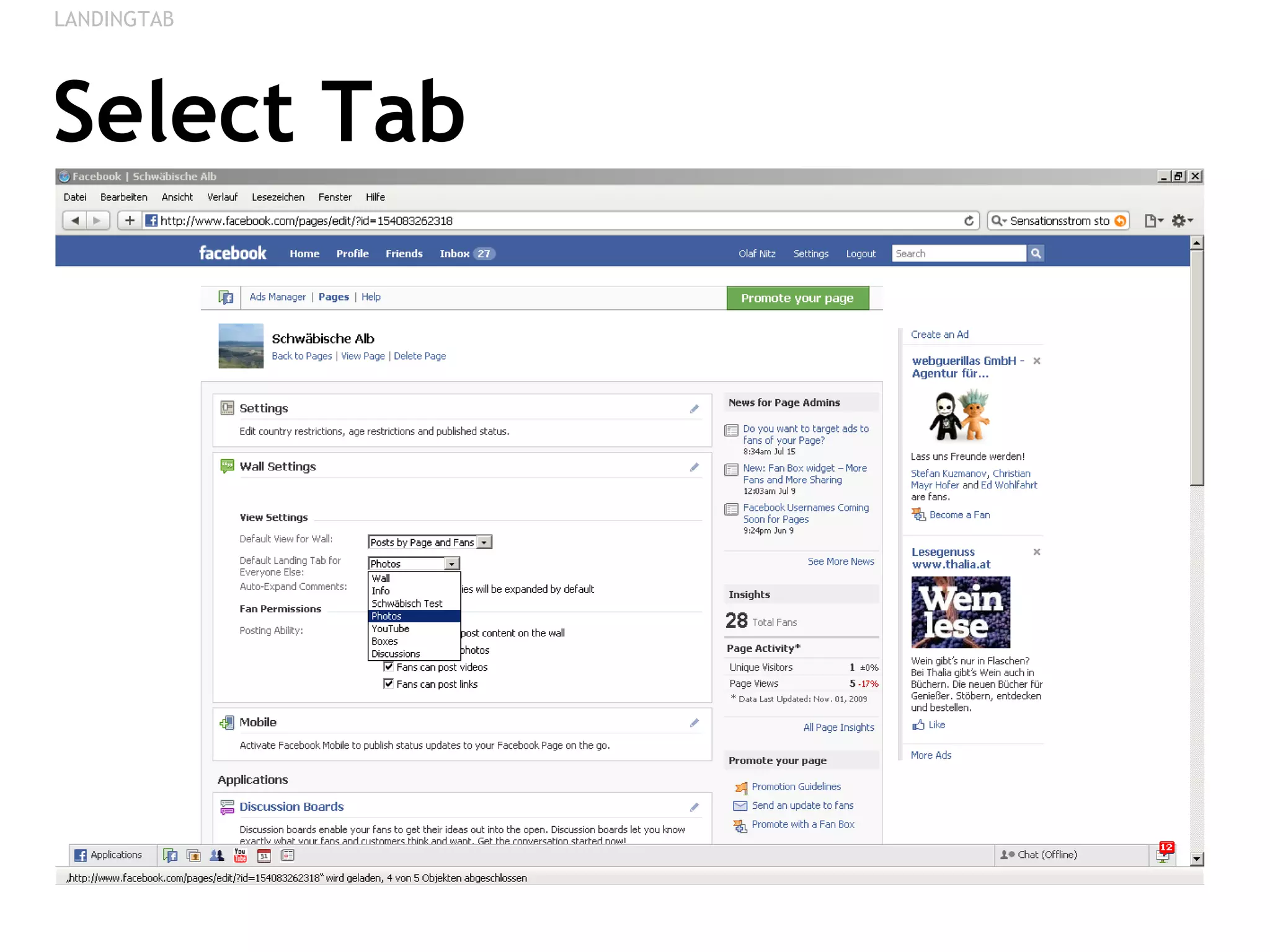
Select Tab LANDINGTAB
ABOUT & CONTACT Final Things
About this Document This document was created by Olaf Nitz and is published under a Creative Commons License.  You are free to copy, distribute, display, and perform this guide and to make derivative works under the following conditions:  Attribution - you must give the original author credit and link to http://olafnitz.net. If you alter, transform, or build upon this work, you may distribute the resulting work only under a licence identical to this one. About the author:  Olaf Nitz has been working in the field of e-business since 2000 as Developer, Online-Marketer, PR-Consultant, Internet Strategist, Blogger & Lecturer. Currently he is working as an Internet Strategist for the Austrian National Tourist Office in Vienna and as a Lecturer on Online-PR at the University of Applied Sciences in St.Pölten in Austria. Facebook Bookmarks:  http://delicious.com/onitz/facebook
Any Questions? Olaf Nitz Web & Blog:  http://olafnitz.net   Email: mail (at) olafnitz.net Skype: onitz1605 Facebook:  http://www.facebook.com/onitz   LinkedIn:  http://www.linkedin.com/in/onitz   Twitter:  http://twitter.com/onitz   Delicious:  http://delicious.com/onitz   If you want to have a PDF version of this guide, send me an email!

Fancy Facebook Fan Pages - A Step By Step Guide